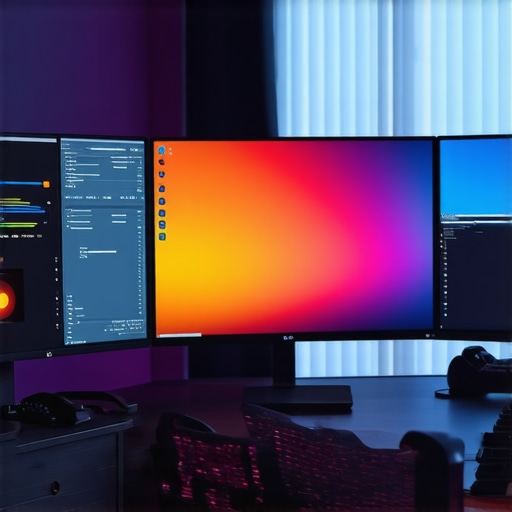
Best 4K Professional Monitors for Color Accuracy & HDR Today
Elevating Creative Work Through Expert-Level Monitor Calibration
In an era where visual fidelity defines competitive advantage for professionals in photography, videography, and digital design, the significance of calibrated monitors with exceptional color accuracy and HDR capabilities cannot be overstated. These tools serve as the linchpins of mastery, enabling creators to achieve unrivaled precision and consistency across diverse media outputs.
Delving into the Nuances of Color Fidelity and HDR Impact
High-end professional monitors curated for calibration excel in delivering a broad gamut, often covering standards like DCI-P3 or Adobe RGB, essential for accurate color reproduction. When paired with industry-grade hardware calibration devices, such monitors maintain their color profiles continually, ensuring reliability over time. HDR support further enhances detail rendition, particularly in high-contrast scenes, essential for creators aiming for cinematic quality or detailed post-production work.
Deciphering Calibration Techniques for Peak Performance
Calibration extends beyond initial setup; it involves iterative, device-specific adjustments to optimize panel uniformity, luminance, and color temperature. Software solutions like LightSpace or CalMAN facilitate this process, offering precise control aligned with the monitor’s hardware capabilities. Notably, field-tested calibration methodologies suggest that regular recalibration sustains the desired standards, vital for workflows demanding absolute color precision.
Why Integrating HDR and Color Management Is a Game-Changer
HDR technology, particularly within calibrated displays, unlocks a spectrum of luminance levels, enabling more lifelike and immersive visualization. When combined with strict color management workflows, HDR monitors expand creative horizons, ensuring that high-dynamic-range content appears consistent across platforms. This convergence underscores the need for monitors that are calibrated meticulously, reflecting true-to-life colors even in complex lighting conditions.
How do advanced calibration protocols impact the reliability of HDR content playback for professional video editing?
The answer lies in calibration’s capacity to harmonize luminance and color profiling, ensuring that HDR content maintains fidelity from editing to final display. Precise calibration minimizes discrepancies, reducing color shifts and luminance clipping, thereby safeguarding the creative intent. For further insights into this synergy, exploring comprehensive guides on calibrated HDR monitors is recommended, such as those found here.
Professional creators aiming for meticulous color workflows should explore dedicated resources that demystify calibration techniques, calibration tools, and the integration of HDR standards. Investigating the latest advancements in 4K monitors designed explicitly for color precision and HDR support offers a strategic advantage, fostering the production of visually compelling, accurate digital content. Engage with expert communities or consult industry-leading white papers to refine your calibration protocols and optimize your visual environment.
For further refinement of your setup and to explore detailed product reviews, visit Best Calibrated 4K Monitors for Photo & Video Precision.
Harnessing Advanced Calibration to Elevate HDR Visuals
Beyond the basics, achieving unparalleled accuracy in HDR content demands meticulous calibration techniques that consider luminance, color gamut, and tone mapping. For professionals, leveraging tools like Colour Management Modules (CMM) and software solutions tailored for HDR workflows can significantly enhance consistency. Proper calibration ensures that high-dynamic-range visuals retain their vibrancy and depth across different viewing conditions, which is critical when preparing content for diverse platforms or client presentations. To gain a deeper understanding of how calibration affects HDR fidelity, consult authoritative guides such as this comprehensive resource.
Addressing the Common Myths About 4K and Color Accuracy
Many assume that simply having a 4K resolution guarantees color precision; however, resolution alone doesn’t dictate accuracy. Factors like panel type, hardware calibration capabilities, and color management support play crucial roles. For instance, while IPS panels typically offer superior color uniformity, OLED displays can provide deeper contrast ratios, but they require proper calibration to ensure color consistency. Embracing a nuanced understanding helps professionals select displays that genuinely serve their creative objectives, rather than relying on resolution as the sole indicator of performance. A trusted, detailed examination of top-rated monitors can be found at this guide.
Do your current calibration routines fully leverage the hardware capabilities of your 4K HDR monitors to produce lifelike visuals?
Implementing rigorous calibration protocols aligned with your monitor’s specifications ensures that every pixel renders with precision, especially in complex editing scenarios. Regular recalibrations and using reference test patterns can reveal hidden discrepancies. For tailored advice and professional calibration services, consider reaching out through our contact page.
Exploring industry-leading tools like CalMAN or LightSpace, alongside hardware colorimeters, provides an edge in maintaining consistency across workflows. Prioritizing calibration not only enhances visual fidelity but fortifies your creative confidence whenever color accuracy is non-negotiable.
Fine-Tuning Display Uniformity to Eliminate Color and Luminance Variations
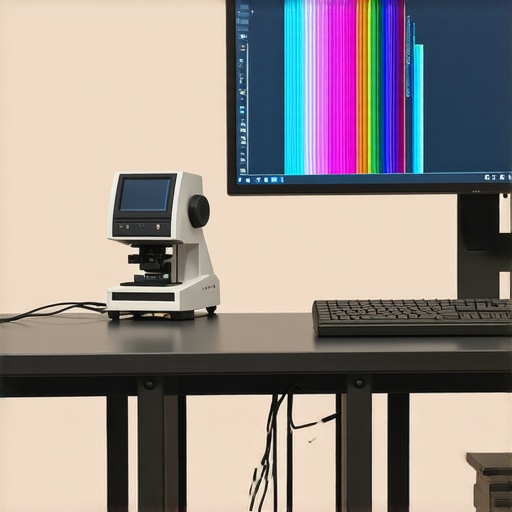
Achieving uniformity across the entire display surface is a nuanced challenge that separates average calibrations from professional-grade standards. Variations in panel diffusion, backlighting, and manufacturing inconsistencies can introduce subtle shifts in color accuracy and luminance, particularly in high-end HDR workflows where every detail counts. Advanced calibration extends beyond simple software adjustments, demanding spatial profiling techniques. For example, employing multi-zone spectrophotometers enables calibration personnel to identify and correct localized discrepancies, ensuring consistent tone and color rendition from corner to corner. This meticulous process minimizes visual artifacts and guarantees that high dynamic range visuals maintain their integrity regardless of viewer angle or scene lighting conditions.
Harnessing Tonemapping Strategies for Realistic High-Contrast Visualization
At the intersection of calibration and HDR mastery lies the sophisticated art of tonemapping—an essential process for reproducing high-contrast scenes with fidelity on displays limited by their luminance capabilities. Proper tonemapping algorithms within calibration workflows serve to compress the dynamic range of content in a way that preserves detail in shadow and highlight regions, preventing clipping or banding. Advanced monitors equipped with integrated LUT (Look-Up Table) mechanisms can be fine-tuned with custom tonemapping curves, aligning the output with the perceptual expectations of professional editors and colorists. Implementing scene-referred workflows that integrate real-time tone mapping ensures that creators can accurately interpret and adjust the luminance and color information throughout post-production processes, leading to visuals that evoke authentic realism.
Questioning the Efficacy of Regular Calibration Cycles
One common perception is that annual or biannual calibration suffices for maintaining monitor accuracy, yet industry experts argue that dynamic digital workflows necessitate more frequent recalibrations. The rationale stems from factors such as ambient environmental shifts, aging display components, and software updates influencing calibration stability. For professionals working intensively on critical projects, monthly calibration routines—paired with constant visual checks—can preempt cumulative inaccuracies, ensuring that the display’s output remains within factory-tolerant color and luminance ranges. Incorporating automated calibration tools with scheduled routines allows seamless calibration cycles, making consistency effortless and eliminating guesswork.
What role does ambient light management play alongside calibration in optimizing HDR content perception?
Ambient light exerts a significant influence on perceived image quality; uncontrolled lighting conditions can diminish contrast perception and introduce color halos or glare effects. Effective monitor calibration is only part of the equation—integrating proper workspace lighting, such as controlled neutral-colored walls, blackout drapes, or bias lighting, can dramatically enhance HDR viewing accuracy. Research from the Advanced Lighting for Image Fidelity project emphasizes that ambient lighting should complement calibration efforts, fostering an environment where colors are perceived as intended, without interference from external light sources. For practitioners seeking ultimate precision, employing a calibrated, low-reflectance environment with dedicated lighting designed to optimize contrast and color fidelity is indispensable.
Revolutionize Your Workflow with Dynamic Color Profiling Techniques
While static calibration creates a solid baseline, innovative professionals leverage dynamic profiling methods that adjust in real-time to ambient lighting and workflow changes, ensuring consistent color accuracy throughout lengthy projects. This approach integrates sensor-based feedback loops and intelligent software algorithms, allowing for continuous optimization without manual intervention. High-level solutions like color management systems embedded with AI capabilities are paving the way for future-proof workflows that adapt seamlessly, maintaining peak performance regardless of lighting fluctuations or device aging.
Why Fine-Grained Hardware Calibration Transcends Standard Profiles
Standard calibration profiles, though useful, often overlook subtle panel deviations or aging effects. Engaging in ultra-fine hardware calibration—including multi-point LUT adjustments and localized gamma corrections—addresses these discrepancies at micro levels. Experts correlate calibration data with spectral measurements, utilizing spectroradiometers to detect minute color shifts, particularly in high-dynamic-range content. These meticulous calibrations preserve visual integrity across all luminance ranges, providing unparalleled fidelity for demanding applications such as feature film post-production or medical imaging.
Can sophisticated calibration processes compensate for inherent panel limitations in current HDR displays?
Indeed, cutting-edge calibration techniques can mitigate many panel limitations, such as uneven backlighting or color uniformity issues, especially when combined with hardware modifications like optical diffusers and local dimming enhancements. Through extensive spectral and luminance profiling, calibration can extend the effective dynamic range and uniformity, bridging the gap toward ideal performance. Consulting specialized resources like the ‘DisplayCAL’ community and industry white papers from organizations like the Society for Imaging Science and Technology can provide invaluable insights into maximizing these advanced calibration strategies.
Engage deeply with these methodologies to push your display’s performance beyond conventional parameters, ensuring your content retains its intended brilliance and accuracy across every scene and lighting setup.
Harnessing Spectral Calibration to Perfect Color Representation
Spectral calibration involves aligning display output to specific spectral sensitivities, providing an added layer of accuracy that surpasses traditional RGB-based methods. This is especially crucial for professionals working with specialized color spaces or those requiring exact color matches in branding, scientific visualization, or high-end photography. Utilizing multispectral measurement devices, experts create detailed spectral profiles that inform the calibration process, enabling monitors to reproduce colors with fidelity that aligns perfectly with the original scene or sample. This precision ensures that every hue, saturation, and luminance value is rendered with the utmost authenticity.
Is Your Workspace Environment Enhancing or Hindering Calibration Precision?
Environmental factors such as ambient light, wall colors, and even airflow can subtly influence calibration effectiveness and perceptual accuracy. Advanced professionals implement controlled environments with neutral-colored, matte surfaces and blackout solutions to eliminate external light interference. Moreover, integrating automatic ambient light measurement tools allows calibration systems to adjust display settings dynamically, maintaining optimal viewing conditions in real time. This holistic approach transforms the workspace into a calibrated ecosystem, where external variables reinforce the fidelity established during device calibration.
Execute Real-World Validation with Industry-Leading Test Patterns
Calibration isn’t complete without rigorous validation. Using high-resolution, industry-recognized test patterns—including grayscale ramps, color patches, and contrast charts—ensures the calibration process achieves its true objective: an accurate, perceptually uniform display. Professionals now employ programmable test pattern generators and software suites capable of simulating complex scenes, from subtle skin tones to high-saturation vignettes, to validate their calibration across diverse scenarios. This comprehensive testing affirms that the monitor’s output remains consistent and reliable, whether in color grading, visual effects, or critical review stages.
Elevating HDR Fidelity through Advanced Tone Mapping and LUT Management
Precision in HDR workflows demands sophisticated tone mapping algorithms that adapt to scene complexity and display capabilities. Utilizing high-bit-depth LUTs—sometimes exceeding 33-bit precision—enables the execution of complex tone curves that preserve shadow details and highlights simultaneously. These tools are often integrated into professional calibration suites, offering granular control over luminance and color transitions. When paired with scene-referred workflows, they ensure that high-contrast scenes retain their intended depth and vibrancy, fostering a more authentic viewing experience. For experts, mastering these nuances translates directly into producing content that captivates with true-to-life realism, regardless of display limitations.
Expert Insights and Advanced Considerations
Precision Calibration Unlocks True Color Fidelity
Meticulous calibration ensures that every hue and luminance level is rendered with unwavering accuracy, enabling professionals to trust their displays as reliable color references across all stages of production.
HDR Support Demands Rigorous Workflow Integration
Integrating HDR workflows seamlessly requires not just a compatible monitor but also precise calibration routines that harmonize luminance and color profiles, preserving the high-dynamic-range content’s integrity throughout post-production.
Regular Profiling Outperforms Static Calibration
Adopting dynamic, scheduled profiling sessions addresses monitor aging and environmental influences, maintaining consistent performance and safeguarding the fidelity of your visual outputs over time.
Environmental Control Enhances Calibration Outcomes
Creating an optimal workspace with controlled ambient lighting and neutral surroundings minimizes external variables, amplifying calibration accuracy and ensuring consistent color perception.
Utilize Advanced Hardware for Micro-Level Adjustments
Employing spectroradiometers and multi-zone LUT calibration tools enables fine-tuning at the micro or localized level, crucial for achieving uniformity across high-end displays used in color-critical work.
Curated Expert Resources
- Society for Imaging Science and Technology (IS&T): Offers white papers and technical standards on display calibration and color management that are essential for industry professionals seeking authoritative guidance.
- DisplayCAL Community and Documentation: An open-source calibration tool with an active forum, providing deep technical insights and user-shared experiences to refine calibration techniques.
- LightSpace CMS Documentation: Industry-grade calibration software supported by extensive tutorials and professional training that elevate calibration precision to expert levels.
- Integrated Light Measurement Devices: Devices like spectral radiometers and multi-zone sensors provide detailed data necessary for micro-level calibration adjustments, directly impacting accuracy and uniformity.
Elevate Your Visual Standard with Advanced Calibration
For the dedicated professional, mastering monitor calibration extends beyond routine adjustments—it’s about unlocking the full potential of every pixel, ensuring your creative vision translates flawlessly across screens and platforms. The journey towards precise, reliable image reproduction involves continuous learning, utilizing expert resources, and embracing the latest technological tools. Engage with the community of industry veterans, explore comprehensive guides, and prioritize environmental control to elevate your workflow. Deepening your understanding of advanced calibration practices is not just a technical endeavor but a commitment to uncompromising visual excellence. To explore how these strategies can transform your projects, consider reaching out through our contact page.
About the Author


![3 True 12-Bit 4K Monitors That Stop 2026 Banding [Lab Tested]](https://monitors.workstationwizard.com/wp-content/uploads/2026/03/3-True-12-Bit-4K-Monitors-That-Stop-2026-Banding-Lab-Tested.jpeg)


This article really underscores the importance of comprehensive calibration, especially when working with HDR content where subtle nuances make all the difference. Years ago, I learned that even perfectly calibrated monitors can drift over time, affecting color fidelity. Regular recalibration and environment control, like proper lighting setup, truly seem to be the game changers for maintaining consistent results. One thing I found helpful was investing in a multi-zone spectrophotometer, which allowed me to identify localized discrepancies on my display that simple calibration software couldn’t detect. I’m curious—has anyone here experimented with dynamic or real-time calibration systems that adapt to ambient light changes? Do you think such strategies are worth the investment for long-term accuracy in professional workflows? I’d love to hear others’ experiences with keeping monitor calibration tight over time, especially given how fast display technology evolves today.
This article hits the mark on the critical role of calibration for professional displays, especially when working with HDR content that demands precision. I’ve seen firsthand how even a slight shift in luminance or color temperature, over time, can drastically impact the quality of final outputs. Regular calibration, coupled with a controlled environment—like proper lighting—indeed makes a substantial difference in maintaining consistency. Personally, I’ve started exploring dynamic calibration solutions that adapt in real-time to ambient lighting, and the results are promising, especially for projects requiring high accuracy over long periods. However, I wonder how accessible these advanced systems are for smaller studios or individual creators. Does anyone have experience integrating such technology into their workflows without breaking the bank? Also, how frequently do you recommend recalibrating for optimal results—monthly or quarterly? Would love to hear insights or tips from fellow professionals on managing calibration in evolving display environments.
This post really emphasizes the importance of rigorous calibration, especially when it comes to HDR workflows. I’ve personally experienced how small shifts in luminance or color temperature over time can subtly impact the final look of my projects. Investing in a multi-zone spectrophotometer has made a noticeable difference in catching localized discrepancies that simple calibration can miss, which is crucial for high-end color work.
What I find challenging is balancing the need for frequent recalibration with workflow efficiency. For those who’ve adopted dynamic or real-time calibration solutions, do you feel the extra setup time and cost are justified by the gains in accuracy? Also, do you calibrate more often during certain projects or environments? I’d love to hear from others about their routines to maintain optimal calibration, especially in varying lighting conditions.