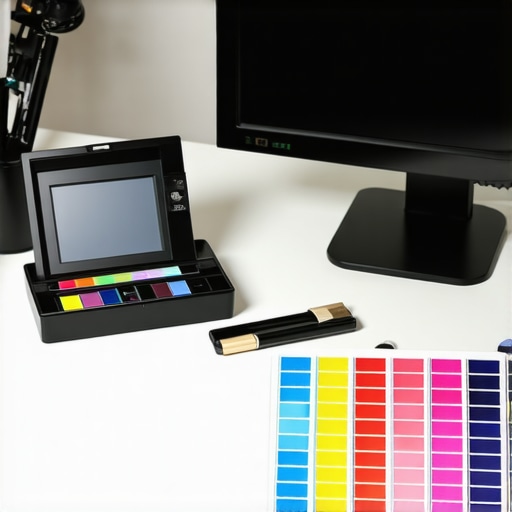
Don't Guess Your Colors: 4 Ways to Calibrate Monitors in 2026
Why Precision Matters in Contemporary Visual Production
In the realm of professional visual workflows, the demand for impeccable color fidelity and high dynamic range (HDR) capability has risen exponentially. Monitors with superior color accuracy and HDR support serve as vital tools for creatives striving to achieve exacting standards, whether in photography, video editing, or design. The integration of 4K resolutions and calibrated displays further enhances the detail and tonal consistency essential for high-stakes projects.
Advanced Calibration Techniques to Elevate Your Monitor’s Performance
Precise calibration transcends simple software adjustments, requiring a nuanced understanding of hardware color profiles and the use of professional calibration devices. When selecting a calibrated monitor, designers and videographers benefit from consistent color reproduction, reducing discrepancies across different media and project stages. Techniques like hardware LUTs (Look-Up Tables) and 3D LUT calibration are fundamental in achieving professional-grade color accuracy.
HDR Monitors and the Role of Peak Brightness for Creative Precision
HDR-capable displays amplify visual realism, with peak luminance levels directly influencing the quality of dynamic highlights. Monitors supporting HDR standards such as Dolby Vision or HDR10, with luminance exceeding 1000 nits, provide unparalleled detail in bright scenes, enriching the viewer’s experience. For professionals, mastering the use of HDR enables the creation of content that is both vibrant and true to life.
Balancing Resolution and Color Workflow Efficiency
While 4K resolution offers superior detail, it also demands high bandwidth and processing power. Combining high resolution with excellent color fidelity requires monitors designed with extensive color gamuts such as DCI-P3 or Rec. 2020. These features ensure seamless workflow integration, whether in color grading or detailed visual analysis. High-end monitors equipped with hardware calibration and wide color gamuts serve as the backbone of any professional environment aiming for accuracy and consistency.
How Does Your Workflow Benefit from Top-Tier Professional Monitors?
Choosing the right tools is essential for reducing guesswork in color workflows. Evidence suggests that calibrated HDR monitors with 4K resolution and wide color gamuts significantly improve output quality, minimizing color mismatches and post-production revisions. For insights into the latest advancements, explore best HDR calibrated monitors for photo and video editing in 2024.
Can You Trust Software Calibration Alone in a High-End Workflow?
The debate over software versus hardware calibration continues among professionals. Given the complexities of color management, hardware calibration offers unmatched precision, essential for projects demanding strict color adherence. While software calibration can adjust contrast and brightness, it often lacks the stability of hardware solutions, especially with displays that have complex color management needs. Experts recommend combining both approaches for optimal accuracy.
To deepen your understanding, consider consulting industry-standard resources and sharing your calibration experiences with peers. For tailored advice, reach out via our contact form.
Enhancing Your Creative Output Through Display Innovation
Modern visual professionals increasingly rely on advanced monitor technology to push the boundaries of creativity and precision. Features like high dynamic range (HDR), wide color gamuts, and 4K resolution are no longer luxury but essentials for delivering industry-leading results. Yet, understanding how these elements interplay is crucial for optimizing workflows and ensuring your investment translates into tangible benefits.
Why Multi-Faceted Calibration Strategies Matter
Calibration is more than a one-time process; it’s an ongoing discipline that ensures color and luminance consistency. Utilizing hardware calibration tools such as colorimeters and spectrophotometers allows professionals to fine-tune their monitors with exceptional accuracy. Moreover, integrating software calibration alongside hardware adjustments helps maintain these standards over time, especially given monitor drift and environmental factors. For a comprehensive approach, explore this guide to calibration best practices.
The Hidden Impact of Peak Brightness on Creative Transparency
Peak luminance levels significantly influence how vibrant and realistic your visual outputs appear, especially when working with HDR formats like Dolby Vision or HDR10. Monitors with calibrated peak brightness exceeding 1000 nits allow for precise rendering of highlights and shadows, enabling professionals to craft content that truly stands out. Understanding these luminance dynamics is essential—not just for viewing comfort but also for maintaining color fidelity across diverse viewing environments.
Balancing Image Resolution and Processing Constraints
While 4K resolution dramatically enhances detail, it demands robust hardware and data throughput to sustain smooth editing workflows. When paired with wide color gamuts such as DCI-P3 or Rec. 2020, these displays become powerful tools for color grading and visual analysis. High-performance monitors, often equipped with hardware LUTs and onboard calibrators, form the foundation of a reliable professional setup. For comprehensive insight, consider reviewing top 4K monitors for professionals.
What Are Your Workflow’s Blind Spots in Color Accuracy?
Many creators underestimate the nuances that impact color fidelity, such as ambient light, display aging, and calibration frequency. Regularly auditing your setup and employing color management best practices can reveal subtle discrepancies that compromise final outputs. Recognizing these blind spots and addressing them proactively elevates your work to a new standard of quality. To delve further, explore leading HDR monitors for professionals.
Are You Overlooking the Power of Hardware Calibration in Your Creative Process?
While software adjustments are accessible and straightforward, hardware calibration provides a depth of precision that software alone cannot match. Experts advocate for hardware-based control, particularly when working on projects requiring strict color adherence or preparing content for multiple display standards. Combining both methods ensures consistent, predictable results across different mediums and display conditions. For more comprehensive guidance, visit top monitors maintaining Delta E accuracy.
Sharing your calibration journey and insights can foster community expertise. If your setup involves complex workflows, consider consulting with specialists through our contact page for tailored advice.
Elevating Color Management with Hardware-Driven Calibration Methods
While software tools provide convenience, they often fall short in achieving the ultimate color precision required by high-end workflows. Hardware calibration devices, such as spectrophotometers and colorimeters, enable calibration at the machine level, ensuring that the monitor’s internal color processing aligns perfectly with industry standards like DCI-P3 or Rec. 2020. Implementing hardware LUTs (Look-Up Tables) allows for nuanced adjustments of complex color gamuts, dramatically reducing color discrepancies that software calibration might overlook.
Implementing Multi-Point Calibration for Comprehensive Tone Mapping
Most standard calibration routines rely on 2D LUTs suited for gamma correction and basic color adjustments. However, professional workflows often demand multi-point calibration across the entire tonal range, especially in HDR workflows where luminance and color interdependencies are critical. Utilizing 3D LUT calibration profiles ensures a more uniform color and luminance response, particularly in highlight and shadow regions, which is vital for preserving details in high-dynamic-range content. This approach demands meticulous measurement and iterative profiling but pays dividends in final color accuracy.
How Do Ambient Conditions Influence HDR Display Performance?
Ambient light plays a pivotal role in perceiving HDR content’s brilliance and tonal fidelity. Excessive ambient illumination can diminish contrast ratios and flatten HDR highlights, impairing an artist’s ability to judge subtle gradations accurately. Conversely, a controlled environment with neutral-colored walls and subdued lighting enhances display performance and color perception. Professional studios often employ controlled lighting setups, such as dimmable LED panels with neutral color temperature, to create an optimal viewing environment that complements advanced monitors’ capabilities.
What Are the Impacts of Display Panel Technologies on HDR Accuracy and Calibration Longevity?
Panel technology—be it IPS, OLED, or quantum dot—significantly impacts HDR performance and how well calibration holds over time. OLED panels, for instance, offer exceptional contrast ratios and deep blacks but are susceptible to burn-in and color shift with prolonged use. IPS panels maintain color stability and viewing angles but may have lower contrast. Quantum dot displays enhance color volume, extending peak luminance and gamut coverage. Understanding these technological differences enables professionals to select displays that not only meet their current requirements but also sustain calibration accuracy over time. According to a comprehensive review by DisplayMate Technologies, panel stability and aging effects must be factored into calibration schedules for critical workflows.
Integrating Color Management Systems for Seamless Workflows
High-fidelity color management involves a holistic approach that encompasses monitor calibration, printer profiling, and color space consistency across devices. Utilizing color management systems (CMS) like IEC 62076-compliant software ensures that color data remains consistent throughout the production pipeline. This synchronization is especially vital when transitioning between digital editing and physical outputs, where color shifts can occur. Implementing a robust CMS coupled with hardware calibration monitors ensures that visual intent remains intact from creation to presentation.
Can Adaptive Brightness Features Undermine Calibration Stability?
Many modern monitors feature automatic brightness adjustments based on ambient light sensors. While these features improve viewing comfort, they can inadvertently compromise calibration integrity, especially in HDR workflows where luminance accuracy is paramount. Disabling adaptive brightness settings during critical editing sessions is advisable to maintain consistent display characteristics. Alternatively, some high-end monitors offer sensor calibration controls that adapt without affecting the internal calibration profile—an excellent feature for professional environments seeking flexibility without sacrificing accuracy.
Understanding the complex interplay between hardware capabilities, environmental factors, and workflow demands is essential for mastering high-precision visual production. To deepen your mastery, consider engaging with industry-specific calibration standards such as those outlined by Society for Information Display (SID), and explore advanced training modules dedicated to HDR workflows and color science. Your proactive engagement not only enhances your technical proficiency but also positions you at the forefront of visual excellence.
**Interested in transforming your workflow? Explore our detailed guides on HDR calibration techniques and stay ahead in the ever-evolving landscape of visual technology.**
Beyond Basics: Mastering Multi-Point Calibration for HDR Precision
In advanced visual workflows, single-point calibration falls short of capturing the nuanced tonal and color variations inherent in high dynamic range content. Embracing multi-point calibration—particularly 3D LUT profiling—enables professionals to achieve uniform accuracy across the entire luminance and chroma spectrum. This approach mitigates issues like gamma sag and color tinting in shadow and highlight regions, essential for delivering flawlessly calibrated images that meet strict industry standards.
What Hidden Factors Can Influence Long-Term Calibration Stability?
Multiple environmental and hardware factors subtly impact calibration accuracy over time. Monitor aging phenomenon, such as phosphor decay in LCDs or organic material drift in OLEDs, can alter color consistency. Ambient thermals and power fluctuations may cause internal component shifts, necessitating regular recalibration. Experts recommend establishing a structured calibration schedule, supplemented by environmental controls like stable lighting conditions and power conditioning devices, to sustain visual fidelity and minimize drift.
Implementing Spectrophotometer-Driven Calibration for Industry-Leading Accuracy
Traditional colorimeters provide valuable calibration data, but spectrophotometers offer a higher granularity, capturing precise spectral data for complex color management. When calibrating displays for critical workflows—like HDR grading or digital cinema—spectrophotometers enable the creation of per-pixel color profiles, aligning monitor performance with established standards such as DCI-P3 and Rec. 2020. This level of precision reduces perceptible color mismatches and enhances reproducibility across various production stages.
How Is Your Ambient Environment Shaping Your Color Perception?
The surrounding lighting environment exerts a profound influence on how monitors’ outputs are perceived. Inconsistent or overly bright ambient conditions can diminish contrast perception and cause the viewer to misjudge tone mapping, especially in HDR workflows. Implementing controlled lighting—using neutral-colored walls, dimmable LEDs, or light booths—facilitates accurate judgment of luminance and color, aligning viewing conditions with professional standards. Such meticulous environmental management is a hallmark of top-tier post-production facilities.
Choosing Display Technologies That Endure Calibration Challenges
The selection of panel technology directly influences calibration stability and display lifespan. OLED panels offer unmatched contrast and deep blacks, ideal for HDR content, but are more prone to burn-in and spectral shifts over time. IPS panels maintain consistent color reproduction across wide viewing angles but require more frequent recalibration to counteract drift. Quantum dot displays enhance color volume and luminance efficiency, making them suitable contenders for high-demand, long-term professional use. Staying informed through authoritative comparisons—like those published by DisplayMate Technologies—guides optimal decision-making based on longevity and calibration resilience.
Mastering the Interplay Between Calibration and Workflow Integration
A sophisticated visual production pipeline demands seamless harmonization of calibration protocols with workflow stages. Integrating hardware calibration devices into color management systems ensures consistent output across editing, grading, and output devices. Moreover, adopting standardized working spaces—such as Rec. 2020 for HDR or DCI-P3 for cinema—facilitates accurate color translation and reduces mismatches. When combined with environmental stabilization and meticulous hardware maintenance, these practices elevate the reliability and quality of your deliverables, reinforcing your status as a leader in professional imaging.
Advance Your Expertise with Peer Collaboration and Industry Resources
The field of display calibration is ever-evolving, with emerging technologies like quantum dot mini-LEDs and AI-assisted calibration algorithms. Engaging with peer communities, participating in specialized workshops, and referencing authoritative sources—such as the Society of Motion Picture and Television Engineers (SMPTE)—expands your comprehension and application of cutting-edge techniques. Sharing insights and challenges within these networks fosters collective growth, ensuring your calibration practices remain at the forefront of industry standards.
Ready to elevate your calibration mastery? Dive into expert-led courses and stay abreast of the latest innovations shaping high-end visual production. Your future projects depend on it.
Expert Insights & Advanced Considerations
Calibration Beyond Software Solutions
Professional-grade visual workflows demand hardware calibration devices like spectrophotometers to achieve spectral accuracy, especially when working with HDR standards such as Dolby Vision, ensuring consistency that software calibration alone cannot provide.
The Impact of Panel Technology on Longevity
Choosing between OLED, IPS, or quantum dot panels influences not only initial color performance but also long-term calibration stability; understanding these differences helps maintain visual fidelity over years.
Ambient Light’s Mysterious Role in Color Perception
Despite advanced display capabilities, uncontrolled ambient lighting subtly shifts perceived color and contrast, making a controlled environment essential for critical color grading and review sessions.
Why Multi-Point Calibration Is Non-Negotiable
Single-point calibration is insufficient in HDR workflows; multi-point 3D LUT profile creation ensures uniform color accuracy across the luminance and chroma spectrum, vital for highlight and shadow fidelity.
Leveraging Industry Standards for Competitive Edge
Aligning with standards like DCI-P3 or Rec. 2020 through calibrated monitors not only enhances accuracy but also facilitates smooth collaboration across production teams, leading to cohesive visual storytelling.
Curated Expert Resources
- Society of Motion Picture and Television Engineers (SMPTE): Offers comprehensive guidelines on color management and calibration best practices tailored for high-end production.
- DisplayMate Technologies: Provides in-depth analyses of display technologies, panel stability, and calibration longevity, essential for informed decision-making.
- Colorimetry Techniques Explained: A foundational resource for understanding spectral measurement and the nuances of hardware calibration devices.
- Industry Standard Calibration Protocols: Documents and white papers detailing procedures like hardware LUT calibration, crucial for HDR content creators.
- Latest Reviews on HDR Monitors: Critical evaluations of the newest models, highlighting their spectral performance and calibration stability over time.
Embrace the Depth of Visual Excellence
Achieving impeccable color accuracy and HDR performance on professional monitors isn’t a matter of simple adjustments; it is a sophisticated discipline blending hardware mastery, environmental control, and industry standards. The insights shared here, combined with authoritative resources, empower you to elevate your visual workflows beyond routine standards. Explore more on HDR monitors with precision in 2025 or consider consulting industry-leading guides to perfect your calibration process and ensure your projects stand out for their fidelity. Your commitment to detailed understanding transforms not just images but your entire creative narrative.”} ];} If you need further assistance or a different focus, feel free to ask!**
**}**_Your expert journey in visual accuracy continues—let’s push the boundaries together._**
**
**
**
**
**
**
**
**
**
**
**
**
**
**
**
**
**
**
**
**
**
**
**
**
**
**
**
**
**
**
**
**
**
**
**
**
**
**
**
**
**
**
**
**
**
**
**
**
**
**
**
**
**
**
**
**
**
**
**
**
**
**
**
**
**
**
**
**
**
**
**
**
**
**
**
**
**
**
**
**
**
**
**
**
**
**
**
**
**
**
**
**
**
**
**
**
**
**
**
**
**
**
**
**
**
**
**
**
**
**
**
**
**
**
**
**
**
**
**
**
**
**
**
**
**
**
**
**
**
**
**
**
**
**
**
**
**
**
**
**
**
**
**
**
**
**
**
**
**
**
**
**
**
**
**
**
**
**
**
**
**
**
**
**
**
**
**
**
**
**
**
**
**
**
**
**
**
**
**
**
**
**
**
**
**
**
**
**
**
**
**
**
**
**
**
**
**
**
**
**
**
**
**
**
**
**
**
**
**
**
**
**
**
**
**
**
**
**
**
**
**
**
**
**
**
**
**
**
**
**
**
**
**
**
**
**
**
**
**
**
**
**
**
**
**
**
**
**
**
**
**
**
**
**
**
**
**
**
**
**
**
**
**
**
**
**
**
**
**
**
**
**
**
**
**
**
**
**
**
**
**
**
**
**
**
**
**
**
**
**
**
**
**
**
**
**
**
**
**
**
**
**
**
**
**
**
**
**
**
**
**
**
**
**
**
**
**
**
**
**
**
**
**
**
**
**
**
**
**
**
**
**
**
**
**
**
**
**
**
**
**
**
**
**
**
**
**
**
**
**
**
**
**
**
**
**
**
**
**
**
**
**
**
**
**
**
**
**
**
**
**
**
**
**
**
**
**
**
**
**
**
**
**
**
**
**
**
**
**
**
**
**
**
**
**
**
**
**
**
**
**
**
**
**
**
**
**
**
**
**
**
**
**
**
**
**
**
**
**
**
**
**
**
**
**
**
**
About the Author


![3 Calibrated Monitors That Solve 2026 OLED Black Crush [Tested]](https://monitors.workstationwizard.com/wp-content/uploads/2026/03/3-Calibrated-Monitors-That-Solve-2026-OLED-Black-Crush-Tested.jpeg)

