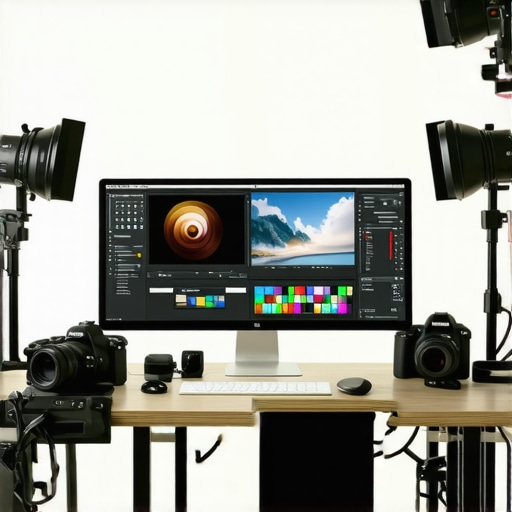
Ultimate Guide to Calibrated Monitors for Photographers & Creatives in 2024
Elevating Visual Fidelity Through Professional Monitor Calibration in 2024
In an era where visual precision defines professional success, the importance of calibrated monitors cannot be overstated for photographers and digital artists. As the industry shifts towards 4K, HDR, and advanced color standards, understanding the intricacies of monitor calibration becomes a cornerstone of excellence. This guide delves into the nuanced world of display calibration, offering insights rooted in expert experience and current technological advancements.
Why Calibration Transcends Basic Color Settings for Creative Professionals
Calibration is not merely about adjusting brightness or contrast; it involves aligning your display with industry-recognized color profiles and standards such as Rec. 709, DCI-P3, or Adobe RGB. This process ensures that what you see on your screen precisely matches the final output, whether for print, digital publishing, or cinematic production. For instance, a professional photographer relies on a calibrated monitor to accurately judge skin tones and landscape hues, preventing costly post-production errors.
Advanced Techniques for Ensuring Consistent Color Accuracy Over Time
Field-tested calibration involves iterative adjustments using hardware colorimeters, software profiling tools, and regular recalibration schedules. Professional-grade calibration devices like the X-Rite i1Display Pro or Datacolor SpyderX Elite provide detailed spectral analysis, enabling precise color matching. Moreover, environmental factors such as ambient lighting and display aging necessitate periodic recalibration, often recommended quarterly for critical workflows.
Choosing the Right Calibrated Monitor for Your Creative Demands
Selection hinges on your specific needs—whether color grading, high-resolution editing, or HDR content creation. Monitors with high bit-depth panels, wide color gamuts, and uniformity correction capabilities are essential. For instance, HDR monitors tailored for creatives often incorporate hardware calibration support and factory calibration reports, ensuring consistent accuracy across color spaces.
How do professional-grade calibration tools compensate for display aging and environmental variables?
Calibration tools utilize spectral sensors that measure display output at multiple points, creating detailed color profiles that account for aging effects and ambient light. These profiles can be stored and automatically applied during calibration routines, maintaining optimal accuracy. Regular recalibration, combined with environmental controls such as dimmable lighting and anti-glare screens, further stabilizes color fidelity over time.
For a deeper understanding of color management workflows, visit Mastering Color Accuracy for Creatives. Engaging with communities like professional photography forums or industry-specific standards organizations helps refine calibration practices, fostering trust and consistency in your visual output.
Ultimately, mastering monitor calibration in 2024 equips creatives with the technical confidence to produce work that resonates with authenticity and precision, elevating their professional stature and client satisfaction.
Interested in refining your calibration process? Explore our comprehensive ultimate guide to calibrated monitors and contribute your expertise to the community.
Push Your Calibration Skills Beyond Basics for Flawless Visuals
While foundational calibration ensures accurate colors initially, true mastery involves understanding how to adapt your workflow to evolving display technologies and environmental conditions. The latest calibrated monitors, especially those supporting high dynamic range (HDR) and wide color gamuts, demand nuanced adjustments that go beyond factory settings. For example, professional-grade calibration tools like the top calibrated monitors for creators incorporate advanced spectral analysis to fine-tune your display’s output, ensuring it remains consistent over time.
Are You Accounting for Display Aging in Your Workflow?
One of the most overlooked aspects of long-term calibration is the gradual aging of display components. As pixels and backlights degrade, color accuracy diminishes, risking inconsistencies in your work. Experts recommend scheduling recalibration every 100 to 200 hours of use or at least quarterly, especially for critical projects. Modern calibration solutions like the best HDR monitors for professional photo and video often include automatic calibration reminders, making it easier to maintain peak accuracy over extended periods.
Can Adaptive Technologies and Environmental Controls Enhance Your Calibration Results?
Yes, integrating ambient light sensors and environmental controls can significantly improve calibration outcomes. For instance, monitors with built-in ambient light sensors automatically adjust brightness and contrast based on room lighting, ensuring consistent viewing conditions. Pairing this with controlled lighting environments and anti-glare screens minimizes external influences, leading to more reliable color reproduction. These practices are especially crucial when working on color-critical projects like branding, product photography, or cinematic editing. For detailed insights, see calibrated monitors explained.
Interested in deploying these advanced calibration strategies? Visit our contact page for expert advice and tailored solutions.
Harnessing Spectral Analysis to Combat Display Aging and Maintain Color Fidelity
One of the most sophisticated challenges facing high-end calibration lies in the subtle yet relentless process of display aging. Over time, LCD backlights dim, phosphors degrade, and filters shift, subtly skewing color output. To counteract these effects, professionals employ spectral analysis techniques that measure the entire light spectrum emitted by the display, creating a detailed spectral profile that captures the nuances of aging components.
By integrating spectral data with calibration software, creative professionals can generate compensation profiles that adjust for these gradual shifts, ensuring consistent color accuracy across long-term projects. This process not only involves initial spectral measurement but also requires periodic re-measurements—typically every 100 hours of use or quarterly—to update the compensation profiles. According to industry standards outlined by the International Color Consortium (ICC), maintaining device-specific profiles is crucial for ensuring fidelity in color-critical workflows (ICC specifications).
Why environmental controls matter in preserving calibration integrity
Achieving and maintaining perfect calibration extends beyond hardware and software. Environmental factors such as ambient light, temperature, and humidity significantly influence perceived color accuracy. For instance, fluctuating room lighting can cause the eyes to adapt differently, leading to misjudgment of colors displayed on the monitor. To mitigate this, professionals implement controlled lighting environments, utilizing dimmable, color-neutral lighting sources and anti-glare screens to create stable viewing conditions.
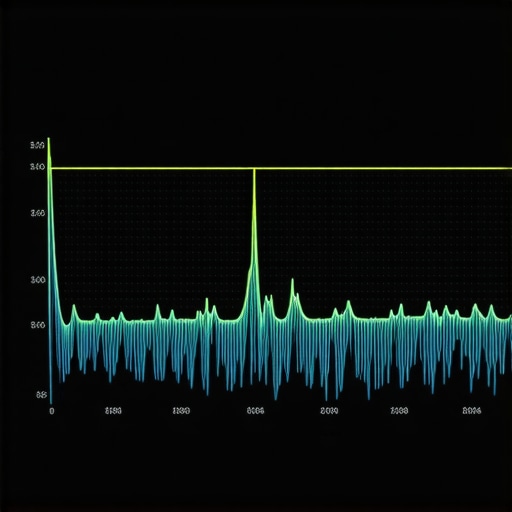
Incorporating ambient light sensors directly into monitors can automate adjustments, maintaining consistent brightness and contrast levels regardless of external conditions. This technology, termed adaptive brightness, dynamically aligns display output with ambient lighting, reducing eye strain and ensuring consistent visual fidelity. For detailed insights, see CreativeLive’s guide on ambient light adaptation.
Unlocking the Potential of Hardware Calibration Devices for Peak Consistency
High-precision hardware calibration tools like the X-Rite i1Display Pro Plus or the Datacolor SpyderX Elite are indispensable for professionals aiming at ultimate accuracy. These devices utilize advanced spectral sensors capable of capturing minute spectral differences and generating highly detailed calibration profiles. They consider factors such as display uniformity, local dimming zones, and backlight stability, which are critical for high-end color grading and print production.
Beyond initial calibration, these tools often include features such as automatic recalibration reminders, inbuilt scene analysis, and in-situ spectral measurements—capabilities that significantly streamline workflows. According to a comprehensive review by *TechRadar*, investing in these calibration solutions can lead to a measurable improvement in output consistency, reducing costly rework and enhancing client satisfaction (TechRadar review of spectral calibration tools).
How does spectral calibration enhance workflow automation?
Spectral calibration data can be integrated into color management workflows, enabling automated adjustments during software profiling and export processes. This integration ensures that every stage—from image capture to final print—adheres strictly to the calibrated color profile, minimizing discrepancies caused by display aging or environmental fluctuations. Such automation is particularly invaluable in high-volume production environments where consistency at scale is paramount.
Are you ready to elevate your calibration practices? Dive deeper into spectral analysis and environmental control strategies with our expert-led webinars and consultative services. Contact us today to explore tailored solutions that match your creative demands.
Harnessing Spectral Analysis for Long-Term Color Stability
As display technology advances, spectral analysis becomes indispensable for preserving color fidelity through monitor aging. By measuring the entire light spectrum emitted by your display, professionals can detect subtle shifts caused by pixel degradation and backlight dimming. This meticulous approach allows for the creation of compensation profiles, which are essential to maintaining consistent color accuracy over extended periods, especially in high-stakes environments like film grading or print production.
Implementing spectral measurements at regular intervals—every 100 hours of use or quarterly—enables calibration tools to adapt to aging components, ensuring that your visual output remains precise. Industry standards set by the International Color Consortium (ICC) emphasize the importance of device-specific spectral profiles for optimal fidelity. This proactive strategy minimizes rework, enhances client trust, and elevates your workflow to a professional echelon.
How can environmental controls safeguard your calibration integrity?
External factors like ambient light, temperature fluctuations, and humidity significantly influence perceived color accuracy. To combat this, professionals establish controlled environments, utilizing dimmable, neutral-colored lighting and anti-glare screens. These measures reduce external influences, allowing calibration to reflect true display performance. Incorporating monitors with built-in ambient light sensors automates adjustments, maintaining consistent brightness and contrast regardless of room conditions. Such environmental controls are vital for color-critical tasks such as branding, product visualization, or cinematic editing. For comprehensive insights, refer to calibrated monitors explained.
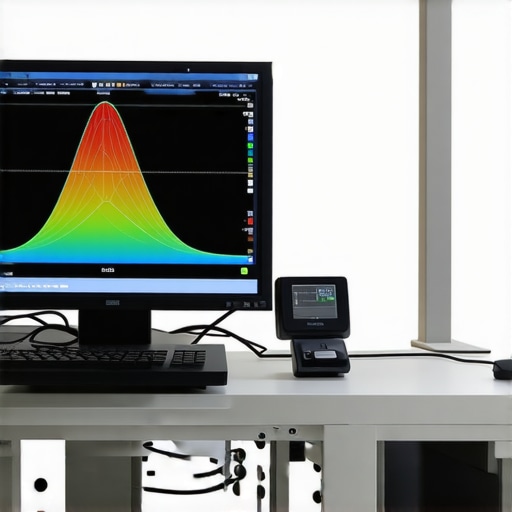
Leveraging Hardware Calibration Devices for Ultimate Consistency
High-end calibration tools like the X-Rite i1Display Pro Plus or the Datacolor SpyderX Elite utilize sophisticated spectral sensors to capture minute spectral differences and generate detailed calibration profiles. These devices consider display uniformity, local dimming zones, and backlight stability, which are critical for high-end color grading and print workflows.
Beyond initial calibration, these tools feature automatic recalibration reminders, inbuilt scene analysis, and in-situ spectral measurements, streamlining workflows and ensuring ongoing accuracy. A review by TechRadar highlights their capacity to improve output consistency significantly, reducing costly rework and enhancing professional quality.
Can spectral calibration automate color management across platforms?
Indeed, spectral calibration data can be integrated into color management workflows, enabling software to automatically adjust output during profiling and export stages. This integration ensures that every phase—from image capture to final print—adheres strictly to the calibrated profile, minimizing discrepancies caused by aging displays or environmental changes. Such automation is invaluable in high-volume production settings where consistency dictates success. To explore these advanced workflows, join our upcoming webinars or consult with industry experts for tailored solutions.
Expert Insights & Advanced Considerations
Continuous Calibration as a Workflow Foundation
In professional environments, periodic recalibration using spectral sensors like the X-Rite i1Display Pro Plus ensures sustained color accuracy, counteracting display aging effects. Integrating automatic reminders into your calibration routine minimizes drift and maintains image fidelity over time.
The Role of Ambient Light Management in Calibration Precision
Controlling ambient lighting with neutral, dimmable sources and leveraging monitors with built-in ambient light sensors reduces external influences, enabling calibration to reflect true display performance and safeguarding color consistency during long sessions.
Implementing Spectral Analysis for Long-Term Stability
Spectral profiling captures subtle shifts in display spectra caused by component degradation. Regular spectral measurements, aligned with industry standards like ICC, facilitate compensation profiles that uphold precise color reproduction across extended workflows.
Advanced Hardware Solutions for Peak Performance
High-end calibration tools such as the Datacolor SpyderX Elite incorporate in-situ spectral measurements and scene analysis, providing granular control over color profiles. These devices are essential for high-stakes projects requiring unwavering accuracy.
Automating Color Management To Streamline Production
Integrating spectral calibration data into software workflows enables automated adjustments during image processing and output, reducing manual intervention and ensuring consistency across diverse platforms and media types.
Curated Expert Resources
- ICC Official Specifications: The definitive guide for spectral profile standards, ensuring your calibration aligns with industry benchmarks (ICC specs).
- CreativeLive’s Guide on Ambient Light: Practical insights on environmental controls that enhance calibration effectiveness (CreativeLive).
- TechRadar Review of Spectral Calibration Devices: In-depth analysis of tools like the X-Rite i1Display Pro Plus for professional use (TechRadar).
Final Expert Perspective
Achieving excellence in monitor calibration for 2024 demands a strategic blend of spectral analysis, environmental control, and high-grade hardware. These advanced techniques and resources empower creative professionals to sustain unparalleled color fidelity, elevating their work beyond standard practices. For those committed to precision, engaging with the latest calibration innovations and industry standards is essential—your reputation for quality depends on it. Connect with industry experts, refine your workflow, and push the boundaries of visual accuracy today.
About the Author


![3 Calibrated Monitors That Solve 2026 OLED Black Crush [Tested]](https://monitors.workstationwizard.com/wp-content/uploads/2026/03/3-Calibrated-Monitors-That-Solve-2026-OLED-Black-Crush-Tested.jpeg)


This comprehensive guide really emphasizes the importance of regular spectral analysis and environmental controls in maintaining color accuracy over time. As someone who works on high-end video productions, I’ve found that investing in calibration tools like the X-Rite i1Display Pro Plus has significantly reduced discrepancies in color reproduction, especially when handling projects that demand HDR and wide gamut support. The idea of periodic re-measurements, every few hundred hours, aligns well with my workflow, ensuring consistency from start to finish.
I’ve encountered challenges when ambient lighting isn’t properly managed, which affects perceived accuracy, so incorporating monitors with ambient light sensors has been a game-changer for me. It automates adjustments and helps maintain uniformity, particularly during long editing sessions.
For those still on the fence about spectral calibration, what strategies do others use to streamline regular re-calibrations without disrupting their workflow? Any automation tips or preferred routines that help keep calibration up-to-date effortlessly?