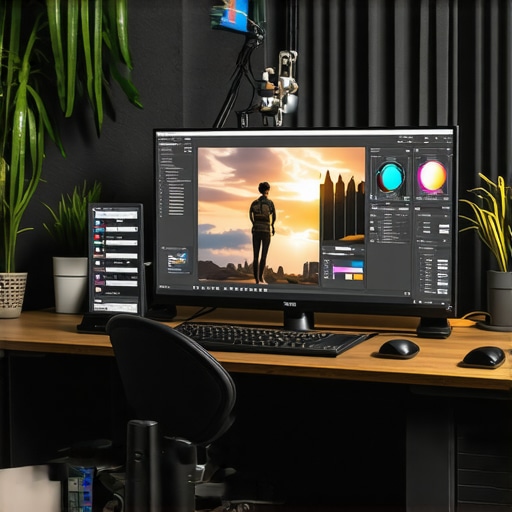
Ultimate Guide to Calibrated 4K Monitors for Creators in 2024
Elevate Your Creative Workflow with Professional Monitors Tailored for Precision
In the realm of professional content creation, the demand for accurate color reproduction and high-resolution displays is paramount. As 2024 ushers in advanced display technologies, understanding the nuances of color accuracy, HDR capabilities, and calibration becomes essential for creators striving for excellence. This article delves into the critical aspects of selecting and utilizing calibrated 4K monitors, exploring how they revolutionize visual fidelity and streamline creative processes.
The Significance of Color Fidelity in Professional Content Production
Color accuracy is the cornerstone of professional-grade monitors, especially for photographers, videographers, and graphic designers. A calibrated monitor ensures that the colors you see are true to life, facilitating precise editing and consistent output across various devices and platforms. For instance, high-end displays like those discussed in Mastering Color Accuracy provide industry-standard color spaces such as Adobe RGB and DCI-P3, essential for maintaining fidelity in professional workflows.
HDR and 4K Resolution: Transforming Visual Immersion
High Dynamic Range (HDR) technology combined with 4K resolution offers unprecedented detail and contrast, elevating visual storytelling to new heights. HDR monitors like those highlighted in HDR Monitors Unveiled enable creators to see and fine-tune highlights and shadows with exceptional clarity. The 4K resolution ensures crisp details, vital for pixel-level editing and immersive viewing experiences, especially in professional post-production environments.
Why Calibration Is Non-Negotiable for Visual Professionals
Calibration is the process of aligning the monitor’s output with industry standards, and it is a non-negotiable in professional settings. Devices like colorimeters and spectrophotometers are used to calibrate displays, ensuring consistency and accuracy. As detailed in Calibrated Monitors Explained, uncalibrated displays can misrepresent colors, leading to flawed edits and mismatched deliverables. Regular calibration maintains the integrity of your visual output, saving time and resources.
How Does a 4K Monitor Enhance Creative Precision?
4K monitors provide four times the pixel count of Full HD displays, offering detailed imagery crucial for professional editing. The combination of 4K resolution with advanced color management allows creators to work with confidence, knowing that the on-screen image faithfully represents the final product. This synergy is especially vital in color-sensitive tasks like color grading, compositing, and detailed retouching.
What Are the Challenges in Achieving True Color Accuracy and How Can They Be Overcome?
Achieving true color accuracy involves not only selecting high-quality hardware but also maintaining proper calibration routines and environmental controls. Variations in ambient light, monitor aging, and hardware inconsistencies can compromise accuracy. Professionals often use hardware calibration tools and standardized workflows to mitigate these issues, ensuring consistent results across projects. For further insights, consult Ultimate Guide to Calibrated Monitors for Photo & Video.
To explore the full spectrum of professional-grade monitors, visit Best Calibrated 4K HDR Monitors for Photo & Video Editing and consider how these tools can refine your creative process. If you have insights or questions, don’t hesitate to reach out to our experts.
Push Your Creative Boundaries with Cutting-Edge Display Technologies
As digital content creation becomes increasingly sophisticated, professionals need monitors that not only display stunning visuals but also deliver precision and consistency. The latest advancements in HDR, 4K resolution, and calibration techniques empower creators to produce work that meets the highest industry standards. For a comprehensive understanding of how to leverage these features, explore best calibrated 4K HDR monitors for photo & video editing.
Beyond Basic Calibration: Advanced Strategies for Consistent Color
Achieving true color fidelity involves more than initial calibration. Professionals often implement routine calibration schedules, utilize high-precision colorimeters, and control ambient lighting to maintain accuracy over time. This meticulous approach ensures that every project remains consistent, regardless of external variables. For insights into sophisticated calibration practices, refer to Ultimate Guide to Calibrated Monitors for Photo & Video.
Is HDR the Game-Changer for Visual Storytelling?
HDR technology unlocks a new dimension of visual storytelling by expanding contrast ratios and color depth, making images appear more lifelike and immersive. With the advent of 2024 models, HDR monitors now offer refined processing, reducing artifacts and enhancing real-time editing. As highlighted in Best HDR Professional Monitors for Precise Color, embracing HDR can significantly elevate your creative output and viewing experience.
What Are the Hidden Challenges in Achieving Flawless Color and How Do Experts Tackle Them?
While high-end hardware is crucial, subtle factors like light metamerism, monitor aging, and workflow inconsistencies can undermine color accuracy. Experts often employ multi-step calibration routines, environmental controls, and software profiling tools to mitigate these issues. Continuous education and staying updated with the latest calibration standards, such as those discussed in Ultimate Guide to Calibrated Monitors for Photo & Video, are essential for maintaining excellence.
To further refine your setup and ensure your displays meet professional standards, consider reaching out to our team for tailored advice or access detailed resources on contacting our experts.
Refining Color Management Strategies for Flawless Output
Achieving impeccable color fidelity in professional workflows requires a comprehensive approach that extends beyond basic calibration. Advanced techniques involve implementing multi-point calibration routines, which account for tonal and spatial variations across the display surface. Utilizing high-precision colorimeters like the X-Rite i1Display Pro Plus enables precise profiling, ensuring that every hue and shade remains consistent over time. Moreover, integrating color management systems (CMS) such as the DisplayCAL software allows for custom ICC profile creation tailored to specific project requirements, driving uniformity across diverse devices and mediums.
The Role of Ambient Light Control in Elevating Visual Accuracy
Ambient lighting conditions profoundly influence perceived color accuracy and contrast. Professionals often employ controlled lighting environments, utilizing neutral gray walls and dimmable LED fixtures to minimize reflections and color casts that distort on-screen visuals. Additionally, employing light meters like the Sekonic C-800 ensures that workspace illumination aligns with calibration standards, typically recommended at 100-150 lux for color-critical tasks. This meticulous environment management helps maintain calibration integrity, especially during prolonged editing sessions, and prevents subtle shifts in color perception that can compromise project quality.
Is Hardware Aging the Silent Threat to Color Consistency?
Over time, even the most advanced monitors experience hardware degradation, primarily due to phosphor aging, backlight dimming, and component wear. This gradual decline can subtly alter color output, leading to discrepancies between the calibrated profile and actual display performance. Regular recalibration—preferably on a bi-weekly or monthly schedule—acts as a proactive measure to counteract these effects. For instance, professional studios often incorporate routine hardware checks and calibration logs to monitor performance trends, ensuring that their displays consistently meet industry standards. As noted by the International Color Consortium (ICC), vigilant maintenance of display hardware is crucial for maintaining accuracy across long-term projects.
Enhancing Workflow Efficiency with Automate Calibration Solutions
Automation tools such as the Datacolor SpyderX Elite or X-Rite i1Studio streamline the calibration process, reducing human error and ensuring consistent results. These solutions can be scheduled to run automatically at designated intervals, providing peace of mind and freeing up valuable creative time. Moreover, integrating calibration software with color management workflows allows for seamless updates to ICC profiles, automatically adjusting color settings across connected applications like Adobe Photoshop, Premiere Pro, and DaVinci Resolve. This integration ensures that every stage of the creative process benefits from accurate, standardized color representation, fostering reliable collaboration and delivering superior final output.
Understanding the Impact of HDR and Wide Gamut Displays on Professional Editing
High Dynamic Range (HDR) and wide color gamut support expand the potential of professional monitors, allowing for richer, more nuanced visuals. HDR monitors equipped with Dolby Vision or HDR10 standards enable creators to see a broader luminance range, revealing details in highlights and shadows that are otherwise clipped or lost. Meanwhile, displays supporting DCI-P3 or Adobe RGB color spaces facilitate more vibrant and accurate color reproduction, essential for film grading, visual effects, and high-end photography. According to industry research by Dolby Laboratories, mastering HDR workflows enhances storytelling by providing viewers with a more immersive experience, emphasizing the importance of integrating these technologies into professional setups.
How Can Advanced Calibration Techniques Address Complex Color Challenges?
Complex color challenges, such as mitigating metamerism or compensating for monitor aging, demand sophisticated calibration methodologies. Techniques like spectral profiling, which analyze the monitor’s spectral output, allow for precise adjustments that account for subtle color shifts. Additionally, employing multi-spectral calibration devices can detect and correct for metamerism—where colors match under certain lighting but differ under others—ensuring consistency across different viewing environments. For professional colorists and VFX artists, adopting these advanced calibration practices is vital for achieving the highest fidelity in their work. For deeper insights, consult the comprehensive guidelines published by the Society for Imaging Science and Technology (IS&T), which detail state-of-the-art calibration protocols.
Interested in elevating your display setup? Explore tailored solutions with our expert team, and discover how cutting-edge calibration tools can transform your creative process. Visit our contact page for personalized advice and in-depth resources to support your professional needs.
Revolutionize Your Visual Calibration with Emerging Technologies
In the rapidly evolving landscape of professional display technology, staying ahead requires an understanding of cutting-edge calibration methodologies, spectral profiling, and adaptive ambient light management. Advanced spectral calibration tools now enable colorists to detect minute spectral shifts, ensuring unparalleled color fidelity even in complex lighting environments. Furthermore, integrating real-time ambient light sensors with adaptive brightness and contrast controls allows monitors to maintain consistent color performance, mitigating the effects of environmental fluctuations. For a comprehensive guide on implementing these innovations, consult authoritative sources such as the Society for Imaging Science and Technology’s latest publications on spectral calibration techniques.
Breakthroughs in Color Management for Creative Excellence
Color management systems (CMS) have transitioned from basic ICC profile applications to sophisticated, multi-point, multi-spectral profiling solutions. These systems dynamically compensate for hardware aging, spectral metamerism, and spatial uniformity issues, offering creators a stable and reliable color workspace. Implementing high-precision colorimeters like the X-Rite i1Display Pro Plus, combined with advanced profiling software, elevates workflow consistency across multiple devices. This technological leap ensures your visual output remains accurate over extended projects, reinforcing your reputation for precision and professionalism.
Can HDR and Wide Gamut Displays Transform Your Post-Production?
Absolutely. High Dynamic Range (HDR) combined with wide color gamut support, such as Adobe RGB, DCI-P3, and Rec. 2020, permits a richer palette and more nuanced luminance control. These features are vital for high-end color grading, visual effects, and photographic editing, where subtle gradations significantly impact the final product. Industry leaders like Dolby Laboratories emphasize that mastering HDR workflows unlocks new storytelling dimensions, providing audiences with immersive visual experiences. To harness this potential, integrating HDR calibration routines and verifying display compliance with standards like HDR10+ or Dolby Vision is essential.
Expert Insight: How do you ensure consistent color fidelity over time?
Regular calibration sessions using spectral profiling, environmental controls, and hardware health monitoring are critical. Experts recommend scheduling calibration every two to four weeks and maintaining controlled lighting environments. Continuous education on emerging standards and calibration protocols, such as those outlined by the International Color Consortium, ensures your display setup remains at peak accuracy. For tailored advice, engaging with professional calibration services can make a substantial difference in long-term consistency.
Interested in elevating your display accuracy? Access our detailed resources or contact our specialists to craft a personalized calibration strategy tailored to your creative workflow.
Interpreting the Latest in Display Technologies for Creative Dominance
The convergence of quantum dot backlighting, OLED panel advancements, and AI-driven calibration algorithms signifies a new era of display excellence. Quantum dot technology enhances color volume and brightness, while OLED panels provide superior contrast ratios and true blacks. Meanwhile, AI-powered calibration tools analyze and correct for hardware deviations in real time, ensuring sustained precision. These innovations empower professionals to push the boundaries of visual storytelling, delivering images that captivate and inspire audiences with unprecedented fidelity.
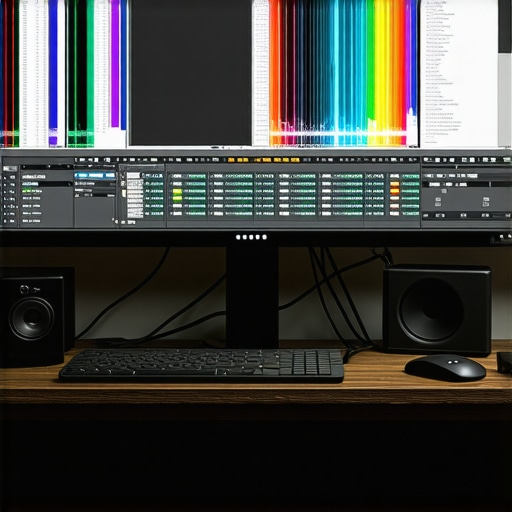
Visualize the integration of quantum dot backlit monitors with AI calibration for ultimate color accuracy, featuring vibrant displays and sophisticated control interfaces.
Elevate Your Visual Mastery with Cutting-Edge Display Strategies
In the high-stakes world of professional content creation, mastering color fidelity and dynamic range is essential. Top-tier monitors now incorporate spectral profiling and adaptive ambient management, enabling creators to push the boundaries of visual precision. Implementing multi-point calibration routines with high-precision tools can mitigate subtle spectral shifts, ensuring your work remains consistent and impactful across diverse projects.
Precision in Practice
Leveraging spectral calibration devices like the X-Rite i1Display Pro Plus, combined with sophisticated software such as DisplayCAL, allows for comprehensive profiling that accounts for hardware aging and environmental variables. This meticulous approach is vital for projects demanding exact color matching and consistency, especially in film grading and high-end photography.
Ambient Control Matters
Maintaining a controlled lighting environment with neutral gray surfaces and dimmable LED fixtures minimizes perceptual shifts in color and contrast. Using light meters like the Sekonic C-800 ensures workspace illumination aligns with calibration standards, preserving visual accuracy during extended editing sessions.
Advanced Calibration Techniques
Adopting spectral profiling and multi-spectral calibration tools addresses complex color challenges such as metamerism and aging-related shifts. These methods provide a level of precision necessary for achieving flawless color reproduction, critical for VFX work and cinematic color grading.
Embracing Emerging Technologies
Emerging innovations like AI-driven real-time calibration and spectral analysis are transforming how professionals maintain display accuracy. These advancements enable dynamic adjustments that adapt to environmental changes, ensuring your monitor’s output remains at the pinnacle of fidelity.
Curated Expert Resources for Professional Growth
- Society for Imaging Science and Technology (IS&T): Offers comprehensive guidelines and research on spectral calibration and advanced profiling techniques, essential for mastering display calibration at a professional level.
- DisplayCAL Software: An open-source calibration tool favored by industry experts for its precision and flexibility in creating custom ICC profiles tailored to complex workflows.
- X-Rite i1Display Pro Plus: A high-precision colorimeter that provides detailed spectral measurements, enabling meticulous calibration for demanding visual tasks.
- Dolby Laboratories Technical Resources: Provides insights into HDR standards and mastering workflows that ensure your high-dynamic-range displays meet industry benchmarks.
- International Color Consortium (ICC): The go-to organization for standards and best practices in color management, crucial for maintaining consistency across devices and media.
Final Expert Reflection
In the realm of professional monitor calibration, embracing spectral profiling and advanced ambient management techniques offers unparalleled control over color fidelity and dynamic range. For creators committed to excellence, integrating these sophisticated approaches ensures that every pixel reflects true artistry and technical mastery. Dive deeper into these topics by engaging with leading resources and consulting with calibration specialists—your work deserves nothing less than perfect precision in color accuracy and HDR performance.
About the Author


![3 Calibrated Monitors That Solve 2026 OLED Black Crush [Tested]](https://monitors.workstationwizard.com/wp-content/uploads/2026/03/3-Calibrated-Monitors-That-Solve-2026-OLED-Black-Crush-Tested.jpeg)


This article touches on so many critical aspects of professional monitor calibration that can truly elevate the quality of content creation workflows. I especially appreciate the emphasis on spectral profiling and regular recalibration routines—these are often overlooked but essential for maintaining consistent color accuracy over time. I’ve found that controlling ambient lighting not only helps in achieving accurate calibration but also reduces eye fatigue during long editing sessions. It’s fascinating how emerging technologies like AI-driven calibration are transforming the game, making continuous adjustments in real-time based on environmental changes. In my experience, integrating automated calibration tools like the X-Rite i1Display Pro Plus with workflow management software significantly reduces human error and saves valuable time. I wonder, how do other professionals balance the need for frequent recalibration with their busy schedules? Also, are there cost-effective solutions for small studios to implement such advanced calibration techniques without breaking the bank? Would love to hear insights or recommendations from the community.
This comprehensive article really highlights the importance of integrating advanced calibration techniques into the creative workflow, especially when dealing with high-resolution HDR and wide color gamut displays. From personal experience, investing in spectral profiling tools like the X-Rite i1Display Pro Plus can seem costly initially, but the long-term benefits in consistent color accuracy are well worth it, particularly for professional projects where precision is non-negotiable. I’ve found that establishing a routine calibration schedule—say, bi-weekly—helps manage hardware aging and environmental changes without becoming overly time-consuming.
A point that resonated with me is controlling ambient lighting—not just for calibration but also to reduce eye fatigue. Even with a perfectly calibrated display, harsh or fluctuating lighting conditions can still throw off perceived colors. Has anyone experimented with automated ambient light sensors that adjust room lighting in tandem with calibration protocols? What solutions have you found most effective for small studios operating on tight budgets? Often, understanding how to balance calibration frequency and environmental management is the key to maintaining workflow efficiency while ensuring output quality.