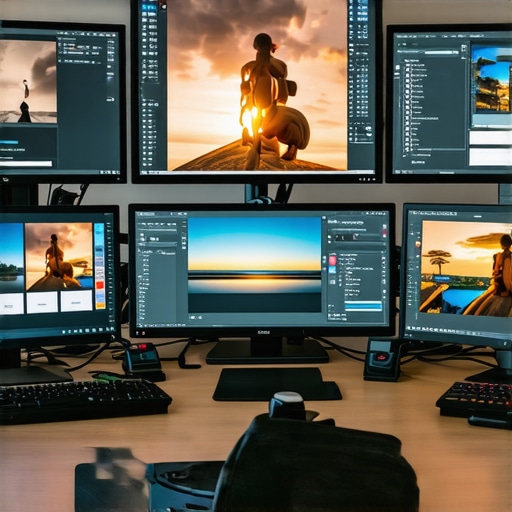
Best HDR & 4K Monitors for Professional Photo & Video Editing in 2024
Unlocking the Future of Visual Precision: Why Choosing the Right HDR & 4K Monitors Is Critical for Creative Professionals in 2024
In the rapidly evolving landscape of digital content creation, the fidelity of visual output hinges on the quality of the display technology employed. For professional photo and video editors, the advent of high-dynamic-range (HDR) and 4K resolution monitors has revolutionized workflow accuracy and creative potential. As we navigate 2024, understanding the nuanced attributes of these displays becomes vital for achieving industry-leading results. This article delves into the sophisticated criteria that define the best HDR & 4K monitors for discerning professionals, emphasizing technical excellence, color fidelity, and future-proofing considerations.
Assessing Display Technologies: Beyond Resolution and HDR Standards
In selecting optimal monitors, professionals must scrutinize not only resolution and HDR specifications but also the underlying panel technology and calibration capabilities. OLED, IPS, and mini-LED panels each offer distinct advantages in contrast ratios, color accuracy, and viewing angles. For instance, mastering color accuracy is paramount, and high-end IPS panels with wide color gamuts like DCI-P3 and Rec. 2020 are increasingly favored for their precise rendering. Moreover, the integration of local dimming zones in mini-LED displays enhances contrast and HDR performance, critical for nuanced editing workflows.
Why Color Calibration and Factory Profiling Remain Cornerstones of Professional-Grade Monitors
While hardware specifications are crucial, calibration and factory profiling elevate a monitor from good to exceptional. Monitors that come pre-calibrated or support hardware calibration ensure consistent color fidelity, minimizing discrepancies across different editing sessions. For professionals, especially those working in print or broadcast media, standardized color spaces and compliance with industry standards (such as SMPTE or REC 709) are non-negotiable. The importance of calibration cannot be overstated in maintaining trustworthiness of visual output.
Future-Proofing Your Investment: Connectivity, Compatibility, and Adaptive Technologies
As technology advances, ensuring compatibility with upcoming hardware and software ecosystems is essential. Look for monitors with versatile connectivity options like Thunderbolt 3/4, USB-C, and HDMI 2.1, which facilitate seamless integration with high-performance workstations. Additionally, adaptive technologies such as VESA DisplayHDR certification levels (e.g., Dolby Vision, HDR10+) and high refresh rates contribute to a more dynamic editing experience, especially for video professionals. To explore the latest innovations, see our detailed HDR monitor overview for 2025.
What are the most significant challenges in maintaining color consistency across multiple HDR & 4K monitors for collaborative workflows?
Achieving uniformity in color output across multiple high-end displays remains a complex task, often requiring meticulous calibration and the use of color management systems. Variability in panel manufacturing, aging, and environmental lighting conditions can introduce discrepancies. Professionals mitigate these issues through hardware calibration tools, controlled illumination environments, and consistent profiling routines. Open discussions among industry experts emphasize the importance of synchronized calibration schedules and shared color profiles to ensure collaborative project integrity. Your insights into managing such challenges are invaluable—consider sharing your strategies with the community or consulting specialized forums for advanced techniques.
For a comprehensive exploration of professional-grade displays, visit our top calibrated monitors for creators page. Remember, investing in a color-accurate, future-ready HDR & 4K monitor is an investment in your creative integrity and project excellence.
Harnessing the Power of Advanced Calibration Techniques for Consistent Color Accuracy
In the pursuit of perfect visual fidelity, professional creatives are increasingly turning to sophisticated calibration methods that go beyond factory settings. Techniques such as 3D LUT (Look-Up Table) calibration and hardware calibration devices allow for precise adjustments, ensuring that displays maintain consistent color profiles over time. These methods are crucial, especially when working on projects that demand exact color reproduction, like high-end photography, film grading, and digital art. For those interested in elevating their calibration practices, exploring calibration essentials for designers offers valuable insights into industry best practices.
Challenging Assumptions: Is Higher Resolution Always Better for Creative Work?
Many professionals assume that the highest resolution, such as 8K, inherently guarantees superior image detail. However, this isn’t always the case for creative workflows. Factors like GPU performance, display scaling issues, and software compatibility can negate the benefits of ultra-high resolutions. Moreover, the human eye’s ability to discern detail varies based on viewing distance and the size of the display. As an alternative, focusing on well-calibrated 4K or even 5K monitors with excellent color reproduction and HDR support often yields more practical benefits. To explore the nuances of resolution choices, see our deep dive into guides to 4K monitors for creatives.
How Can Adaptive Technologies Elevate Your Creative Workflow?
Adaptive display technologies, such as variable refresh rates, local dimming, and AI-powered contrast enhancement, are transforming how professionals engage with visual content. For instance, high refresh rates combined with adaptive sync reduce motion artifacts during video editing, while local dimming zones enhance HDR performance by delivering deeper blacks and brighter highlights. Integrating these features into your setup can significantly improve editing precision and viewer experience. For an overview of how these innovations are shaping the future, check out our article on HDR monitor advancements in 2025.
And what about the role of external color management tools? Devices like spectrophotometers and color calibration software empower professionals to maintain impeccable consistency across multiple displays, a necessity in collaborative environments. Regular calibration routines and shared color profiles are fundamental to ensuring uniformity in team projects. For more on this, visit our top calibrated monitors for creators.
Are there emerging display technologies on the horizon that could redefine creative workflows?
Absolutely. Innovations like MicroLED displays, which promise exceptional contrast, brightness, and longevity, are poised to disrupt the current market landscape. MicroLED combines the best qualities of OLED and LCD technologies, offering perfect blacks, high brightness, and minimal burn-in risk. Additionally, advancements in quantum dot technology are enhancing color accuracy and energy efficiency. These breakthroughs could soon provide creative professionals with displays that surpass current standards, enabling even more precise and immersive work. To stay ahead, regularly consult industry updates and attend tech expos—your creative edge depends on it. For a comprehensive overview of upcoming display innovations, see our HDR monitor overview for 2025.
Harnessing the Power of 3D LUT Calibration and Hardware Profiling for Perfectionist Creatives
In the realm of high-end content creation, precision in color accuracy isn’t merely a preference—it’s an industry standard. Advanced calibration techniques such as 3D LUT (Look-Up Table) calibration enable professionals to fine-tune their displays with an unprecedented level of detail, ensuring that colors are reproduced exactly as intended. These methods involve creating complex mapping functions that correct for various color and luminance discrepancies, thus maintaining consistency across different projects and devices. Hardware calibration devices like the X-Rite i1Pro series or the Datacolor SpyderX Pro facilitate this process by providing accurate measurements and profile adjustments in real time.
Factory calibration, while essential, often lacks the granularity required for professional workflows. Implementing regular calibration routines—using spectrophotometers and dedicated calibration software—can substantially mitigate issues caused by panel aging, environmental lighting shifts, or hardware drift. This consistency is especially critical for collaborative teams working on multi-monitor setups, where even slight deviations can compromise the integrity of visual assets. Integrating calibration into your daily workflow ensures that your creative output remains reliably true to your vision and client expectations.
Addressing the Nuances of HDR Content Creation in a Multi-Display Environment
Creating HDR content across multiple high-resolution monitors presents unique challenges. Variability in HDR standards, such as Dolby Vision, HDR10+, and HLG, can lead to inconsistencies in luminance and color reproduction. To combat this, professionals employ sophisticated color management systems that synchronize color profiles and gamma settings across all displays. Additionally, employing hardware solutions like external LUT boxes or color management consoles ensures uniformity.
One often overlooked aspect is the ambient lighting environment. Implementing controlled lighting in the workspace minimizes glare and reflections, which can distort perceived contrast and color accuracy. This environment control, combined with calibrated displays, creates a stable visual foundation for HDR work, vital for accurate grading and mastering. As HDR technology evolves, keeping abreast of the latest standards and integrating them into your workflow remains crucial for maintaining a competitive edge.
How Can AI-Driven Technologies Revolutionize Calibration and Color Management?
Artificial intelligence continues to make significant inroads into display calibration and color management. AI algorithms can analyze an entire display’s color response in real time, adjusting parameters dynamically to compensate for aging, temperature fluctuations, or hardware inconsistencies. Companies like Portrait Displays are pioneering AI-powered calibration tools that predict and correct deviations before they impact the user experience. These innovations promise not only heightened accuracy but also automation that reduces the time and expertise required to maintain peak performance.
Moreover, AI-enhanced software can facilitate seamless color matching across multi-monitor setups, even when displays have varying native characteristics. This technology is particularly valuable for remote or distributed teams, ensuring visual consistency regardless of hardware disparities. As AI continues to mature, early adoption of these tools can lead to more efficient workflows and superior creative outcomes.
The Future of Display Technologies: MicroLED and Quantum Dot Breakthroughs
Emerging display innovations are poised to redefine what is possible in professional visual work. MicroLED technology, with its self-emissive pixels, offers extraordinary contrast ratios, brightness levels, and longevity—surpassing OLED in many respects. This technology promises to eliminate burn-in concerns and deliver vibrant, uniform images suitable for demanding color grading and visual effects tasks.
Quantum dot enhancements are also pushing the boundaries of color accuracy and energy efficiency. These nanocrystals can be tuned precisely to produce a wider color gamut and higher peak brightness, critical for HDR workflows. As manufacturing processes mature, expect to see more affordable, high-performance MicroLED and quantum dot displays entering the professional market.
Staying informed about these technological advancements ensures that creative professionals can plan investments that future-proof their workflows. Engaging with industry expos, research publications, and expert communities provides insights into how these innovations will integrate into existing creative ecosystems.
Interested in leveraging these cutting-edge display technologies to elevate your creative projects? Dive deeper into our comprehensive guides and stay ahead of industry trends. Your mastery of emerging tools will define the next era of digital artistry and visual excellence.
Revolutionizing Color Management: Integrating AI and Machine Learning in High-End Displays
As the demand for impeccable color accuracy surges within creative industries, the integration of artificial intelligence (AI) and machine learning (ML) into monitor calibration and color management systems represents a transformative leap. Leading manufacturers are now deploying AI algorithms capable of analyzing real-time display performance, adjusting luminance, gamma, and color profiles dynamically to maintain peak fidelity. This evolution enables professionals to achieve unprecedented consistency across multi-monitor environments without manual recalibration, significantly enhancing workflow efficiency.
For instance, AI-powered calibration tools can predict hardware drift caused by environmental factors such as temperature fluctuations or aging components, proactively compensating to uphold precise color reproduction. Such advancements are detailed in authoritative sources like the IEEE Transactions on Consumer Electronics, which explore the convergence of AI and display technology, underscoring their critical role in future-proofing creative setups.
Exploring the Synergy of Quantum Dot and MicroLED Technologies for Broader Color Gamut Coverage
Emerging display technologies like quantum dot enhancement and MicroLED are redefining the boundaries of color gamut, brightness, and contrast—key parameters for professional HDR workflows. Quantum dots, with their tunable nanocrystal properties, facilitate displays capable of covering the Rec. 2020 color space, ensuring vibrant, true-to-life colors essential for high-end video and photography editing.
Meanwhile, MicroLED technology combines the self-emissive advantages of OLED with superior brightness, longevity, and resistance to burn-in. These displays offer the potential for ultra-high contrast ratios and near-perfect black levels, critical for precise grading and visual effects work. Industry leaders such as Samsung and Sony are pioneering in this domain, as reported in the Display Week conference proceedings, offering a glimpse into how these innovations will soon become standard in professional environments.
Can Advanced Display Calibration Techniques Enable Cross-Device Visual Fidelity in Collaborative Workflows?
Absolutely. Achieving uniform color and luminance performance across diverse hardware setups is a complex challenge that is increasingly addressable through sophisticated calibration techniques. Beyond traditional hardware calibration, professionals now utilize 3D LUTs and spectral profiling to create custom color mappings tailored to each device’s characteristics.
Furthermore, cloud-based calibration management systems enable teams to synchronize profiles, ensuring consistency in collaborative projects regardless of geographic dispersion. This approach minimizes discrepancies, maintains visual integrity, and streamlines cross-platform workflows. For in-depth methodologies, consult resources like the International Color Consortium’s guidelines, which provide standardized protocols for multi-device calibration in professional environments.
How Will Future Display Innovations Reshape Creative Content Creation and Presentation?
The horizon of display technology is punctuated by breakthroughs such as foldable MicroLED panels and holographic projection, promising to unlock new realms of immersive creativity. Foldable MicroLED displays will combine portability with high-fidelity visuals, allowing artists to work on expansive canvases in a compact form factor. Meanwhile, holographic projection and volumetric displays are inching towards commercialization, offering multidimensional viewing experiences that could revolutionize digital storytelling, live performances, and interactive media.
Industry insiders suggest that these advancements will necessitate new workflows, tools, and standards, fostering a more interactive and engaging digital environment. To stay ahead of these trends, professionals must follow industry publications like OLED-Info and attend key conferences such as SID Display Week, where pioneering research and product launches are unveiled.
Implementing Next-Generation Calibration Protocols for Consistent HDR Content Delivery
As HDR standards evolve rapidly, calibration protocols must adapt accordingly. Utilizing high-precision spectrophotometers and software capable of handling new PQ (Perceptual Quantizer) and HLG (Hybrid Log-Gamma) curves ensures that displays are accurately aligned with current specifications. Additionally, integrating hardware devices such as external LUT boxes can facilitate complex color mappings necessary for mastering HDR content at the highest quality levels.
Moreover, adopting continuous calibration routines—enabled by AI-driven tools—can maintain the fidelity of HDR workflows over time, especially when working with high-brightness displays susceptible to performance drift. Industry best practices recommend establishing regular calibration schedules and maintaining detailed logs, ensuring consistency in delivering stunning, accurate HDR visuals to clients and audiences alike. Explore more at the Society for Information Display’s technical resources to deepen your calibration expertise.
What emerging standards and technologies are poised to redefine professional HDR and 4K monitor performance in the coming years?
Emerging standards such as HDMI 2.1a and DisplayPort 2.0 are set to enhance bandwidth and enable higher frame rates, richer color depths, and more seamless HDR integration. Additionally, the adoption of HDR Vivid and Dolby Vision IQ standards will offer more dynamic and adaptive HDR content tailored to ambient lighting conditions, elevating viewer immersion.
On the hardware front, innovations like quantum dot-enhanced MicroLED displays and advanced local dimming algorithms will deliver unparalleled contrast and color precision. As these technologies mature, they will empower creative professionals to push the boundaries of visual storytelling, ensuring their work remains at the forefront of industry standards. Staying informed through industry reports from organizations like VESA and the UHD Alliance will be crucial for leveraging these advancements effectively.
Engage with these cutting-edge developments and integrate them into your workflows to maintain a competitive edge—your mastery over the latest display innovations will define your creative excellence in the years to come.
Expert Insights & Advanced Considerations
1. Precision Calibration as a Competitive Edge
In professional workflows, leveraging 3D LUT calibration and hardware profiling is no longer optional but essential. These techniques ensure consistent color reproduction across multi-monitor setups, reducing discrepancies that can compromise project integrity. Experts recommend integrating external calibration tools like spectrophotometers into daily routines to maintain color fidelity over time.
2. Embracing Emerging Display Technologies
MicroLED and quantum dot displays are on the cusp of transforming content creation. Their superior contrast, wider color gamuts, and longevity promise to elevate visual accuracy beyond current standards. Staying informed about these innovations allows professionals to future-proof their investments and workflows.
3. AI-Driven Calibration for Dynamic Accuracy
Artificial intelligence is revolutionizing display calibration, enabling real-time adjustments that compensate for hardware aging and environmental factors. This automation ensures sustained precision without manual intervention, significantly enhancing efficiency and output quality.
4. Managing HDR Content in Multi-Display Environments
Uniform HDR playback across multiple monitors requires synchronized color profiles and controlled ambient lighting. Advanced color management systems and external LUT devices facilitate this harmony, crucial for high-end grading and mastering workflows.
5. Integrating Next-Gen Connectivity Standards
With HDMI 2.1a and DisplayPort 2.0 supporting higher bandwidths, professionals can access richer color depths and higher frame rates. These standards are vital for harnessing the full potential of cutting-edge HDR and 4K displays, ensuring seamless compatibility with future hardware and software ecosystems.
Curated Expert Resources
- Society for Information Display (SID): Offers comprehensive updates on display innovations, technical standards, and industry research, essential for staying ahead in display technology.
- IEEE Transactions on Consumer Electronics: Publishes peer-reviewed research on AI applications in display calibration, providing insights into emerging calibration techniques and automation.
- UHD Alliance: Sets industry standards for HDR and 4K content, guiding professionals in achieving compliant and optimized workflows.
- Display Week Conference Proceedings: Showcases the latest advancements in MicroLED, quantum dot, and other emerging display technologies, valuable for strategic planning.
- Industry-leading calibration device manufacturers (e.g., X-Rite, Datacolor): Provide tools and software crucial for maintaining color accuracy in high-end professional environments.
Final Expert Perspective
Mastering the nuances of HDR & 4K monitors in 2024 demands not only understanding cutting-edge hardware but also integrating advanced calibration, AI-driven adjustments, and future-ready connectivity. These elements collectively enable creative professionals to deliver uncompromising visual fidelity and innovative content. As the landscape evolves, engaging with authoritative resources and pioneering technologies will ensure your workflows remain at the forefront of industry excellence. For those committed to elevating their craft, continuous learning and strategic investments in technology are the keys to sustained success. Connect with industry experts, contribute your insights, and stay informed through authoritative channels—your mastery over these advanced display paradigms will define your leadership in digital artistry.
About the Author




This article really hits the mark on the importance of calibration and future-proofing when selecting high-end HDR and 4K monitors for creative work. I’ve personally found that investing in a good hardware calibration tool, like a spectrophotometer, greatly improves consistency across multiple displays—something I struggled with earlier on. The mention of AI-driven calibration is intriguing; I’ve started exploring AI-powered tools, and they seem to streamline maintaining color accuracy over time, especially as displays age.
One question I have is, how do you balance the initial investment in advanced calibration systems with ongoing workflow efficiency? Do many professionals tend to prioritize cutting-edge tech over the immediate costs, or is there a practical middle ground that still offers solid results? I’d love to hear some real-world strategies from those with experience managing multi-monitor HDR setups and ensuring uniformity, particularly for collaborative projects.
This article really emphasizes the critical importance of calibration and future-proofing in selecting HDR and 4K monitors for creative professionals. In my experience, investing in a quality hardware calibration device, like the X-Rite i1Pro series, has made a noticeable difference in achieving consistent color across multiple displays. I also agree that AI-driven calibration tools are game-changers, especially for maintaining accuracy as displays age and environmental conditions shift. One challenge I’ve faced is balancing the high initial costs of these calibration systems with the ongoing need for workflow efficiency. For smaller studios or freelance creatives, do you think there’s a practical middle ground? Perhaps utilizing some automated calibration routines combined with regular manual checks? It would be great to hear strategies from others who manage multi-monitor setups, particularly on how they optimize costs without compromising on color fidelity and collaboration quality.
This article offers some excellent insights into the importance of calibration and future-proofing for HDR and 4K monitors. Having worked with multi-monitor setups for both photography and video editing, I can say that consistent color accuracy across displays really does make a difference, especially when collaborating with others. I’ve invested in a decent spectrophotometer and use software that automates calibration routines regularly, which helps maintain fidelity over time. However, I’ve also noticed that environmental factors, like lighting conditions, can impact perceived color consistency. Has anyone here found effective ways to control workspace lighting for optimal calibration results? Also, with the rapid evolution of display tech, how do you decide when to upgrade your equipment without disrupting your workflow too much? I’d love to hear strategies from others balancing investment and performance in their setups.
This detailed evaluation of HDR and 4K monitors really underscores the importance of not just resolution and HDR specs but also the underlying tech like panel type and calibration support. I especially appreciate the emphasis on future-proofing with connectivity options like USB-C and HDMI 2.1, as I’ve faced frustrations when upgrading hardware that isn’t compatible with current standards. In my experience, incorporating hardware calibration tools like spectrophotometers has been a game changer for ensuring consistent color fidelity across multiple displays, but I’ve also found environments with uncontrolled lighting can still throw off calibration results. Does anyone have tips for optimizing workspace lighting to support high-precision editing, especially in shared or multi-user setups? I believe these investments in technology and environment are crucial for professionals aiming for peak accuracy and collaboration in 2024 and beyond.
This article really highlights the importance of not just choosing the right HDR and 4K monitors but also the critical role that calibration and future-proofing play in maintaining professional standards. Having worked with several high-end displays myself, I can confirm that proper calibration using hardware tools like spectrophotometers makes a significant difference, especially when managing multiple screens for complex projects. I’m curious, with the rapid evolution of display tech, do others find that they need to frequently replace or upgrade their calibration tools to keep up? Also, I’ve noticed that ambient lighting sometimes gets underplayed but has a huge impact on perceived color accuracy. How do you all manage workspace lighting to optimize calibration results and avoid reflections or glare? I’d love to hear practical tips from other creators juggling workflow efficiency and technical rigor—they’re both vital for delivering top-tier visual content.
This article really touches on the critical importance of precise calibration and compatibility in the context of HDR and 4K workflows. I’ve had firsthand experience where even subtle discrepancies in color profiles across multiple displays caused workflow inconsistencies, particularly during collaborative projects. Investing in robust calibration tools like spectrophotometers has been transformative, but it also raises the question: how do professionals prioritize between the latest calibration technology and practical budget considerations? For instance, I’ve found that combining automated routines with periodic manual checks can offer a good balance for smaller teams without sacrificing color accuracy. It would be interesting to hear how others manage continuous calibration, especially when working in environments with variable ambient lighting. Do you think the new AI-driven calibration tools will become standard practice, or are manual methods still more reliable in complex workflows? Looking forward to seeing how the industry adopts these advancements in real-world settings.
Reading this post made me realize how critical it is to not only select a high-quality HDR & 4K monitor but also to keep calibration practices at the forefront of my workflow. I’ve been using a mid-range calibration tool for a while, but I’ve started considering upgrading to a more professional-grade device like a spectrophotometer to achieve better color fidelity, especially for print and broadcast projects. The mention of AI-assisted calibration tools struck a chord because I’ve heard they can significantly reduce manual calibration time and help maintain consistent color profiles over long periods. Regarding the challenges of managing multiple displays, I think environmental conditions, especially ambient lighting, often get overlooked. I’ve found that controlling workspace lighting with neutral-colored walls and matte finishes helps reduce glare and improves calibration accuracy. For those managing multi-monitor setups, what kind of workflows or tools have you found most effective in maintaining color consistency, particularly in collaborative environments? I’d love to exchange insights on balancing technological investments with practical, everyday calibration routines.
This post really highlights how crucial the latest HDR and 4K technology is for professional content creators in 2024. From my experience working with high-end monitors, the combination of advanced calibration techniques and future-proof connectivity makes a noticeable difference in maintaining color accuracy during long editing sessions. I’ve personally used AI-powered calibration tools to streamline my workflow and keep color profiles consistent across multiple displays. A challenge I often face is the environmental lighting in my workspace, which can subtly affect calibration accuracy. I’ve found that improving ambient light control—like using neutral-colored walls and matte finishes—helps a lot. Has anyone found effective strategies for managing workspace lighting in multi-monitor setups? Also, as display technology continues evolving rapidly, I wonder how often professionals should consider upgrading or recalibrating their monitors to stay ahead in the industry. Would love to hear how others navigate these ongoing calibration needs while balancing costs and performance.