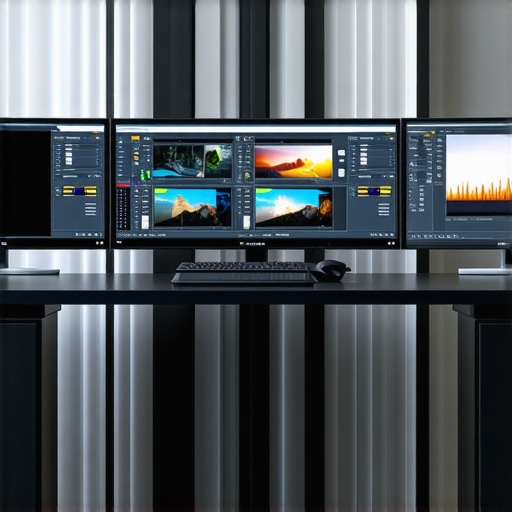
Best Professional Monitors for Color Accuracy & 4K Video Editing 2024
Elevating Creative Precision with Top-Tier Monitors in 2024
In the realm of professional content creation, the fidelity of color reproduction and resolution clarity are paramount. As digital workflows evolve, selecting the optimal monitor for color accuracy and 4K video editing becomes a strategic decision that influences the quality of visual output. This guide explores the latest advancements, critical specifications, and expert insights to empower creatives and professionals in 2024.
What Are the Key Features that Define a Professional Photo and Video Editing Display?
High-end monitors designed for color-critical work typically incorporate hardware calibration capabilities, wide color gamuts such as DCI-P3 or Adobe RGB, and precise gamma settings. For 4K video editing, resolution is just the beginning; panel technologies like IPS or OLED ensure consistent color performance and viewing angles. Additionally, features like HDR support, high refresh rates, and low latency are crucial for seamless editing workflows and real-time feedback.
Why Calibration Is the Backbone of Color Accuracy in Creative Work
Professional monitors often come with built-in hardware calibration tools or compatibility with external calibrators, ensuring that colors remain consistent across projects and over time. As highlighted in the ultimate guide to calibrated monitors, calibration excellence is non-negotiable for professionals aiming for pixel-perfect fidelity. Accurate color profiles, uniform luminance, and stable hardware components underpin trust in the visual data presented.
Balancing Resolution, Color Gamut, and Connectivity for Video Editing
While 4K resolution is standard for high-resolution editing, the true differentiator lies in color gamut coverage and bit depth. Monitors boasting 10-bit color and 99% Adobe RGB or DCI-P3 coverage enable editors to work with vibrant, true-to-life hues. Connectivity options like Thunderbolt 3, HDMI 2.1, and USB-C facilitate seamless integration into professional workstations, ensuring high bandwidth and minimal latency during complex workflows.
How Do HDR Capabilities Transform the Creative Editing Experience?
High Dynamic Range (HDR) support enhances the visual fidelity by displaying a broader spectrum of luminance levels, allowing editors to accurately preview and deliver content with enhanced contrast and color depth. Expertly calibrated HDR monitors, such as those reviewed in the top HDR monitors for professional editing, are vital for achieving cinematic quality in post-production.
For professionals seeking the ultimate precision, exploring calibrated 4K HDR monitors with comprehensive color management is essential. These tools are not just displays but integral components of a rigorous creative pipeline.
Interested in mastering your creative environment? Visit our expert-curated selection of professional monitors or contact our specialists via contact us for tailored advice.
Pushing Creative Boundaries with Next-Generation Monitors
In the ever-evolving landscape of digital artistry, understanding the nuanced capabilities of professional monitors becomes paramount. As technology advances, the importance of features like dynamic range, color depth, and calibration precision grows exponentially. For instance, integrating HDR support effectively can dramatically elevate the visual storytelling process, enabling creators to visualize their work as intended across various display formats. Recent industry insights, such as those detailed in top HDR monitors for professional editing, emphasize the critical role of true HDR performance in achieving cinematic quality.”}
Is Your Workflow Ready for the Demands of 2024’s Color Standards?
As color standards continue to evolve, professionals must ask themselves whether their current equipment can meet the demands for maximum fidelity. The answer lies in understanding the capabilities of modern calibrated monitors, which often feature advanced hardware calibration tools, wide color gamuts like Adobe RGB or DCI-P3, and high bit-depth support. These specifications ensure that creative outputs are not only visually stunning but also reliable across different viewing environments. To explore the latest in calibration technology, visit calibrated monitors explained.
Why Advanced Connectivity Shapes Creative Efficiency
Beyond display quality, connectivity options such as Thunderbolt 3, HDMI 2.1, and USB-C are pivotal for seamless integration into high-performance editing stations. These interfaces facilitate faster data transfer and support higher resolutions and refresh rates, which are vital when working with 4K and HDR content. Professionals who prioritize flexibility and speed often find that investing in monitors with comprehensive connectivity options significantly reduces workflow bottlenecks. For a detailed comparison of top connectivity features, check out top-calibrated 4K HDR monitors for creators.
How Can You Ensure Your Display Keeps Up with Creative Innovation?
Maintaining the accuracy and performance of your monitor over time requires regular calibration and awareness of emerging standards. Professional-grade displays often include hardware calibration tools, but external calibrators like X-Rite i1 or Datacolor Spyder are equally effective. Regular calibration ensures consistent color fidelity, which is especially vital for print and broadcast media. Moreover, keeping abreast of industry standards, such as the latest HDR specifications and color gamut requirements, allows creators to future-proof their workflow. For comprehensive guidance, consult ultimate guide to calibrated monitors.
Looking to deepen your understanding of color management? Share your experiences or ask for tailored advice in the comments, or explore more expert tips through our curated resources.
Why Hardware Calibration is Essential for Consistent Color Precision
In high-stakes creative environments, relying solely on software calibration can lead to subtle discrepancies that accumulate over time. Hardware calibration tools, integrated directly into professional monitors, offer a level of accuracy that software solutions cannot match. These tools utilize onboard sensors and proprietary algorithms to adjust the display’s color output at a fundamental level, ensuring that your color profiles remain consistent through countless projects. According to the International Color Consortium (ICC), hardware calibration reduces variability and delivers stable, predictable color fidelity essential for critical tasks like print proofing and broadcast color grading.
What Are the Best External Calibrators for Advanced Color Management?
For professionals seeking to elevate their calibration routines, external devices such as the X-Rite i1Studio and Datacolor SpyderX Elite are industry standards. These tools integrate seamlessly with calibration software, providing precise measurements of luminance, gamma, and color temperature. Regular use of these calibrators, ideally monthly, ensures your monitor maintains its target color accuracy, especially when working across different lighting conditions. Expert practitioners recommend pairing these calibrators with color management workflows that include hardware LUTs (Look-Up Tables) for real-time correction.
Advanced Techniques to Optimize Your Color Workflow Continuity
Beyond initial calibration, professional workflows benefit from continuous monitoring and adjustment. Implementing a dual-monitor calibration strategy—calibrating both your primary display and any secondary or reference monitors—ensures uniformity across your entire visual environment. Additionally, employing ambient light control and using color-neutral lighting in your workspace minimizes environmental influences that could skew calibration results. For those working in HDR or wide-gamut formats, calibration must also include these specific parameters, often supported by the latest colorimeters and software updates. An effective workflow incorporates periodic validation against industry-standard test images, such as those from the X-Rite ColorChecker charts, to verify ongoing fidelity.
How Can You Protect Your Calibration Investment Against Hardware Drift?
Hardware drift is a natural phenomenon caused by component aging, temperature fluctuations, and usage patterns. To mitigate its impact, professionals should establish a routine calibration schedule—preferably weekly or bi-weekly—using reliable calibration hardware and software solutions. Additionally, maintaining a stable thermal environment and avoiding prolonged static images on the screen can prolong calibration accuracy. Some high-end monitors feature built-in diagnostics and self-calibration routines that alert users when recalibration is necessary, reducing downtime and ensuring consistent output. For comprehensive strategies, consult resources like ICC guidelines for calibration best practices.
Interested in deepening your mastery of advanced calibration? Share your workflows or ask for tailored advice in our community forums, or explore detailed tutorials in our expert resource library to stay ahead in your creative pursuits.
Unlocking the Secrets of Long-Term Color Stability
Achieving unwavering color fidelity over time requires more than periodic calibration; it demands a comprehensive understanding of hardware aging and environmental influences. High-end calibration devices like the X-Rite i1Pro 3 or the Datacolor SpyderX Elite incorporate advanced sensors capable of detecting minute shifts in display output, enabling preemptive adjustments that preserve color accuracy. Incorporating environmental controls—such as consistent lighting and temperature—further minimizes drift, transforming your workspace into a haven of precision. According to the International Color Consortium (ICC), adopting a rigorous calibration regimen ensures your creative output remains reliable across diverse viewing platforms. This proactive approach is essential for professionals committed to pixel-perfect results that withstand scrutiny across print, broadcast, and digital mediums.
Designing a Calibration Workflow That Keeps Pace with Industry Advancements
Staying ahead in a rapidly evolving landscape necessitates integrating calibration into your daily routine with tools that adapt seamlessly to new standards. Incorporate software solutions like CalMAN or LightSpace CMS, which support the latest color profiles and hardware calibration protocols. These platforms facilitate the creation of custom calibration scripts, automating processes that traditionally required manual intervention. Moreover, leveraging hardware LUTs (Look-Up Tables) embedded within monitors or external calibrators enables real-time correction for complex color spaces such as Rec. 2020 or HDR10+ formats. For ongoing validation, utilize test patterns from sources like the X-Rite ColorChecker series, ensuring your workflow remains aligned with industry benchmarks. Embracing such integrated systems fosters consistency, reduces human error, and guarantees your creative vision remains uncompromised amidst technological shifts.
How Can Experts Optimize Calibration for Multi-Display Environments?
In professional studios and multi-monitor setups, achieving uniform color across screens presents a complex challenge. Experts recommend establishing a centralized calibration protocol that employs hardware calibration devices capable of measuring multiple displays simultaneously. Techniques such as creating shared LUT profiles or employing color management systems (CMS) like DisplayCal can synchronize color output effectively. Additionally, maintaining consistent ambient lighting and ensuring all monitors are operated at the same brightness and contrast settings minimizes discrepancies. Regular validation with reference images and color charts ensures ongoing fidelity, while adopting hardware solutions that support uniform calibration—such as those with built-in sensors—streamlines the process. For a deep dive into multi-display calibration best practices, consult detailed guides from the ICC or industry-leading calibration manufacturers.
Innovative Calibration Technologies Transforming Creative Workflows
Emerging calibration technologies harness artificial intelligence and machine learning algorithms to predict and compensate for hardware anomalies before they impact output. Devices like the SpectraCal C6 HDR2000 incorporate adaptive calibration features that automatically adjust parameters based on real-time sensor feedback, ensuring optimal performance without manual intervention. These innovations are particularly beneficial when working with high-dynamic-range content and wide color gamuts, where even minor deviations can compromise visual fidelity. Furthermore, integrating cloud-based calibration management platforms enables remote monitoring and adjustment, fostering collaboration across geographically dispersed teams. Industry experts highlight that such forward-looking solutions not only enhance precision but also significantly reduce calibration turnaround times, empowering creatives to focus on their craft without technical interruptions. To explore these cutting-edge tools, visit trusted sources such as the ICC or specialized calibration vendors.
Are Your Calibration Strategies Future-Ready for Next-Gen Standards?
As display technology continues to evolve with standards like Dolby Vision, HDR10+, and BT.2020, calibration methods must adapt accordingly. Professionals should evaluate whether their current equipment supports these standards at the hardware level, including wide-gamut color detection and high-bit-depth capabilities. Upgrading to monitors with built-in hardware calibration and firmware updates that support emerging formats ensures longevity and relevance. Regularly reviewing industry specifications from organizations such as the ITU-R and the UHD Alliance provides insights into upcoming trends. Implementing a flexible calibration framework that accommodates future standards will safeguard your creative investments and maintain your competitive edge in high-fidelity content production.
Elevate Your Calibration Expertise—Join the Vanguard of Visual Precision
To truly master the nuances of professional display calibration, continuous education and community engagement are indispensable. Participate in workshops, webinars, and industry conferences dedicated to color science and display technology. Building relationships with calibration experts and manufacturers can provide early access to firmware updates, specialized tools, and insider techniques. Moreover, subscribing to authoritative publications such as the ICC Journal and industry blogs ensures you stay informed about the latest innovations. Elevate your workflow by integrating these advanced insights, transforming your workspace into a hub of uncompromising visual excellence. Ready to refine your calibration mastery? Connect with our specialists or browse our curated resources to unlock new levels of precision.
Expert Insights That Shape the Future of Creative Display Technology
Achieving unparalleled color accuracy and resolution clarity demands a nuanced understanding of the latest advancements in professional monitors. Industry leaders emphasize the importance of hardware calibration tools, wide color gamuts like Adobe RGB and DCI-P3, and HDR support for cinematic quality. High refresh rates combined with low latency optimize real-time editing workflows, ensuring creators stay ahead in a competitive landscape.
Precision Calibration Drives Consistency in High-Stakes Projects
Experts advocate for hardware calibration solutions such as X-Rite i1 or Datacolor SpyderX, which maintain color fidelity over time, providing a solid foundation for print, broadcast, and digital media production. Regular calibration routines are essential to counteract hardware drift and environmental influences, safeguarding your visual output’s integrity.
Connectivity and Compatibility Shape Workflow Efficiency
Seamless integration into professional setups relies on Thunderbolt 3, HDMI 2.1, and USB-C interfaces. These support high data transfer speeds, high resolutions, and refresh rates, reducing bottlenecks in demanding projects involving 4K HDR content. Selecting monitors with versatile connectivity options ensures future-proofing your creative environment.
Curated Resources for Deepening Your Expertise
- International Color Consortium (ICC): Setting industry standards for color management and calibration practices.
- X-Rite: Leading calibration hardware and software solutions trusted by professionals worldwide.
- DisplayCAL: An open-source tool for advanced display calibration and profiling.
- CalMAN and LightSpace CMS: Professional-grade calibration platforms for complex workflows and multi-display setups.
- Industry Publications & Forums: Stay informed through the ICC Journal, DisplayMate, and specialized professional communities.
Elevate Your Calibration Strategy and Embrace Innovation
Integrating AI-driven calibration tools like SpectraCal C6 HDR2000 enhances precision, especially for HDR workflows demanding wide color gamuts. Regularly updating firmware and calibration routines, coupled with environmental controls, minimizes hardware drift. Embrace cloud-based calibration management to coordinate multi-site projects effortlessly, ensuring consistency across geographically dispersed teams.
Staying ahead requires continuous education—participate in industry workshops, webinars, and conferences dedicated to display technology and color science. Building relationships with manufacturers and calibration experts unlocks early access to cutting-edge solutions, empowering you to produce work that meets the highest standards of visual fidelity. Explore our comprehensive resource hub to further refine your skills and knowledge.
About the Author

![3 Pro Monitors That Solve OLED Text Fringing [2026 Tested]](https://monitors.workstationwizard.com/wp-content/uploads/2026/03/3-Pro-Monitors-That-Solve-OLED-Text-Fringing-2026-Tested.jpeg)



I recently upgraded to a calibrated DCI-P3 monitor with 10-bit support, and the difference in my workflow has been remarkable, especially when working on HDR content. Accurate color reproduction and consistent calibration are truly game-changers for professional video editing. One thing I’ve noticed, though, is that maintaining calibration over time requires diligent routines—using external calibrators like the X-Rite i1 and being mindful of environmental lighting. I’m curious, how often do others recalibrate their monitors in a busy editing environment? Do any of you use automated tools or software to streamline the process? It seems like investing in high-quality hardware is essential, but effective workflow management plays a big role in sustaining color accuracy long-term.
This article really highlights how crucial hardware calibration tools have become for maintaining color fidelity in professional workflows. During my recent projects involving high-dynamic-range footage, I’ve found that routine calibration—about once a month—keeps my monitor’s output reliable, especially given environmental light variations. I’ve been contemplating automating part of this process with software like CalMAN or LightSpace CMS, which can schedule calibration routines and generate detailed reports. It raises an interesting point—how do others handle calibration frequency in fast-paced environments? Do you rely solely on hardware tools, or do you integrate automated calibration software into your daily routine to ensure consistency? Plus, with the new standards emerging around BT.2020 and wide-gamut HDR formats, it seems like staying proactive with calibration might be the key to future-proofing visual pipelines. Would love to hear how different professionals strategize their calibration schedules to keep up with evolving standards and workflow demands.
It’s fascinating to see how much the industry has shifted toward integrated calibration solutions. Over time, I’ve learned that combining hardware calibration devices like the X-Rite i1 with routine software checks, especially before critical projects, has preserved my monitor’s accuracy remarkably well. For busy workflows, automating calibration routines with tools like CalMAN definitely saves time and reduces human error. I do wonder, though, how others manage calibration in multi-monitor setups—do you calibrate each display individually or rely on calibration profiles to ensure consistency across screens? Also, with newer standards evolving so rapidly, it seems like regular updates and firmware management are becoming just as important as calibration itself. Have any of you experimented with AI-driven calibration systems that predict and adjust for hardware drift? Would love to hear insights or recommendations—staying on top of calibration is an ongoing challenge but so vital for maintaining true color fidelity.