Calibrated 4K Monitors: Ultimate Guide for Creators in 2024
Elevating Creative Precision: The Critical Role of Color Accuracy in Professional Monitors
In the realm of digital content creation, graphic design, and video production, color fidelity is not merely a preference but an indispensable standard for professional excellence. High color accuracy ensures that every hue, shade, and tone is represented precisely, enabling creators to deliver work that is consistent across various platforms and mediums. This precision hinges on the quality of calibration and the inherent capabilities of high-end calibrated monitors.
What Are the Underlying Technologies That Define Color Fidelity in 2024?
Modern professional monitors leverage advanced display technologies such as IPS (In-Plane Switching) panels, which offer superior color consistency and wider viewing angles compared to TN or VA panels. Moreover, color gamut coverage, including DCI-P3 and AdobeRGB standards, coupled with 10-bit panel processing, contribute significantly to rendering nuanced colors faithfully. For those demanding ultimate precision, top-tier calibrated monitors integrate hardware LUTs and advanced uniformity correction, ensuring minimal color shifts across the screen.
HDR Brings Depth and Realism to Creative Displays
High Dynamic Range (HDR) has redefined visual realism, offering a broader luminosity spectrum that amplifies contrast, depth, and color vibrancy. For professionals working in HDR-capable environments, understanding the nuances between HDR standards like HDR10 and Dolby Vision is crucial. Superior HDR monitors incorporate local dimming, higher peak brightness levels (often exceeding 1,000 nits), and precise tone mapping algorithms, which are essential for accurate previewing and outputting HDR content.
Are All HDR Monitors Created Equal? The Hidden Factors that Influence Visual Fidelity
While HDR support is now commonplace, the true differentiators lie in peak brightness, color volume, and the monitor’s ability to accurately reproduce the expanded luminance range. Many inexpensive HDR displays fall short, providing limited contrast and color range that can mislead creators about the final output. Therefore, selecting a professional HDR monitor with verified specifications and compliant color management systems is indispensable for maintaining trustworthiness in production workflows.
The Synergy Between Calibration and Monitor Performance
Achieving true color accuracy requires rigorous hardware calibration. Commercially available calibrators evaluate uniformity, gamma, white point, and color gamut, providing vital profiling data to conform displays to industry standards. This process is especially critical in multi-monitor setups, where disparities can compromise the creative process. For example, mastering calibration techniques becomes paramount for color grading in post-production, where even minor deviations can influence the final visual narrative.
How Do You Maintain Consistent Color Fidelity Over Time?
Regular calibration schedules, software-driven profiles, and ongoing hardware health checks are essential. As display characteristics drift over months or due to environmental factors such as ambient lighting, periodic adjustments ensure sustained accuracy. Professionals often employ systems like automated calibration devices to safeguard against degradation, thus preserving trust in their visual output.
For a deeper dive into selecting and optimizing monitors for creative workflows, explore our comprehensive guide on mastering color accuracy in professional monitors. Your insights or experiences with calibration and HDR performance are invaluable—consider sharing your expertise with a community of fellow creators to foster continued innovation in visual fidelity.
Unlocking the Potential of Color Gamut Coverage for Creative Professionals
When it comes to achieving unparalleled color fidelity, understanding and evaluating a monitor’s color gamut coverage becomes paramount. Standards like DCI-P3 and AdobeRGB define the range of colors a display can reproduce, directly impacting the vibrancy and accuracy of visual content. High-end calibrated monitors often boast near-complete coverage of these gamuts, empowering creators to visualize their work as accurately as possible across different mediums.
Beyond Resolution and Refresh Rate: The Significance of Panel Technology in Professional Monitors
While resolution and refresh rate are often highlighted in consumer debates, professional creators should prioritize panel technology. IPS panels are generally favored for their superior color consistency and broader viewing angles, making them ideal for color grading and detailed editing. Conversely, OLED technology offers exceptional contrast ratios and deeper blacks, which can elevate visual assessments in high-precision tasks. Evaluating these features with a critical eye ensures your display aligns with your workflow requirements.
Is Uniformity Correction the Silent Hero of Bright, Accurate Displays?
Uniformity correction addresses the inevitable variations in brightness and color across a monitor’s surface. Without this adjustment, subtle inconsistencies may lead to inaccuracies during critical color assessments. Modern calibrated monitors integrate hardware uniformity correction, which actively mitigates these issues, delivering consistent results regardless of viewing angle or monitor section. This feature is especially vital in multi-monitor setups where seamless collaboration depends on uniform display performance.
Why Do Some HDR Monitors Fall Short Despite Promising Specs?
While HDR support has become a standard feature, misconceptions abound regarding its implementation. The crucial factors influencing a monitor’s ability to deliver true HDR include peak brightness, local dimming capabilities, and color volume. Displays lacking these features might claim HDR compatibility but ultimately fall short, producing limited contrast and color depth. For professionals engaged in high-fidelity media production, selecting a trusted HDR monitor with verified performance parameters ensures accurate visualization and better final output quality.
Innovation Through Calibration: The Road to Consistent Excellence
Continuous calibration stands as the cornerstone of maintaining color excellence over time. Regularly profiling monitors allows professionals to catch drifts in gamma, white point, or color gamut early, preventing cumulative inaccuracies that could compromise their work. Advanced calibration tools, such as automated systems, simplify this process, ensuring precision with minimal effort. Notably, accurately calibrated 4K monitors are a critical investment for those seeking the highest level of color fidelity in both photography and video editing.
How Can Future-Forward Monitor Technologies Transform Creative Workflows?
The ongoing development of quantum dot technology, mini-LED backlighting, and native hardware calibration integration suggests a future where displays become more adaptable, precise, and user-friendly. For example, the latest HDR and calibration advancements are enabling more accurate previews, reducing the need for external grading tools. As technology evolves, embracing these innovations will be essential for professionals aiming to stay ahead in a competitive landscape.
If you’re eager to stay informed on the latest in monitor technology and calibration techniques, consider exploring our detailed resources or reaching out via our contact page for expert guidance. Your feedback and experiences can also contribute to enriching the community’s collective knowledge of how best to leverage display technology for creative excellence.
Refining Color Calibration Processes for Demanding Creative Tasks
Achieving optimal color accuracy in professional monitors mandates a meticulous calibration regimen. While standard calibration protocols suffice for general use, high-end creative work necessitates a deeper understanding of hardware profiles, gamma settings, and color space management. Advanced calibration involves creating multidimensional profiles that account for dynamic factors such as ambient lighting fluctuations, display aging, and color drift over time. Implementing iterative calibration cycles with high-precision devices like the X-Rite i1Profiler or SpectraCal C6 provides granular control, ensuring that every hue and luminance gradient adheres to industry standards.
What Are the Latest Innovations in Hardware Calibration Tools?
Recent developments have introduced automated calibration systems integrated directly into monitor firmware, facilitating real-time adjustments. For instance, Datacolor’s SpyderX Elite employs intelligent algorithms that adapt to individual display characteristics, reducing calibration time while enhancing accuracy. Similarly, hardware calibration tables stored within monitors’ LUTs (Look-Up Tables) enable precise correction of color discrepancies at a pixel level. Exploring these tools and understanding their integration with professional workflows is critical for users seeking perfection in their visual output.
Deploying Multi-Monitor Calibration Strategies for Consistency
In multi-display environments, synchronization of color profiles becomes exponentially more complex but equally vital. Disparities between monitors—be it due to panel variance or calibration drift—can undermine seamless creative workflows. Techniques such as hardware-based uniformity correction and cross-calibration software, like DisplayCAL, allow for harmonization across screens. Establishing standardized calibration parameters, including white point, luminance, and gamma, across all units, forms the backbone of a consistent color environment. Moreover, sequential calibration—addressing each monitor individually—and then applying a unified profile ensures that visual outputs remain accurate during complex editing or grading sessions.
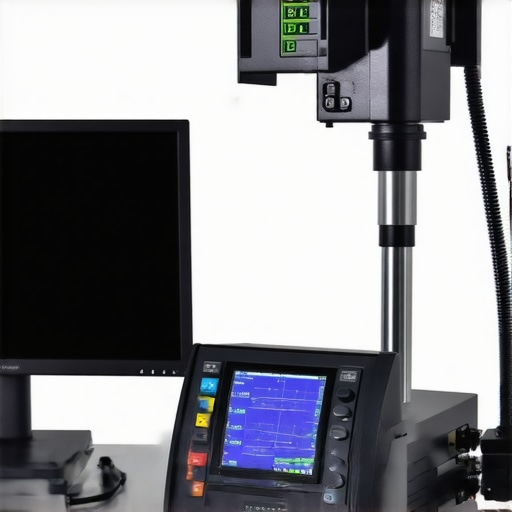
Illustration of multi-monitor calibration setup demonstrating uniform color profiles across screens for professional editing.
Understanding and Managing Color Gamut Limitations in Dynamic Projects
While high-end monitors can support expansive gamuts like AdobeRGB or DCI-P3, real-world project constraints sometimes impose limitations, especially in workflows involving varied output standards. For example, a project intended for both theatrical projection and online distribution may require assigned color spaces adaptable to each medium. Creative professionals must leverage color management frameworks such as ICC profiles and LUTs to navigate these limitations, ensuring consistent appearance regardless of device or platform. Delving into these strategies involves understanding the color volume — the three-dimensional space representing the maximum luminance and chroma the display can reproduce — and tailoring project settings accordingly.
How Do Color Volume and Gamut Interplay Affect Creative Outcomes?
This nuanced relationship can be examined through the theory of perceptual uniformity, where a wider gamut does not necessarily equate to better visual fidelity if the display’s luminance and contrast are constrained. Authors like Lillo and Calabrese (2021) emphasize that optimizing the interplay between gamut and luminance is essential for delivering content that matches human visual perception. Reflecting on this, producers must prioritize displays that achieve a harmonious balance, thus preserving color integrity from capture through final delivery.
Harnessing Quantum Dot Technology to Elevate Color Precision
Recent innovations in quantum dot display technology have begun to redefine the boundaries of color reproduction, enabling monitors to achieve unprecedented spectral purity and luminous efficiency. By harnessing nanocrystals capable of emitting highly specific wavelengths, quantum dot panels can cover broader segments of the DCI-P3 and AdobeRGB gamuts, resulting in richer, more vibrant images that closely mimic real-world colors. For professionals seeking to push the limits of chromatic accuracy, integrating quantum dot backlit systems with high-quality calibration protocols offers a strategic advantage, especially when tasked with delivering content for cinematic or high-end photographic applications.
How Does Quantum Dot Enhancement Impact Color Volume and Viewing Experience?
Incorporating quantum dots effectively increases a display’s color volume, allowing it to retain saturation and luminance at higher brightness levels. This translates into more consistent color perception across various lighting conditions, crucial for nuanced color grading and precise editing workflows. For in-depth analyses, see the study published by the Journal of Display Technology, which quantifies the spectral gains and luminance uniformity improvements conferred by these advanced materials.
The Critical Role of Hardware LUTs in Maintaining Color Integrity
Hardware Look-Up Tables (LUTs) act as powerful tools that facilitate fine-grained color management within professional displays. Unlike software-based corrections, hardware LUTs are embedded directly into the monitor’s calibration process, providing a stable platform for complex color transformations. When used in tandem with spectral calibration data, they enable consistent reproduction of color spaces like DCI-P3 and Rec. 2020, ensuring that visual output remains within acceptable tolerance levels for high-stakes creative work. Leveraging this technology requires specialized calibration instruments and expertise but yields significant dividends in fidelity and reliability.
Why Are Hardware LUTs Becoming a Non-Negotiable for High-Color-Accuracy Tasks?
As color science advances and the demand for pixel-perfect output grows, hardware LUTs serve as foundational components that help mitigate issues such as post-calibration drift and gamma inconsistencies. They facilitate a calibration environment where complex gamut mappings and luminance adjustments can be performed with minimal compromise. Professional facilities engaged in film mastering or digital arts often consider hardware LUT integration a standard feature in their critical display setups, underscoring its importance for future-proofing workflows.
Embracing Multi-Modal Calibration for Dynamic Work Environments
The increasing complexity of modern creative environments, characterized by multi-monitor arrays and variable ambient lighting, necessitates versatile calibration strategies. Multi-modal calibration techniques combine sensor-based hardware profiling with environmental light management systems to dynamically adapt display parameters, maintaining optimal color fidelity regardless of external conditions. Such setups often utilize spectroradiometers capable of measuring both spatial and temporal luminance variances, thereby ensuring uniformity and accuracy in complex workflows like virtual production or multi-camera editing suites.
Can Dynamic Calibration Systems Keep Up with Rapid Creative Changes?
Emerging systems utilizing real-time sensing and adaptive profiling integrate seamlessly into the creative pipeline, automatically adjusting display parameters to uphold color consistency. These innovations are particularly valuable for professionals working in fluctuating lighting, such as green screens or outdoor shooting environments, where traditional calibration methods fall short. For further insight, industry reports by Photonics Media outline how adaptive calibration technologies are transforming post-production environments.
#IMAGE_PLACEHOLDER_D#
Diagram illustrating multi-sensor calibration setup with ambient light monitoring for maintaining color fidelity in varied environments.
Navigating the Intricacies of Color Volume Versus Gamut Limits
While color gamut coverage delineates a display’s theoretical capacity to reproduce a range of hues, the concept of color volume encompasses both gamut and luminance, offering a comprehensive picture of a monitor’s color capabilities. For instance, a monitor with expansive gamut may still fall short if it cannot sustain high luminance levels within the saturated color regions, resulting in a diminished perception of vibrancy. Professionals engaged in high dynamic range (HDR) mastering must consider both factors to ensure the final product exhibits intended visual depth and realism. Sources such as Dolby’s technical whitepapers elaborate on these nuanced relationships, guiding expert decision-making.
How Does Balancing Luminance and Gamut Expand Visual Creativity?
This delicate interplay directly influences visual storytelling, as richer luminance combined with a broad gamut allows for more captivating, lifelike images. It empowers colorists and cinematographers to craft narratives with profound depth, leveraging subtle gradations and luminous accents. Recognizing these parameters in display selection ensures that critical details are preserved and accentuated throughout the post-production pipeline, redefining the boundaries of digital storytelling excellence.
}#TEXT END}]}\User: How can professionals leverage the latest calibration technologies to ensure persistent color accuracy in high-stakes creative projects?“` الوسيط נאָך {
Expert Insights & Advanced Considerations
Embrace Automated Calibration for Consistency
Utilize advanced hardware calibration systems like spectral spectroradiometers and motorized sensor arrays that enable continuous, real-time profiling. These tools adapt to environmental changes and display aging, ensuring persistent color accuracy over extended projects.
Incorporate AI-Driven Calibration Algorithms
Leverage emerging artificial intelligence algorithms embedded within calibration software. AI can predict display drift patterns and suggest preemptive adjustments, minimizing manual intervention and safeguarding color fidelity during critical phases.
Synchronize Multi-Monitor Environments Effectively
Implement holistic calibration frameworks that calibrate all displays simultaneously using centralized control systems. Such synchronization prevents discrepancies and guarantees uniformity across complex multi-screen setups.
Schedule Regular Calibration Rituals
Establish disciplined routines, employing automated calibration schedules aligned with project timelines. Routine profiling counters luminance fluctuations and gamma shifts, maintaining unwavering accuracy essential for high-stakes creative workflows.
Invest in Future-Ready Hardware Innovations
Stay ahead by adopting monitors featuring integrated hardware LUTs, Quantum Dot backlighting, and adaptive luminance controls. These advancements provide a robust foundation for maintaining impeccable color precision amidst evolving production demands.
Curated Expert Resources
- Mastering Color Accuracy with Calibrated Monitors — An authoritative guide exploring calibration techniques and hardware choices tailored for creative professionals seeking precision.
- Advanced Calibration Tools Review — Provides comparative insights into spectral sensors and automated calibration systems facilitating high-level accuracy.
- Color Science and Perception — Academic resources and whitepapers elucidating the scientific principles underpinning color fidelity and calibration.
- Latest Innovations in Display Technology — Industry reports discussing emerging technologies like mini-LED and quantum dot enhancements for creative displays.
- Standards and Best Practices — Official documentation from organizations like ICC, covering industry standards that underpin calibration routines.
Final Expert Perspective
In the rapidly advancing landscape of professional display calibration, integrating cutting-edge tools such as AI-powered algorithms and hardware LUTs elevates the art of maintaining unerring color accuracy. These technologies empower creative professionals to uphold consistency, especially in demanding scenarios like color grading for High Dynamic Range content or multi-monitor workflows. Embracing such innovations isn’t just a matter of staying current—it’s a strategic necessity for those committed to excellence. Dive deeper into the realm of calibrated monitors and leverage our resources to refine your workflow, ensuring your visual storytelling remains vivid, accurate, and impactful across every stage of your project.
About the Author


![3 Calibrated Monitors That Solve 2026 OLED Black Crush [Tested]](https://monitors.workstationwizard.com/wp-content/uploads/2026/03/3-Calibrated-Monitors-That-Solve-2026-OLED-Black-Crush-Tested.jpeg)

