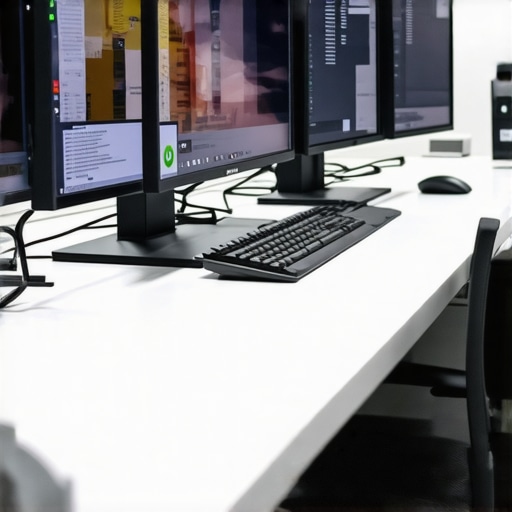
Unlocking the Power of 4K: Elevate Your Visual Creativity
In an era where visual fidelity can make or break a project, 4K monitors have become indispensable for professionals in fields like graphic design, video editing, and digital art. These high-resolution displays offer unprecedented clarity, detail, and color accuracy that transform the creative process from mere visualization to a true artistic experience. But what exactly makes a 4K monitor stand out for professional use, and how can you choose the perfect one for your needs?
Decoding 4K Excellence: What Sets Professional 4K Monitors Apart?
Unlike consumer-grade screens, professional 4K monitors prioritize color precision, uniformity, and ergonomic adjustability. Features such as Adobe RGB and DCI-P3 color gamuts, factory calibration, and high bit-depth support ensure that what you see on screen is a true representation of your work. For instance, color accuracy is critical for print and digital media alike, demanding monitors that can display a wide spectrum of hues with minimal deviation.
Choosing the Right 4K Monitor: Key Factors for Creatives
Color Gamut and Calibration: The Artistic Palette
Professionals should prioritize monitors that cover at least 99% of the sRGB spectrum, with many opting for those that support wider gamuts like Adobe RGB or DCI-P3. Accurate factory calibration and hardware calibration options further ensure consistent results across projects. Learn more about calibration techniques and their importance in our calibrated monitors explained.
Resolution and Screen Size: Balancing Detail and Comfort
While 4K resolution (3840×2160) offers razor-sharp detail, pairing it with an appropriately sized screen—27 inches or larger—prevents pixel density from becoming a strain on your eyes. A larger display also provides more workspace, essential for multitasking and detailed editing.
Expert Tips: Maximizing Your 4K Monitor’s Potential
To truly benefit from your 4K monitor, consider implementing hardware calibration, adjusting color profiles, and optimizing your workstation ergonomics. For professionals engaged in color-critical work, investing in a monitor with hardware calibration support is non-negotiable. Also, stay informed about emerging technologies like HDR (High Dynamic Range), which further enhances visual realism and depth.
Frequently Asked Question: How Do 4K Monitors Impact Creative Workflows?
4K monitors significantly enhance workflow efficiency by providing more screen real estate and finer detail, reducing the need for zooming and panning. This immersive clarity accelerates tasks such as photo retouching, 3D modeling, and video grading, ultimately leading to higher quality outputs and faster project turnaround times.
Interested in exploring more about professional display setups? Check out our mastering color accuracy guide for comprehensive insights.
Advancing Your Color Management Skills for 4K Mastery
As professionals delve deeper into 4K content creation, mastering color management becomes an indispensable skill. The complexity of high-resolution workflows demands a nuanced understanding of how different devices and software interpret color data. Ensuring consistent color output across monitors, printers, and screens requires not only selecting the right hardware but also applying precise calibration and profiling techniques. This is where expertise in color management systems, such as ICC profiles and LUTs, becomes crucial. For those seeking to refine their skills, exploring advanced resources like ICC profile standards can provide a deeper insight into professional color workflows.
How Does HDR Impact Creative Production in the 4K Era?
High Dynamic Range (HDR) technology significantly enhances the visual realism of 4K displays, offering a broader spectrum of luminance and richer color depth. For creatives, this means more accurate rendering of shadows, highlights, and midtones, which is vital for achieving cinematic quality in video production or hyper-detailed imagery in photography. Implementing HDR workflows involves not only selecting compatible monitors but also mastering HDR-specific editing techniques and mastering standards like HDR10 or Dolby Vision. This integration ensures that your final output maintains its intended impact across various display devices. To explore how HDR can transform your projects, consider resources like the comprehensive guide on HDR workflows available at HDR software and workflow tutorials.
Can a Monitors’ Ergonomics and User Experience Influence Creative Outcomes?
While technological specifications are vital, the ergonomic design of a monitor directly impacts a creator’s productivity and comfort during extended editing sessions. Features such as height adjustment, swivel, tilt, and flicker-free backlighting help reduce fatigue and eye strain, enabling more precise work over longer periods. A well-designed ergonomic setup complements high-quality displays, fostering a healthier work environment and enhancing focus. For instance, a monitor with an adjustable stand allows you to optimize viewing angles, which is especially critical for color grading where subtle shifts can affect results. For in-depth ergonomic considerations and setup tips, refer to our article on ergonomic monitor setups for creatives.
What Are the Practical Implications of Choosing a 4K Monitor for Different Creative Fields?
Choosing the right 4K monitor varies depending on your specific discipline. Photographers benefit from high color accuracy and wide gamuts, whereas video editors prioritize HDR support and high refresh rates. Digital artists might look for touch support and pen input compatibility, while 3D modelers need precise calibration and large screen real estate. Understanding these nuances ensures that your investment aligns with your workflow requirements, ultimately boosting efficiency and output quality. For tailored advice, our comprehensive guide to 4K monitors for professionals offers insights into selecting the best display for your creative pursuits.
Understanding the Impact of High Dynamic Range (HDR) on Color Depth and Visual Fidelity
HDR technology is transforming the landscape of professional displays by expanding the dynamic range—allowing creators to capture and reproduce a broader spectrum of luminance. This means more realistic shadows, highlights, and midtones, which are crucial for achieving cinematic quality and hyper-detailed imagery. Unlike standard SDR (Standard Dynamic Range), HDR standards like HDR10 and Dolby Vision enable monitors to display content with increased brightness, contrast, and color depth, often up to 10-bit or 12-bit color depth, providing smoother gradations and reducing banding issues.
In practical terms, integrating HDR into your workflow involves selecting monitors that support these standards, calibrating them to specific HDR profiles, and mastering HDR-specific editing techniques. For example, color grading in HDR requires software capable of handling high bit-depth workflows and understanding the nuances of tone mapping to ensure your final product retains its intended visual impact across different devices and viewing environments. Studies indicate that HDR can enhance viewer immersion and emotional response, making it a valuable tool for high-end content creation (DisplayHDR Consortium).
Addressing the Nuances of Color Management and Calibration in a 4K Environment
As 4K resolution becomes standard, accurate color management becomes increasingly critical, especially when working with wide color gamuts and high bit-depth files. Implementing ICC profiles and LUTs (Look-Up Tables) allows professionals to maintain consistency across multiple devices, ensuring that what you see on your monitor matches your print, broadcast, or online output. Advanced calibration tools, such as X-Rite i1Display Pro or Calibrite ColorChecker, support hardware calibration—adjusting display parameters at a granular level for precise color accuracy.
Moreover, understanding the intricacies of color workflows involves mastering the color pipeline from capture to output. For photographers and videographers, this includes managing color spaces in editing software like Adobe Photoshop or DaVinci Resolve, and ensuring your monitor is matched to the target color profile. Research from the International Color Consortium underscores the importance of standardized profiles for achieving predictable, reproducible results (ICC Profile Standards).
What are the challenges of maintaining consistent color accuracy across multiple high-resolution displays?
Maintaining consistency involves not only calibration but also environmental factors such as ambient lighting and workstation ergonomics. Regular calibration schedules, controlled lighting conditions, and investing in high-quality monitors with uniform brightness and color distribution are essential. Advanced color management solutions include hardware LUT boxes and software profiling tools that facilitate real-time adjustments and profiling across multiple screens, ensuring a cohesive visual experience in collaborative environments or multi-monitor setups.
Looking to deepen your expertise in color management? Explore our comprehensive resources and professional courses designed to elevate your workflow precision and output fidelity.
The Future of 4K: Integrating AI and Machine Learning for Enhanced Visual Optimization
Emerging technologies like AI-driven image processing and machine learning are beginning to revolutionize how professionals optimize 4K content. These tools can automatically analyze footage or images, applying intelligent adjustments for noise reduction, sharpening, and color grading—saving time and increasing accuracy. For instance, AI-based upscaling algorithms can enhance lower-resolution footage to near-4K quality without perceptible artifacts, broadening creative possibilities and post-production efficiency.
Leading industry players such as Adobe and Topaz Labs are integrating these AI capabilities into their software suites, enabling artists to streamline workflows while maintaining high standards of quality. As this technology matures, it will likely become an indispensable component of professional creative environments, offering unprecedented control over visual fidelity and efficiency. To stay ahead, professionals are encouraged to explore AI-powered tools and incorporate them into their standard workflows, ensuring their work remains competitive in the evolving digital landscape.
How Can Creatives Leverage Ergonomic Innovations to Maximize 4K Workflow Efficiency?
While technological advancements are vital, ergonomic design plays a crucial role in optimizing high-resolution workflows. Features such as adjustable stands, anti-glare coatings, and flicker-free backlighting reduce fatigue during extended editing sessions, which is essential for maintaining precision. Additionally, ergonomic accessories like monitor arms, proper lighting arrangements, and ergonomic keyboards can significantly improve comfort and productivity.
Incorporating ergonomic principles not only enhances well-being but also ensures sustained focus and detail-oriented work, particularly when dealing with complex color grading or intricate 3D modeling. For example, ergonomic monitor setups facilitate natural viewing angles and reduce neck strain, enabling artists to work more intuitively and accurately. For a comprehensive understanding, explore our detailed guide on ergonomic workstation setups tailored for high-resolution creative workflows.
Interested in further mastering the intersection of technology and ergonomics? Sign up for our expert-led workshops and stay updated on the latest innovations shaping professional content creation.
Expanding the Spectrum: How Color Volume and Bit-Depth Define 4K Creative Mastery
In the realm of high-resolution displays, understanding the nuances of color volume and bit-depth is paramount for professionals aiming for ultimate fidelity. Color volume encompasses the three-dimensional space that a display can reproduce, integrating both color gamut and luminance capabilities. When paired with higher bit-depths—such as 10-bit or 12-bit per channel—these parameters enable the seamless rendering of subtle gradient transitions, essential for high-end color grading and digital artistry. As a result, mastering these specifications ensures that your output not only meets but exceeds industry standards for visual sophistication.
The Role of Hardware Calibration in Maintaining Consistency Across Multiscreen Environments
In complex creative setups, where multiple high-resolution monitors are employed, hardware calibration becomes the backbone of color consistency. Advanced calibration tools like the X-Rite i1Studio and Datacolor SpyderX Elite offer granular control over luminance, white point, and color accuracy, facilitating uniformity across disparate displays. This is particularly vital for collaborative projects and client presentations, where discrepancies can undermine credibility. Ensuring that each monitor adheres to a unified color profile is not merely a technical exercise but a strategic investment in professional integrity.
How Do Emerging Display Technologies Influence Future Creative Workflows?
Innovations such as MicroLED and Quantum Dot displays promise to revolutionize the visual fidelity landscape by delivering unprecedented brightness levels, contrast ratios, and color purity. These technologies minimize issues like burn-in and color degradation over time, thus providing sustainable long-term solutions for demanding creative environments. Moreover, the integration of AI-driven adaptive brightness and ambient light adjustment enhances user experience by dynamically optimizing display parameters based on environmental conditions. Staying abreast of these developments ensures that professionals can anticipate workflow enhancements and maintain competitive advantage.
Optimizing Ergonomics for Precision and Comfort in High-Resolution Editing
As display resolutions increase, so does the need for ergonomic refinement to sustain productivity and health. Adjustable monitor arms, ergonomic keysets, and anti-fatigue mats are no longer optional but essential components of a sophisticated workspace. Features like flicker-free technology and low blue light emissions further reduce eye strain during prolonged editing sessions, enabling creators to maintain peak focus. An ergonomically optimized environment translates directly into higher quality outputs by enabling meticulous attention to detail without physical fatigue.
What Strategies Enable Seamless Workflow Integration of 4K Content in Professional Studios?
Integrating 4K content into professional workflows necessitates a comprehensive approach that includes high-speed data transfer protocols such as Thunderbolt 3/4 and USB-C, as well as robust storage solutions capable of handling large file sizes. Network infrastructure must support rapid data access and synchronization, reducing bottlenecks during editing and rendering processes. Additionally, software compatibility—ranging from Adobe Creative Cloud to DaVinci Resolve—must be optimized for 4K workflows, ensuring that color grading, compositing, and effects are executed with precision and efficiency. Strategic planning in hardware and software integration minimizes downtime and maximizes creative output.
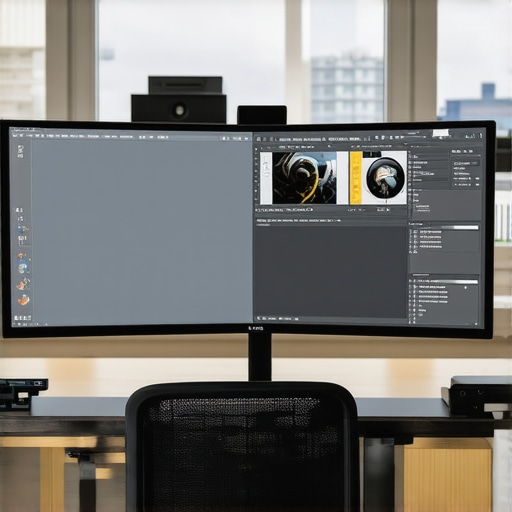
Harnessing AI and Machine Learning for Next-Generation Visual Optimization
The integration of AI and machine learning into creative workflows is redefining possibilities, offering intelligent tools for real-time noise reduction, content-aware editing, and predictive color grading. These technologies analyze vast datasets to suggest optimal settings, automate tedious tasks, and enhance image quality beyond traditional methods. For example, AI-based upscaling algorithms now enable professionals to convert lower-resolution footage into near-4K quality, expanding creative flexibility. Embracing these innovations allows creators to push boundaries, achieving superior results with increased efficiency.
Implementing Advanced Color Management Systems for Consistent Output
High-end color management involves deploying comprehensive calibration workflows that incorporate ICC profiles, LUTs, and color grading standards aligned with industry benchmarks like ACES (Academy Color Encoding System). These systems facilitate precise color reproduction across devices, ensuring that digital assets maintain their visual integrity from capture to final delivery. Regular calibration routines, environmental controls, and color workflow documentation are essential practices for maintaining consistency, especially in multi-user studios handling sensitive color-critical projects.
The Future of 4K: Exploring the Potential of Quantum Computing in Rendering and Simulation
Quantum computing, although still in its nascent stages, holds transformative potential for rendering complex 3D scenes and real-time simulations at unprecedented speeds. Its capacity to process vast datasets exponentially surpasses classical computers, enabling hyper-realistic visualizations and physics-based effects that were previously infeasible. As research advances, integrating quantum algorithms into creative software could revolutionize workflows, reducing rendering times from hours to seconds and opening new horizons for immersive digital art and virtual reality experiences.
Designing Ergonomic Workspaces for the Demands of 4K and Beyond
With increasing resolution and screen sizes, ergonomic considerations extend beyond mere adjustment options to encompass environmental factors such as lighting, seating, and ambient noise. Implementing task-specific setups—like dual 4K monitors with adjustable stands and anti-glare coatings—can significantly improve focus and reduce physical strain. Incorporating sit-stand desks and monitor arm systems fosters flexibility, allowing artists and editors to switch postures seamlessly during prolonged sessions. Thoughtful workspace design translates into sustained productivity, higher quality work, and long-term health benefits, vital for demanding professional environments.
Frequently Asked Questions (FAQ)
What defines a professional 4K monitor compared to a consumer-grade model?
Professional 4K monitors are distinguished by their superior color accuracy, wide color gamuts like Adobe RGB or DCI-P3, factory calibration, high bit-depth support, and ergonomic design features that ensure consistency and comfort during long editing sessions. They are optimized for color-critical work, whereas consumer models may prioritize affordability and multimedia features over precision.
How important is color gamut coverage in selecting a 4K monitor for creative work?
Color gamut coverage is crucial because it determines the range of colors the monitor can display. For professional work, at least 99% sRGB coverage is recommended, with wider gamuts like Adobe RGB or DCI-P3 offering more vibrant and accurate colors essential for print, video, and digital art. Wide gamut support ensures your creations look true to intent across different media and devices.
What role does hardware calibration play in maintaining color accuracy?
Hardware calibration ensures that the display’s output matches industry standards and your color profiles precisely. Regular calibration with tools like X-Rite i1Display Pro maintains consistency over time, especially important for multi-monitor setups and color-sensitive workflows, preventing color shifts that could compromise your work’s fidelity.
How does HDR technology enhance the creative process on a 4K monitor?
HDR expands luminance and color depth, providing more realistic shadows, highlights, and midtones. This allows creators to see more detail and depth in their work, essential for cinematic video grading, HDR photography, and high-end visual effects. Proper HDR workflows also require compatible hardware and software to fully leverage these benefits.
Can ergonomic features impact my productivity with a 4K monitor?
Absolutely. Ergonomic features like adjustable height, tilt, swivel, and flicker-free lighting reduce fatigue and strain during extended editing sessions. A comfortable setup allows for better focus, increased precision, and sustained productivity, especially when working on detailed color grading or complex designs.
What should I consider when integrating a 4K monitor into a professional studio environment?
Consider high-speed data connections (Thunderbolt 3/4, USB-C), robust storage solutions for large files, and software compatibility with your workflow. Proper calibration, environmental lighting control, and multi-monitor configurations are also essential for maximizing workflow efficiency and consistency across projects.
How are AI and machine learning influencing 4K content creation?
AI and machine learning are automating tasks like noise reduction, upscaling, color grading, and content-aware editing, significantly saving time and enhancing quality. AI-driven tools can improve low-resolution footage to near-4K quality and optimize workflows, empowering creators to achieve professional results more efficiently.
What is the future outlook for display technology in creative fields?
Emerging technologies such as MicroLED, Quantum Dot, and potential integration with quantum computing promise higher brightness, contrast, and color accuracy, along with more sustainable and durable displays. These advancements will further elevate visual fidelity, enable new creative possibilities, and streamline workflows in professional environments.
Trusted External Sources
- DisplayHDR.org: A comprehensive resource for HDR specifications and standards, providing insights into how HDR impacts visual fidelity and workflow integration.
- International Color Consortium (ICC): The authoritative body on color management standards, offering guidelines on ICC profiles and calibration best practices essential for consistent color reproduction.
- Society of Motion Picture and Television Engineers (SMPTE): A leading organization defining standards for color accuracy and video quality, crucial for professional video workflows in 4K and HDR.
- X-Rite Professional Calibration Tools: Industry-leading hardware and software solutions for precise monitor calibration and color management in high-resolution environments.
- Research papers on AI in Content Creation: Academic and industry publications detailing how AI and machine learning are transforming visual content processing and workflow efficiency.
Conclusion
Mastering 4K technology involves understanding the intricate balance of resolution, color accuracy, HDR capabilities, ergonomic design, and emerging innovations like AI integration. As professionals, leveraging these elements ensures your creative outputs meet the highest standards of fidelity and efficiency. Staying informed, calibrated, and ergonomically optimized positions you at the forefront of visual excellence. Share this knowledge with peers, explore advanced resources, and continually refine your workflow to unlock the full potential of 4K in your creative pursuits.