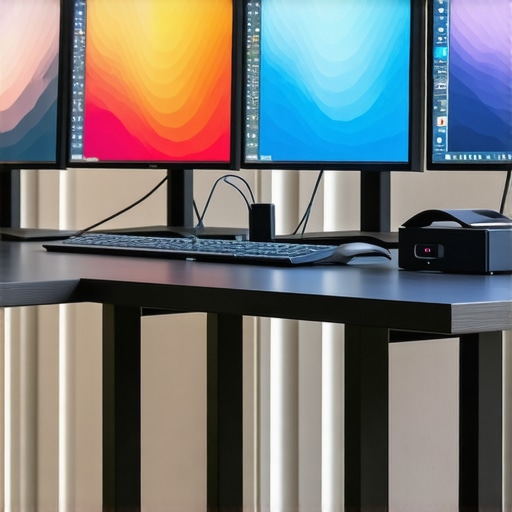
Top 4K HDR Monitors for Accurate Color in Creative Work 2024
Unlocking the Power of 4K HDR Monitors: Why Color Accuracy Is Crucial for Creatives
In the ever-evolving landscape of digital content creation, the demand for accurate color reproduction and high dynamic range (HDR) capabilities has intensified. Creative professionals—whether photographers, videographers, or graphic designers—rely on monitors that not only display true-to-life visuals but also support precise calibration workflows. As we venture into 2024, understanding the nuances of top-tier 4K HDR monitors becomes essential for maintaining professional standards and delivering excellence in visual output.
Understanding the Science Behind Color Fidelity and HDR Performance
At the core of high-quality monitors lies the complex interaction between hardware calibration, panel technology, and color science. Modern calibrated monitors utilize advanced IPS or OLED panels to ensure wide color gamuts and consistent viewing angles. The integration of high-bit depth processing and local dimming enhances HDR performance, enabling creative workflows that demand precision and depth.
What Sets the Best 4K HDR Monitors Apart in 2024?
Leading models distinguish themselves through several key features: exceptional color accuracy (covering Adobe RGB, DCI-P3, and Rec. 2020 standards), high peak luminance, low input lag, and robust calibration capabilities. These monitors often come with factory calibration reports, ensuring immediate readiness for professional use. For instance, the top professional monitors in this category provide seamless integration with calibration tools like X-Rite or Datacolor, enabling creatives to maintain consistent color standards over time.
Which Features Are Non-Negotiable for Creative Accuracy?
Beyond resolution and HDR support, the importance of hardware uniformity and panel stability cannot be overstated. Monitors with hardware uniformity correction mitigate brightness and color shifts across the screen, ensuring pixel-to-pixel consistency. Additionally, high refresh rates and low latency are vital for video editing and real-time color grading, where timing precision directly impacts workflow quality.
How Do Advanced Calibration Tools Impact Creative Outcomes?
Calibration tools play a pivotal role in achieving and maintaining color accuracy. For instance, professional-grade calibration software paired with hardware calibration sensors ensures that the monitor’s output aligns with industry standards. This is especially important in collaborative environments where multiple devices must be synchronized. You can explore top calibrated monitors tailored for creative professionals to understand which models excel in this domain.
Ultimately, investing in a high-end 4K HDR monitor is a strategic decision rooted in understanding the intricate balance between hardware capabilities and calibration precision. For a detailed comparison, visit the ultimate guide to 4K monitors for professionals.
For those seeking expert insights or wishing to contribute their experiences, our contact page offers a platform for knowledge exchange and professional engagement.
Beyond Basic HDR: Unlocking the Depths of Creative Visual Fidelity
While many creatives focus on resolution and HDR support, an often-overlooked aspect is the monitor’s ability to maintain consistent color accuracy across different viewing conditions and over time. This involves understanding the importance of hardware calibration, panel uniformity, and color management workflows. Achieving true-to-life visuals requires a nuanced approach that combines advanced hardware features with robust calibration protocols.
How Do Hardware Calibration and Panel Uniformity Elevate Creative Workflows?
Hardware calibration ensures that a monitor’s output aligns precisely with industry standards, such as Adobe RGB, DCI-P3, and Rec. 2020, which is crucial for professional-grade visual work. Monitors with built-in calibration sensors or dedicated calibration ports can significantly reduce the time and effort needed to maintain color consistency. Moreover, panel uniformity correction technology ensures that brightness and color are consistent across the entire display, eliminating distracting shifts that can compromise editing precision. To explore the best options available, visit top calibrated monitors for creators.
What Are the Practical Implications of Color Accuracy in Professional Projects?
Consistent color fidelity impacts everything from photo retouching to video grading. When working on projects that require exact color matching—such as branding or product photography—any deviation can lead to costly rework. Using a monitor with proven calibration stability and wide color gamut coverage minimizes these risks, ensuring that your digital work translates accurately across different devices and print media. For deeper insights, check out why precision matters for designers and creatives.
Could Emerging Technologies Redefine Our Understanding of Color Fidelity in 2024?
Absolutely. Emerging advancements such as quantum dot technology, improved local dimming, and AI-driven calibration tools are pushing the boundaries of what monitors can achieve. These innovations promise even greater color accuracy, dynamic range, and consistency, reducing the need for frequent recalibration and enabling more reliable creative workflows. As experts in the field, we recommend staying informed about these developments through authoritative sources like top-calibrated monitors with color accuracy for 2024.
If you’re eager to elevate your visual projects, consider exploring [calibrated monitors](https://monitors.workstationwizard.com/calibrated-monitors-explained-why-precision-matters-for-designers) that integrate these cutting-edge features to ensure your work remains at the forefront of quality and precision. Feel free to share your experiences or ask questions in the comments below—your insights can help fellow creatives navigate this complex landscape.
Advanced Calibration Techniques: Elevating Your Creative Workflow Beyond Basic Settings
While standard calibration procedures are essential, mastering advanced techniques can significantly enhance the precision and reliability of your 4K HDR monitor. Techniques such as 3D LUT (Lookup Table) calibration and hardware calibration with integrated sensors allow for a more granular control of color profiles, ensuring consistent output across different projects and lighting conditions. Incorporating these methods into your workflow minimizes errors that can arise from software-based adjustments alone, providing a true professional edge.
For example, utilizing a 3D LUT enables you to map input colors to output colors with high accuracy, which is crucial for color grading in high-end video production. This process, however, requires sophisticated calibration hardware and software, such as CalMAN or LightSpace, coupled with high-precision sensors like those from X-Rite or Datacolor. The investment in these tools pays dividends by delivering predictable, industry-standard results that are reproducible across multiple devices and environments.
The Nuances of Panel Uniformity: Why Pixel-to-Pixel Consistency Matters
In professional visual work, even subtle deviations in brightness or color across the display can compromise the integrity of your edits. Modern high-end monitors incorporate hardware uniformity correction technology, which actively compensates for panel inconsistencies during manufacturing. This technology ensures that each pixel or region maintains a consistent luminance and chromatic profile, essential for tasks like color grading or detailed retouching.
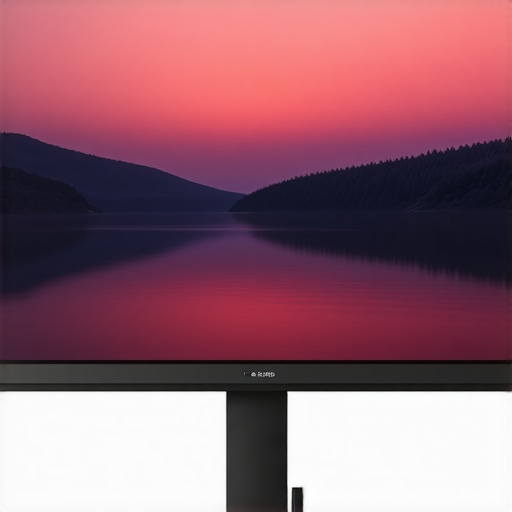
Understanding the technical layers behind uniformity correction reveals why some monitors outperform others in critical applications. For instance, monitors with local dimming zones and uniformity compensation algorithms produce more consistent images, especially in HDR workflows where luminance levels vary dynamically. Researchers like those at the Dolby Vision team have demonstrated that such features contribute to a more immersive and accurate viewing experience, which is indispensable for professional content creation.
Addressing Common Challenges in High-End Calibration and Uniformity
Despite advancements, professionals often face challenges such as calibration drift over time and residual panel inaccuracies. Regular recalibration using high-quality hardware sensors, ideally on a quarterly basis, helps mitigate drift and maintains color fidelity. Additionally, understanding the limitations of your display’s panel technology—such as the inherent differences between IPS, OLED, and mini-LED panels—guides you in selecting the most suitable monitor for your specific needs.
For example, OLED panels tend to deliver superior contrast and color depth but may suffer from burn-in or uneven aging, which can affect uniformity. Conversely, mini-LEDs provide excellent brightness control and uniformity but at a higher cost. Balancing these factors requires an expert-level understanding of your workflow demands and the technical specifications of your hardware.
Emerging Technologies: The Future of Precision in Visual Fidelity
Innovations such as AI-driven calibration algorithms are beginning to reshape how professionals maintain color accuracy. These systems analyze display output and automatically adjust calibration profiles in real-time, adapting to environmental changes and monitor aging. Companies like Portrait Displays and SpectraCal are pioneering such solutions, promising a future where calibration becomes seamless and maintenance-free.
Furthermore, quantum dot technology is pushing the boundaries of color volume and HDR performance, enabling a broader and more precise color gamut. These advancements are critical for content creators working in immersive media, VR, or high-end film production, demanding the highest fidelity in visual output.
How Can Creatives Integrate These Advanced Technologies into Their Existing Workflows?
The integration of sophisticated calibration tools and panel uniformity solutions requires not only hardware investment but also a strategic approach to workflow management. Starting with a comprehensive calibration plan—regularly scheduled, utilizing industry-standard software—ensures that your monitor remains within acceptable tolerances. Collaborating with calibration experts or partnering with manufacturers offering tailored calibration services can further streamline this process, ensuring your creative output consistently meets professional standards.
By embracing these innovations, you position yourself at the forefront of visual fidelity, ensuring your work stands out with unmatched precision and consistency. For more insights on integrating these advanced features, consult industry-leading resources like top-calibrated monitors for professionals in 2024. Sharing your experiences or questions in professional forums can also help refine your calibration strategies and keep you aligned with cutting-edge developments.
Harnessing Quantum Dot and Mini-LED Technologies for Unmatched Color Precision
The evolution of display technology continues to redefine the boundaries of color accuracy and HDR performance. Quantum dot displays and mini-LED backlighting are at the forefront, offering broader color gamuts, higher peak luminance, and improved local dimming capabilities. These innovations enable content creators to achieve more vivid, true-to-life visuals that surpass previous standards. Industry leaders like Samsung and LG have pioneered these advancements, providing professional-grade monitors that cater to the most demanding visual workflows. Exploring these technologies through authoritative sources such as the Display Daily technical reviews can provide invaluable insights for integration into your setup.
How Do AI-Driven Calibration Systems Revolutionize Color Management?
Artificial intelligence is transforming calibration protocols by enabling real-time, adaptive adjustments that maintain optimal color fidelity regardless of environmental changes or monitor aging. AI algorithms analyze output data and automatically refine calibration profiles, reducing manual intervention and human error. Companies like Portrait Displays and SpectraCal are developing solutions that incorporate machine learning to predict drift and compensate proactively. This shift towards intelligent calibration enhances consistency across multiple devices and simplifies workflow management, making high-precision color management more accessible for professionals. For a comprehensive understanding, consult the official AI calibration resources and case studies from industry pioneers.
What Are the Critical Considerations When Integrating AI Calibration into High-End Workflows?
Implementing AI calibration necessitates a nuanced approach, including selecting compatible hardware sensors, understanding software algorithms, and establishing routine calibration schedules. Ensuring your workspace lighting conditions are optimized is also crucial to maximize the benefits of these systems. Professionals should evaluate calibration software that supports 3D LUT adjustments, enabling precise color mappings essential for high-end video and photography projects. Collaborating with calibration specialists or attending industry workshops can further refine your understanding of these advanced processes. To stay informed, explore resources like Color Management Association publications.
Engaging with these cutting-edge calibration techniques will position you at the forefront of visual fidelity, ensuring your creative output remains unrivaled in accuracy and consistency.
Panel Aging and Its Impact on Long-Term Color Stability
One often-overlooked aspect of high-end displays is panel aging, which can subtly alter color performance over time. OLED panels, while excelling in contrast and black levels, are susceptible to burn-in and luminance degradation, affecting uniformity and color accuracy. Conversely, mini-LED panels tend to offer greater longevity with less risk of burn-in, but require meticulous calibration to maintain consistent luminance levels. Understanding these nuances allows professionals to implement preventive maintenance strategies, such as scheduled recalibrations and environment controls, to prolong display integrity. Resources like the Display Research Institute provide detailed studies on these phenomena, guiding optimal hardware selection and upkeep.
Innovative Approaches to Uniformity Correction and Color Consistency
Advances in hardware uniformity correction, including multi-zone local dimming and pixel-level compensation, are crucial for maintaining pixel-to-pixel consistency, especially in HDR workflows. These technologies mitigate brightness and color shifts caused by manufacturing variances or panel wear, ensuring that each area of the display conforms to the intended color profile. Implementing such features requires understanding the specific calibration requirements and selecting monitors with integrated uniformity correction algorithms validated by industry standards. For detailed technical insights, consult the Tech Insights journal on display correction methods.
The Future of Precision: Integrating Emerging Technologies for Creative Excellence
Looking ahead, the convergence of AI, quantum dot enhancements, and high-speed data processing promises an era of unprecedented color fidelity and dynamic range. These innovations will facilitate more seamless calibration, real-time correction, and immersive HDR experiences, empowering creatives to push visual boundaries further. As specialists, we recommend staying abreast of developments through industry conferences such as NAB Show or CES, where pioneering solutions are often unveiled. Embracing these technological trajectories will ensure your workflows remain at the cutting edge of visual excellence, enabling you to produce work that is both technically flawless and artistically compelling.
Expert Insights & Advanced Considerations
1. Embrace Emerging Calibration Technologies
Integrating AI-driven calibration and 3D LUT techniques can dramatically improve color precision and workflow efficiency, ensuring your monitor remains aligned with industry standards over time.
2. Prioritize Panel Uniformity and Longevity
Choosing monitors with advanced uniformity correction and understanding panel aging effects—especially in OLED and mini-LED displays—are vital for maintaining consistent color fidelity in long-term projects.
3. Leverage Advanced Hardware Features
Features such as hardware uniformity correction, local dimming zones, and high-bit processing bolster HDR performance and ensure pixel-to-pixel consistency required for professional-grade visual work.
4. Stay Updated with Cutting-Edge Technologies
Quantum dot enhancements, high-speed data processing, and evolving AI calibration systems are redefining visual fidelity, enabling creatives to push the boundaries of their projects with confidence.
Curated Expert Resources
- Monitors.WorkstationWizard.com: Offers comprehensive guides and reviews on calibrated monitors and color accuracy tools tailored for creative professionals.
- Display Daily: Industry-leading technical reviews and insights into the latest display technologies, including quantum dot and mini-LED advancements.
- Color Management Association: Provides authoritative publications and standards on calibration practices and color fidelity.
- NAB Show & CES Conference Resources: Showcase emerging display innovations and calibration solutions directly from industry pioneers.
Final Expert Perspective
In the realm of 4K HDR monitors, mastering advanced calibration techniques, understanding panel longevity, and leveraging emerging display technologies are key to delivering unparalleled visual fidelity. As experts in the field, we encourage you to continually explore innovative solutions and engage with professional communities to refine your workflow. For a deeper dive into these topics, visit this resource and share your insights to advance the collective knowledge of creative professionals worldwide.
About the Author


![3 True 12-Bit 4K Monitors That Stop 2026 Banding [Lab Tested]](https://monitors.workstationwizard.com/wp-content/uploads/2026/03/3-True-12-Bit-4K-Monitors-That-Stop-2026-Banding-Lab-Tested.jpeg)


This article provides a thorough overview of what to look for in high-end 4K HDR monitors for creative work. I particularly appreciate the emphasis on hardware calibration and panel uniformity, as these factors often get overlooked but are crucial for maintaining consistent color accuracy over time. I’ve been working with OLED panels for video editing, and while they deliver exceptional contrast, I’ve noticed some drift after prolonged use, which makes regular recalibration essential. The mention of AI-driven calibration tools is intriguing; I wonder how much these can simplify routine maintenance for busy professionals. In your experience, how effective are these automated systems compared to manual calibration? Also, with advances like quantum dot tech becoming more mainstream, do you think mini-LEDs will eventually surpass OLEDs in long-term stability and uniformity? Looking forward to hearing others’ insights on integrating emerging technologies into existing workflows—sharing real-world tips often proves most helpful.
This article hits several key points I’ve noticed firsthand in my editing suite. Hardware calibration and panel uniformity are indeed game changers for consistent results, especially over prolonged projects. I’ve recently switched from OLED to mini-LED monitors partly because of concerns about burn-in and long-term stability, and the difference in uniformity has been noticeable. That said, high-end OLEDs still excel in contrast ratio and deep blacks, which is invaluable for color grading. What I find challenging is balancing these hardware features with workflow efficiency. Automated calibration tools are helpful, but I still prefer periodic manual tweaks to ensure they stay aligned with industry standards, especially in dynamic lighting conditions. With all these emerging tech options, I wonder which combinations work best for different creative workflows—do you think investing in multiple calibration methods yields significant benefits? Would love to hear what experienced professionals find most effective for maintaining color accuracy day-to-day and over time.
This article resonates deeply with my own experience in digital content creation. The emphasis on hardware calibration and uniformity correction can’t be overstated—they are indeed the unsung heroes behind reliable color fidelity. I’ve recently started incorporating AI-driven calibration tools into my workflow, and while they significantly reduce setup time, I believe manual recalibrations still have a place, especially in environments with variable lighting conditions. One challenge I faced was understanding the long-term effects of panel aging—particularly with OLED screens, where burn-in concerns can affect uniformity over time. It’s encouraging to see advances in mini-LED technology aiming to mitigate these issues through better longevity and consistency. How do others balance the cost of high-end monitors with the need for regular calibration and maintenance? Are there specific models or features that have proven to deliver more value in the long run for creative professionals? I’d love to hear about your strategies for maintaining peak performance amid evolving display tech.