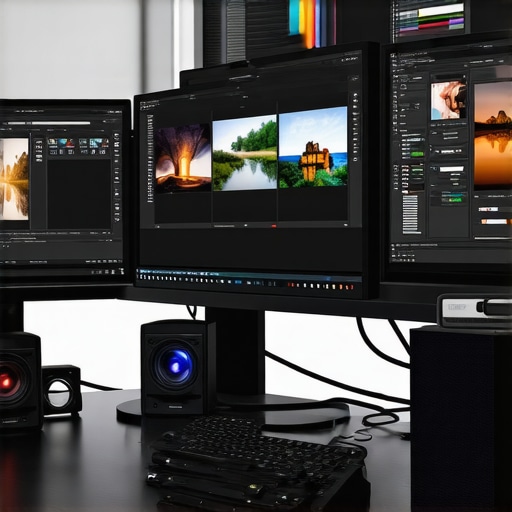
Ultimate Guide to Calibrated Monitors for Professional Photo & Video 2024
Unveiling the Critical Role of Calibrated Monitors in Professional Visual Workflows
In the realm of high-end photo and video editing, where color fidelity and visual accuracy are paramount, the choice of a calibrated monitor transcends mere preference and becomes a fundamental necessity. As digital creators push the boundaries of their craft, understanding the nuances of display calibration—rooted in complex color science and hardware precision—becomes essential for achieving consistent, trustworthy results across different devices and output mediums.
Why Calibration Is Not Just a Technicality but a Creative Imperative
Calibration transforms a standard display into a reliable tool, ensuring that the colors you see during editing match the final output, whether on print, broadcast, or digital platforms. For professionals working in fields such as fashion photography, cinematic post-production, or scientific imaging, even minor deviations in color can lead to costly reworks or compromised artistic intent. The evolution of monitor technology, including advances in color accuracy and hardware uniformity, has significantly elevated expectations for precision.
Key Metrics and Technologies That Define Calibration Efficacy
High-end calibrated monitors boast features like 10-bit color depth, wide color gamut support (DCI-P3, Adobe RGB), and hardware calibration capabilities that enable consistent, factory-calibrated color profiles. Technologies such as hardware LUTs and self-calibration sensors ensure ongoing accuracy over time, counteracting drifts caused by aging components or environmental factors. For instance, HDR support further enhances dynamic range, crucial for high-fidelity visual editing.
Addressing the Complexities: How Does Ambient Light Affect Calibration?
What are the best practices for maintaining calibration accuracy in fluctuating lighting conditions?
Ambient lighting profoundly impacts perceived color accuracy. Professionals often employ controlled environments or utilize monitor hood accessories and color-managed lighting solutions to mitigate these effects. Regular calibration schedules, combined with advanced monitor features, preserve the integrity of color workflows. This is especially critical when working on projects that demand consistent color fidelity across multiple sessions or collaborative teams.
Integrating Calibration into a Professional Workflow: Practical Considerations
Seamless integration of calibration tools with editing software and color management systems is vital. Many top-tier monitors support calibration via dedicated software, enabling quick adjustments and profile management. Moreover, understanding the differences between hardware and software calibration methods helps professionals select the appropriate approach for their specific needs.
For those seeking expert guidance, exploring comprehensive calibration strategies can significantly elevate your workflow standards.
How can professionals optimize calibration routines to ensure long-term color consistency?
Regular calibration, environmental control, and high-quality hardware are key. Additionally, maintaining detailed calibration logs and investing in high-grade colorimeters or spectrophotometers will ensure your display remains a reliable asset for color-critical work.
Interested in mastering calibration further? Access our expert guide to calibrated monitors or contribute your insights to a growing community of professional creators.
Beyond Basic Calibration: Unlocking the Next Level of Color Accuracy
While routine calibration is essential, truly professional workflows demand a deeper understanding of advanced techniques that optimize display performance over time. Techniques such as spectrophotometer-based profiling, ambient light measurement, and hardware LUT management allow creative professionals to push the boundaries of color fidelity, ensuring consistency across diverse projects and outputs. Integrating these methods with enterprise-level color management systems can significantly reduce discrepancies and elevate your creative standards.
What Are the Limitations of Standard Calibration, and How Can Experts Overcome Them?
Standard calibration routines often focus on initial setup, but they may fall short in addressing long-term color stability and environmental variability. For example, aging monitor components can drift out of calibration, and fluctuating ambient lighting can distort perceived colors. To mitigate these issues, professionals should adopt monthly calibration schedules using high-precision colorimeters, combined with environmental controls like controlled lighting environments and monitor hoods. Additionally, leveraging hardware calibration tools that support continuous profiling ensures ongoing accuracy.
How Do Emerging Technologies Impact Calibration and Color Management?
Emerging innovations such as HDR calibration, AI-driven calibration algorithms, and ultra-wide color gamuts are reshaping the landscape. These advancements enable more nuanced control over complex color profiles, especially for HDR content and high-bit-depth workflows. For instance, AI-enhanced calibration can automatically compensate for environmental changes or monitor aging, reducing manual intervention and maintaining peak performance. Staying updated with these technologies is crucial for professionals aiming for uncompromising accuracy.
How can creative professionals implement these advanced calibration strategies without overwhelming their workflow?
Adopting a structured approach is key. Begin by investing in high-quality calibration hardware compatible with your monitor and software ecosystem. Establish regular calibration routines, ideally monthly, and document the results for trend analysis. Incorporate environmental controls such as color-accurate lighting and monitor hoods, which can be found in our ultimate guide to calibrated color accuracy. Finally, stay informed about technological developments by subscribing to industry updates and participating in professional forums. This proactive approach ensures your workflow remains precise, reliable, and aligned with the highest standards of visual fidelity.
Interested in exploring specific calibration tools and best practices? Check out our detailed articles and expert reviews at top calibrated color accuracy monitors for creators and learn how to maximize your display’s potential.
Implementing Spectrophotometer-Based Profiling for Ultimate Color Precision
One of the most sophisticated methods for ensuring impeccable color accuracy is spectrophotometer-based profiling. Unlike basic colorimeters, spectrophotometers measure the full spectrum of light emitted by your display, providing a detailed color profile that accounts for subtle variances and aging effects. This method allows professionals to create highly accurate ICC profiles, which are essential in high-stakes environments such as film grading and scientific imaging. Integrating spectrophotometer data with advanced calibration software like CalMAN or LightSpace enables ongoing, precise adjustments, maintaining the integrity of your visual workflow over time.
The Role of Ambient Light Measurement and Control in Color Fidelity
While calibration of the display itself is crucial, controlling the ambient light environment cannot be overstated. Ambient light measurement tools, such as color temperature meters and lux meters, help establish a consistent lighting condition that minimizes perceived color shifts. Implementing high-quality, color-managed lighting solutions, such as D65-balanced LED fixtures, ensures that the viewing environment remains stable during critical color evaluations. Regular ambient light audits, combined with the use of monitor hoods and blackout curtains, create an optimal workspace that minimizes environmental variables affecting color perception.
Hardware LUT Management: Fine-Tuning Your Display for Peak Performance
Hardware Look-Up Tables (LUTs) serve as the backbone of precise display calibration. By customizing LUTs, professionals can correct for specific panel characteristics and achieve a near-perfect color reproduction. Advanced calibration systems allow for the creation and application of 3D LUTs, which can be integrated directly into the monitor’s hardware or via external hardware processors. This level of control is vital for workflows where color consistency across multiple devices and outputs is non-negotiable. Regular updates and validation of LUTs, using high-end calibration tools, help sustain the accuracy in demanding professional environments.
Nuanced Challenges and Solutions in Maintaining Long-Term Color Stability
Long-term color stability hinges on proactive maintenance routines. Aging components like backlights and phosphors can drift over time, necessitating scheduled recalibrations—typically monthly for high-precision environments. Interestingly, environmental factors such as temperature fluctuations and humidity can accelerate this drift. Implementing environmental control systems—climate stabilization, air filtration, and vibration isolation—can significantly extend the interval between calibrations. Moreover, maintaining detailed calibration logs facilitates trend analysis, enabling early detection of deviations and ensuring consistent output quality.
The Impact of Emerging Technologies: AI, HDR, and Beyond
Recent advances in AI-driven calibration algorithms are transforming how professionals approach display accuracy. These systems analyze environmental conditions, monitor aging, and automatically compensate for drift, reducing manual intervention. Furthermore, HDR calibration tools now support complex luminance and color management, ensuring compliance with HDR standards like Dolby Vision and HDR10+ for cinematic workflows. Ultra-wide color gamuts, such as BT.2020, are becoming accessible, demanding even more precise calibration techniques. Staying updated with these innovations ensures your workflows leverage the latest in display technology for maximum fidelity.
How can creative professionals seamlessly integrate these advanced calibration strategies without disrupting their workflow?
Integration begins with selecting versatile calibration hardware compatible with your existing software ecosystem. Establishing a routine schedule—monthly or quarterly—alongside environmental controls, ensures ongoing accuracy. Utilizing automation features within calibration software minimizes manual effort, while maintaining detailed logs facilitates long-term tracking. Participating in industry forums and subscribing to updates from calibration hardware manufacturers further keeps professionals at the forefront of emerging solutions. Remember, a systematic approach to calibration is key to balancing precision with workflow efficiency.
If you’re eager to deepen your expertise, explore our comprehensive resources on high-end calibration tools and techniques at Advanced Calibration Strategies for Creatives. Elevate your color management today and achieve unparalleled visual fidelity in your projects.
Unlocking the Potential of Spectrophotometer Profiling for Ultimate Color Precision
In the pursuit of perfection in color accuracy, spectrophotometer-based profiling emerges as a game-changing technique for discerning professionals. Unlike traditional colorimeters, spectrophotometers measure the entire spectral output of a display, capturing nuanced color variations and aging effects with unparalleled detail. Integrating this data with sophisticated calibration software like CalMAN or LightSpace enables the creation of highly refined ICC profiles, which are crucial in high-stakes environments such as cinematic color grading and scientific imaging. Regular spectrophotometer calibration ensures that your display maintains its integrity, reducing discrepancies and elevating your workflow to industry-leading standards.
The Critical Role of Ambient Light Measurement in Color Consistency
Controlling ambient light conditions is essential for maintaining true color perception. Advanced ambient light measurement tools, including color temperature meters and lux meters, facilitate the establishment of a stable viewing environment. By calibrating your workspace with D65-balanced LED lighting and implementing monitor hoods and blackout curtains, you minimize environmental variables that could compromise color fidelity. Routine ambient light audits and adjustments further ensure that your visual assessments remain consistent, regardless of external lighting fluctuations, thus safeguarding your calibration efforts over time.
Hardware LUTs: Precision Tuning for Flawless Display Performance
Hardware Look-Up Tables (LUTs) are instrumental in fine-tuning your display’s color output. Customizing 3D LUTs allows for precise correction of panel characteristics, ensuring that every hue and luminance level aligns with your project requirements. High-end calibration systems facilitate the creation and validation of these LUTs, which can be stored directly in the monitor’s hardware or via external processors. Regular updates and validation of LUTs, supported by high-precision calibration devices, are vital for maintaining color consistency across multiple devices and output channels, especially in demanding professional environments.
Ensuring Long-Term Color Stability Through Proactive Maintenance
Maintaining consistent color accuracy over time necessitates a proactive approach. Aging components such as backlights and phosphors can cause color drift, making scheduled recalibrations—preferably monthly—a necessity. Environmental factors like temperature and humidity fluctuations can accelerate this drift, emphasizing the importance of environmental controls like climate stabilization and vibration isolation. Detailed calibration logs enable trend analysis, allowing early detection of deviations. This disciplined routine ensures your display remains a reliable asset, providing unwavering color fidelity for critical projects.
Emerging Technologies Reshaping Display Calibration and Color Management
Innovations such as AI-driven calibration algorithms, HDR-specific calibration tools, and ultra-wide color gamuts are transforming professional workflows. AI systems analyze environmental conditions and monitor device aging, automatically compensating for drifts and reducing manual calibration efforts. HDR calibration now supports complex luminance and color accuracy standards like Dolby Vision and HDR10+, ensuring cinematic quality. The advent of BT.2020 wide gamuts demands advanced calibration strategies to harness their full potential. Staying abreast of these technological advances empowers professionals to push the boundaries of visual fidelity and output consistency.
How can creative professionals seamlessly adopt these advanced calibration strategies without disrupting their workflows?
Implementing these sophisticated techniques requires a structured approach. Begin by selecting versatile, high-quality calibration hardware compatible with your software ecosystem. Establish routine calibration schedules—monthly or quarterly—and incorporate environmental controls such as color-managed lighting and monitor hoods. Automation features within calibration software minimize manual interventions, while detailed documentation enables trend tracking. Engaging with industry forums, subscribing to updates from calibration equipment manufacturers, and participating in professional workshops ensure you remain informed about emerging solutions. This disciplined integration guarantees your workflow benefits from cutting-edge accuracy without significant disruption.
To deepen your expertise in high-end calibration methods, explore our comprehensive resources at Advanced Calibration Strategies for Creatives. Elevate your color management practices and achieve the pinnacle of visual fidelity in your projects.
Expert Insights & Advanced Considerations
1. The Imperative of Regular Calibration for Long-Term Accuracy
Consistent calibration is not just a routine task but a strategic necessity to maintain color fidelity over time, especially in high-stakes professional environments where even minor deviations can compromise the integrity of visual projects.
2. Leveraging Spectrophotometry for Unparalleled Precision
Employing spectrophotometers allows for comprehensive spectral data collection, enabling the creation of highly accurate ICC profiles that are essential for critical applications like cinematic color grading and scientific imaging.
3. Managing Ambient Light to Preserve Color Perception
Controlling environmental lighting through calibrated ambient light measurement and workspace modifications ensures that external variables do not distort color perception, safeguarding calibration efforts and visual consistency.
4. Advanced Hardware LUTs for Fine-Tuned Calibration
Utilizing hardware Look-Up Tables (LUTs) provides granular control over display output, allowing for correction of panel-specific characteristics and ensuring uniformity across multiple devices and outputs.
5. Embracing Emerging Technologies for Enhanced Accuracy
Adopting AI-driven calibration algorithms, HDR-specific adjustments, and ultra-wide color gamut support enables professionals to push the boundaries of color precision, maintaining cutting-edge workflow standards.
Curated Expert Resources
- Mastering Color Accuracy with Professional Monitors – An authoritative resource detailing best practices and hardware recommendations for achieving optimal color fidelity.
- HDR Monitors Unveiled: Elevate Your Visual Experience in 2025 – A comprehensive guide to the latest HDR calibration techniques and technology advancements.
- Advanced Calibration Techniques for Creatives – In-depth strategies and tools for spectrophotometer integration and environmental management.
- The Ultimate Guide to 4K Monitors for Professional Visuals – Essential insights into high-resolution display calibration and performance.
Final Expert Perspective
In the realm of professional visual workflows, mastering advanced calibration techniques—such as spectrophotometer profiling, ambient light management, and leveraging emerging calibration technologies—is paramount for achieving uncompromising color accuracy. These practices empower creative professionals to uphold consistency and precision across diverse projects and outputs. For those committed to excellence, engaging with authoritative resources and staying abreast of technological innovations will ensure your workflow remains at the forefront of industry standards. Dive deeper into the nuances of calibrated monitors and elevate your creative process by exploring our comprehensive guides and expert reviews at Mastering Color Accuracy with Professional Monitors. Your commitment to precision today defines the visual excellence of tomorrow.
About the Author


![3 Calibrated Monitors That Solve 2026 OLED Black Crush [Tested]](https://monitors.workstationwizard.com/wp-content/uploads/2026/03/3-Calibrated-Monitors-That-Solve-2026-OLED-Black-Crush-Tested.jpeg)


This comprehensive guide really highlights the importance of investing in top-tier calibration tools and maintaining a disciplined routine to ensure long-term color accuracy. I’ve personally found that using spectrophotometers, despite their higher cost, makes a noticeable difference in achieving consistent results, especially when working on precise projects like film grading. The emphasis on ambient light control also resonated with me, as my workspace’s lighting setup greatly influenced my calibration accuracy. What strategies have others found most effective for integrating advanced calibration techniques without overwhelming their workflow? I’d love to hear how fellow professionals balance thorough calibration routines with creative project deadlines and daily tasks.
This post truly underscores how essential calibrated monitors are for maintaining authenticity and consistency in professional visual workflows. Having worked in cinematography, I can attest that even slight color deviations can impact the final look significantly. Implementing spectrophotometers initially seemed daunting due to their cost, but I’ve seen firsthand how their high precision pays off, especially in high-stakes projects. Ambient light conditions are often overlooked, but I’ve found that controlling the workspace lighting environment makes a more noticeable difference than I anticipated. What’s your take on integrating these advanced calibration strategies in a fast-paced production setting? Do you prioritize automation or manual calibration routines when under tight deadlines?
This post really resonated with me, especially the emphasis on spectrophotometers for achieving precise color profiles. In my experience working on cinematic projects, the extra investment in a spectrophotometer has been invaluable, especially when dealing with HDR workflows where every nuance matters. But even with high-end hardware, I find that environmental controls—like consistent ambient lighting and monitor hoods—are equally crucial in maintaining calibration accuracy. I’ve struggled before with fluctuating environmental light ruining the perceived color accuracy, so I prioritize ambient light management in my workspace. I’m curious—what are some practical steps other professionals take to streamline their calibration routines without sacrificing too much time? Do you integrate automation tools, or stick to manual checks? Would love to hear insights on balancing thorough calibration with tight project deadlines.