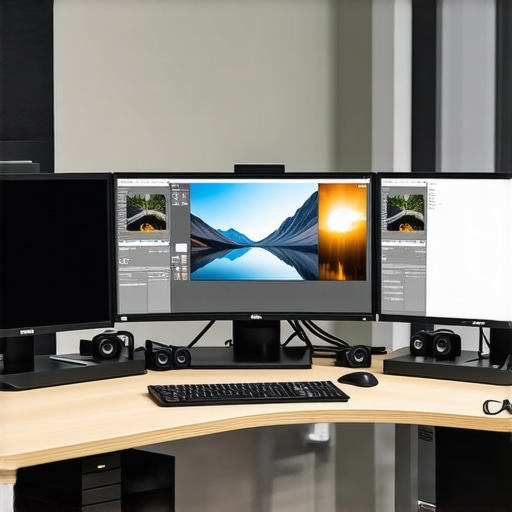
Best HDR Monitors for Accurate Color & Professional Editing in 2024
Mastering Visual Fidelity: The Critical Role of HDR Monitors in Professional Content Creation
In the realm of professional editing, where precision and color accuracy are paramount, the choice of a high dynamic range (HDR) monitor can significantly influence the quality of the final output. As we advance into 2024, understanding the nuanced features that distinguish top-tier HDR monitors becomes essential for creatives committed to excellence. This guide synthesizes expert insights, technical standards, and practical considerations to illuminate the path toward optimal display technology for color-critical workflows.
Why Color Gamut and Brightness Range Define Professional-Grade HDR Performance
At the core of HDR monitor evaluation lies the ability to reproduce a broad color gamut, such as DCI-P3 or Adobe RGB, coupled with high peak brightness levels, often exceeding 1000 nits. These specifications are not just technical metrics but foundational to achieving lifelike images with deep shadows and luminous highlights, crucial for accurate photo and video editing. Industry standards, as outlined by the UHD Alliance and validated by authoritative sources like the International Color Consortium (ICC), set benchmarks for what constitutes true HDR performance in professional contexts.
Calibration and Hardware Fidelity: Ensuring Consistent, Trustworthy Outputs
Beyond raw specifications, the calibration capabilities of a monitor—preferably hardware-based—are vital for maintaining color consistency across different devices and viewing environments. Monitors with factory calibration reports and support for professional calibration tools, such as X-Rite or Datacolor, are favored by experts. This ensures that what you see on screen reliably translates to the final print or digital distribution, emphasizing the importance of ongoing calibration routines for long-term color fidelity.
What Are the Cutting-Edge Features Elevating HDR Monitors in 2024?
Recent innovations include OLED panels offering perfect black levels and infinite contrast ratios, as well as quantum dot technology that enhances color volume and accuracy. Additionally, features like local dimming zones and dual-layer LCDs contribute to more precise luminance control, critical for high-end editing tasks. As noted in latest industry reviews, these technological improvements enable creators to push the boundaries of visual storytelling with greater confidence.
How Can HDR Monitors Be Optimized for Specific Creative Disciplines?
Optimizing HDR monitors involves tailoring calibration and settings to suit the unique demands of disciplines such as photography, color grading, or digital illustration. For instance, video editors benefit from precise gamma controls and HDR tone mapping, while photographers prioritize color accuracy within Adobe RGB color space. The integration of hardware calibration tools and consistent color management workflows ensures these monitors serve as reliable tools across diverse creative applications.
To deepen your understanding, explore our article on mastering color accuracy for creative professionals and stay informed about emerging standards in HDR technology through our dedicated HDR monitor review updates.
Are you leveraging the full potential of your current HDR setup? Share your insights and experiences with our community of professionals or inquire about tailored recommendations to elevate your visual workflow.
Maximizing HDR Capabilities for Precision Editing
Achieving true color accuracy in professional workflows requires not only a high-quality HDR monitor but also an understanding of its advanced features. Modern HDR displays incorporate local dimming zones, which dynamically adjust luminance across different screen areas, creating more realistic contrast and depth. This technology is especially beneficial for color grading and high-end photo editing, where subtle tonal variations are critical. By leveraging these features, creators can fine-tune their visuals with confidence, ensuring that their work translates accurately across all viewing platforms.
Understanding the Role of Color Management Systems
Beyond hardware excellence, effective color management involves integrating calibration tools and software that maintain consistency over time. Professionals should consider monitors that support hardware calibration, such as those compatible with X-Rite i1Display Pro or Datacolor SpyderX, to establish a reliable color baseline. Regular calibration routines help mitigate drifts caused by aging components or changing ambient light conditions, preserving the integrity of your visual output. For an in-depth comparison of calibration options, visit our guide on calibrated monitors.
What Innovations Will Define HDR Monitors in 2024?
Emerging technologies such as quantum dot OLED panels and mini-LED backlighting are transforming the landscape of professional displays. These advancements deliver broader color gamuts, higher peak brightness, and improved uniformity, empowering creators to push their creative boundaries. Additionally, integration of AI-driven calibration and real-time color correction is beginning to become more accessible, allowing for smarter, more consistent visual outputs. As highlighted by industry experts, staying ahead involves not just selecting the right monitor but understanding how these innovations impact your workflow and final results.
How Can You Tailor HDR Monitors to Your Unique Creative Needs?
Personalizing your display setup involves more than just choosing the right hardware; it entails configuring your workspace for optimal output. For instance, photographers working within Adobe RGB might prioritize monitors with wider color gamuts and precise calibration profiles. Video editors focusing on HDR content should look for models with high peak brightness and local dimming capabilities, ensuring accurate tone mapping. Exploring specialized calibration workflows and workspace environments can significantly enhance your productivity and output quality. For practical tips, check out our comprehensive guide on calibrated 4K monitors.
Crafting Visual Masterpieces with Precision HDR Calibration
In today’s competitive creative landscape, achieving impeccable color accuracy and contrast in your visual projects hinges on the capabilities of your HDR monitor. The latest advancements in hardware calibration tools, such as integrated spectrophotometers and AI-driven color correction algorithms, enable professionals to maintain an unwavering standard of fidelity across different lighting environments. Implementing routine calibration protocols with industry-grade tools like the X-Rite i1Display Pro ensures your display remains a reliable cornerstone in your workflow, minimizing discrepancies between on-screen visuals and final outputs.
Innovative Display Technologies Shaping 2024’s HDR Landscape
Emerging display technologies are redefining what is possible in professional visualization. Mini-LED backlighting offers unparalleled luminance control with thousands of dimming zones, providing superior contrast and black levels, especially vital for high-end color grading. Meanwhile, quantum dot OLED panels combine the best attributes of OLED’s perfect blacks with quantum dot’s wide color volume, resulting in displays capable of reproducing over 97% of the DCI-P3 color space at peak brightness levels exceeding 1500 nits. As noted in the detailed review by TechRadar’s latest HDR monitor roundup, these innovations are pivotal for creatives seeking to push boundaries.
How Does AI-Driven Calibration Revolutionize Color Consistency?
Artificial intelligence is transforming calibration routines by enabling real-time adjustments that adapt to ambient lighting conditions and monitor aging. AI algorithms analyze color performance metrics and automatically fine-tune display parameters, ensuring consistent output without manual intervention. This breakthrough minimizes color drift over extended periods, maintaining the integrity of your creative work. For professionals dealing with high-stakes projects, integrating AI calibration tools like Calman AutoCal offers a significant edge in efficiency and precision.
To deepen your expertise, consider exploring authoritative resources such as the International Color Consortium’s standards for HDR workflows, which set industry benchmarks for color fidelity and gamut coverage. Staying informed about these standards ensures your setup aligns with global best practices and future-proof your investment.
Customizing HDR Settings for Diverse Creative Disciplines
Optimizing your HDR monitor for specific tasks involves more than default settings. Photographers may prioritize wide color gamut support within Adobe RGB, while video editors working with HDR10 content require high peak brightness and good local dimming. Digital artists benefit from precise gamma controls and advanced tone mapping options that preserve subtle tonal variations. Tailoring these configurations through manufacturer calibration software and dedicated color management workflows elevates your output quality, making your monitor a true extension of your creative vision.
Engage with our comprehensive guide on calibrated 4K monitors for creative professionals to refine your setup for maximum productivity and accuracy.
Harnessing the Latest in Display Technologies for Creative Mastery
In 2024, the evolution of HDR monitor technology offers unprecedented opportunities for professionals seeking perfection in visual fidelity. Innovations such as quantum dot OLED panels and ultra-fine mini-LED backlighting are redefining standards, delivering deeper blacks, richer colors, and seamless luminance control. These advancements empower creators to push beyond traditional boundaries, ensuring their work is both accurate and impactful across diverse media formats.
How Do Advanced Calibration Techniques Guarantee Consistency Across Devices?
Precise calibration remains the cornerstone of reliable color reproduction. Hardware calibration tools like the X-Rite i1Display Pro and Datacolor SpyderX, combined with AI-driven software solutions, facilitate dynamic adjustments that account for aging components and ambient light fluctuations. This continuous calibration process ensures that every pixel reflects the artist’s intent, maintaining consistency from initial editing to final output. For an in-depth understanding, consult the detailed standards outlined by the International Color Consortium (ICC).
What Cutting-Edge Features Are Revolutionizing HDR Content Creation?
Emerging features such as real-time local dimming with thousands of zones, dual-layer LCDs, and enhanced quantum dot technology are elevating professional displays. These innovations enable precise control over contrast and luminance, which are vital for high-fidelity color grading and HDR content production. Industry reviews, like those from latest industry sources, emphasize how these technological strides facilitate a more immersive and accurate creative process.
What Strategies Can Creatives Use to Maximize the Potential of Their HDR Monitors?
Optimizing your display setup involves tailored calibration routines aligned with your specific discipline—be it photography, digital art, or video editing. For instance, HDR tone mapping adjustments for filmmakers and color accuracy settings for photographers can significantly enhance output quality. Integrating workspace lighting control and employing dedicated calibration software ensures your monitor serves as a true extension of your creative vision. For actionable tips, explore our comprehensive guide on calibrated 4K monitors.
Innovations That Will Shape the Future of HDR Displays
The trajectory of HDR monitor development points toward smarter, more adaptive systems. AI-powered calibration and real-time color correction algorithms are now accessible to professionals, reducing manual intervention and increasing precision. Moreover, the integration of quantum dot OLEDs and mini-LED backlighting continues to push the envelope, delivering wider color gamuts and higher peak brightness levels—crucial for high-end creative workflows. Staying informed through reputable sources like TechRadar ensures you remain at the forefront of these technological breakthroughs.
How Can Personalization Elevate Your Creative Output with HDR Monitors?
Customizing HDR settings according to your specific work requirements can significantly improve productivity and accuracy. Photographers may prioritize wide color gamut support, while video editors require high peak brightness and precise tone mapping. Leveraging advanced calibration workflows and environment-specific adjustments allows you to tailor your display to your unique creative process. Check out our detailed article on calibrated 4K monitors for professionals to refine your setup.
Future-Proofing Your Creative Environment with HDR Innovation
Anticipating technological trends ensures your workflow remains competitive. Embracing AI-enabled calibration, ultra-high peak brightness capabilities, and adaptive contrast management positions you to harness the full potential of upcoming display systems. As industry pioneers like CNET suggest, integrating these innovations not only streamlines your creative process but also elevates the quality of your final product—making your investment future-proof and your work unmistakably professional.
Leverage the Full Spectrum of Expert Knowledge
In the rapidly evolving landscape of professional content creation, staying ahead demands more than just hardware—your approach must be informed by cutting-edge insights. Experts consistently emphasize that high dynamic range monitors with precise calibration, robust color gamuts, and innovative display technologies are game-changers for achieving flawless visuals. Prioritize monitors that support industry standards like DCI-P3 and Adobe RGB, and consider the benefits of OLED or mini-LED backlighting to elevate your workflow.
Refine Your Workflow with Industry-Leading Standards
Adherence to the latest calibration protocols and color management systems ensures your work maintains consistency across devices. Resources like the International Color Consortium provide authoritative standards that professionals should integrate into their processes. Regular calibration routines, supported by tools such as X-Rite i1Display Pro, safeguard your visual fidelity over time.
Explore Next-Generation Display Technologies
Emerging innovations like quantum dot OLED panels and ultra-fine mini-LED backlighting are revolutionizing the possibilities for creative professionals. These advancements deliver superior contrast ratios, wider color gamuts, and higher peak brightness, enabling more immersive and accurate visual storytelling. Industry reviews, such as those from TechRadar, highlight how these technologies redefine professional standards.
Curated Resources for Deepening Expertise
- International Color Consortium (ICC): Foundation for color calibration standards and HDR workflows, essential for ensuring industry compliance.
- X-Rite i1Display Pro: A professional calibration tool trusted by experts for maintaining color accuracy over time.
- TechRadar HDR Monitor Reviews: Up-to-date evaluations of the latest display technologies shaping the industry.
- Workstation Wizard Guide: Comprehensive resources on mastering color accuracy, calibration, and display technology for creatives.
Reflections from the Vanguard of Visual Innovation
As we navigate 2024, the convergence of expert insights, advanced display technology, and rigorous calibration practices defines the future of professional content creation. HDR monitors are no longer just tools—they are the foundation of visual excellence. For professionals committed to pushing boundaries, integrating these insights and resources will ensure your work remains at the forefront of industry standards. Engage with our community, share your experiences, and explore further resources to elevate your craft—because mastery in visual fidelity begins with informed choices.
About the Author




This is an incredibly comprehensive overview of HDR monitors for creative professionals. Having recently invested in a high-end OLED display, I can confirm that the perfect black levels and wide color gamut truly make a difference in my workflow, especially in color grading. I’ve also found that a reliable hardware calibration tool, like the X-Rite i1Display Pro, is essential for maintaining color accuracy over time, particularly in different ambient lighting conditions. One challenge I face is balancing peak brightness for HDR content with energy efficiency; do others have tips on optimizing this during long editing sessions? Also, I wonder how much AI-driven calibration will become standard in future devices—any insights or experiences with this technology so far? Overall, staying updated on these advances really helps us push creative boundaries while ensuring our work remains precise and professional.
This post really hits home on the importance of choosing the right HDR monitor for professional workflows. I’ve been using a monitor with local dimming zones, and the difference in shadow detail and brightness control is remarkable, especially when grading HDR videos. One thing I’ve noticed is that achieving consistent calibration over time can be tricky, especially with ambient light changing throughout the day. I’ve started using calibration software that supports automated routines, which has been a lifesaver in maintaining accuracy without too much hassle. Regarding energy efficiency, I find that enabling eco modes during less critical tasks helps save power, but I wonder if others have found smarter settings or hardware solutions that optimize brightness without sacrificing performance during long sessions? Also, with AI-driven calibration gaining ground, do you think physical calibration tools will become obsolete, or will they always have a place for critical workflows? I’m curious about others’ experiences as this technology continues to evolve.
This article does a fantastic job of highlighting the importance of matching HDR monitor capabilities with the specific needs of different creative disciplines. Personally, I’ve recently switched to a desktop with OLED technology, and the difference in accurate blacks and vibrant colors has truly elevated my color grading accuracy. One aspect I’m curious about is how future AI-driven calibration tools will influence our workflows—do you think they’ll eventually replace traditional hardware calibration devices for most professionals? Also, I’m wondering about energy consumption—especially during extended editing sessions—what practical tips do others have for balancing peak brightness and power efficiency without compromising quality? The continuous evolution in display tech keeps me excited about the potential for even more precise visual work, but it also makes me think about the need for ongoing education and calibration routine upgrades to keep pace with these innovations. How are others managing this balance in their workflow?