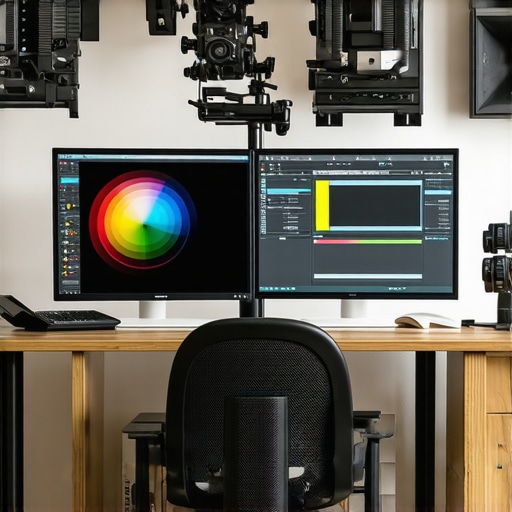
Best Calibrated Monitors for Photo & Video Color Accuracy 2024
Mastering Color Precision: Why Professional Creatives Need Calibrated Monitors in 2024
In the realm of visual artistry, the fidelity of color representation is paramount. As an industry expert, I emphasize that choosing the best calibrated monitors for photo and video accuracy in 2024 is not merely a technical decision but a foundational element that influences creative integrity. The evolution of display technology now offers unparalleled precision, yet navigating the myriad options demands a nuanced understanding of calibration, panel technology, and color management workflows.
Deciphering the Complexities of High-Fidelity Display Technologies
How do different panel types influence color accuracy and consistency in professional workflows?
IPS panels are renowned for their superior color accuracy and wide viewing angles, making them the preferred choice for high-end creative work. Meanwhile, OLED displays offer exceptional contrast ratios and deep blacks, crucial for nuanced color grading. The choice between these technologies hinges on specific use cases, lighting conditions, and the calibration capabilities of each monitor. For instance, professional color grading suites often favor IPS panels with factory calibration for consistent performance across various lighting environments.
Critical Calibration Processes and Industry Standards
Achieving true color fidelity requires meticulous calibration. Tools such as X-Rite i1Display Pro or Datacolor SpyderX are industry staples, enabling precise adjustments aligned with standards like Rec. 709, DCI-P3, or Adobe RGB. Regular calibration ensures that the monitor’s output remains consistent over time, which is essential for professionals relying on predictable color workflows. For more detailed insights, consult the calibrated monitors explained article.
Addressing the Challenges of Color Gamut and Bit Depth in 2024
Color gamut coverage and bit depth are vital metrics for accuracy. Monitors with wide gamuts such as DCI-P3 or Adobe RGB allow professionals to work with a broader palette, essential for high-quality photo and video production. Furthermore, 10-bit panels provide smoother gradients, reducing banding artifacts in post-production. The integration of these features into calibrated displays enhances the reliability of visual output, aligning with the latest industry standards.
What are the most effective strategies for maintaining calibration consistency across different devices and environments?
Establishing a standardized workflow that includes routine calibration, controlled lighting environments, and consistent color profiles is critical. Leveraging hardware calibration tools and professional color management software ensures that displays remain aligned with industry benchmarks. To deepen your expertise, explore the comprehensive guide on calibrated monitors for creators at Ultimate Guide to Calibrated Monitors.
Interested in elevating your visual setup? Consider exploring our HDR monitors for 2025 for enhanced dynamic range and color depth. If you have insights or questions about calibration practices, we invite you to share your expertise with us.
How Can Advanced Calibration Techniques Elevate Your Creative Workflow in 2024?
In an era where visual precision is non-negotiable, professionals must go beyond basic calibration to harness the full potential of their monitors. Techniques such as hardware calibration, using spectrophotometers, and implementing color profiling workflows tailored to specific industries can dramatically enhance accuracy and consistency. For instance, integrating hardware calibration tools like the X-Rite i1Display Pro with industry-standard software ensures that color fidelity remains stable across different projects and lighting conditions. This approach not only minimizes discrepancies but also streamlines collaborative workflows, enabling teams to work with confidence in shared color spaces. To explore these strategies further, examine the detailed calibration workflows in our calibrated monitors explained article.
What Are the Implications of Emerging Display Technologies for Creative Professionals?
Emerging display technologies, such as MicroLED and quantum dot displays, promise unprecedented levels of color accuracy, contrast, and energy efficiency. MicroLED, for example, offers self-emitting pixels that deliver perfect blacks and a wider color gamut, vital for high-end color grading and visual effects work. These innovations are poised to redefine standards, but they also challenge professionals to adapt their workflows and calibration routines to leverage these new capabilities fully. As industry experts emphasize, staying informed about technological advancements and understanding how to calibrate and integrate these displays into existing workflows is crucial for maintaining competitive edge. For an in-depth look, visit our top calibrated monitors with color accuracy resource.
How can professionals develop a comprehensive color management system that ensures consistency across multiple devices and mediums?
Building a robust color management system requires a multi-layered approach: establishing standardized workflows, utilizing consistent color profiles, and employing hardware calibration devices. Implementing color management workflows across devices—monitors, printers, and cameras—ensures that your creative intent translates accurately from digital to print or other output mediums. Integrating these practices with industry standards like ICC profiles and utilizing soft-proofing techniques can prevent costly rework and ensure visual fidelity. For further guidance, explore our Ultimate Guide to Calibrated Monitors. If you’re ready to refine your setup or face calibration challenges, our contact us for expert assistance.
Interested in staying ahead with the latest in display technology? Check out our review of HDR monitors for 2025 and discover how they can enhance your creative projects. Share your thoughts or questions below—your insights help foster a community of continuous learning and excellence in visual arts.
Harnessing Industry-Leading Calibration Methods to Elevate Visual Fidelity in 2024
In the rapidly evolving landscape of digital display technology, professional creatives must adopt sophisticated calibration techniques to ensure their monitors deliver true-to-life color accuracy. Beyond routine adjustments, hardware calibration with spectrophotometers like the X-Rite i1Pro 2 or i1Display Pro can be integrated into complex workflows, enabling precise control over color profiles tailored to specific industry standards such as DCI-P3 or Adobe RGB. These practices are vital for maintaining consistency across diverse projects and platforms, especially when collaborating across teams or preparing content for various output mediums.
Implementing automated calibration routines using professional software like CalMAN or DisplayCAL allows for scheduled recalibrations, minimizing drift and discrepancies over time. This not only guarantees fidelity but also streamlines the post-production process, reducing time spent on corrections. For a comprehensive understanding, consider reviewing authoritative industry guidelines such as the ICC Profile Specification, which underpin robust color management systems.
Exploring Breakthrough Display Technologies: MicroLED, Quantum Dot, and Beyond
Emerging display technologies are revolutionizing how creatives approach color accuracy and dynamic range. MicroLED, with its self-emitting pixels, promises unprecedented contrast ratios and vibrant color saturation, rivaling the capabilities of OLED but with improved longevity and brightness stability. Quantum dot displays further enhance color performance by utilizing nanocrystals that emit pure monochromatic light, enabling wider gamuts such as Rec. 2020, which is essential for future-proof cinematic and photographic workflows.
These innovations challenge existing calibration paradigms, requiring professionals to develop new strategies for device profiling and validation. For instance, the integration of quantum dot panels into high-end monitors necessitates calibration routines that account for their unique spectral emission characteristics, often demanding bespoke test patterns and software settings. Staying ahead entails continuous education and adaptation, as outlined in the latest industry whitepapers from organizations like the DisplayMate Technologies.
How can professionals future-proof their workflows against rapid technological advances in display hardware?
To stay resilient amidst swift technological changes, creatives should adopt flexible, standards-based color management systems that can accommodate new display types. This includes maintaining updated calibration hardware, leveraging soft-proofing techniques, and integrating industry standards like ICC profiles and LUT-based color grading workflows. Regularly participating in professional training and industry seminars ensures familiarity with emerging tools and best practices. For further insights, explore our detailed guide on next-generation display technologies.
If you’re eager to elevate your visual fidelity and stay at the forefront of innovation, subscribe to our newsletter or join our community forum to exchange insights with fellow experts. Your mastery of calibration and adaptation to new tech will define your success in the digital creative arena.
Unlocking Next-Level Color Precision: The Role of Spectrophotometers in Professional Calibration Strategies
While routine calibration ensures baseline accuracy, integrating spectrophotometers such as the X-Rite i1Pro 2 into your workflow elevates color fidelity to an industry-leading standard. These devices measure spectral data across the entire visible spectrum, enabling precise characterization of display characteristics and facilitating the creation of custom ICC profiles tailored to specific industry standards like Rec. 2020 or DCI-P3. This granular level of calibration minimizes color discrepancies, ensuring your creative output remains consistent across different devices and mediums.
How do Industry Standards Drive the Evolution of Display Calibration Techniques?
Standards such as the ICC Profile Specification and ITU-R BT.1886 define rigorous parameters for color reproduction, luminance, and gamma correction. Adhering to these standards not only guarantees professional-grade accuracy but also provides a universal benchmark that simplifies cross-platform workflows. Staying compliant requires continuous education and frequent calibration updates, especially as new display technologies emerge, such as MicroLED and quantum dot panels, which demand adaptive calibration approaches.
What Are the Cutting-Edge Display Innovations Reshaping Visual Fidelity in 2024?
The advent of MicroLED technology introduces self-emitting pixels capable of delivering perfect blacks and an extraordinary color gamut, rivaling or surpassing OLEDs in longevity and brightness stability. Quantum dot displays further push the boundaries by producing purer colors and wider gamuts, essential for high-fidelity cinematic and photographic workflows. These innovations challenge traditional calibration methodologies, requiring professionals to develop bespoke test patterns, spectral analysis routines, and software adjustments to harness their full potential.
In what ways can professionals adapt their calibration workflows to incorporate these new display technologies effectively?
Adapting involves adopting flexible, software-driven calibration routines capable of handling spectral complexities unique to MicroLED and quantum dot displays. Regularly updating calibration software, utilizing spectral measurement tools, and collaborating with manufacturers on calibration protocols ensure optimal performance. Moreover, participating in industry forums and whitepapers from organizations like DisplayMate can provide insights into best practices for these emerging technologies.
Developing a Resilient, Multi-Device Color Management Ecosystem for 2024
Creating a comprehensive color management system hinges on integrating hardware calibration, software profiling, and workflow standardization. Employing soft-proofing techniques and maintaining consistent ICC profiles across monitors, printers, and cameras ensures accurate translation of creative intent. Implementing automated calibration routines with scheduled recalibrations minimizes drift, particularly crucial when managing multiple high-end displays with diverse spectral profiles. Industry experts recommend leveraging cloud-based color management solutions for real-time synchronization and updates.
How can professionals ensure seamless color consistency across diverse output mediums?
Employing industry-standard color workflows, including calibrated soft-proofing, color-managed workflows, and adherence to output-specific color spaces, guarantees fidelity across print, web, and broadcast. Regular cross-device validation, combined with comprehensive training, reinforces best practices and reduces costly reworks. For detailed strategies, consult the authoritative resource from the International Color Consortium (ICC.org).
Elevate your workflows by embracing these advanced calibration techniques and cutting-edge display innovations—your creative projects will benefit from unparalleled accuracy and consistency. For personalized advice, consider connecting with industry experts through our dedicated professional community forums.
Expert Insights & Advanced Considerations
1. Embracing Industry Standards for Consistent Color Reproduction
Adhering to industry standards such as ICC profiles and ITU recommendations ensures your monitor calibration aligns with global benchmarks, reducing discrepancies across projects and mediums.
2. Leveraging Spectrophotometers for Ultimate Precision
Incorporating spectral measurement devices like the X-Rite i1Pro 2 into your workflow provides granular spectral data, enabling the creation of highly accurate, industry-compliant ICC profiles.
3. Future-Proofing with Adaptive Calibration Routines
Implementing adaptive routines that adjust to emerging display technologies like MicroLED and quantum dot panels guarantees sustained accuracy amidst rapid technological evolution.
4. Integrating Multi-Device Color Management Systems
Developing a cohesive ecosystem with consistent calibration protocols across monitors, printers, and cameras ensures your creative intent remains intact from digital creation to final output.
5. Staying Ahead Through Continuous Education and Industry Engagement
Participating in professional seminars, whitepapers, and industry forums keeps you informed about cutting-edge calibration techniques and display innovations, maintaining your competitive edge.
Curated Expert Resources
- ICC Profile Specification: The definitive standard for color management, essential for professionals seeking precise color fidelity.
- DisplayMate Technologies Whitepapers: In-depth analyses of emerging display technologies like MicroLED and quantum dot displays.
- Color Management Workflows: Industry-standard guides on integrating hardware calibration and software profiling for consistent results.
- Spectrophotometer User Guides: Detailed manuals for devices like the X-Rite i1Pro 2, crucial for high-precision calibration.
- International Color Consortium (ICC): The authoritative body setting global standards for color management systems.
Final Expert Perspective
Mastering color accuracy in 2024 demands an expert-level understanding of calibration standards, emerging display technologies, and sophisticated workflows. Professional creatives who proactively adopt spectral measurement tools, adhere to industry standards, and stay engaged with technological advances will set themselves apart in delivering impeccable visual fidelity. Your journey toward unparalleled precision begins with continuous learning and strategic implementation—consider connecting with industry leaders or consulting specialized resources to elevate your expertise further. Explore our contact page for personalized guidance or to share your insights on calibration excellence.
About the Author


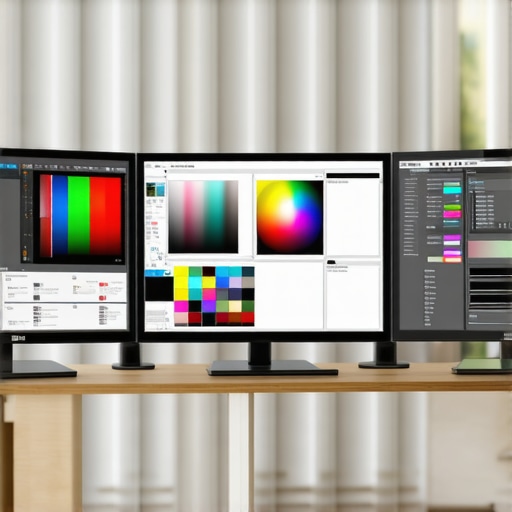



This article resonates with my recent experience upgrading to a high-end IPS monitor calibrated with the X-Rite i1Display Pro. The difference in color accuracy and consistency across different lighting conditions was immediately noticeable, especially when working on detailed color grading for video projects. What I found particularly interesting was the emphasis on incorporating industry standards like Rec. 709 and DCI-P3 into calibration routines—these benchmarks really help maintain uniformity across collaborative teams.
I’ve been exploring methods to ensure long-term calibration stability, especially when working in varied ambient lighting environments. Has anyone here integrated software solutions like DisplayCAL or CalMAN for scheduled recalibrations? Would love to hear tips on optimizing workflows for maintaining precision over time, particularly with emerging display tech like MicroLED or Quantum Dot screens. Continuous learning seems essential as these technologies evolve, and staying ahead could significantly affect the fidelity of our creative output.
This post offers a thorough look at the nuances of display calibration that are often overlooked. From my experience, integrating spectrophotometers like the X-Rite i1Pro 2 with calibration software such as CalMAN has really helped me maintain industry-standard accuracy, especially when working on color-sensitive projects. One aspect I find crucial is the importance of workspace lighting—controlled environments drastically improve calibration consistency over time.
Regarding the emerging technologies like MicroLED and Quantum Dots, I’ve noticed they require recalibration with each software update or hardware firmware change to keep colors true. Has anyone here adopted soft-proofing or onboard calibration routines that can adapt quickly to these updates? It seems that staying flexible and continuously educating ourselves on new display standards is key to delivering optimal results. Also, do you think hardware calibration will eventually replace software-only adjustments in future workflows?
I’ve had a similar experience upgrading my setup recently. Switching to a calibrated IPS monitor with a colorimeter really made a difference in precision and workflow confidence, especially when working across different projects. The article’s emphasis on standards like Rec. 709 and DCI-P3 really hits home for me, as ensuring those are accurately calibrated helps maintain consistency when collaborating with team members or preparing content for different mediums.
On the topic of emerging technologies like MicroLED and Quantum Dots, I’ve been wondering how our calibration routines need to adapt. From my perspective, the spectral emission characteristics of these new panels could require bespoke calibration processes, and regular firmware updates might introduce drift that needs vigilant monitoring. Do others think that as these display types become mainstream, we’ll need dedicated calibration tools or new standards to keep up?
Also, I’m curious about everyone’s experience with soft-proofing and whether it complements hardware calibration effectively for multi-device workflows. It seems that as technology advances, a multi-faceted approach might be essential for maintaining color accuracy. What’s been your most effective strategy for future-proofing your calibration processes?
This post really highlights how crucial it is for us in the creative industry to stay current with calibration techniques, especially as display technologies like MicroLED and Quantum Dots continue to evolve. I’ve personally started incorporating spectrophotometers into my workflow, and the results in terms of color consistency are impressive. However, I still wonder about the practical side of managing calibration across multiple devices with different spectral emissions—do you think the software tools can keep up with these advances, or are hardware solutions becoming essential?
Also, regarding workflow stability, I’ve found that establishing a strict routine for calibration and using consistent lighting environments helps preserve color accuracy over time. But what about the challenges of calibration in collaborative settings, where team members might have varying workflows? How do you all ensure seamless color management across different workstations? I’d love to hear thoughts or tips on maintaining high fidelity and consistency in such dynamic environments.
This article really emphasizes the importance of choosing the right display technology and maintaining rigorous calibration routines for professional work. I’ve recently upgraded to a high-end IPS monitor and started using a spectrophotometer like the X-Rite i1Pro, and the difference in color consistency is noticeable, especially when doing detailed photo editing. What truly stood out to me was the focus on staying compliant with industry standards like Rec. 709 and DCI-P3—these are essential for ensuring uniformity across collaborative projects.
Regarding managing calibration over time, I’ve found that scheduling regular recalibrations with tools like CalMAN or DisplayCAL helps keep color accuracy stable, even with the inevitable drift caused by environmental factors or software updates. With emerging display technologies like MicroLED and Quantum Dots, I wonder if hardware calibration tools will become even more vital as these panels have unique spectral emissions that typical calibration routines might not fully address. How are other professionals approaching calibration for these innovative displays? Are you incorporating new equipment or protocols?
This post really underscores how crucial calibration is for maintaining color fidelity, especially with the rapid advancements in display tech like MicroLED and Quantum Dot panels. I’ve been using the X-Rite i1Display Pro for my workflow, and I agree—regular calibration and controlled lighting environments make a noticeable difference in consistency. What’s interesting is how these new display types, with their unique spectral emissions, may eventually require bespoke calibration routines or even specialized hardware to keep colors accurate over time. In my experience, routine software updates sometimes drift away from precise calibration, so I wonder whether hardware solutions will be needed more than ever.
Has anyone explored integrating spectral measurement tools to calibrate these innovative panels? Also, how do you balance calibration routines in collaborative projects, where multiple devices must stay synchronized? It seems like staying ahead of these technological shifts will be vital for the future of high-fidelity visual work.