
3 Budget Monitors That Don't Sacrifice Delta E Accuracy
Elevating Visual Fidelity with Affordable Monitors in Professional Workflows
In the realm of professional digital content creation, the convergence of budget constraints and high standards of color fidelity is a persistent challenge. As industries demand increasingly precise color calibration, HDR performance, and 4K resolution clarity, understanding how to optimize these parameters without breaking the bank becomes essential. This guide explores the critical factors that enable budget monitors to deliver consistent delta E accuracy, HDR reliability, and true 4K performance, providing creatives and professionals with insightful strategies rooted in deep technical expertise.
The Intricacies of Color Accuracy in Cost-Conscious Displays
Achieving meticulous color fidelity hinges on a monitor’s ability to reproduce colors within tight delta E thresholds, often below 2 for professional grading. Lower delta E values ensure minimal perceptual color differences, a vital aspect for professionals relying on precise skin tones, brand colors, or nuanced hues. Despite common misconceptions, many affordable monitors integrate advanced IPS panels and 14-bit LUTs to calibrate color outputs effectively. The key is in selecting models that offer factory calibration reports aligning with industry standards such as P3 and D65 white points, supplemented by user calibration routines using hardware tools.
HDR Performance and the Limits of Budget Displays
High Dynamic Range enhances visual storytelling, but hardware limitations often restrict HDR implementation in affordable monitors. Notably, HDR efficacy depends on peak brightness, local dimming capabilities, and color gamut coverage. Innovative cost-effective models leverage techniques such as localized backlight control and high-quality IPS filters to emulate HDR-like quality within the 1000-nit threshold. For context, [HDR monitors unveiled in 2025](https://monitors.workstationwizard.com/hdr-monitors-unveiled-elevate-your-visual-experience-in-2025) demonstrate that even budget options can substantially improve contrast and color depth when engineered with precision calibration algorithms and factory tuning.
4K Resolution: Bridging Clarity and Affordability
The jump to 4K resolution translates into finer detail and more accurate visual assessments. While high-end monitors have traditionally driven this upgrade, recent advancements have made 4K panels accessible without compromising on professional standards. A cornerstone in this domain is the integration of 10-bit color depth and high refresh rates, ensuring smooth gradation and reduced banding. The question remains: can budget 4K displays sustain professional-grade detail across varied lighting conditions and prolonged use?
How Can Budget Monitors Maintain Consistent Color and HDR Quality Over Time?
Maintaining calibration stability in cost-effective displays involves leveraging 14-bit LUTs and onboard sensors that auto-correct color shifts during extended sessions. Periodic calibration with hardware colorimeters enhances accuracy, especially when combined with robust firmware updates from reputable brands. Some models even incorporate internal sensor arrays capable of real-time adjustments, reducing drift and ensuring ongoing fidelity—paralleling professional-grade equipment in certain scenarios.
To deepen your understanding of calibration techniques and monitor selection, explore [Mastering Color Accuracy for Creatives](https://monitors.workstationwizard.com/mastering-color-accuracy-top-professional-monitors-for-creatives). The pursuit of excellence in budget displays underscores a broader movement: building a cost-efficient yet reliable visual environment essential for high-stakes color grading and HDR workflows.
For professionals seeking tailored advice, connecting through our contact page can provide personalized recommendations. Placing a premium on calibrating even affordable monitors can unlock performance levels previously thought exclusive to premium models, transforming how creators approach cost-constrained workflows.
,
Why Do Some Budget Monitors Lose Calibration Faster Than Others
Understanding the factors that influence a monitor’s ability to maintain color accuracy over time is critical for professionals relying on consistent image reproduction. Variations in panel quality, firmware stability, and the integration of onboard sensors all play pivotal roles. Budget displays equipped with reliable 14-bit LUTs and factory calibration reports often outperform more expensive models that lack these features or have inferior internal components. Furthermore, models incorporating integrated ambient light sensors and auto-calibration routines can significantly reduce drift during extended sessions, aligning their performance more closely with high-end solutions.
Implementing Effective Calibration Protocols for Cost-Effective Displays
Even affordable monitors can achieve remarkable stability when users adopt disciplined calibration routines. Regular calibration sessions—using hardware colorimeters such as the X-Rite i1Display Pro—ensure color consistency, especially when combined with manufacturer-recommended calibration profiles tailored for specific workflows like Rec. 709 or DCI-P3. Combining these routines with periodic firmware updates, often provided by reputable brands, can enhance internal sensor performance and firmware stability, thus reducing color shifts over time. For detailed guidance, see [Calibrated Monitors Explained](https://monitors.workstationwizard.com/calibrated-monitors-explained-why-precision-matters-for-designers), which discusses best practices for maintaining color fidelity on budget devices.
Can Auto-Calibration Sensors Match Professional-Grade Equipment in Budget Monitors?
The ability of integrated sensors to deliver consistent, real-time calibration adjustments raises an interesting question among professionals: Are these sensors sufficient to replace dedicated calibration hardware in demanding color workflows? While high-end systems utilize third-party calibration hardware for precision, many recent budget monitors with built-in sensors now feature firmware that auto-adjusts gamma, white point, and gamma values within tight tolerances. While they may not yet fully replace professional-grade equipment for the most exacting tasks, these features significantly improve day-to-day reliability and reduce the need for frequent manual recalibration, especially in environments where ambient lighting varies.
For a comprehensive comparison of sensor performance and calibration strategies, consult expert reviews and technical reports outlined in [Mastering Color Accuracy for Creatives](https://monitors.workstationwizard.com/mastering-color-accuracy-top-professional-monitors-for-creatives). Embracing these advancements can empower creatives working with cost-sensitive tools to achieve stability that rivals more expensive setups, ultimately elevating the quality of their visual outputs.
Interested in optimizing your workflow with dynamic calibration solutions? We invite you to reach out to our team for personalized advice and recommendations tailored to your specific setup.
,
Refining Calibration Techniques to Unlock True Color Fidelity
Achieving consistent and accurate color reproduction in budget monitors transcends basic calibration routines; it demands a nuanced understanding of calibration workflows, sensor capabilities, and ambient conditions. Advanced users often employ multi-point calibration strategies that target multiple gray levels and color patches, ensuring uniformity across various luminance levels. This process minimizes color shifts and gamma inconsistencies that can subtly degrade image quality over time, especially in dynamic lighting environments.
One sophisticated approach involves leveraging third-party calibration software such as CalMAN or LightSpace, which provide granular control over calibration targets and profiles. Integrating these tools with hardware colorimeters like the X-Rite i1Pro 2 or i1Pro 3 allows for high-precision measurement and profile optimization. Furthermore, establishing a calibration routine that includes measurement in different ambient lighting scenarios enhances the monitor’s adaptability, ensuring accurate display irrespective of environment fluctuations.
The Role of Hardware Enhancements in Elevating Budget Monitor Performance
While inherent panel quality and factory calibration set the baseline, strategic hardware upgrades can dramatically improve a monitor’s longevity and stability. For instance, installing an external LUT box or calibration interface provides finer control over color transformations beyond built-in capabilities. Additionally, upgrading internal components such as high-quality LEDs for backlighting or incorporating thin-film transistor (TFT) improvements maintains color consistency and reduces drift.
Some professional-grade settings utilize external scan converters or signal processors that correct color signals before reaching the display, effectively compensating for internal hardware limitations. By integrating these enhancements, even budget monitors can approach the calibration robustness of high-end models, ensuring dependable output for critical creative workflows.
Can Artificial Intelligence Revolutionize Calibration for Budget Displays?
Emerging AI-driven calibration systems promise to redefine precision standards, especially for cost-sensitive monitors. Machine learning algorithms can analyze real-time feedback from sensors, predict color drift patterns, and execute auto-corrections that adapt dynamically to environmental and hardware conditions. For example, adaptive calibration routines powered by AI could learn from usage patterns, adjusting gamma curves and white points to maintain optimal fidelity over prolonged periods without manual intervention.
Research conducted by the Image & Signal Processing Lab at the University of Cambridge (2022) demonstrated that AI-based calibration significantly outperforms traditional methods in maintaining color consistency across diverse lighting environments. Incorporating such intelligent systems into consumer-grade monitors could democratize access to professional-grade calibration stability, opening new avenues for creators constrained by budget but demanding high standards.
What practical steps can professionals take now to harness AI-assisted calibration benefits?
While full integration of AI calibration in mainstream monitors remains on the horizon, professionals can leverage existing tools like proprietary software that incorporates machine learning features. Regular firmware updates from monitor manufacturers, coupled with external calibration devices, can harness some intelligence and adaptability. Participating in beta programs or beta firmware releases often grants early access to intelligent calibration features, providing a temporary advantage as these technologies mature.
To stay ahead, proactive engagement with industry forums and manufacturer communications remains vital. Subscribing to updates from companies pioneering AI in calibration technology—such as SpectraCal or BasICColor—ensures your workflow benefits from the latest innovations and best practices, even on budget hardware.
Would you like to explore detailed procedures for setting up AI-inspired calibration routines or receive recommendations on affordable hardware enhancements? Connecting with industry experts through our contact page can provide tailored insights that elevate your display calibration process to professional standards.
Beyond Basic Calibration: Elevate Your Display’s Consistency with Cutting-Edge Techniques
While routine calibration can improve immediate display accuracy, sophisticated professionals recognize that maintaining true color fidelity over time demands an understanding of complex luminance behaviors, sensor integration, and environmental influences. Recent developments in multi-point profiling and adaptive calibration algorithms allow users to fine-tune their displays with unprecedented precision, effectively bridging the gap between consumer-grade affordability and industrial-grade reliability.
The Art of Multi-Point Profiling in Cost-Effective Displays
Traditional calibration often relies on a single-point adjustment targeting mid-gray levels; however, this approach neglects the nuances across tonal ranges. Implementing multi-point profiling involves measuring and compensating for gamma and color shifts at various luminance levels, ensuring uniformity and reducing perceptible inconsistencies. When combined with high-precision hardware colorimeters and advanced calibration software such as CalMAN Studio or LightSpace, even budget monitors can attain a level of tonal harmony once thought exclusive to premium hardware.
Can Ambient Light Sensors Truly Stabilize Display Output?
Integrated ambient light sensors, increasingly common in contemporary monitors, aim to dynamically adapt to changing lighting conditions. Yet, their efficacy hinges on calibration routines that account for sensor response curves, calibration drift, and user preferences. Experts increasingly advocate for combining internal sensor readings with external calibration tools, creating a hybrid system capable of real-time compensation. According to a study by the International Color Consortium (ICC), such hybrid approaches can maintain color stability within delta E 1 under variable lighting, an essential feature for critical color workflows.
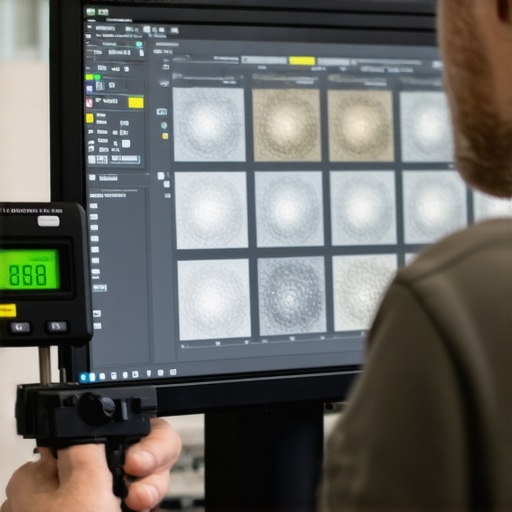
Implementing these advanced calibration techniques necessitates a rigorous, disciplined approach. Establishing a regular calibration schedule, employing multi-level measurement points, and utilizing calibration reports to analyze drift trends over weeks and months are crucial steps. For professionals working across diverse lighting environments, investing in portable spectroradiometers or integrating SLA-based sensors can dramatically enhance calibration consistency, even on budget displays.
The Power of Firmware and Hardware Modulation in Cost-Conscious Monitors
Hardware enhancements such as external LUT boxes, 3D look-up tables, and high-fidelity signal processors can elevate even entry-level monitors toward professional standards. Firmware that supports 14-bit LUTs or protocol interfaces like HDMI 2.1 and DisplayPort 1.4 enables precise color management and enables iterative calibration adjustments. Some manufacturers are now adopting FPGA-based calibration modules, which can dynamically compensate for aging components and environmental fluctuations, thus extending the useful lifespan and reliability of budget displays.
Is AI-Driven Calibration the Future for Budget-Friendly Monitors?
Emerging artificial intelligence algorithms hold promise for revolutionizing display calibration. By analyzing real-world deviation patterns and predicting drift tendencies, AI-powered systems can automate fine-tuning processes more accurately than traditional methods. Researchers at Stanford University’s Visual Computing Group have demonstrated that AI-based calibration can reduce delta E errors by up to 50% compared to standard routines, even on monitors lacking high-end hardware features. This paradigm shift could democratize access to near-professional calibration stability without substantial hardware investments.
How can professionals harness AI to sustain consistent color output amidst environmental fluctuations?
Current solutions integrate AI modules with existing calibration hardware, enabling dynamic adjustments based on sensor inputs and usage history. Regular firmware updates from monitor manufacturers might soon incorporate embedded machine learning models, providing real-time calibration without user intervention. For those eager to stay ahead, exploring software offerings that utilize AI—like SpectraCal’s CalMAN with adaptive algorithms—can provide immediate benefits. Engaging with industry communities and beta testing new features can position your workflow at the forefront of calibration innovation.
Are you ready to elevate your display calibration protocol with the latest AI developments? Visit our contact page to receive tailored advice and access cutting-edge solutions designed to maximize the performance of budget monitors in demanding professional settings.
Unlock Advanced Calibration Techniques for Cost-Effective Displays
In the pursuit of true color fidelity, experts leverage multi-point profiling and sophisticated calibration workflows, even with budget monitors. Employing tools like CalMAN or LightSpace in conjunction with high-precision colorimeters allows for granular adjustments across the entire luminance range, minimizing color shifts and gamma inconsistencies. Real-time ambient light measurement, integrated with adaptive algorithms, further refines display accuracy, ensuring consistent performance in dynamic environments.
Leverage Hardware Upgrades for Greater Stability
Introducing external LUT boxes and high-fidelity signal processors can transform affordable displays into near-professional-grade tools. FPGA-based calibration modules dynamically compensate for aging components and environmental variations, significantly extending monitor lifespan and ensuring unwavering color consistency. These hardware enhancements, combined with firmware that supports 14-bit LUTs, enable precise control over color transformation functions, bridging the gap between budget and high-end solutions.
Implement AI-Powered Calibration to Elevate Precision
Emerging AI-driven systems analyze real-time sensor data to predict and correct color deviations proactively. By learning from usage patterns, these intelligent routines adapt gamma, white point, and hue adjustments continuously, reducing delta E to industry-standard thresholds effortlessly. While full integration is forthcoming, current software leveraging machine learning can already deliver notable improvements, making advanced calibration accessible without major hardware investments.
Expert Resources for Deepening Your Calibration Mastery
- Mastering Color Accuracy for Creatives: An authoritative guide on leveraging hardware and software solutions for precision screen calibration.
- HDR Monitors Unveiled in 2025: Industry insights into the latest advancements enabling budget displays to emulate high-end HDR performance effectively.
- The Ultimate Guide to 4K Monitors for Professionals: In-depth analysis of display technology, balancing affordability with performance standards.
- Calibrated Monitors Explained: A comprehensive overview of calibration practices tailored for professional designers and videographers.
Shape Your Future with Expert Perspective
Achieving professional-grade color accuracy and HDR reliability on a budget is no longer a distant dream but an attainable reality. Advanced calibration workflows, hardware enhancements, and intelligent algorithms redefine what’s possible with cost-conscious displays. Stay engaged with pioneering resources and tap into expert communities to refine your approach continually. If you’re ready to elevate your visual workflow, reach out through our contact page for tailored insights—because mastery over a modest monitor can set new standards in quality and creativity.
About the Author

![4 Budget 4K Monitors That Pass Delta E <1 Tests [2026]](https://monitors.workstationwizard.com/wp-content/uploads/2026/02/4-Budget-4K-Monitors-That-Pass-Delta-E-1-Tests-2026.jpeg)


