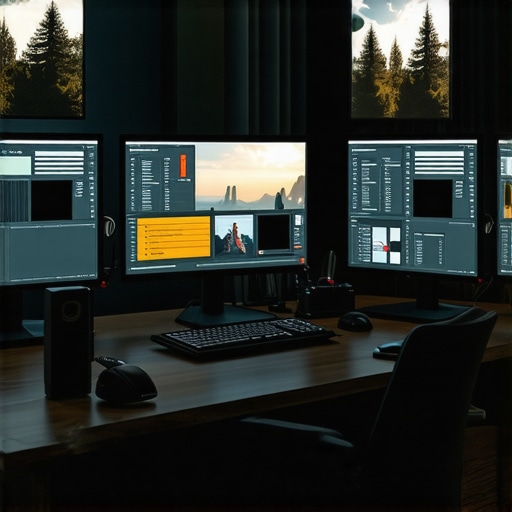
Best Calibrated 4K HDR Monitors for Photo & Video in 2024
Elevating Visual Fidelity with Expert-Level Monitor Calibration
In the realm of visual arts and professional multimedia production, the importance of precision in display technology cannot be overstated. As the demands for color accuracy, HDR performance, and ultra-high resolution escalate, understanding the nuances of calibrated 4K HDR monitors becomes essential for creatives seeking uncompromised quality. This guide explores the critical factors that differentiate a good monitor from a truly professional-grade device, emphasizing the convergence of color fidelity, HDR capabilities, and resolution that define the cutting-edge tools for 2024.
Why Color Accuracy Outpaces Resolution in Creative Work
While 4K resolution has become the baseline for high-end displays, the true cornerstone of professional monitor performance lies in color accuracy. Accurate color reproduction ensures that what a creator sees on the screen corresponds precisely to the final output, whether in photo editing, video grading, or digital design. Monitors equipped with hardware calibration features and factory-calibrated color profiles offer a level of consistency vital for professional workflows. For instance, the integration of wide color gamuts like DCI-P3 and Rec. 2020 enhances the vibrancy and precision necessary for modern content creation.
The Role of HDR in Achieving Visual Impact and Depth
High Dynamic Range (HDR) technology transforms visual storytelling by offering a broader luminance range and richer contrast. In 2024, HDR monitors with calibrated settings enable creators to fine-tune brightness, contrast, and color accuracy simultaneously, resulting in images that are both realistic and artistically expressive. For professionals working in photography and video, HDR support ensures their work maintains fidelity across various viewing environments, from cinema halls to mobile devices. For authoritative insights, see HDR monitor innovations in 2025.
How to Choose a Monitor That Meets the Demands of Creative Professionals
Selection criteria for expert-grade monitors encompass several intertwined factors. First, look for devices with comprehensive hardware calibration support, ensuring consistent color accuracy over time. Second, evaluate the monitor’s color gamut coverage and bit depth—ideally 10-bit—to ensure smooth gradients and true-to-life hues. Third, consider the HDR standards supported, such as HDR10 or Dolby Vision, which influence the monitor’s ability to display a wide luminance spectrum. Lastly, verify the resolution, with 4K (3840×2160) being the minimum for detailed visual work, especially for pixel-precise tasks like retouching or detailed color grading.
What Are the Limitations of Current HDR Technologies in Professional Monitors?
Despite rapid advancements, HDR implementations in monitors face challenges like peak brightness limitations, inconsistent tone mapping, and the need for meticulous calibration. Some displays may claim HDR support but fall short in delivering the dynamic range required for true cinematic quality. Additionally, the variability in HDR standards and metadata complicates the consistency of visual output across different devices. For critical workflows, understanding these technical nuances ensures that professionals select equipment aligned with their specific color grading and editing needs. For a detailed comparison, visit HDR monitors for precise editing.
To further refine your setup, consider consulting with industry experts or participating in professional forums where advanced calibration techniques and monitor configurations are discussed. Explore comprehensive guides like the ultimate guide to calibrated 4K monitors in 2024 for in-depth insights and recommendations.
For more tailored advice or to discuss your specific project requirements, don’t hesitate to reach out to our expert team.
Pushing Beyond Basics: Advanced Calibration for Creative Excellence
In the pursuit of perfect visual fidelity, many professionals focus on initial calibration, yet the real mastery lies in ongoing calibration routines that adapt to ambient lighting conditions and hardware aging. High-end monitors equipped with hardware calibration tools—such as those supporting 14-bit LUTs—allow for meticulous fine-tuning, ensuring consistent output over years of intensive use. This level of precision is crucial for workflows where even slight deviations in color can compromise the final product, especially in color-critical fields like digital cinema or high-end photography.
Can Your Monitor Keep Up with the Demands of 2024’s Visual Standards?
Many professionals assume that a 4K HDR display is sufficient, but the true challenge is whether the monitor can deliver true color fidelity at the required bit depth and gamut coverage. For instance, monitors with 10-bit color support and wide gamuts like DCI-P3 or Rec. 2020 are essential for ensuring vibrant, accurate colors that translate seamlessly across different media formats and viewing platforms. Furthermore, understanding the technical limits of HDR—such as peak luminance and local dimming—is vital in choosing a display capable of faithfully reproducing HDR content without artifacts or washed-out highlights. For an in-depth review, visit top professional monitors for creative work in 2024.
How Do You Measure True Color Fidelity in Your Workflow?
Measuring color accuracy isn’t solely about initial calibration; it requires consistent validation using professional-grade calibration tools like colorimeters or spectrophotometers. These devices, when paired with calibration software, can verify delta E values—ideally below 2—for ensuring minimal perceptible color discrepancies. Incorporating regular calibration checks into your workflow guarantees that your monitor remains within industry standards, reducing the risk of costly rework or mismatched color profiles. For more insights on this process, see why calibration accuracy is critical for designers.
Considering the rapid advancements in display technology, it’s wise to stay informed about emerging standards such as Dolby Vision and HDR10+ which push HDR performance further. Exploring dedicated calibration software like CalMAN or LightSpace can elevate your setup to meet the highest benchmarks of visual precision. For tailored advice on selecting the right calibration tools for your professional needs, contact our experts at Workstation Wizard. Share your experiences or ask questions below—your insights can help others achieve their ultimate visual setup.
Refining Your Color Management Workflow with Advanced Calibration Techniques
In high-end creative environments, the pursuit of visual perfection demands more than just initial calibration; it requires a rigorous, ongoing process that adapts to hardware aging, ambient light fluctuations, and evolving standards. Professional-grade calibration tools like the CalMAN software suite, when paired with spectrophotometers such as the X-Rite i1Pro 2, enable precise measurement and adjustment of display parameters, ensuring consistent color fidelity over time. Implementing a systematic calibration routine—monthly or quarterly—can dramatically reduce delta E discrepancies, often bringing them below the crucial threshold of 1.5, which is imperceptible to the human eye and essential for critical color workflows.
How Can You Leverage Spectrophotometry for Peak Monitor Performance?
Spectrophotometers provide comprehensive spectral data, enabling detailed analysis of how your monitor reproduces colors across the visible spectrum. This data guides adjustments to the monitor’s LUT (Look-Up Table), ensuring smooth gradients and accurate color transitions. For professionals engaged in high-precision color grading, such meticulous calibration is non-negotiable. As noted by the International Color Consortium (ICC), maintaining a calibrated device within industry-standard delta E values minimizes the risk of color shifts during project delivery, thus safeguarding your creative integrity (ICC Specifications).
Integrating Ambient Light Monitoring for Consistent Viewing Conditions
Ambient lighting plays a pivotal role in perceived color accuracy. Even the most accurately calibrated monitor can produce misleading results if environmental conditions are not controlled. Advanced calibration systems now incorporate ambient light sensors, which dynamically adjust the monitor’s brightness and contrast settings to match the surrounding light levels. This technology ensures that visual fidelity remains consistent throughout the day, whether you’re working in a brightly lit studio or a dim editing suite. For example, the X-Rite i1Display Pro Plus features integrated ambient light measurement, facilitating real-time calibration adjustments that uphold color accuracy regardless of ambient variability.
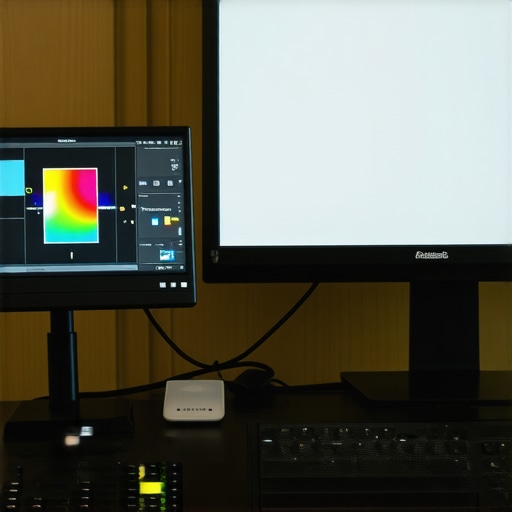
Image prompt: professional monitor calibration setup with spectrophotometer, calibration software interface, ambient light sensor, high-resolution display, professional studio environment
Going Beyond the Basics: Embracing Emerging Standards like Dolby Vision and HDR10+
As content creators push the envelope with HDR technology, staying ahead of the curve means understanding and implementing the latest standards. Dolby Vision and HDR10+ offer scene-by-scene dynamic metadata, allowing displays to optimize luminance and color for each frame. Monitors supporting these standards require hardware capable of high peak luminance (at least 1000 nits) and local dimming zones to reproduce the intended cinematic experience faithfully. Incorporating such features ensures your workflow remains future-proof, especially vital for high-end film grading and high-fidelity digital cinema production.
What Are the Challenges in Calibrating Monitors for Dolby Vision and HDR10+?
Calibrating displays for these advanced HDR standards involves complex procedures due to their scene-adaptive metadata and dynamic tone mapping. Unlike static SDR calibration, HDR calibration demands specialized hardware and software that can interpret and verify scene-by-scene adjustments, ensuring that the monitor’s tone mapping aligns with content metadata. This process often requires collaboration with professional calibration services and adherence to industry standards such as the SMPTE ST 2084 PQ curve. For further insights, consult the official specifications provided by Dolby Laboratories and the HDR Association (HDR10+ Support).
By embracing these sophisticated calibration techniques and standards, creative professionals can unlock new levels of visual authenticity, ensuring their work resonates with the intended artistic vision and technical precision. For tailored advice on integrating advanced calibration into your workflow, reach out to our expert team or join professional forums dedicated to monitor calibration mastery. Elevate your creative output—because in the world of high-end visual production, precision is everything.
Revolutionize Your Workflow with Dynamic Color Profiling
In high-end creative environments, static calibration methods are no longer sufficient to meet the demands of modern workflows. Implementing dynamic color profiling through software solutions such as CalMAN or LightSpace, combined with real-time sensor data, allows for continuous adjustments that compensate for hardware aging and ambient lighting shifts. This proactive approach ensures your monitor maintains industry-standard delta E values, often below 1.5, thereby preserving color fidelity with unmatched precision. For professionals seeking to push the boundaries of accuracy, integrating these techniques can result in a significant enhancement of their output quality.
Why Embrace Scene-Adaptive HDR for Cinematic Realism
Scene-based HDR technologies like Dolby Vision and HDR10+ are redefining cinematic storytelling by enabling dynamic luminance and color adjustments on a per-scene basis. This adaptability demands monitors equipped with high peak luminance capabilities (exceeding 1000 nits) and sophisticated local dimming zones to faithfully reproduce the intended visual narrative. Such features are crucial for colorists and filmmakers aiming for authenticity in high-fidelity digital cinema. Staying ahead in this space means understanding the calibration intricacies necessary to optimize these standards, including scene-by-scene tone mapping and metadata management, as detailed in the SMPTE ST 2084 specifications.
How can professionals calibrate for scene-specific HDR metadata effectively?
Calibrating for scene-specific HDR involves specialized hardware that can interpret dynamic metadata, such as spectrophotometers paired with advanced calibration software. This process ensures that tone mapping and luminance levels align precisely with content metadata, minimizing artifacts and preserving artistic intent. The ICC’s detailed guidelines on color management and the latest SMPTE standards provide comprehensive frameworks for achieving consistent results across various devices. Engaging with these protocols is essential for high-end post-production workflows, ensuring your monitors deliver true-to-source HDR content. For authoritative insights, see ICC Color Management Standards.
Push Your Calibration Mastery with Industry-Leading Tools
For the most exacting professionals, routine calibration with spectrophotometers like the X-Rite i1Pro 2 and software such as CalMAN provides unparalleled control over color accuracy. These tools facilitate detailed spectral analysis, enabling adjustments to the monitor’s LUTs to achieve near-zero delta E discrepancies. Regular calibration routines—monthly or quarterly—are vital for maintaining consistency, especially when working on critical projects like high-end film grading or digital artwork. By leveraging these advanced tools, you position yourself at the forefront of visual fidelity, ensuring your work is both technically sound and artistically compelling.
Enhance Consistency with Ambient Light Management
Ambient light conditions can significantly influence perceived color accuracy. Modern calibration systems incorporate ambient light sensors that dynamically modify display parameters, maintaining optimal viewing conditions regardless of environmental changes. This ensures that colors remain consistent whether working in a brightly lit studio or a dimly lit editing suite. Devices such as the X-Rite i1Display Pro Plus exemplify this integration, offering real-time adjustments that uphold calibration standards and prevent color shifts during extended sessions. Embracing ambient light management is essential for any professional committed to flawless visual output.
Image prompt: high-end monitor calibration setup with spectrophotometer, calibration software, ambient light sensor, professional studio environment
Future-Proof Your Display Strategy with Next-Gen Standards
As content continues to evolve with HDR standards like Dolby Vision and HDR10+, staying ahead means adopting displays that support scene-by-scene metadata and high peak luminance. These features, combined with meticulous calibration, enable professionals to deliver content that matches cinematic quality and artistic vision. Challenges such as verifying dynamic tone mapping demand specialized calibration workflows and adherence to SMPTE guidelines, ensuring each frame is optimized for maximum impact. Exploring emerging standards and calibration techniques will safeguard your investment and elevate your creative potential, aligning your work with the highest industry benchmarks.
What are the critical calibration steps for mastering Dolby Vision workflows?
Mastering Dolby Vision calibration involves verifying metadata accuracy, calibrating the monitor’s tone mapping curve to the PQ (Perceptual Quantizer) standard, and ensuring peak luminance and contrast ratios meet industry thresholds. Employing spectrophotometers with scene-by-scene analysis capabilities and calibration software aligned with Dolby specifications is essential. Close collaboration with content creators and compliance with standards such as SMPTE ST 2084 ensures that your display reproduces HDR content with precision, preserving artistic intent and technical integrity. For detailed procedures, consult Dolby’s official calibration guidelines and the HDR Association’s technical resources (HDR10+ Support).
Expert Insights & Advanced Considerations
Elevate Your Calibration Routine to Industry Standards
For professionals seeking uncompromised visual fidelity, integrating rigorous calibration routines that adapt to hardware aging and ambient light fluctuations is essential. Utilizing tools like the X-Rite i1Pro 2 spectrophotometer with calibration software such as CalMAN ensures delta E values remain below 1.5, maintaining pixel-perfect accuracy over time.
Implement Scene-Adaptive HDR Calibration for Cinematic Precision
Scene-specific HDR calibration, supported by advanced hardware and software, allows content creators to match the dynamic metadata of Dolby Vision and HDR10+ standards. This process involves meticulous tone mapping adjustments aligned with SMPTE ST 2084 PQ curves, ensuring each frame retains its artistic intent without artifacts.
Integrate Ambient Light Management for Consistent Viewing Conditions
Ambient light sensors embedded in calibration systems facilitate real-time adjustments to display luminance and contrast, preserving color accuracy across various environments. This is especially critical for high-end workflows in variable lighting conditions, ensuring your work remains true-to-source at all times.
Curated Expert Resources
- International Color Consortium (ICC): Essential guidelines on color management standards and calibration practices for professional monitors.
- SMPTE ST 2084 Specification: Technical standard detailing HDR tone mapping and luminance requirements vital for scene-specific HDR calibration.
- Dolby Laboratories: Official resources and calibration procedures for Dolby Vision workflows, ensuring compliance and optimal performance.
- HDR Association: Industry insights and best practices for mastering HDR content with calibrated displays.
Final Expert Perspective
In the rapidly evolving landscape of high-end monitor technology, the key to professional excellence lies in integrating advanced calibration techniques with cutting-edge standards like Dolby Vision and HDR10+. Mastery of these tools and practices ensures your work remains at the forefront of visual fidelity, enabling you to deliver content that is both artistically compelling and technically flawless. Stay engaged with industry updates, continually refine your calibration routines, and leverage expert resources to maintain your competitive edge in 2024 and beyond. For personalized advice or to elevate your setup, reach out to our expert team and transform your creative workflow today.
About the Author




This deep dive into calibrated 4K HDR monitors is incredibly insightful, especially with the focus on ongoing calibration routines and ambient light management. I’ve recently switched to a monitor supporting scene-by-scene HDR metadata, and the difference in color fidelity is remarkable, particularly for cinematic projects. One challenge I faced was understanding how to calibrate for Dolby Vision without specialized HDR hardware, as most calibration tools focus on SDR or static HDR standards. Has anyone here navigated this transition effectively? It seems like investing in the right tools, like spectrophotometers capable of scene-specific calibration, is crucial for maintaining true color accuracy across different standards. I’m curious how others manage their calibration schedules to keep up with hardware aging and environmental changes—any tips for balancing calibration frequency with project deadlines? Overall, I’m excited about the future of HDR workflows, especially with the ongoing developments in local dimming and luminance support—these are game changers for digital cinema editing.
This article highlights the critical importance of ongoing calibration routines, especially with high-end monitors supporting scene-by-scene HDR metadata. From my experience, maintaining consistent color accuracy over time is no small feat, especially when balancing project deadlines with calibration schedules. I’ve found that setting a routine—like quarterly calibrations using professional tools such as the X-Rite i1Pro 2—helps manage hardware aging and environmental factors without ramping up repetitive tasks. What’s been interesting for me is exploring ambient light sensors that dynamically adjust display settings, ensuring consistent viewing conditions regardless of lighting changes throughout the day. It has made a noticeable difference in color fidelity, especially for color-critical projects. For those working in digital cinema or high-profile photo retouching, how do you handle calibration timing? Do you prefer strict regular schedules, or calibrate only when you notice discrepancies? I’d love to hear some strategies that others use to keep quality high while managing workflow efficiency.
This article really underscores the importance of advanced calibration routines, especially with high dynamic range standards like Dolby Vision and HDR10+. I’ve been experimenting with scene-by-scene calibration using software like LightSpace combined with spectral measurement tools, and it’s impressive how much more consistent and accurate HDR content becomes. The challenge I’ve encountered is maintaining calibration over time due to hardware aging, which is why regular checks and re-calibration are vital. Using ambient light sensors that dynamically adjust display settings has also been a game-changer, ensuring color fidelity in varying lighting conditions. Regarding calibration frequency, I tend to perform a thorough calibration monthly, particularly when working on critical projects, but I’m curious—how often do others find necessary for maximum accuracy without disrupting workflow? Also, I’d love to hear experiences on integrating these advanced calibration protocols in a busy professional environment. It seems like bridging the gap between technical precision and practical workflow is key to leveraging these tools fully.