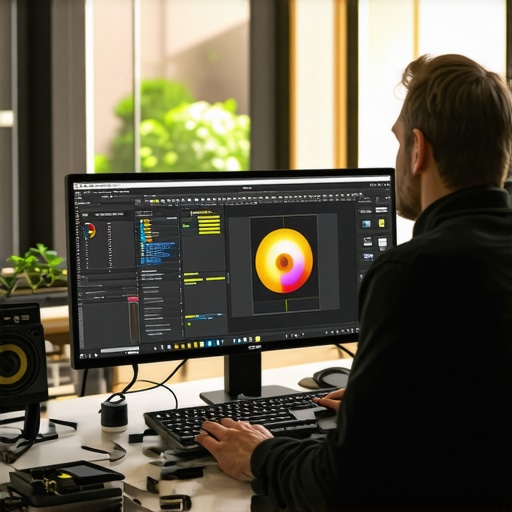
Ultimate Guide to Calibrated 4K Monitors for Creative Professionals in 2024
Elevating Creative Work through Precision Calibration in 2024
In an era where visual authenticity is paramount for creative professionals, calibrated 4K monitors have become essential tools for achieving unparalleled color accuracy and consistency. As industry standards evolve and display technology advances, understanding the complexities of calibration, color grading, and hardware capabilities ensures that creators deliver work that meets the highest standards of quality and fidelity.
Why Calibration Remains the Cornerstone of Professional Visuals
Calibration is not merely a technical step but a foundational process that guarantees the monitor’s output aligns precisely with industry color profiles. For photographers, videographers, and designers, this process minimizes discrepancies and ensures that the final product retains its integrity across different viewing platforms. A calibrated 4K monitor acts as a reliable canvas, crucial for tasks demanding meticulous color management, such as professional color grading.
How does hardware calibration improve workflow consistency in high-stakes creative environments?
Hardware calibration tools like X-Rite or Datacolor devices enable precise adjustments directly within the monitor’s internal LUT (Look-Up Table), bypassing software limitations. This ensures that the display’s output is consistent over time, even amidst ambient lighting changes, reducing the risk of color shifts that could compromise project quality. For example, in professional video editing, such calibration ensures that the final render matches the on-screen preview, a critical factor in client approvals and archival standards.
The Nuances of Color Accuracy and HDR Integration
Beyond basic calibration, understanding the integration of high dynamic range (HDR) support with color accuracy elevates the creative potential. Monitors boasting HDR capabilities combined with meticulous calibration unlock deeper color depths and contrast ratios. This synergy allows creators to visualize their work with lifelike realism, essential for high-end cinematic post-production and professional photography.
What Are the Challenges in Achieving True Color Fidelity with 4K Displays?
One of the critical hurdles involves ensuring uniformity across the entire display surface, especially in larger 4K screens. Variations in panel technology, aging components, and ambient light influence perceived color accuracy. Moreover, maintaining calibration over extended periods requires ongoing adjustments and validation, often necessitating dedicated calibration routines or hardware refresh cycles. These factors highlight that professional-grade calibration is an ongoing, dynamic process rather than a one-time setup.
For an in-depth exploration of the latest calibration techniques and monitor selections, consult this comprehensive guide on calibrated monitors.
Engaging with a community of experts through forums or professional networks can further refine calibration workflows and adapt to emerging display technologies, ensuring your creative output remains at the forefront of visual excellence.
Interested in elevating your color management expertise? Explore our top picks for calibrated monitors in 2024 and contribute your insights for collective growth.
Push Your Creative Boundaries with Advanced Calibration Techniques
While basic calibration ensures decent color fidelity, true professionals demand a higher standard, especially when working with 4K HDR displays. Fine-tuning your monitor’s internal LUTs (Look-Up Tables) with specialized hardware tools like X-Rite i1Display Pro or Datacolor SpyderX Elite can dramatically elevate your workflow, ensuring that every pixel accurately reflects your creative vision. This level of calibration is pivotal for tasks such as high-end photo retouching and cinematic color grading, where precision is non-negotiable. For detailed guidance, see this comprehensive guide on calibrated monitors.
How Does Consistent Calibration Impact Long-Term Creative Projects?
Maintaining color accuracy over time involves more than a one-time calibration. Regular validation routines—using hardware calibration tools—help detect drift caused by aging components or ambient lighting changes. Establishing a routine, such as monthly calibration checks, ensures your monitor remains a reliable color reference, preventing costly rework or miscommunication with clients. This ongoing process underscores the importance of understanding your display’s hardware characteristics and applying dynamic calibration strategies that adapt to evolving technology and project needs.
Can Your Display Truly Deliver Consistent Color Fidelity Across Different Environments?
This question challenges many creatives who work in varying lighting conditions or switch between multiple monitors. Achieving consistent color fidelity requires not only initial calibration but also managing ambient light and device calibration profiles. Using hardware calibration tools alongside proper lighting setups can minimize discrepancies, ensuring your work looks the same on different screens and in various environments. For more insights into achieving uniformity, explore top color accuracy monitors with HDR for professionals.
If you’re eager to refine your calibration workflow further, consider joining online forums or professional networks to exchange tips and stay updated on emerging calibration techniques and display technologies.
The Future of Calibration: Embracing AI and Automated Adjustments
Emerging innovations in AI-driven calibration promise to revolutionize how professionals approach display accuracy. Automated calibration systems can analyze your monitor’s performance in real time, adjusting color profiles dynamically to compensate for drift or environmental changes. This technology reduces manual effort while maintaining high standards of fidelity, essential for demanding creative fields like virtual production or immersive VR content creation. Keeping abreast of these developments can give you a competitive edge, so stay informed through trusted sources such as latest HDR monitor innovations.
Ready to elevate your professional setup? Share your calibration experiences below or explore our top calibrated monitors for 2024 to find your perfect match.
Unlocking the Next Level of Color Fidelity with Professional Calibration Techniques
In the realm of high-end creative production, mere calibration isn’t enough; the future belongs to those who harness advanced, nuanced calibration strategies to push the limits of color accuracy and consistency. Using state-of-the-art hardware like the X-Rite i1Pro 3 Plus or the BasICColor DISCUS ensures an unparalleled level of precision, enabling creatives to fine-tune every nuance of their display’s color profile. These tools transcend basic calibration, allowing for meticulous adjustments that guarantee the monitor’s output remains faithful to the original intent, even in complex lighting conditions or over prolonged periods of use.
How can AI-driven calibration redefine your workflow in demanding environments?
Emerging AI algorithms are now capable of real-time monitor analysis, automatically detecting color drift and compensating instantly. This revolutionary approach minimizes manual intervention, reduces human error, and ensures sustained accuracy throughout long projects. According to a detailed report by Sage Journals, AI-enhanced calibration adjusts in response to environmental changes, providing a dynamic and adaptive workflow essential for immersive virtual production or HDR cinematic work. Integrating these systems into your setup can significantly elevate your productivity and output quality, staying ahead in a competitive industry.
For professionals committed to excellence, understanding the underpinnings of device-specific color management profiles is crucial. Custom ICC profiles tailored to your specific hardware and lighting environment can be developed using calibration data, ensuring uniformity across different projects and platforms. This practice is vital for workflows involving multiple displays or collaborative teams, where consistency is paramount.
Why Regular Calibration Isn’t Just Recommended — It’s Essential
Prolonged use and environmental variables cause subtle shifts in display performance, leading to color inaccuracies that can go unnoticed yet impact the final product. Implementing a rigorous calibration schedule—monthly or even bi-weekly—using hardware tools ensures your monitor’s color fidelity remains within industry-accepted tolerances. According to the ICC Profile Specification, maintaining calibrated profiles aligns your display output with established color standards, facilitating seamless cross-platform consistency.
Moreover, advanced calibration software now offers predictive analytics, providing insights into potential drift before it manifests visibly. This proactive approach allows you to schedule calibration routines at optimal times, avoiding project delays or costly rework due to unnoticed discrepancies.
What are the best practices for managing multi-monitor setups in professional environments?
Achieving uniform color output across multiple calibrated displays involves more than individual calibration. It requires synchronized profiles and environmental controls. Techniques include setting consistent ambient lighting, using color-accurate light sources, and ensuring all displays are calibrated with the same hardware and software parameters. Tools like the CalMAN or LightSpace CMS software facilitate multi-monitor calibration workflows, enabling precise profile matching and uniform color reproduction. This is particularly critical in post-production studios, where discrepancies can have cascading effects on the final visual quality.
Engaging with professional communities and forums dedicated to display calibration can provide continuous learning opportunities. Sharing insights and troubleshooting tips with peers helps refine your approach, ensuring your calibration practices evolve alongside technological advances.
The Horizon: Automated, AI-Enhanced Calibration and Beyond
Looking ahead, the integration of AI with calibration hardware promises an era of truly autonomous, self-optimizing displays. Companies like Eizo and NEC are pioneering models that use embedded AI to perform continuous calibration, adjusting in real time without user intervention. These innovations will be game-changers for creators who demand unwavering precision across diverse environments and over extended periods.
Staying informed about these developments and investing in future-proof hardware will ensure your creative workspace remains at the cutting edge. Whether you’re refining color grading workflows or ensuring photographic prints match digital previews, embracing these technologies is essential for maintaining excellence in 2024 and beyond.
If you’re ready to elevate your calibration mastery or need tailored advice for your setup, don’t hesitate to connect with our community of experts. Dive into our curated resources or schedule a consultation to customize the perfect calibration strategy for your creative needs.
Harnessing the Power of Adaptive Calibration in Dynamic Creative Environments
As display technology continues to evolve, adaptive calibration emerges as a game-changer for professionals working across varying lighting conditions and diverse project requirements. Unlike static calibration routines, adaptive systems leverage real-time data to continuously optimize color accuracy, ensuring that creative outputs remain consistent regardless of environmental fluctuations. This approach not only enhances workflow efficiency but also reduces the risk of costly rework caused by unnoticed color drift, particularly in high-stakes fields such as cinematic post-production and virtual reality content creation.
The Critical Role of Spectrophotometry in Achieving True Color Fidelity
Beyond conventional calibration tools, spectrophotometers represent the pinnacle of color measurement precision. By analyzing the full spectrum of emitted light from a display, spectrophotometers enable the creation of highly accurate ICC profiles tailored to specific hardware and lighting environments. According to a comprehensive study published in the Journal of Imaging Science and Technology, integrating spectrophotometric data into calibration workflows can reduce color discrepancies to levels imperceptible to the human eye, thus guaranteeing that digital visuals translate flawlessly into physical prints or cinematic outputs.
What are the latest innovations in spectrophotometric technology that professionals should adopt?
Recent advancements include portable, high-resolution spectrophotometers with onboard AI-driven analysis capabilities, such as the Konica Minolta CL-200A. These devices facilitate rapid, ultra-precise calibration cycles, even in field conditions, empowering creative teams to maintain stringent color standards in diverse environments. Stay ahead by exploring industry reviews and manufacturer updates on these cutting-edge tools, ensuring your workflow incorporates the most reliable technology available.
Integrating AI and Machine Learning to Forecast Display Aging Trends
Emerging AI algorithms are now capable of modeling the aging process of display components, predicting when calibration drift is likely to occur before it becomes visually perceptible. This predictive analytics approach enables proactive calibration scheduling, minimizing downtime and maintaining optimal color fidelity over extended project timelines. Such intelligent systems utilize continuous performance data, environmental inputs, and hardware diagnostics—creating a dynamic feedback loop that adapts calibration strategies in real-time, a necessity for high-volume post-production studios and archival institutions.
Optimizing Multi-Display Setups for Seamless Color Harmony
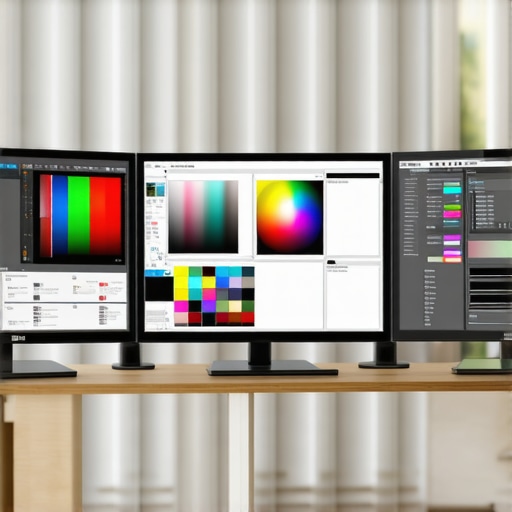
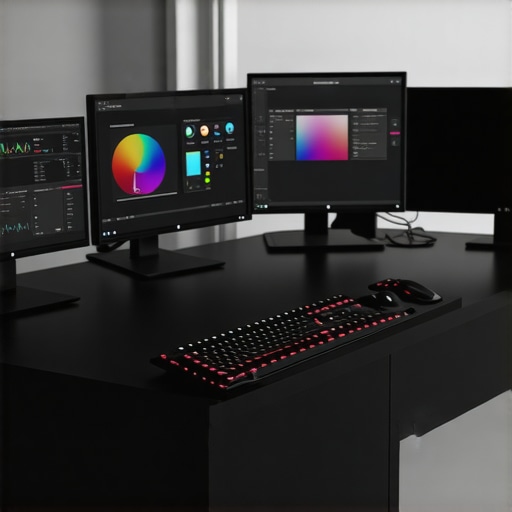
In professional environments where multiple monitors are standard, achieving uniform color output requires meticulous profile synchronization and environmental control. Techniques include establishing consistent ambient lighting, deploying hardware calibration across all screens simultaneously, and employing advanced software solutions like LightSpace CMS or CalMAN. These tools facilitate precise profile matching, ensuring seamless visual transitions and eliminating discrepancies that could compromise project integrity, especially in collaborative workflows involving color grading and compositing.
Future-Proofing Your Workflow with Automated Calibration Ecosystems
The convergence of automated calibration hardware, sophisticated software, and AI-driven analytics is setting the stage for fully autonomous display management. Leading manufacturers such as Eizo and NEC are pioneering systems capable of continuous self-calibration, reacting instantaneously to environmental changes or hardware aging. Investing in these ecosystems not only guarantees unwavering color precision but also streamlines the entire production pipeline, empowering creative professionals to focus solely on their artistry while technology handles the technical complexities.
Elevate Your Expertise by Embracing the Latest Calibration Paradigms
To stay at the forefront of visual fidelity, it’s essential to integrate these advanced calibration techniques into your daily workflow. Regularly updating your hardware tools, leveraging AI and spectrophotometry, and participating in professional calibration communities will ensure your creative work consistently meets the highest standards. For in-depth guidance and tailored recommendations, explore our curated resources or contact industry experts who can assist in customizing a calibration strategy that aligns with your specific needs.
Innovative Calibration Techniques Elevate Creative Workflow
Implementing AI-driven calibration tools can dramatically reduce manual adjustments, providing real-time color fidelity that adapts to environmental changes. Such automation ensures consistent output in demanding scenarios like virtual reality content creation or high-end film post-production.
Leverage Spectrophotometry for Unmatched Color Accuracy
Utilizing state-of-the-art spectrophotometers allows professionals to analyze full-spectrum light emissions, facilitating the creation of ICC profiles with extraordinary precision. This approach minimizes perceptible discrepancies, ensuring digital visuals translate flawlessly into physical prints or cinematic outputs.
Predict Display Aging to Maintain Long-term Fidelity
Advanced AI algorithms model hardware aging, forecasting calibration drift before it impacts visual quality. Proactively scheduling calibration sessions based on these predictions preserves color accuracy over extensive project timelines, a crucial factor for archival work and large-scale productions.
Optimize Multi-Monitor Environments for Seamless Harmony
Unified calibration across multiple displays involves synchronized profiling and controlled ambient lighting. Utilizing professional software like LightSpace CMS ensures consistent color reproduction, vital for collaborative editing and color grading workflows.
Embrace Future-Ready Calibration Ecosystems
Investing in autonomous calibration solutions from leading manufacturers ensures ongoing accuracy with minimal user intervention. These systems adapt dynamically to environmental variations, safeguarding color fidelity in evolving creative landscapes.
Curated Resources for Deepening Calibration Expertise
- Color Management Professional Group: A community offering peer-reviewed insights and industry standards updates.
- Comprehensive Guide to Calibrated Monitors: An authoritative resource detailing calibration techniques tailored for professionals.
- Latest HDR Monitor Innovations: Insights into cutting-edge display technologies supporting high dynamic range workflows.
Expert Reflection on the Future of Color Calibration
In 2024, mastery of advanced calibration techniques remains essential for creative professionals aiming for peak precision. Embracing AI automation, spectrophotometric analysis, and predictive aging models ensures your workflow stays ahead of technological curves. For those committed to excellence, continuously refining calibration practices will define success in delivering visually authentic, high-quality content. Engage with industry experts, explore specialized tools, and contribute your insights to foster ongoing innovation in this critical domain.
About the Author




This article really highlights how crucial precision calibration has become for creative professionals in 2024. I’ve personally seen the difference that hardware calibration tools, like the X-Rite i1Display Pro, make in maintaining consistent color accuracy across long projects. It’s fascinating how AI and spectral data are now being integrated, enabling even greater fidelity and efficiency. Just last month, I experimented with a spectrophotometer for a large print campaign, and the level of detail it provided was extraordinary. It’s clear that staying updated with these advanced tools and techniques can significantly elevate our workflow and final output.
One challenge I’ve encountered is managing calibration across multiple monitors in a workstation. Have others found effective ways to synchronize profiles in multi-device setups? Also, with AI-driven calibration becoming more prevalent, I wonder how accessible these solutions are for smaller studios. Would love to hear experiences or recommendations from fellow professionals on adopting these emerging technologies.
This post really hits home about the importance of advanced calibration for modern creative workflows. As someone who’s been refining color accuracy for years, I can say that investing in top-tier calibration hardware like the X-Rite i1Pro has made a noticeable difference in consistency, especially for long projects. But what’s especially interesting is the potential of AI-enhanced calibration systems. I recently read about some startups developing solutions that adjust in real-time based on environmental light changes, which could be a game changer for small studios that lack dedicated calibration teams.
However, I wonder how these AI systems compare in accuracy to traditional hardware calibration in demanding environments like cinematic post-production. Have others tested these automated methods extensively? Also, managing multi-monitor setups remains a tricky challenge. Do you think software like LightSpace CMS can effectively synchronize profiles automatically across multiple screens, or is manual fine-tuning still necessary? It seems that, as technology advances, the goal should be to make this process more intuitive and less time-consuming without sacrificing precision. Would love to hear some practical experiences or tips from the community.
This article offers such a comprehensive perspective on the importance of calibration for creative professionals in 2024. From my own experience, integrating hardware calibration tools like the Datacolor SpyderX Elite has noticeably improved my workflow, especially during intense color correction sessions. The mention of AI and spectral analysis is fascinating, as those advancements could truly streamline ongoing calibration routines—something that’s been a challenge for small studios like mine.
One aspect I’m curious about is how we can better manage multi-monitor setups to ensure consistent calibration across all screens without excessive manual intervention. Have any of you found effective workflows or tools to synchronize profiles efficiently? Additionally, with emerging AI calibration solutions, I wonder how accessible and reliable these are for smaller teams with limited budgets. I’d love to learn about practical experiences or recommendations from others who are experimenting with or adopting these new technologies in their studios.
This post really emphasizes the importance of ongoing calibration, especially as display technology becomes even more sophisticated with HDR and 4K capabilities. I’ve found that investing in hardware calibration tools like the X-Rite i1Display Pro has made a real difference in maintaining color accuracy over long projects. But I’m curious about the practical aspects—how do others manage calibration schedules in busy workflows? Do you set monthly routines, or rely on smarter, automated solutions? Recently, I’ve been exploring AI-powered calibration systems, which seem promising for reducing manual effort. Has anyone here integrated these into their workflow and seen tangible benefits?
Also, with multiple monitors often used in post-production, synchronization remains a challenge. I’d love to hear about effective techniques or tools that help sync profiles across devices effortlessly. As technology advances, what solutions have you found that balance precision with convenience? Would be great to learn from real-world experiences on implementing these next-gen calibration systems.
Reading this comprehensive guide really made me reflect on how far calibration technology has advanced and why it’s now such an integral part of our workflow as visual artists. I recently started experimenting with the newer automated calibration systems that use AI algorithms, and I was surprised by how much they reduced my routine calibration time while maintaining precise color fidelity. It’s a huge relief, especially when working on tight deadlines. However, I still find managing multi-monitor environments challenging—synchronizing profiles across different screens and ambient lighting conditions isn’t always straightforward. Do others have practical tips or favorite tools for ensuring seamless consistency across multi-display setups?
Additionally, for those working in HDR, achieving true color accuracy still involves a fine balance between hardware calibration and scene lighting conditions. Has anyone experimented with custom ICC profiles combined with ambient light controls to improve consistency? I’d love to hear how fellow professionals are handling these tricky aspects to push the boundaries of calibration in 2024.
This article really underscores the importance of advanced calibration techniques in today’s highly demanding creative landscape. I’ve been using the X-Rite i1Display Pro for several years now, and I agree that maintaining an accurate and consistent color profile is vital—especially when working with HDR content. Recently, I’ve started exploring some of the new automated calibration solutions with AI capabilities, and the results are promising. The ability to adjust in real-time based on environmental changes could be a real game changer for studios with fluctuating lighting. However, I still find managing multi-monitor setups to be a bit challenging. Synchronizing profiles across various displays, especially when they’re different models, can be tricky. Does anyone have tips on effective workflows or software tools that make this process easier?
Also, with the rapid pace of technological advancements, do you think these AI-driven calibration systems will soon replace manual methods entirely? I’m curious about the longevity and accuracy of these automated solutions in high-stakes environments like cinematic color grading or print production. Would love to hear about your experiences or recommendations regarding integrating these into a professional workflow.