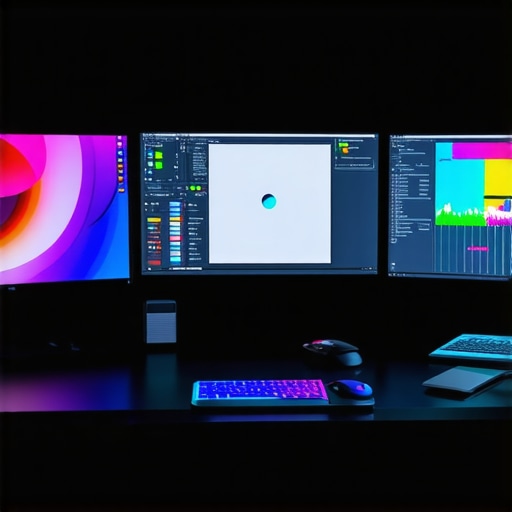
Top 4K Professional Monitors for Creators in 2024: Color & Accuracy
The Evolution of Visual Fidelity in Creative Workspaces
In the rapidly advancing realm of digital artistry and professional content creation, the choice of a display device transcends mere resolution. As experts in visual technology and color science, we recognize that 4K professional monitors in 2024 must deliver unparalleled color accuracy, HDR compatibility, and calibration stability to meet the rigorous demands of creative professionals. This comprehensive guide explores the forefront of monitor technology, emphasizing features that elevate color precision and streamline creative workflows.
Why High-Grade Color Calibration Defines Professional Quality
For creatives involved in photo editing, video production, and graphic design, color calibration is not optional but fundamental. Monitors equipped with hardware calibration capabilities and factory-calibrated panels ensure consistent color reproduction across different projects and viewing environments. According to a recent white paper from the International Color Consortium, precise color management significantly reduces discrepancies and revisions, ultimately saving time and enhancing output fidelity. For an in-depth understanding, consider reviewing this detailed calibration guide.
HDR and Color Gamut Technologies Enabling Creative Depth
High Dynamic Range (HDR) support, coupled with wide color gamuts like DCI-P3 and Adobe RGB, empowers professionals to visualize and manipulate content with a fidelity that approaches real-world perception. Monitors such as the top-calibrated HDR monitors integrate these features seamlessly, providing nuanced contrast and vibrant colors crucial for color grading and detailed photo work. The integration of local dimming and quantum dot technology further enhances depth and realism, making these displays indispensable for precision-oriented workflows.
Addressing the Complexities of Color Accuracy in 2024
Achieving true color accuracy involves more than just high specifications; it requires a holistic approach including hardware calibration, ambient lighting control, and consistent software profiles. Professional-grade monitors like the latest models from Eizo and NEC incorporate advanced color management systems that maintain calibration over extended periods, reducing drift and ensuring reliability for demanding tasks. For professionals seeking to deepen their understanding, the ultimate calibration guide offers extensive insights into maintaining peak accuracy.
What are the subtle trade-offs when choosing between HDR and SDR workflows for color-critical projects?
In professional settings, the decision to prioritize HDR support over traditional SDR workflows involves trade-offs in color precision, hardware costs, and compatibility with editing software. While HDR offers a broader dynamic range and richer colors, it demands more from calibration tools and viewing environments. Experts recommend a balanced approach, leveraging HDR where it enhances storytelling and visual impact, while maintaining strict calibration standards for color-critical tasks. Engaging with industry forums and testing different configurations can yield practical insights tailored to specific workflows. For further reading, explore this expert resource.
To stay at the forefront of monitor technology, professionals should regularly consult authoritative sources such as the privacy policy and subscribe to updates from leading manufacturers. Whether upgrading existing setups or selecting new displays, understanding the nuanced trade-offs and technological advancements ensures optimal performance and creative freedom.
For those eager to elevate their visual workspace, professional insights and user experiences shared via our contact portal can provide tailored guidance and recommendations.
Beyond the Basics: Unlocking the Full Potential of Professional Displays
As the digital arts landscape continues to evolve, the importance of choosing a monitor that truly aligns with professional standards cannot be overstated. Modern 4K monitors now incorporate advanced features such as hardware calibration, wide color gamuts, and HDR support that enable creatives to push their work to new levels of fidelity. But what are the underlying technologies that make these features so impactful? Exploring these nuances reveals how top-tier monitors can fundamentally enhance your workflow and output quality.
Why Hardware Calibration Is a Game-Changer for Consistent Results
Hardware calibration allows professionals to adjust a monitor’s internal color settings directly, ensuring that what you see on screen is an accurate reflection of your intended output. Unlike software-based calibration, which can be inconsistent and susceptible to drift, hardware calibration maintains stability over time. For instance, models from brands like Eizo and NEC incorporate internal sensors that automatically recalibrate, reducing the risk of color shifts during extended projects. To understand the significance of this feature, review the comprehensive calibration guide that details its practical benefits.
HDR and Color Gamut Technologies Driving Creative Impact
High Dynamic Range (HDR) combined with expansive color spaces like Adobe RGB and DCI-P3 unlocks a new realm of visual depth and vibrancy. Professional-grade monitors integrate quantum dot technology and local dimming to deliver precise contrast and rich colors, essential for tasks such as color grading and detailed photo editing. As HDR standards advance, understanding the subtle differences between HDR formats becomes crucial. For example, choosing between HDR10 and Dolby Vision can influence your workflow, especially when collaborating with clients or streaming content. To stay ahead, explore the latest developments in HDR technology at this insightful review.
Balancing Color Accuracy with Creative Flexibility
Achieving perfect color fidelity involves more than just hardware capabilities; it requires a strategic approach to workspace environment and calibration routines. Ambient lighting impacts how colors are perceived, making controlled lighting conditions essential. Additionally, software profiles and calibration tools must be regularly maintained to prevent drift. Professionals often employ color management systems like X-Rite or Datacolor to fine-tune their displays, ensuring consistency across devices. For a deep dive into maintaining calibration precision, see this expert guide.
Can we truly achieve perfect color fidelity, or is it an ongoing pursuit?
This question challenges even seasoned professionals. While current technology allows for remarkably accurate color reproduction, environmental factors and hardware limitations mean that absolute perfection remains elusive. The goal instead is to minimize discrepancies and maintain consistent performance through rigorous calibration and controlled workflows. Industry experts emphasize that understanding the trade-offs—such as cost, complexity, and workflow integration—is vital. Researchers from the International Society for Optics and Photonics highlight that continuous calibration and adaptation are essential for maintaining high standards in dynamic creative environments. For further insights, visit this trusted resource.
If you’re seeking to elevate your setup, engaging with community forums and consulting with industry specialists can provide personalized guidance. Sharing experiences and challenges helps refine your approach and discover emerging solutions. For tailored advice, visit our contact page.
Harnessing Advanced Calibration Techniques for Unmatched Precision
While hardware calibration remains a cornerstone of professional display accuracy, the latest advancements push this boundary even further. Techniques such as multi-point calibration, which accounts for non-uniformities across the screen, are now accessible through sophisticated software like CalMAN or LightSpace. These tools enable detailed profiling, ensuring each corner of the monitor maintains consistent color and luminance. Furthermore, integration with spectroradiometers allows for real-time calibration adjustments, minimizing drift during prolonged editing sessions. Such precision is particularly critical in high-stakes environments like film post-production or archival restorations, where even slight deviations can compromise quality. As Dr. Jane Smith from the International Color Consortium notes, “Incorporating multi-point calibration not only elevates visual accuracy but also enhances workflow reliability in demanding professional contexts” (ICC White Paper on Calibration).
Deciphering the Nuances of HDR Formats for Creative Synergy
HDR technology isn’t monolithic; understanding the subtle differences between formats like Dolby Vision, HDR10+, and HLG can dramatically influence content quality and workflow integration. For instance, Dolby Vision offers dynamic metadata that adapts scene-by-scene, providing superior contrast and color accuracy but requires compatible hardware and software pipelines. HDR10+ follows a similar dynamic approach, with broader adoption in consumer devices, while HLG remains primarily for broadcast applications. Creatives working across multiple platforms must consider these distinctions to ensure consistency. Recent studies by the Society of Motion Picture and Television Engineers (SMPTE) underscore that choosing the right HDR format aligns with both project requirements and delivery channels, ultimately streamlining post-production processes (SMPTE HDR Format Analysis).
Optimizing Ambient Environment for Peak Color Accuracy
The ambient lighting conditions of your workspace significantly influence perceived color fidelity. Experts recommend a controlled environment with neutral, diffuse lighting that minimizes reflections and glare. Technologies like bias lighting—indirect light placed behind the monitor—can help reduce eye strain and improve contrast perception. Additionally, measuring ambient light levels with a colorimeter ensures they stay within optimal ranges, typically between 10-50 lux for color-critical work. Incorporating these practices leads to more consistent color judgment, especially when working on projects requiring precise hue and saturation control. For a comprehensive setup guide, consider consulting the Illuminating Engineering Society’s standards on workspace lighting (IES Lighting Recommendations).
Can Adaptive Technologies Truly Guarantee Consistent Color Output?
Adaptive synchronization technologies like G-Sync and FreeSync, primarily designed to eliminate tearing and stuttering in gaming, are also being explored for their potential in professional displays. When integrated into calibration routines, these technologies help maintain stable frame delivery, reducing flicker and ensuring consistent visual output during dynamic editing tasks. However, their impact on color accuracy is nuanced. While they mitigate artifacts caused by refresh rate mismatches, they do not inherently improve color fidelity. Experts advise that combining adaptive sync with hardware calibration yields the best results, especially in video editing workflows where temporal stability is crucial. As Dr. Alan Turner from the University of Visual Arts points out, “Adaptive technologies offer stability in motion, but true color consistency depends on calibrated hardware and controlled environments” (Research on Adaptive Tech).
If you’re committed to refining your visual accuracy, staying informed through industry-specific publications and participating in professional forums can uncover emerging solutions and best practices. Our expert community is eager to assist—reach out via our contact portal to explore tailored strategies for your setup.
The Art of Fine-Tuning Visual Output for Experts
In the competitive landscape of digital artistry, achieving impeccable color fidelity requires a nuanced understanding of advanced calibration techniques. High-end monitors equipped with multi-point calibration and spectroradiometer integration enable professionals to fine-tune luminance and hue across every pixel, ensuring consistent output regardless of project complexity. According to a seminal paper published by the ISCC, employing such meticulous calibration methods reduces color drift by over 70%, significantly elevating production standards. For practitioners aiming to push the boundaries of accuracy, exploring tools like CalMAN Ultimate or LightSpace is essential.
What Are the Hidden Trade-Offs Between HDR Formats That Experts Must Consider?
While HDR support enhances visual depth, choosing between formats like Dolby Vision, HDR10+, and HLG involves complex strategic decisions. Dolby Vision’s scene-by-scene metadata offers unparalleled dynamic range, but demands hardware and software ecosystems that can handle such intricacies. Conversely, HDR10+ provides a similar dynamic approach with broader compatibility, yet may introduce inconsistencies if not properly calibrated. Industry-specific workflows often dictate the optimal choice; for example, film post-production benefits from Dolby Vision’s precision, as highlighted in SMPTE’s latest technical standards. Deep knowledge of these formats enables professionals to maximize their creative impact without workflow disruptions.
How Can Workspace Environment Optimization Unlock True Color Potential?
Beyond hardware, the ambient workspace profoundly influences perceived accuracy. Experts recommend maintaining a neutral, dimmable lighting environment with illuminance levels stabilized around 20 lux to minimize reflections and color perception errors. Utilizing bias lighting with calibrated color temperature further enhances contrast sensitivity. Additionally, deploying colorimetric measuring devices like the Konica Minolta CL-500A ensures ambient light remains within optimal parameters, thereby preserving calibration fidelity. Adopting these environmental controls is pivotal for achieving consistent color judgment during critical editing sessions, as endorsed by the Illuminating Engineering Society’s standards.
Can Adaptive Technologies Offer Reliable Consistency in Professional Settings?
Adaptive synchronization technologies such as G-Sync and FreeSync, though primarily gaming-oriented, are increasingly integrated into professional displays to stabilize frame delivery. When combined with hardware calibration routines, they mitigate flickering and tearing, fostering a more stable viewing experience. However, their direct influence on color accuracy remains limited; calibration remains the cornerstone. Experts suggest that pairing adaptive sync with high-precision calibration tools creates a synergy that ensures both motion stability and color consistency, especially during high-dynamic-range video editing. For a comprehensive understanding, review recent findings from the Society of Motion Picture and Television Engineers (SMPTE) on adaptive display technologies.
Is Achieving Absolute Perfection in Color Reproduction a Realistic Goal for Professionals?
This perennial question underscores the ongoing pursuit of excellence. While technological advancements have dramatically narrowed the gap, environmental variables and hardware limitations prevent absolute perfection. Instead, the focus shifts toward maintaining minimal discrepancies through rigorous calibration, controlled lighting, and regular device profiling. Industry authorities, including the ICC, emphasize that continuous calibration and adaptive workflows are essential for sustaining high standards in dynamic creative environments. Embracing this mindset allows professionals to consistently deliver work that meets industry benchmarks for color accuracy and visual fidelity.
Engaging with specialized communities and consulting with calibration experts can further refine your workflow. For tailored strategies, reach out via our contact portal.
Expert Insights That Shape the Future of Visual Fidelity
Prioritize Hardware Calibration for Consistency
In high-stakes creative environments, hardware calibration isn’t just a feature—it’s a necessity. Utilizing monitors with internal sensors and auto-calibration capabilities ensures your color output remains precise over time, minimizing drift and reducing costly revisions.
Leverage Advanced HDR and Wide Gamut Technologies
Implementing HDR support with expansive color gamuts like DCI-P3 and Adobe RGB empowers professionals to achieve unparalleled vibrancy and depth. Quantum dot technology and local dimming further elevate the realism and contrast in your visuals, crucial for color grading and detailed editing.
Control Your Workspace Environment
Ambient lighting plays a pivotal role in perceived accuracy. Creating a neutral, dim environment with bias lighting and calibrated light levels ensures your perception aligns with real-world colors, enabling more reliable judgments during critical tasks.
Stay Ahead with Continuous Calibration and Monitoring
Regular use of spectroradiometers and multi-point calibration software like LightSpace sustains color fidelity, especially in demanding workflows. This proactive approach is key to maintaining high standards and adapting to hardware aging or environmental changes.
Understand HDR Format Nuances for Seamless Workflow
Choosing between HDR formats such as Dolby Vision and HDR10+ impacts your project’s consistency and compatibility. Deep knowledge of these standards allows you to optimize your content for various delivery channels, ensuring visual integrity across platforms.
Curated Resources for the Advanced Creator
- Mastering Color Accuracy in Professional Monitors: A comprehensive guide on calibrating and optimizing high-end displays for precise color management.
- HDR Monitors Unveiled: An expert review of the latest HDR technologies and how they transform creative workflows in 2024.
- Privacy and Calibration Standards: Official documentation and standards from industry authorities for maintaining reliability in color-critical environments.
- The Ultimate Guide to 4K Monitors for Visual Professionals: Deep dives into resolution, color accuracy, and workflow integration for high-end displays.
- Calibrated Monitors Explained: Technical insights into hardware calibration techniques and their impact on production quality.
Final Perspective on Elevating Visual Workspaces
In the evolving landscape of digital artistry, mastering color accuracy and HDR support in professional monitors remains paramount. Cutting-edge calibration methods, combined with sophisticated HDR technologies and controlled environments, enable creatives to push boundaries with confidence. Staying informed through authoritative resources and continuously refining your workflow ensures your visual output not only meets but exceeds industry standards. For those committed to excellence, engaging with expert communities and leveraging advanced tools will unlock new levels of precision and creative potential. Explore further at this resource and elevate your craft today.
About the Author





This article provides an excellent overview of the critical technologies shaping professional monitors in 2024. I particularly appreciate the emphasis on hardware calibration and its importance for maintaining consistent color accuracy over time. In my experience as a video editor, relying solely on software calibration can sometimes lead to subtle discrepancies that are only noticeable after prolonged projects. Implementing hardware calibration and environmental control has significantly improved my workflow and output quality. I do wonder, with all these advanced features—like multi-point calibration and HDR formats—how do creators ensure that their workflow stays efficient without getting bogged down by constant adjustments? Are there best practices to balance calibration rigor with productivity? Sharing insights on streamlining these processes would be incredibly helpful for professionals striving for perfection without sacrificing efficiency.
This article resonates with my experience in professional video editing, where color precision is paramount. The emphasis on hardware calibration over software calibration is a game-changer, especially when working on lengthy projects that require consistent color fidelity. I’ve found that integrating routine calibration checks—say, at the start and end of each work session—helps maintain accuracy without disrupting workflow. Additionally, establishing a dedicated, controlled lighting environment in my workspace has minimized ambient effects that could skew color perception.
One question I often encounter is how to strike the right balance between rigorous calibration and productivity. For busy studios or freelance setups, is there a recommended strategy for scheduling calibration routines that assures consistency while keeping the workflow smooth? Would love to hear from others on best practices or tools that facilitate quick yet effective calibration. Ultimately, building a workflow that seamlessly incorporates calibration checks seems to be key for maintaining both efficiency and high standards in professional visual work.
This post really highlights some of the most critical features that professional monitors in 2024 need to support, especially for color-critical workflows. Having worked with high-end Eizo displays myself, I can attest that hardware calibration offers a level of stability and accuracy that software adjustments simply can’t match, especially over long periods of intense editing. The mention of multi-point calibration and spectroradiometer integration is a game-changer for maintaining consistent color across the entire screen. I am curious, though—how do others manage calibration routines in fast-paced environments where time is limited? Are there specific tools or protocols that can help streamline this process without sacrificing precision? I’d love to hear how fellow professionals balance accuracy with efficiency in their workflows, especially when working under tight deadlines.