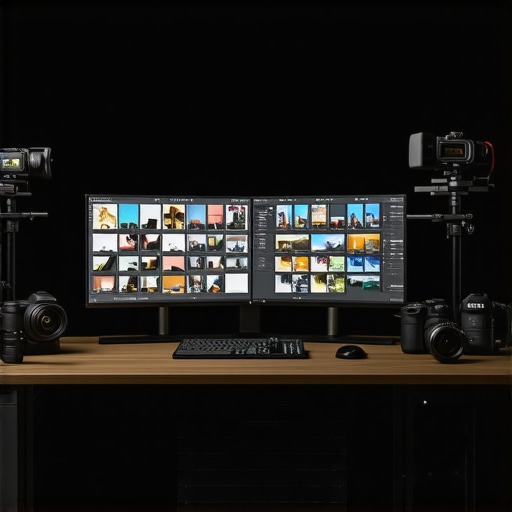
Best Calibrated 4K Monitors for Photo & Video Professionals
Elevating Visual Fidelity through Expert Calibration and Advanced Display Technologies
In the realm of professional visual arts, the pursuit of perfection in color accuracy and image clarity remains paramount. The convergence of high-caliber technologies such as 4K resolution, HDR support, and meticulous calibration techniques has redefined the landscape for photographers, videographers, and digital artists. Understanding how calibrated monitors with 4K HDR capabilities serve as foundational tools in achieving impeccable creative outcomes is essential for today’s demanding industry standards.
Deciphering the Significance of Accurate Color Reproduction in Creative Professions
Color accuracy transcends mere aesthetic appeal, embedding itself into the core of professional workflows. A calibrated monitor ensures consistent color rendering, vital for critical tasks like color grading in motion picture editing or precise photo retouching. Research published in the Journal of Imaging Science emphasizes that calibrated displays reduce color discrepancies, fostering trust in digital outputs and bridging the gap between onscreen work and printed or broadcasted media.
Evaluating the Performance and Limitations of 4K Monitors in the Creative Ecosystem
While 4K resolution amplifies detail, it requires equally sophisticated hardware and calibration procedures to fully leverage its potential. Not all 4K monitors are created equal; differences in panel technology—such as IPS versus OLED—impact color uniformity, viewing angles, and contrast ratios. Professionals must scrutinize specifications, including gamut coverage and delta E metrics, to select models that meet rigorous standards. For instance, the advent of OLED panels introduces deeper blacks and more vibrant colors, yet their susceptibility to burn-in must be mitigated through proper calibration and usage patterns.
HDR Technology: Enhancing Depth and Dynamic Range for Visual Realism
High Dynamic Range (HDR) has emerged as an indispensable feature, enriching visual content with expanded luminance and color depth. However, not all HDR-capable monitors deliver identical experiences; true fidelity depends on precise calibration, peak brightness, and tone mapping accuracy. Experts recommend integrating HDR workflows with professional calibrators to achieve seamless integration of HDR into color-critical projects, ensuring that the added luminance and contrast serve artistic vision without distortion.
Bridging Theory and Practice: How Calibration Elevates Creative Potential
Beyond hardware specifications, the process of calibration anchors display performance in real-world applications. Leveraging hardware colorimeters and professional calibration software, creative professionals refine their monitors to adhere to industry standards such as Rec. 709 or DCI-P3 color spaces. This process minimizes discrepancies, enabling creative teams to make informed decisions during editing, while maintaining credibility across distribution channels. For comprehensive guidance, refer to this expert article that elucidates calibration’s role in high-precision workflows.
How Can Advanced Calibration Techniques Improve Consistency Across Multiple Displays in a Professional Studio?
Implementing uniform calibration protocols, utilizing hardware calibration tools, and establishing standardized color profiles across multiple monitors can significantly enhance consistency. This synchronization ensures that visual content appears uniform regardless of the viewing station, which is critical in collaborative environments and large-scale productions. Industry leaders advocate for regular calibration routines, as even minor deviations can detrimentally impact the final output quality.
For those seeking to deepen their understanding of top-tier monitors, exploring specialized guides such as this comprehensive resource is highly recommended. Your insights as a seasoned professional are invaluable—consider sharing your calibration strategies or experiences on our platform to foster a community of excellence.
Push Your Creative Boundaries with Dynamic HDR Capabilities
High Dynamic Range technology has revolutionized how professionals perceive and manipulate visual data, bringing images to life with striking contrast, vibrant colors, and nuanced details. Yet, unlocking the full potential of HDR requires more than just a monitor that claims HDR support. Calibration becomes an essential step to ensure that luminance, contrast ratios, and color representations accurately reflect industry standards, such as Rec. 2020 or DCI-P3. Mastering these calibration techniques allows creatives to produce work that seamlessly translates across different display environments and media formats.
Can You Achieve Consistent Color Fidelity Across Multi-Display Setups?
One of the persistent challenges in professional studios involves maintaining uniform color accuracy across multiple calibrated monitors. Variations—even minor—in calibration settings can lead to inconsistencies, impacting collaborative projects and final outputs. Implementing routine calibration protocols, utilizing hardware calibration tools, and establishing shared color profiles are pivotal in achieving a cohesive visual environment. For instance, the use of advanced colorimeters, paired with professional software, enables precise adjustments that reconcile differences and ensure continuity in visual storytelling.





This article hits the mark on emphasizing the critical role of calibration in professional workflows, especially when dealing with high-resolution 4K HDR monitors. From personal experience, I’ve found that mastering calibration techniques and investing in the right tools like spectroradiometers significantly reduces post-production errors and ensures color fidelity across different viewing environments. I’ve encountered challenges with luminance inconsistencies in large multi-monitor setups, which were alleviated after implementing routine calibration schedules and uniform profiles. It makes me wonder, how do other professionals manage calibration in dynamic environments like outdoor shoots or mobile editing stations where ambient conditions vary greatly? Sharing strategies or tools that handle such real-world variability would be a tremendous benefit for many in our community.
This comprehensive look at calibration really underscores its importance beyond just initial setup. I’ve seen firsthand how regular calibration routines can make a tangible difference in maintaining color accuracy over time, especially with OLED monitors prone to burn-in or aging. In my studio, integrating a blend of automated and manual calibration checks ensures that even subtle shifts in display performance are caught early. I find that environmental factors, like ambient lighting changes during different times of day, can subtly affect calibration outcomes, so adaptive profiles have been a game-changer for us. It makes me curious—what are some effective ways to calibrate displays in less controlled settings, such as outdoor shootings or client locations, where consistent lighting isn’t guaranteed? Has anyone experimented with portable calibration tools that deliver reliable results in such unpredictable environments? I’d love to hear real-world tips that help bridge the gap between high-end studio calibration and on-the-go adjustments in the field.