
Best Calibrated 4K Monitors for Accurate Color & HDR in 2024
Achieving Pinpoint Precision in Modern Display Technology
In the era of professional content creation, the quest for unparalleled color accuracy and HDR performance has become paramount. Ultra-high-definition 4K monitors designed for calibration and color fidelity serve as the backbone of high-stakes creative workflows, from digital art to cinematic post-production. Understanding the nuanced specifications and capabilities of these displays empowers professionals to make informed decisions that elevate their craft.
The Complexity of Color Calibration and Its Impact on Visual Workflows
Calibrated monitors are more than just high-resolution screens; they are sophisticated instruments that require meticulous calibration processes to reproduce colors with minimal deviation. Professional-grade monitors employ hardware calibration modules and advanced color management systems, ensuring that the on-screen output aligns precisely with industry standards like Adobe RGB, DCI-P3, and Rec. 709. This calibration is vital for workflows where color consistency influences deliverable quality, especially in high-fidelity visual effects and print media.
HDR Technology and Its Integration into Professional Monitors
High Dynamic Range (HDR) enhances viewing experience by expanding contrast ratios and color volume, enabling creators to visualize content in a manner closer to human perception. Modern HDR monitors incorporate local dimming, quantum dot filters, and high peak brightness levels to faithfully render luminance nuances. For professionals engaged in video editing and photography, calibrated HDR monitors provide critical insights into how their compositions will appear across diverse viewing environments, aligning with standards outlined by the Video Electronics Standards Association (VESA HDR specifications).
What are the most effective methods for ensuring consistent color accuracy across calibration sessions?
Maintaining ongoing color fidelity requires regular calibration using spectrophotometers or colorimeters, coupled with manufacturer-provided software. Establishing a calibration schedule aligned with ambient light conditions and monitor usage patterns minimizes drift and ensures uniformity. Additionally, employing factory-calibrated monitors with hardware calibration support can significantly reduce setup time and improve long-term consistency.
The Significance of Panel Technology in Professional Color Reproduction
Choosing between IPS, OLED, and VA panels involves trade-offs with color accuracy, contrast, and response times. IPS panels are renowned for their wide viewing angles and color consistency, making them preferable in professional setups. OLED technology offers superior contrast ratios and deeper blacks but may face issues like burn-in, which necessitates careful consideration depending on the workflow. Understanding these technological differences helps creators select monitors that best align with their specific fidelity requirements.
Expert Recommendations for 2024 Calibrated 4K Displays
Key models that exemplify cutting-edge calibration and HDR features include devices covered in our comprehensive guide to 4K monitors. These monitors integrate hardware calibration support, extensive color gamut coverage, and high peak luminance to serve demanding professional pursuits.
Ultimately, the selection of an optimal 4K monitor hinges on nuanced understanding of your workflow demands, monitor features, and calibration fidelity. For an in-depth analysis of the latest models and detailed technical comparisons, explore our expert-reviewed guide. This knowledge enables creatives to push the boundaries of visual storytelling with confidence and precision.
Embracing Cutting-Edge Calibration Strategies for Optimal Results
In the pursuit of visual perfection, advanced calibration methodologies play a pivotal role. Beyond standard procedures, utilizing spectroradiometers with multi-point calibration protocols ensures that monitors maintain consistent color reproduction across various color spaces like Adobe RGB and DCI-P3. Incorporating ambient light measurement tools into calibration routines allows professionals to adjust their environment, minimizing variability and enhancing accuracy. Such meticulous practices are essential for high-stakes creative workflows where even minor deviations can impact the final output.
Integrating AI and Machine Learning for Dynamic Display Optimization
The advent of artificial intelligence is transforming monitor calibration. AI-driven calibration systems can analyze display performance over time, detecting drift and automatically adjusting settings to preserve color fidelity. Machine learning algorithms can customize calibration profiles based on specific content types, whether photo editing or video grading, optimizing the display for each task. This dynamic approach ensures that creatives always work with the most accurate visuals, reducing manual calibration efforts. For a deeper understanding of these innovations, see our comprehensive guide to calibration tools.
Could future display calibration techniques make manual adjustments obsolete?
As technology advances, it’s plausible that automated calibration using embedded sensors and AI will become the industry standard, significantly reducing the expertise needed to maintain color accuracy. Such systems could continuously monitor display performance, adjusting in real-time to ensure adherence to precise color standards. This evolution would empower creators to focus more on their craft rather than technical setup, but it also raises questions about the human role in creative fidelity management. To stay ahead of these trends, consider exploring our expert insights on calibration evolution.
If you’re interested in leveraging the latest calibration technologies, share your experiences or ask questions by leaving a comment. Also, explore our contact page for personalized advice on selecting professional-grade calibration solutions.
Pushing Boundaries with Next-Generation Calibration Tools
As display technology advances, so do the tools designed to achieve unparalleled color accuracy. The integration of spectroradiometers with AI-driven calibration algorithms is revolutionizing how professionals maintain consistent visual fidelity. These sophisticated instruments continuously monitor display performance, compensating for temperature shifts, aging effects, and even ambient lighting changes. This dynamic calibration ensures that high-stakes projects—whether high-end film grading or photorealistic 3D rendering—are consistently rendered with pinpoint precision, preserving the integrity of every hue and luminance gradient. For those seeking to leverage these innovations, exploring cutting-edge calibration hardware like the i1Pro 3 Plus with integrated AI software can be transformative.
Addressing Complex Colour Space Challenges in High-End Editing
One of the persistent challenges faced by professionals is managing the discrepancies between various color standards—such as Adobe RGB, DCI-P3, and Rec. 2020—and ensuring seamless transitions across devices and workflows. Advanced calibration routines now employ multi-point profiling, meticulously mapping each color space’s gamut boundaries and ensuring an accurate translation of colors regardless of display technology. Additionally, software solutions capable of profiling wide-gamut monitors are incorporating real-time compensation for gamut compression or expansion, crucial when mastering HDR content. Accompanying hardware, like dual-gain sensors in modern colorimeters, helps refine these measurements, reducing errors that could impact color grading decisions at the highest levels of cinematic production.
How can professionals mitigate color mismatches when switching between different display environments?
Managing multiple calibrated displays in diverse environments requires strategic workflows. Utilizing color management tools like LUT (Look-Up Table) baking and gigabit Ethernet calibrations allows for synchronization across devices, maintaining color consistency. Implementing standardized ambient lighting conditions with adjustable light fixtures can further stabilize viewing environments. Additionally, leveraging software solutions that enable profile sharing and remote calibration ensures uniformity across multiple workstations. Regular cross-calibration, combined with maintaining a comprehensive calibration log, can preemptively identify drift issues before they impact critical color decisions. For detailed guidance, consult industry-specific calibration best practices outlined by the Society for Imaging Science and Technology (SIST calibration standards).
Harnessing the Power of HDR Metadata for Accurate Content Delivery
Contemporary HDR systems rely heavily on metadata—information embedded within image files—that guides display behavior and ensures viewers experience content as intended. Metadata standards like HDR10+ and Dolby Vision offer scene-by-scene or frame-by-frame luminance adjustments, maintaining artistic intent while optimizing dynamic range. Advanced monitors with support for these standards interpret metadata intricately, rendering luminance levels that faithfully coincide with the creator’s vision. In professional editing, understanding and manipulating this metadata becomes essential; it influences everything from luminance mapping to compression algorithms, ultimately affecting the consistency between mastering environments and consumer displays.
What are the best practices for verifying metadata adherence during post-production?
Incorporating validation workflows that simulate viewing on various consumer devices can ensure the fidelity of embedded metadata. Tools like Kaleido and Dolby’s Metadata Verification Suite enable real-time analysis, confirming compatibility and proper interpretation. Embedding test patterns within the master files allows editors to visually compare intended luminance and color volume against actual display output. Additionally, educating post-production teams on how metadata influences final delivery prepares them to recognize and correct potential inconsistencies early. For best results, maintaining a detailed documentation process allows tracking of metadata adjustments throughout the editing journey, ensuring compliance with industry standards and viewer expectations.
If these complex calibration strategies resonate with your professional needs, consider sharing your experiences or technical questions. Our dedicated resources and community forums are ready to assist you in navigating this intricate landscape—visit our contact page for personalized expert guidance on advanced calibration techniques and tools.
The Art of Fine-Tuning Your Display Environment for Ultimate Calibration
While selecting a high-end 4K monitor is pivotal, the surrounding environment plays an equally critical role in ensuring color accuracy and luminance fidelity. Ambient light, reflective surfaces, and even room temperature can subtly influence calibration consistency over time. Implementing controlled lighting setups with neutral white walls and matte surfaces minimizes color cast variability. Additionally, employing monochrome light sources or blackout curtains creates a stable viewing habitat, allowing calibration tools to perform more accurately. Regularly assessing environmental factors through lux meters and adjusting accordingly ensures that your display remains a trustworthy extension of your creative vision.
Curious About the Impact of Panel Aging on Long-Term Accuracy
Over extended periods, the internal components of professional displays—particularly OLED and IPS panels—experience degradation that can shift their color and brightness profiles. This gradual drift underscores the importance of schedule-based recalibration, especially for professionals relying on consistent output. Advanced calibration systems now incorporate diagnostic tools capable of detecting early signs of degradation, prompting proactive maintenance. For instance, modern spectroradiometers can perform non-invasive measurements through automated routines, providing detailed reports on panel health. By understanding and addressing these aging effects, creatives can safeguard their workflow integrity and deliver projects with unwavering fidelity.
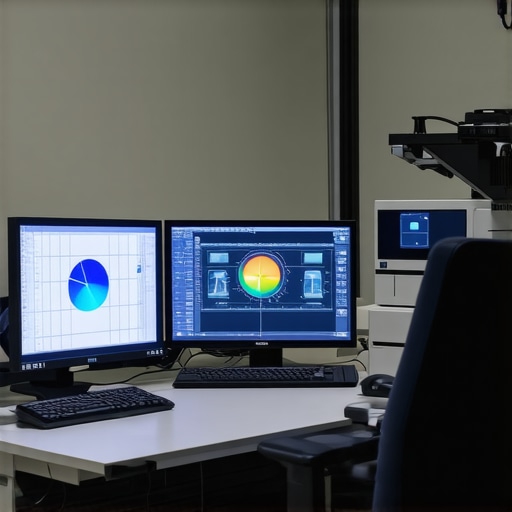
Image Prompt: close-up of a spectroradiometer measuring a professional 4K monitor in a controlled, dimly lit studio environment.
Why Hardware Calibration Holds the Key to Industry-Standard Color Management
In the realm of professional display calibration, hardware-based calibration solutions surpass software-only adjustments by directly modifying the monitor’s internal LUT (Look-Up Table), ensuring persistent and precise color reproduction. Devices like the X-Rite i1Pro series or the Datacolor SpyderX Elite feature multi-point calibration capabilities, enabling granular control over wide gamuts such as Adobe RGB and DCI-P3. When integrated seamlessly with sophisticated calibration workflows, these tools establish a reliable baseline for color management across diverse projects, from high-end photography to cinematic mastering. The investment in hardware calibration not only elevates visual accuracy but also mitigates the risks of discrepancies introduced by software limitations or user errors.
Expert Strategies for Seamless Color Profile Transitions in Multi-Device Workflows
Handling multiple calibrated displays across varying environments necessitates meticulous profile management. Employing unified color management protocols—like ICC profiles—ensures that each device interprets color data identically. Advanced workflows leverage soft-proofing techniques that simulate the final output, allowing artists to anticipate how content will appear across different displays and print media. Additionally, synchronized LUTs or hardware calibration profiles, stored centrally, facilitate real-time adjustments and minimize inconsistencies. This meticulous approach is crucial when transitioning between calibration sessions or collaborating across teams, where even minor color variances can compromise project integrity. Leveraging cloud-based profile synchronization and diligent documentation further enhances consistency and reliability.
What pitfalls should experts avoid when maintaining calibration across diverse professional environments?
Avoid complacency by overlooking factors like device firmware updates, calibration tool recalibration, and environmental shifts. Firmware updates can alter display behavior, necessitating re-calibration. Regularly verifying calibration accuracy with traceable standards prevents drift, especially after hardware modifications. Inconsistent ambient lighting or changes in room reflections can undermine calibration efforts; thus, maintaining a controlled environment is essential. Employing calibration audits and cross-checks threading through your workflow ensures ongoing fidelity. For comprehensive guidance, refer to the detailed protocols outlined by the International Color Consortium (ICC standards documentation), which serve as a cornerstone for professional color management practices.
Expert Insights & Advanced Considerations
Leverage AI for Continuous Calibration
Integrating artificial intelligence into calibration workflows enables monitors to self-adjust in real-time, maintaining peak color accuracy amid environmental changes and panel aging, thus reducing manual intervention and enhancing workflow consistency.
Prioritize Hardware Calibration Solutions
Investing in dedicated calibration hardware, such as spectroradiometers and colorimeters, ensures more precise and reliable color management, setting a standard that software adjustments alone cannot achieve.
Embrace Multi-Gamut Workflow Strategies
Handling content across diverse color spaces like DCI-P3, Adobe RGB, and Rec. 2020 requires sophisticated calibration routines and profiling techniques to guarantee seamless color consistency throughout production pipelines.
Optimize Viewing Environments for Consistency
Controlling ambient lighting and room reflectance is crucial; carefully designed environments minimize visual variability, enabling calibration routines to accurately reflect true monitor performance and color fidelity.
Stay Informed with Industry Standards and Ongoing Research
Keeping abreast of evolving calibration standards and research, such as the latest VESA HDR specifications and color management protocols, ensures that professionals remain aligned with industry best practices.
Curated Expert Resources
- Society for Imaging Science and Technology (SIST): Offers comprehensive guidelines on calibration processes and standards, essential for maintaining industry compliance.
- X-Rite’s Technical Guides: Provide in-depth technical documentation on calibration hardware and workflows, promoting best practices in color management.
- Colorimetry Research Journals: Publish cutting-edge studies on display aging, spectral measurement, and AI integration, critical for advancing calibration methodologies.
- VESA HDR Standards Documentation: Clarifies specifications for HDR performance, ensuring monitors meet professional content creation requirements.
- Industry Conferences and Workshops: Platform for networking with experts and learning about emerging calibration technologies and techniques.
Final Perspective: Elevate Your Visual Fidelity
Achieving state-of-the-art display calibration for professional monitors demands a blend of innovative technologies, meticulous environment management, and continuous learning. When optimized effectively, these strategies unlock unprecedented levels of color accuracy and HDR performance that empower creators to translate their vision with confidence. The realm of display calibration is rapidly advancing, making it imperative for professionals to stay engaged with the latest tools, standards, and insights. If you’re committed to pushing the boundaries of visual excellence, consider your calibration approach not just a technical task, but a crucial creative decision. Share your expertise, ask questions, or explore tailored solutions by connecting with our community—visit our contact page today.
About the Author





This article highlights the critical importance of precise calibration in professional workflows, especially with HDR and wide color gamut displays. From personal experience, I’ve found that regular calibration—using hardware tools like spectrophotometers—really makes a difference in maintaining consistency across projects. The integration of AI-driven calibration systems seems particularly promising, as they can adapt to panel aging and environmental changes seamlessly, reducing manual effort over time. I’m curious, how do others here approach calibration in shared workspaces where ambient lighting varies significantly throughout the day? Do tools like ambient light measurement devices really improve long-term accuracy? I believe investing in robust calibration routines and understanding the subtleties of each display technology—be it IPS or OLED—is essential for delivering work that truly meets high standards of color fidelity.
This post offers an excellent overview of the complexities involved in high-precision monitor calibration for professional workflows. I particularly appreciate the emphasis on advanced calibration techniques like multi-point profiling and ambient light correction, which really make a difference in ensuring consistency. From my own experience, I’ve noticed that even small environmental factors—like indirect sunlight or reflective surfaces—can subtly impact calibration accuracy over time, especially with OLED displays prone to burn-in. It makes me wonder, how many professionals actively incorporate environmental audits into their routine calibration sessions? I’ve started using lux meters more regularly, and it’s surprising how even minor ambient light fluctuations can influence color perception. It seems that integrating AI-based calibration tools that adapt to these changes could be the future of truly foolproof color management. Has anyone here experimented with automatic calibration systems, and if so, how reliable have you found them in a high-stakes production environment? I’d love to hear insights or recommendations on best practices for maintaining long-term calibration stability.
This article beautifully underscores the importance of meticulous calibration for professionals working with HDR and wide color gamut monitors. I’ve personally found that implementing a rigorous calibration schedule, combined with regular environmental checks using lux meters, greatly stabilizes color accuracy over time. The integration of AI-driven calibration tools seems like a game-changer, especially for large studios managing multiple devices, as they can automatically detect drift caused by panel aging or ambient light fluctuations. What’s your take on the long-term reliability of these smart systems? Do you think they can fully replace manual calibration routines, or should they complement traditional workflows for best results? For those of us in content creation, achieving consistent and precise color fidelity is vital, and staying updated on technological advancements like these definitely helps push the envelope.
Also, I’d be interested to hear how others handle calibration across shared workspaces where lighting conditions can vary significantly during different times of the day. Do you use specific environmental controls or calibration reminders? Overall, continuous learning and adapting seem to be the keys to maintaining the highest standards in our craft.