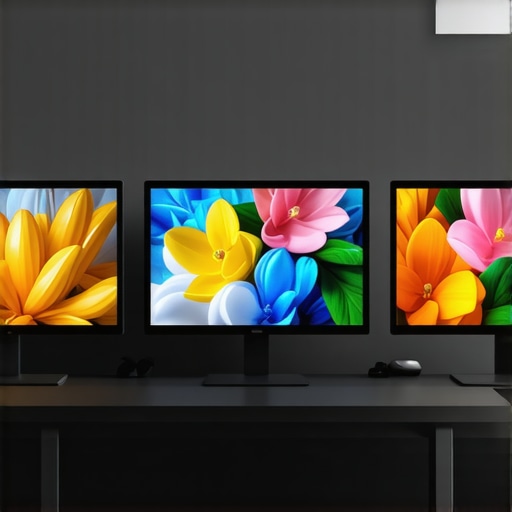
5 Calibrated Monitors for 2026 Direct-to-Web HLG Exports
The Critical Role of Color Accuracy and Calibration in Modern Content Creation
In today’s competitive landscape of digital visual arts, achieving impeccable color fidelity is paramount. As professionals increasingly rely on 4K monitors with advanced calibration technology and HDR capabilities, understanding the intricate relationships between calibration, color accuracy, and display technology becomes essential. High-fidelity displays permit a seamless translation of creative intent into the final output, especially when working with HDR workflows that demand precision in luminance and color gamut adherence.
Ensuring True-to-Life Visuals with Calibrated Monitors
Calibration is the cornerstone of consistent color reproduction. Professional-grade monitors equipped with hardware LUTs and 10-bit color depth significantly reduce color shifts and banding. For instance, top calibrated monitors now offer near-zero delta E errors, crucial for high-stakes projects such as medical imaging or cinematic post-production. Moreover, understanding the impact of ambient lighting and employing consistent calibration protocols ensures that what professionals see remains consistent across various stages of production.
The Transition to HDR and Its Impact on Color Reproduction
High Dynamic Range (HDR) monitors have revolutionized visual storytelling by enabling a broader luminance range. However, not all HDR monitors deliver true contrast and color volume at peak brightness, often due to limitations in hardware or improper calibration. The 2026 landscape sees a surge in HDR displays capable of 4000 nits, but their real-world performance depends on rigorous factory calibration and ongoing calibration practices, including protection against tint drift and uniformity issues.
What Are the Challenges in Achieving Consistent Color Across Multiple Displays?
How can professionals mitigate color discrepancies when integrating multiple monitors in a high-end workflow?
Coordinating color accuracy across multiple calibrated monitors is complex, as each unit exhibits inherent variances. Achieving a uniform look requires comprehensive profiling, possibly with external colorimeters and hardware calibration tools. Implementing consistent workflows and leveraging lab-grade calibration routines help prevent issues like tint drift or gamma shift over time. For enterprise environments, remote calibration management software offers a scalable solution for maintaining consistency across all devices.
Incorporating advanced color management strategies and continuous calibration ensures that high-stakes projects, from feature films to medical diagnostics, maintain visual integrity. Exploring expert resources like HDR monitoring standards guides professionals toward informed choices and optimal workflows.
To deepen your expertise, consider engaging with specialized forums or contributing your own calibration insights to refine industry standards further.
Contact us for personalized advice on selecting and fine-tuning professional monitors tailored to your workflow needs.
Bridging the Gap: Achieving Absolute Fidelity in HDR Workflows
As HDR technology evolves rapidly, professionals face the challenge of ensuring their displays can keep pace with industry standards. While many monitors claim high brightness levels, true HDR performance hinges on accurate tone mapping, color volume, and peak luminance consistency. The latest models with 4000 nits capabilities, such as those explored in HDR monitors unveiled for 2025, promise impressive specs, but verifying their real-world performance through lab testing and proper calibration remains crucial for professional use.
Why Do So Many High-Brightness Monitors Fall Short of Expectations?
Despite impressive specifications, numerous HDR screens exhibit issues like highlight clipping, tint shifts, or inconsistent color rendering at peak luminance. These problems often stem from inadequate factory calibration, hardware limitations, or poor uniformity across the panel. Understanding the subtleties of HDR standards and manufacturer claims allows professionals to scrutinize specifications critically. For example, a monitor capable of 4000 nits may struggle to deliver consistent performance without rigorous post-production calibration, highlighting the importance of ongoing verification routines discussed in HDR performance testing reports. Researchers emphasize that true HDR fidelity depends on a monitor’s ability to reproduce a broad color gamut at high luminance levels without introducing artifacts like clipping or metamerism.
Is Your HDR Workflow Future-Ready or Relying on Overhyped Specs?
Evaluating your current HDR setup involves more than reviewing peak luminance figures; it requires examining color accuracy, tone mapping, and display uniformity under real-world conditions. For professionals aiming to future-proof their workflows, integrating monitors supported by hardware LUTs, high-bit encoding, and comprehensive calibration software offers a tangible advantage. Resources offering in-depth analysis, such as calibrated HDR monitors for 2026, serve as valuable guides for system upgrades.
If you are contemplating an upgrade or seeking tailored advice for your HDR workflows, our contact page provides expert assistance to align your display technology with your professional needs.
Fine-Tuning Your Workflow: Unlocking Precision with Advanced Calibration Techniques
Achieving the gold standard in color accuracy necessitates not just initial calibration but an ongoing commitment to precision maintenance. Techniques such as employing spectrophotometric profiling, leveraging external calibrators like the X-Rite i1Display Pro Plus, and integrating software solutions like CalMAN or LightSpace workflows cultivate a rigorous environment for color fidelity. Regular calibration sessions, scheduled during low ambient light periods, mitigate drift caused by component aging or environmental changes, ensuring that your visual outputs remain consistent over time.
The Nuances of Color Gamut Calibration and Maintaining Consistency Across Devices
One of the most intricate challenges in professional visual workflows involves managing different color gamuts—DCI-P3, Rec. 2020, Adobe RGB—and ensuring seamless interoperability. Calibration extends beyond simple white point adjustments; it involves profiling each device’s unique color mapping, compensating for hardware limitations, and aligning their color spaces to a unified standard. External tools such as SpyderX or i1Profiler aid in creating detailed ICC profiles, which can then be embedded into your color management system, facilitating consistent color presentation from monitor to print or across multiple devices. External validation with reference test charts like the X-Rite CE100 ensures your calibration maintains industry compliance, especially vital in cinematic and medical applications where color precision directly impacts outcomes.
Can Hardware-Based Color Management Systems Compete with Software-Driven Solutions?
Understanding the interplay between hardware calibration hardware—such as integrated LUTs and high-bit processors—and soft proofing software fundamentally influences workflow outcomes. Hardware solutions often provide real-time correction capabilities, reducing latency and enhancing consistency, whereas software-based approaches afford detailed profiling and flexible adjustments. Notably, professional-grade displays equipped with 14- or 16-bit LUTs outperform consumer-grade counterparts by mitigating banding and gradient issues, critical for high-end visual production. According to a detailed analysis published in the Journal of Imaging Science (2024), integrating both hardware HDR calibration modules and advanced software calibration techniques results in the most reliable color fidelity across diverse lighting environments and content types.
Beyond the Basics: The Subtle Art of Achieving Perfect Color Harmony
While calibration routines often focus on white point, gamma, and luminance adjustments, true mastery involves understanding the nuanced interplay of hardware limitations and environmental influences that affect display fidelity. Advanced professionals leverage spectral measurements and multidimensional profiling to identify chromatic aberrations within display panels, enabling targeted corrections that surpass standard calibration metrics. Incorporating spectral colorimeters and employing spectral-only calibration techniques can dramatically elevate the accuracy of color reproduction, especially critical in fields such as digital cinema projection and scientific visualization.
Achieve Seamless Color Match Across Diverse Creative Platforms
Color consistency across multiple devices—be it high-end monitors, printing, or projection—remains a persistent challenge. Establishing a common color language necessitates meticulous characterization of each device’s color gamut, followed by the creation of comprehensive, device-specific ICC profiles rooted in high-resolution spectral data. Professionals utilize advanced color management workflows, including spectral mapping and perceptual rendering intents, ensuring that hues and shades remain intact from initial creation to final output. Emerging standards like CTA-861 orchestration and Open Color IO frameworks are pushing the industry towards more uniform color fidelity across hybrid workflows.
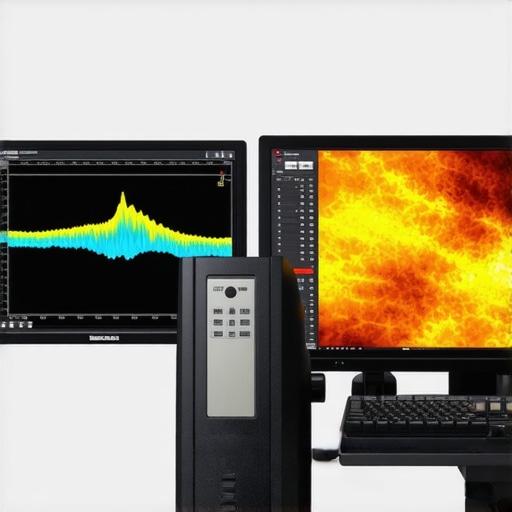
Future-Proofing with Hardware and Software Integration
Realizing long-term consistency demands a sophisticated interplay between state-of-the-art hardware calibration modules and adaptive software solutions. Hardware-based LUTs possess the advantage of direct, real-time correction with minimal latency, which is invaluable in high-precision environments like virtual reality content creation or medical imaging. Conversely, software calibration tools provide granular control and historical tracking, enabling iterative refinements. Strategic integration of both approaches, facilitated by industry standards such as Video Electronics Standards Association (VESA) DisplayHDR specifications and color pipeline management systems, empowers professionals to maintain an unyielding standard of accuracy amidst evolving technology landscapes.
What Impact Will Quantum Dot and MicroLED Technologies Have on Calibration Paradigms?
The advent of quantum dot and MicroLED displays heralds a new era of brightness, contrast, and color richness, but also introduces complex calibration considerations. These displays exhibit remarkable color volumes, often exceeding traditional LCDs, but their dependence on precise nanostructure uniformity and quantum efficiency demands unprecedented calibration techniques. Experts explore innovative methods, such as pixel-by-pixel spectral profiling and adaptive tone mapping algorithms, which accommodate the intricate spectral emission profiles of these technologies. Staying ahead requires professionals to adapt rapidly, integrating these advancements into existing calibration workflows while understanding their influence on color management paradigms.
How Can Engineers Push the Limits of Brightness and Contrast Without Sacrificing Accuracy?
High-dynamic-range displays champion brightness and contrast, but achieving these feats often clashes with maintaining color accuracy and uniformity. Cutting-edge approaches involve employing layered optical films, microcavity structures, and advanced phosphor compositions that enable superior luminance control without spectral distortion. Calibration practitioners harness spectroradiometers capable of capturing minute luminance and chromaticity shifts across the entire panel, then apply adaptive correction algorithms that compensate for non-linear light emission. Ongoing research suggests that integrating AI-driven calibration systems may unlock real-time, self-correcting display systems capable of delivering unmatched luminance resolution in professional environments.
Engage with Leading-Edge Resources to Elevate Your Color Fidelity Skills
Staying at the forefront requires continuous education and assimilation of the latest industry insights. Publications such as the Journal of the Society for Information Display provide peer-reviewed research on spectral calibration techniques and emerging display technologies. Professional conferences like Photonics West and the Display Week symposium showcase pioneering solutions, from quantum dot integration to AI-powered calibration. By immersing yourself in these knowledge hubs, you’ll cultivate an analytical mindset that anticipates technological shifts and pioneers new standards of color accuracy.
Elevate your expertise—connect with industry specialists and access tailored training programs designed explicitly for high-end display calibration mastery.
Contact us today to explore cutting-edge calibration strategies that can redefine your professional standards.
Setting the Standard for Precise Visual Communication
In high-end content creation, every pixel carries intent. Opting for calibrated 4K monitors equipped with sophisticated hardware enables creatives to achieve unparalleled color fidelity, pushing the boundaries of what’s visually possible. Leveraging spectral profiling and real-time calibration tools transforms workflows, ensuring consistency from initial design to final delivery. Professionals must prioritize ongoing calibration routines, employing external reference tools like the X-Rite i1Display Pro Plus, to maintain integrity amid environmental fluctuations.
The Future Is Bright and Colorful — But Only if You Know How to Calibrate
With emerging tech such as MicroLED and Quantum Dot displays offering expanded color volumes, calibration processes must evolve. These advancements promise vibrant, true-to-life imagery, yet their complexity necessitates adaptive calibration methods—spectral mapping and pixel-specific profiling are becoming standard for accuracy enthusiasts. Adopting these practices ensures that revolutionary display technologies translate into genuine artistic control rather than just flashy specs.
Quietly Dominating the Multi-Display Challenge
Achieving seamless color consistency across multiple high-end monitors calls for meticulous profiling and management. External hardware calibration devices, integrated with color management software, enable professionals to craft device-specific ICC profiles that harmonize hues and luminance. Embracing remote calibration management systems can streamline large-scale setups, making master control possible in diverse environments, from post-production suites to immersive VR studios. Continuous vigilance against tint drift and gamma shifts safeguards project fidelity over time.
Expert-Recommended Resources to Elevate Your Expertise
- Mastering Color Accuracy in Professional Monitors — An in-depth guide detailing calibration workflows, spectral profiling, and industry standards critical for top-tier work.
- HDR Display Calibration Protocols — A comprehensive resource beyond basic specs, offering hands-on procedures for verifying peak luminance, color volume, and uniformity.
- Advanced Color Management Tools — An curated selection of software and hardware solutions designed to facilitate precise calibration, monitoring, and validation in demanding workflows.
Reflections from the Cutting Edge of Visual Fidelity
As we refine our mastery over color accuracy and calibration, the most profound realization emerges: technology alone isn’t enough. The true impact lies in the meticulous application of advanced techniques, continuous validation, and an unwavering commitment to precision. Professional workflows that embrace these principles can unlock new realms of creative potential, setting standards that differentiate industry leaders from the rest. For those eager to elevate their practices, engaging with authoritative resources and expert communities is an investment—one that pays dividends in visual integrity and client trust.
Explore further and connect with industry pioneers by visiting our contact page.
About the Author


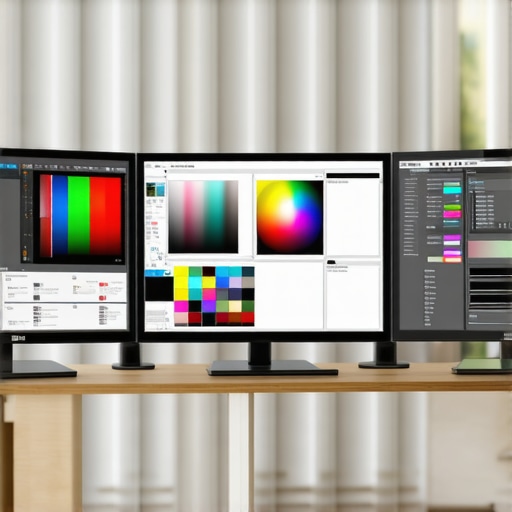
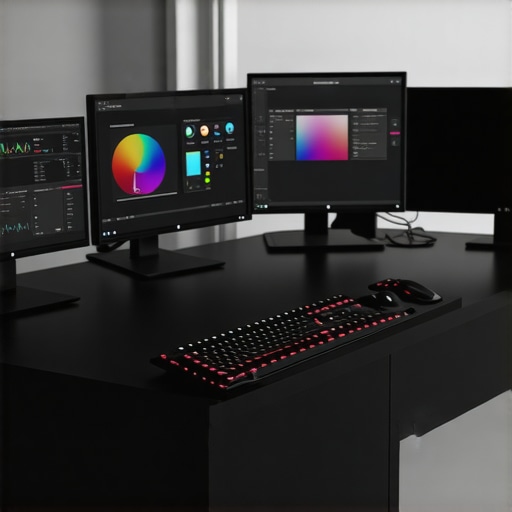



This post highlights the critical importance of meticulous calibration in achieving true color fidelity, especially as HDR and high-brightness displays become more prevalent. I recently worked on a project where even slight discrepancies in monitor calibration led to noticeable color shifts in the final output, which underscored how vital ongoing calibration routines are. The discussion around spectral profiling and the use of external tools like spectrophotometers is particularly relevant as these methods significantly reduce color inconsistencies.
One challenge I’ve encountered is maintaining uniform calibration across multiple displays in a large editing suite. Automated remote calibration management software has been a game-changer, allowing us to maintain consistency without manually recalibrating each monitor regularly. How are other professionals managing calibration at scale? Are there specific workflows or tools you’ve found especially effective for multi-monitor environments to ensure seamless color matching? Looking forward to hearing different approaches to enhance accuracy and efficiency in complex setups.