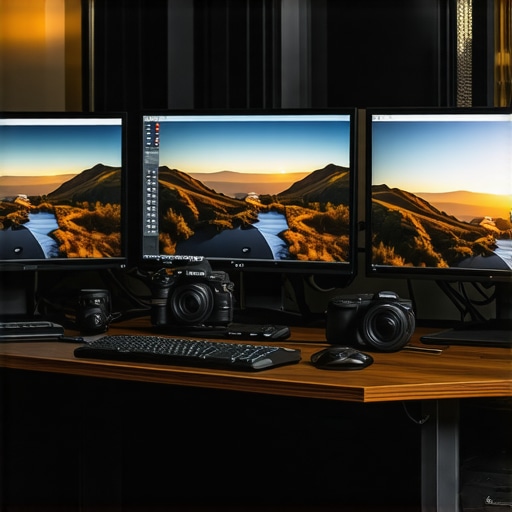
Top Calibrated 4K Monitors for Photo & Video Creators in 2024
Mastering Visual Fidelity with Calibrated 4K Monitors for Creative Excellence
In the rapidly evolving landscape of digital content creation, the pursuit of color accuracy and image fidelity has become paramount for professionals. As we advance into 2024, selecting the right calibrated 4K monitor can dramatically influence the quality of photographic and video outputs. This guide explores the critical aspects of high-end displays that meet the rigorous demands of creative professionals, ensuring your work resonates with precision and vibrancy.
Why Calibration Transcends Basic Color Correction
Calibration is not merely a technical adjustment; it is the foundation of consistent color reproduction. For photographers and videographers, an accurately calibrated monitor ensures that what you see is truly representative of the final output across different devices and media. According to recent research by the Workstation Wizard, calibration tools such as X-Rite and Datacolor have become indispensable in achieving industry-standard color precision.
Key Features to Prioritize in 2024’s Calibrated 4K Monitors
Color Gamut Coverage and Precision
Top-tier monitors should cover at least 99% of Adobe RGB and 100% of sRGB, with some models extending to DCI-P3 for cinema-grade color accuracy. This ensures your edits are not limited by display constraints, enabling true-to-life color rendition essential for professional-grade work.
Uniformity and Gray Balance
Uniformity across the screen, especially in shadow and midtones, is critical. Advanced models now feature built-in sensors and software to correct luminance and color inconsistencies, which can otherwise lead to costly revisions and mismatched prints or videos.
HDR Compatibility and Dynamic Range
High Dynamic Range (HDR) support enhances visual depth and contrast, vital for modern photo and video editing workflows. Monitors with calibrated HDR capabilities, such as those discussed in this comprehensive review, bring out details in highlights and shadows, crucial for creative professionals aiming for cinematic quality.
Addressing the Complexities of Professional Calibration
One of the most debated topics among experts involves the optimal calibration process. While hardware calibration via spectrophotometers offers unparalleled precision, it requires technical expertise. Conversely, software calibration can suffice for many users but may fall short in dynamic lighting conditions. The debate underscores the importance of understanding your specific workflow requirements and choosing a monitor that supports seamless calibration adjustments.
Can Monitors Maintain Calibration Over Time?
This question resonates deeply with professionals relying on consistent output. Many high-end displays now incorporate built-in sensors for ongoing calibration, reducing drift and maintaining accuracy over extended periods. For detailed insights on calibration stability, consult the Ultimate Guide.
For those committed to achieving the highest standards, exploring expert reviews and engaging with the community through forums can reveal nuanced insights not captured in specifications alone. Whether you’re refining color grading workflows or ensuring print fidelity, the right calibrated 4K monitor is an indispensable tool for professional creativity.
Interested in expanding your understanding of visual accuracy? Dive deeper into advanced calibration techniques or share your insights with the community of creative professionals seeking excellence.
Pushing the Boundaries of Color Accuracy in Your Workflow
As technology advances, the expectation for impeccable color reproduction continues to rise among creative professionals. High-end calibrated 4K monitors now incorporate sophisticated features like quantum dot technology and hardware calibration support, ensuring that your projects maintain their integrity across various media and devices. For instance, models discussed in this detailed review demonstrate how cutting-edge displays can elevate your work from good to exceptional.
Reevaluating Calibration Techniques for Consistent Results
While traditional calibration methods focus on initial setup, the industry now emphasizes ongoing calibration maintenance. Monitors with built-in sensors and automatic calibration routines, like those highlighted in comprehensive guides, reduce drift over time, ensuring your color consistency remains stable over extended projects. This raises an important question: how often should professionals recalibrate to maintain peak accuracy without disrupting workflow?
Can Your Calibration Process Keep Up with Your Creative Pace?
This is a crucial consideration. Experts suggest a regular calibration schedule, typically monthly or quarterly, depending on your working environment and display usage. However, the latest displays with automatic calibration features can significantly lessen this burden, allowing creatives to focus more on their art rather than technical adjustments. Incorporating these tools into your workflow can yield more predictable and reliable results, especially in high-stakes projects like commercial photography, cinematic editing, or detailed color grading.
Furthermore, understanding the technical nuances of calibration, such as gamma correction and luminance matching, enhances your ability to fine-tune displays for specific tasks. For example, photographers might prioritize Adobe RGB coverage, while videographers focus on DCI-P3 support. Deepening your knowledge through resources like this expert guide can make a tangible difference in your results.
Additionally, engaging with the professional community through forums and reviews can reveal practical tips and insights that go beyond specifications, helping you choose monitors that truly meet your unique needs. Whether it’s for color grading, print proofing, or detailed retouching, the right calibrated display is an indispensable tool for elevating your creative output.
Curious about how to integrate advanced calibration workflows seamlessly? Explore advanced calibration techniques or share your experiences with fellow professionals. Your insights can help others refine their color management strategies and achieve consistent excellence across projects.
Mastering Industry-Standard Calibration for Flawless Visual Output
Achieving impeccable color accuracy begins with understanding the nuances of calibration beyond simple adjustments. For professionals, hardware calibration using spectrophotometers, such as the X-Rite i1Pro 3 or the Datacolor SpyderX Elite, remains the gold standard. These devices analyze the display’s output across multiple color and luminance points, creating a detailed profile that ensures consistency and precision. According to a comprehensive study published by the International Color Consortium, hardware calibration minimizes drift and maintains color fidelity over time, a critical factor in high-stakes creative environments.
However, calibration is not a one-time event. Regular recalibration—monthly or quarterly—avoids cumulative inaccuracies caused by environmental factors such as ambient lighting changes or display aging. To streamline this process, many advanced monitors now incorporate built-in sensors that facilitate automatic calibration routines, significantly reducing manual effort while maintaining optimal accuracy.
What Are the Key Differences Between Hardware and Software Calibration, and When Should You Use Each?
Hardware calibration involves external devices that directly measure and adjust the display’s color output, offering the highest precision. Software calibration, on the other hand, relies on internal algorithms and calibration profiles applied via dedicated software like CalMAN or DisplayCAL. While software calibration is more accessible and sufficient for many users, it may struggle to account for subtle luminance and color shifts over time. Professionals working in color-critical fields should prioritize hardware calibration, especially when producing work for print or broadcast where exact color matching is non-negotiable. For less demanding applications, regular software calibration paired with high-quality monitors may suffice.
To maximize calibration effectiveness, it’s essential to understand your workflow’s specific demands. For instance, a photographer preparing images for print needs a monitor calibrated to Adobe RGB, ensuring that printed colors match on-screen previews. Conversely, a cinematic colorist focusing on DCI-P3 content must calibrate for wide-gamut support to preserve creative intent across media.
Ensuring Long-Term Calibration Stability with Cutting-Edge Technologies
One of the most significant challenges in professional color management is maintaining calibration over time. The latest high-end monitors now incorporate intelligent features such as built-in spectrophotometers and automatic calibration routines, which monitor display performance and initiate recalibration cycles during idle periods. This proactive approach drastically reduces drift, saving valuable time and ensuring consistent output.
Additionally, some models leverage quantum dot technology and hardware LUTs (Look-Up Tables) to provide stable, wide-gamut color reproduction with minimal calibration drift. This technological synergy ensures that your creative work remains true to your vision, even after extended periods of use. For example, the LG UltraFine series exemplifies this, combining hardware calibration support with advanced display tech for reliable, long-term performance.
Can You Create a Calibration Routine That Fits Your Unique Creative Needs?
Absolutely. The key is customizing calibration settings based on your specific project requirements. Photographers might focus on achieving perfect Adobe RGB coverage with precise gamma settings, while video editors may prioritize DCI-P3 support and high dynamic range (HDR) calibration. Establishing a routine that aligns with your workflow—considering factors like ambient lighting, project deadlines, and display usage—can significantly enhance your output quality.
Furthermore, integrating calibration into your workflow with automation tools can save time and reduce errors. For instance, scheduling monthly calibration sessions during non-peak hours ensures your display is always optimized without disrupting productivity. Leveraging software like CalMAN Studio or LightSpace CMS can facilitate these automated routines, giving you peace of mind and consistent results.
To deepen your expertise, consult authoritative resources such as the ICC Profile Specification or participate in professional forums like the Color Management Community. Sharing real-world calibration experiences with peers can uncover innovative techniques and troubleshooting tips that elevate your entire workflow.
Are you ready to refine your calibration process and unlock new levels of creative precision? Dive into advanced calibration workflows and stay ahead with the latest monitor technologies—your work deserves nothing less.
Enhancing Color Precision with Spectrophotometer-Based Calibration
While software adjustments can improve display accuracy, hardware calibration using spectrophotometers like the X-Rite i1Pro 3 or the Datacolor SpyderX Elite offers unmatched precision. These devices measure the monitor’s output across multiple color and luminance points, creating comprehensive profiles that ensure consistency and fidelity. According to the International Color Consortium, hardware calibration minimizes drift, maintaining exact color reproduction over time.
Implementing Continuous Calibration to Combat Drift
In dynamic professional environments, display drift due to aging or environmental factors can compromise color accuracy. Monitors equipped with built-in sensors facilitate automatic, periodic recalibration routines—often during idle periods—thereby maintaining stability without disrupting workflows. This proactive approach is especially vital in high-stakes tasks like cinematic color grading or print proofing, where even slight deviations can be costly.
Integrating Calibration into High-Level Creative Pipelines
Seamlessly embedding calibration routines within complex workflows ensures consistent results. Tools such as CalMAN Studio and LightSpace CMS enable scheduled recalibration that aligns with project milestones. Additionally, calibrating for specific color spaces—such as Adobe RGB for print or DCI-P3 for cinema—can be automated, streamlining the process for professionals who demand pixel-perfect output.
What Are the Critical Differences Between Hardware and Software Calibration for Experts?
Hardware calibration involves external spectrophotometers that directly influence the display’s LUTs (Look-Up Tables), offering superior accuracy essential for color-critical projects. Conversely, software calibration modifies internal color profiles and is more accessible but less precise over extended periods. Experts recommend hardware calibration for tasks like high-end photography, film production, or print design, where exact color matching is non-negotiable.
How Do Emerging Technologies Elevate Calibration Stability?
Recent advances like quantum dot backlighting and hardware LUTs enhance wide-gamut color support with minimal drift. Monitors such as the LG UltraFine series incorporate these features, ensuring long-term stability even under fluctuating ambient lighting conditions. Furthermore, innovations like AI-driven calibration algorithms are beginning to optimize display performance dynamically, reducing the need for manual intervention.
Can Custom Calibration Profiles Cater to Unique Creative Demands?
Absolutely. Tailoring calibration profiles for specific workflows—be it for HDR content, print, or digital cinema—maximizes output fidelity. For instance, a photographer might prioritize Adobe RGB and gamma 2.2, while a colorist might focus on DCI-P3 and PQ curves. Using advanced tools and understanding color science enables professionals to fine-tune their displays for unparalleled results.
Engagement with industry-standard resources like the ICC Profile Specification and participation in professional forums can further refine calibration strategies. Sharing experiences and troubleshooting tips fosters a community of excellence that pushes the boundaries of visual fidelity.
Ready to elevate your calibration protocols? Explore cutting-edge tools and methodologies to ensure your creative projects are consistently rendered with the highest accuracy and stability.
Harness Advanced Calibration Techniques for Precision
Implementing hardware calibration with spectrophotometers like the X-Rite i1Pro 3 ensures unmatched accuracy, crucial for high-stakes projects. Regular recalibration, supported by built-in sensors, minimizes drift, maintaining consistent color fidelity over time. Professionals should schedule routine calibrations—monthly or quarterly—to keep their displays aligned with industry standards.
Leverage Cutting-Edge Display Technologies for Long-Term Stability
Quantum dot backlighting and hardware LUTs offer wide-gamut support with minimal drift, even under fluctuating ambient lighting. Monitors such as the LG UltraFine series exemplify durability and precision, leveraging these innovations to serve demanding workflows reliably.
Integrate Calibration into Your Creative Pipeline Seamlessly
Automation tools like CalMAN Studio facilitate scheduled recalibrations, aligning with project milestones. Custom profiles tailored for specific tasks—such as Adobe RGB for print or DCI-P3 for cinematic work—maximize output fidelity and streamline your process.
Expert Resources to Deepen Your Calibration Mastery
- International Color Consortium (ICC): Set industry standards for color profiles and calibration protocols.
- Color Forums and Communities: Engage with peers to exchange practical insights and troubleshooting tips.
- Advanced Calibration Guides: Explore comprehensive resources like the Workstation Wizard’s in-depth tutorials.
Final Reflections on Precision and Innovation
Mastering calibrated 4K monitors in 2024 requires embracing both technological advancements and expert techniques. As display technologies evolve, so too should your calibration strategies, ensuring your creative vision remains flawless across all media. For professionals committed to excellence, continuous learning and adaptation are essential—seek out authoritative sources, share your experiences, and refine your workflow accordingly. Your work deserves nothing less than perfection—invest in precision today and elevate your creative output to new heights.
About the Author





This comprehensive guide on calibrated 4K monitors truly highlights how critical proper calibration is for professional content creators. I’ve personally noticed significant differences in my workflow when I switched to a monitor with built-in sensors and automatic calibration routines; the consistency over long projects has improved remarkably. One challenge I’ve faced is managing calibration schedules without disrupting my creative process—especially during intense editing sessions. I wonder, how do fellow professionals balance calibration routines with tight deadlines? Also, with advancements like quantum dot technology and AI-driven calibration, it seems the industry is moving toward more autonomous solutions which is a game changer for small studios and freelance artists alike. It would be interesting to hear how others incorporate these new technologies into their daily routines and what tips they might have for maintaining calibration accuracy over extended periods.
This article hit close to home for me, especially with the focus on ongoing calibration. After switching to a monitor with built-in sensors and auto-calibration, my workflow has become much more stable, reducing the time I spend manually recalibrating. However, I still wonder about the ideal frequency—do most professionals recalibrate monthly, quarterly, or only when noticing discrepancies? In my experience, ambient light variations really influence the calibration, so I keep my workspace consistent to maintain accuracy. Also, I’ve been exploring how newer AI-driven calibration tools can adapt more dynamically to changes, but I’d love to hear if anyone has practical tips for integrating these technologies seamlessly into a busy production schedule. How do other creatives manage calibration without it becoming a distraction or a delay during crunch times? Would be great to exchange insights on balancing technical upkeep with creative momentum.
This post really hits home for me, especially with the emphasis on monitoring calibration stability over time. I’ve been using a high-end model with built-in sensors for automatic recalibration, which has truly simplified my workflow—no more manual adjustments during critical projects. Still, I wonder how often other professionals find it necessary to recalibrate beyond the preset routines? I keep a consistent environment, but occasional ambient light fluctuations seem unavoidable. I’ve also started exploring AI-enhanced calibration tools that adjust in real-time; has anyone integrated these into their workflow effectively? I’d love to hear how others balance maintaining pixel accuracy with tight deadlines, especially when the stakes are high, like color grading for film or print production. It’s fascinating to see how rapid advancements in calibration technology are shaping our creative tools. Do you believe these innovations will fully replace manual calibration, or will professional oversight always be essential? Would be great to exchange tips on optimizing calibration routines for efficiency and precision.
This article’s emphasis on continuous calibration and the integration of AI-driven tools really resonates with my workflow. I’ve been experimenting with automatic calibration routines in my studio, and it’s incredible how much stability it provides, especially during intensive editing phases. One thing I’ve noticed is that maintaining a consistent ambient lighting environment is crucial for these automatic systems to perform optimally. I’m curious, has anyone here found that combining hardware calibration with AI-based adjustments offers a significant edge over traditional methods? Also, for those who work on projects with fluctuating lighting conditions, what strategies do you employ to ensure color consistency across different shooting and editing environments? I’d love to hear your tips on balancing high-end calibration tech with practical studio management to get the most reliable results.
This post really emphasizes the importance of ongoing calibration, especially with the advanced features like built-in sensors and AI-driven adjustments. I’ve personally experienced how automatic recalibration can save so much time and reduce errors in color-critical projects. Since upgrading to a monitor with these features, I’ve noticed that my color consistency has improved remarkably even over long editing sessions. However, managing ambient light remains a challenge, especially in spaces with fluctuating lighting conditions. I’ve found that controlling the environment helps, but I am curious about others’ experiences—do you rely solely on monitor features, or do you also use controlled lighting in your studios? Also, how often do you recommend re-calibrating in busy production schedules without impeding workflow? Sharing practical tips on integrating automation while maintaining high accuracy would be super helpful for professionals aiming for perfection in their visual projects.