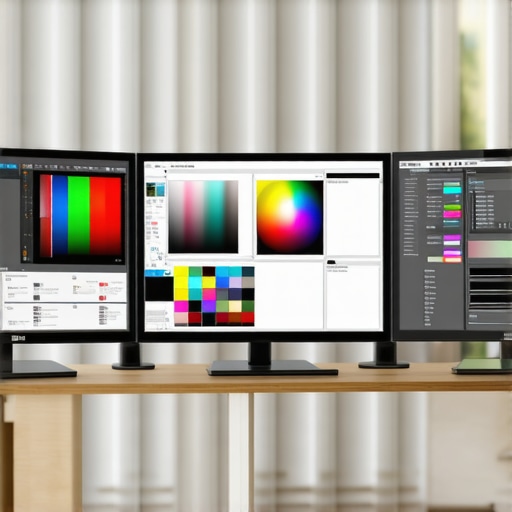
Ultimate Guide to 4K Calibrated Monitors for Photo & Video Editing
Elevating Creative Precision with 4K Calibrated Monitors
In the realm of professional photo and video editing, the fidelity of your visual output hinges critically on the quality and calibration of your display. A 4K calibrated monitor not only offers ultra-high resolution but also ensures color accuracy and consistency, which are indispensable for maintaining artistic integrity and meeting industry standards. As an expert in digital visual workflows, understanding the nuances of calibration, panel technology, and color management is essential to elevate your craft to new heights.
Why Calibration Transforms Visual Accuracy Beyond Resolution
While 4K resolution provides detailed clarity, it is the calibration process that unlocks true color fidelity and tonal precision. Calibration aligns the monitor’s output with standardized color spaces such as Adobe RGB or DCI-P3, allowing professionals to trust that what they see is an accurate representation of the final product. Without proper calibration, even the most advanced monitor may produce misleading colors or inconsistent luminance, compromising the editing process.
What Are the Most Critical Calibration Parameters for Creative Professionals?
Key calibration metrics include gamma settings, white point temperature, and color gamut coverage. Achieving a gamma of 2.2 ensures natural tonal gradation, while a white point of 6500K mimics daylight conditions. Additionally, a monitor with broad color gamut support, such as 99% Adobe RGB, is vital for vibrant, accurate color reproduction. Regular calibration with professional hardware tools like colorimeters guarantees ongoing precision, especially when working in demanding workflows.
Panel Technologies and Their Impact on Color and Clarity
Expert users must distinguish between panel types—IPS, VA, and TN—each with unique characteristics influencing color accuracy, contrast, and viewing angles. IPS panels are renowned for their superior color consistency and wide viewing angles, making them ideal for editing tasks that demand precise color evaluation. Conversely, VA panels offer higher contrast ratios but may compromise color uniformity. Selecting the appropriate panel technology aligns with specific project requirements and workflow considerations.
Color Management and Workflow Integration for Creatives
Effective integration of a calibrated monitor into a professional color-managed workflow involves consistent use of color profiles, calibration software, and proper workspace lighting. Embedding ICC profiles into editing software ensures color consistency across devices. Moreover, working within a controlled lighting environment minimizes ambient influences that could distort color perception. These practices are fundamental to maintaining trust in your visual outputs and ensuring client satisfaction.
How Can Expert Creatives Optimize Their Calibration Routine for Maximum Consistency?
Implementing a systematic calibration schedule—preferably monthly—using high-quality hardware calibrators and dedicated software is essential. Documenting calibration results allows tracking of color stability over time. Additionally, calibration should be performed in a color-controlled environment with consistent lighting conditions to prevent fluctuations. For further insights into mastering this process, explore calibration best practices for designers.
Engaging with professional communities and sharing calibration techniques can also refine your approach, ensuring your setup remains a reliable foundation for high-precision editing. Regularly updating your calibration hardware and software ensures compatibility with evolving color standards and display technologies.
In conclusion, the journey to mastering 4K calibrated monitors for photo and video editing is rooted in a profound understanding of calibration principles, panel technology, and workflow integration. For those committed to excellence, continual refinement of these elements is the gateway to delivering visually stunning, industry-standard results.
Beyond Basic Calibration: Unlocking Peak Color Performance
While routine calibration is essential, true mastery of a 4K professional monitor requires understanding and leveraging advanced color management techniques. Integrating hardware calibration tools such as spectrophotometers with sophisticated calibration software creates a robust foundation for color precision. These tools measure and adjust color output at a granular level, ensuring that the display consistently meets industry standards like DCI-P3 or Rec. 2020, which are increasingly vital in high-end productions.
Moreover, implementing a comprehensive color workflow involves managing calibration profiles across multiple devices—monitors, printers, and projectors—using standardized ICC profiles. This ensures uniformity, reducing discrepancies that could impair creative accuracy. For detailed methodologies, consult the ultimate guide to calibrated monitors.
Can Your Workflow Adapt to the Demands of HDR and Wide Gamut Content?
As content creators push toward HDR and wider color gamuts, your calibration routines must evolve accordingly. HDR workflows demand not only precise calibration but also understanding of tone mapping and luminance management. Monitors capable of reaching 1000 nits or more, paired with proper calibration, enable professionals to deliver vibrant, true-to-life visuals that meet modern standards. Without this, even top-tier displays risk producing images that appear dull or oversaturated.
For those working in HDR, mastering the calibration process is crucial. Regularly updating calibration profiles to accommodate new standards and firmware updates ensures ongoing fidelity. To explore this further, review HDR monitor calibration insights.
Why Do Panel Choices Matter More Than You Think?
Choosing the right panel technology is fundamental to achieving the desired level of color accuracy and image clarity. IPS panels dominate the professional space because of their superior color consistency and viewing angles, essential for collaborative workflows. However, recent advancements in OLED technology introduce deeper blacks and higher contrast ratios, enriching visual depth but demanding careful calibration to prevent issues like burn-in and color shifting over time.
Understanding the nuances of panel behavior—including how they handle color blending, uniformity, and response times—can influence your choice significantly. Experts often recommend pairing high-quality IPS panels with hardware calibration tools to maintain long-term accuracy. For comprehensive advice on selecting the best panel for your needs, check professional monitor reviews and comparisons.
What Are the Practical Steps to Ensure Consistent Calibration in Dynamic Work Environments?
In fast-paced studios or remote editing setups, maintaining calibration consistency can be challenging. Implementing a routine calibration schedule, ideally monthly, helps adapt to monitor aging and environmental factors. Using color-managed software that automatically applies calibration profiles during startup ensures a consistent visual experience. Additionally, controlling ambient lighting to prevent color temperature fluctuations is vital—bright, neutral-colored lighting minimizes ambient reflections that distort color perception.
Furthermore, documenting calibration results with logs can reveal trends and alert you to potential hardware issues early. Engaging with professional communities, such as forums or industry groups, provides insights into best practices and updates. To deepen your understanding, explore expert calibration routines.
If you’re serious about achieving and maintaining premium color accuracy, consider reaching out to specialists through professional consultation services. Sharing your calibration experiences and challenges can lead to tailored solutions that elevate your workflow to new standards.
Elevate Your Color Workflow with Advanced Calibration Techniques
For professionals committed to precision, calibration isn’t just a routine—it’s a continuous journey toward perfection. Beyond basic adjustments, integrating spectrophotometric tools like the XRite i1Pro 2 or i1Display Pro with sophisticated software such as CalMAN or DisplayCAL allows for granular control over color accuracy. These tools measure spectral output at multiple points, ensuring your display adheres to complex standards like DCI-P3 or Rec. 2020, which are increasingly vital for cinematic and high-end photography projects.
Implementing a multi-device calibration workflow ensures consistency across your entire production environment. Embedding ICC profiles into your editing suite and color grading software guarantees uniformity, minimizing discrepancies when transitioning between monitors, printers, and projectors. For those seeking detailed methodologies, refer to the authoritative guide Advanced Calibration Techniques for Creative Professionals.
How Does Spectral Data Enhance Color Accuracy in HDR Content?
Spectral data provides a detailed measurement of how a display reproduces light across the visible spectrum, offering a more precise calibration foundation than traditional colorimetric methods. When calibrating for HDR workflows, spectral data ensures that luminance and chromaticity are maintained accurately at high brightness levels. This precision prevents issues like color shifting or clipping, which can distort the intended visual narrative. Experts recommend periodic spectral calibration, especially after firmware updates or hardware aging, to sustain peak performance. For further insights, consult the comprehensive research by the Society for Imaging Science and Technology (IS&T), which emphasizes spectral calibration’s role in high-dynamic-range imaging.
To achieve this level of accuracy, integrating spectral measurement devices and leveraging software that supports spectral profiles is essential. These tools enable a granular understanding of how your display handles complex color and luminance variations, ensuring your HDR content is both vibrant and true-to-life.
Addressing the Challenges of Wide Gamut Monitors in Professional Settings
Wide gamut monitors, such as those supporting Adobe RGB or DCI-P3, offer enormous benefits but also specific calibration challenges. Their expansive color spaces demand meticulous profiling to prevent oversaturation and ensure accurate color mapping. Calibration becomes more complex as you must precisely align the monitor’s output with standardized color spaces, often requiring custom LUTs (Lookup Tables) and 3D calibration matrices.
One common pitfall is neglecting ambient lighting conditions, which can dramatically influence perceived color accuracy. Implementing controlled lighting environments, with neutral-colored walls and consistent illumination, helps maintain calibration integrity. Additionally, regularly updating calibration profiles—preferably monthly—guards against drift caused by hardware aging or environmental factors. For expert guidance on managing wide gamut calibration, explore resources like the comprehensive guide to wide gamut calibration.
Furthermore, understanding the monitor’s internal LUT capabilities and how they interact with your calibration software can unlock higher levels of color fidelity. This involves fine-tuning gamma curves and color primaries to match specific production standards, an advanced skill that separates average workflows from truly professional-grade color management.
What Are the Long-Term Benefits of Professional Calibration in Creative Industries?
Consistent calibration ensures that your visual output remains reliable over time, reducing costly reworks and miscommunications with clients. It also enhances your ability to work confidently across different devices and venues, knowing that your colors will translate accurately regardless of medium or environment. Over years, this disciplined approach to calibration preserves your investment in high-end monitors and ensures their performance remains optimal, maintaining the integrity of your creative vision. For a detailed exploration of long-term calibration strategies, review the work of the International Color Consortium (ICC), which provides industry standards and best practices to uphold color fidelity in professional workflows.
As you refine your calibration routines, consider participating in industry forums and professional groups such as the Society of Motion Picture and Television Engineers (SMPTE). Sharing insights and experiences fosters a community of practice that pushes the boundaries of what’s achievable in high-precision color management.
For those eager to deepen their expertise, engaging with certified calibration specialists or attending industry workshops can provide valuable hands-on experience. The pursuit of perfect color accuracy is ongoing but immensely rewarding—ultimately elevating your creative output to industry-leading standards.
Elevate Your Display Calibration to Industry Standards
In high-stakes creative environments, mere basic calibration no longer suffices. Advanced calibration techniques involve spectral spectral measurement and multi-point profiling, which ensure your monitor adheres to cutting-edge color standards such as DCI-P3 and Rec. 2020. Utilizing spectrophotometers like the XRite i1Pro 2 enables precise spectral data collection, facilitating adjustments that go beyond conventional colorimetric methods. These sophisticated tools allow professionals to fine-tune luminance and chromaticity, ensuring the most accurate reproduction of HDR and wide-gamut content.
The Role of Spectral Data in Achieving Perfect Color Uniformity
Spectral data provides granular insights into how your display emits light across the entire spectrum, revealing hidden color shifts and inconsistencies that standard measurements might overlook. By integrating spectral calibration with software solutions like CalMAN or DisplayCAL, experts can create custom LUTs that correct for spectral deviations, resulting in uniform color performance across the entire screen. This level of precision is indispensable for cinematic color grading, high-end photography, and scientific visualization.
How to Synchronize Multi-Device Calibration for Seamless Workflow
Ensuring consistency across multiple devices requires an orchestrated calibration protocol. Embedding ICC profiles into each device, from monitors to printers, guarantees color fidelity in every stage of production. Regularly updating these profiles—preferably monthly—mitigates drift caused by hardware aging or environmental fluctuations. Implementing automated calibration routines through professional software minimizes human error and maintains a uniform visual environment. For an in-depth guide, consult the ICC Profile Specification.
What Are the Practical Benefits of Spectral Calibration for HDR Content?
Spectral calibration ensures that HDR displays faithfully reproduce luminance and chromaticity at high brightness levels, preventing issues like color clipping or oversaturation. Accurate spectral data allows you to calibrate for the specific spectral power distributions of your display, ensuring vibrant yet natural visuals. This precision is crucial when working with content destined for Dolby Vision or HDR10+ standards, where color accuracy significantly impacts viewer experience. Experts recommend spectral calibration after firmware updates or hardware replacements to sustain peak performance. For further insights, explore the Society for Imaging Science and Technology’s research on spectral calibration in high-dynamic-range imaging.
The Impact of Panel Technology on Calibration Outcomes
Choosing the appropriate panel technology—be it OLED, IPS, or Mini-LED—fundamentally influences calibration complexity and results. OLED panels offer exceptional contrast and deep blacks but require meticulous calibration to prevent burn-in and color shifting over time. IPS panels provide excellent color accuracy and stability, making them ideal for precise color work when paired with hardware calibration tools. Mini-LED technology combines high brightness with uniformity, but demands thorough calibration procedures to maximize their potential. An understanding of each panel’s spectral emission characteristics aids in tailoring calibration routines to ensure long-term color fidelity. For detailed comparisons, see DisplayNinja’s guide on color-accurate monitors.
How can professionals address calibration drift in OLED Displays over time?
Calibration drift in OLED displays arises from pixel aging, environmental factors, and firmware updates. To counteract this, implement a scheduled calibration routine—ideally monthly—using spectral measurement tools and software that supports aging compensation profiles. Maintaining a stable ambient environment with neutral, controlled lighting minimizes external influences. Additionally, leveraging manufacturer-specific calibration profiles and firmware updates optimizes display longevity and accuracy. Engaging with certified calibration specialists can provide tailored solutions for persistent drift issues, safeguarding your investment in high-end technology. For comprehensive strategies, review the calibration best practices outlined by the Society of Motion Picture and Television Engineers (SMPTE).
Integrating Calibration into High-Performance Creative Workflows
Embedding advanced calibration protocols within your creative process ensures consistent output quality. Automating calibration schedules and profile management minimizes human error and enhances productivity. Employing hardware calibration devices with spectral capabilities allows seamless integration into color-managed workflows, supporting complex standards like Dolby Vision and BT.2020. Embedding ICC profiles into editing, grading, and viewing software guarantees uniform color rendering across stages, reducing discrepancies and rework. For detailed implementation steps, consult ICC profile management guidelines.
Why Continuous Calibration is a Game-Changer for Visual Consistency
In fast-paced, high-stakes environments, continuous calibration acts as a safeguard against the subtle but cumulative effects of hardware aging and environmental variability. It ensures your display maintains the spectral accuracy necessary for high-end productions, scientific analysis, or medical imaging. The investment in spectral measurement tools and robust workflow integration pays dividends by reducing costly errors and re-works, ultimately elevating the quality and reliability of your creative output. For further insights, explore the work of the International Color Consortium (ICC) and the Society for Imaging Science and Technology (IS&T) in establishing industry standards for spectral and color management.
Leverage Industry-Leading Calibration Techniques
Implement spectral measurement tools like spectrophotometers for the most precise calibration, ensuring your display adheres to complex standards such as DCI-P3 and Rec. 2020. Regularly updating calibration profiles across all devices minimizes color drift, maintaining consistency in high-stakes environments.
Prioritize Panel Technology Selection
Choose OLED for superior contrast and deep blacks but prepare for meticulous calibration to prevent burn-in. IPS panels offer unparalleled color stability, making them ideal for critical color work, especially when paired with professional calibration hardware.
Optimize Your Workflow for HDR and Wide Gamut Content
Integrate spectral calibration to accurately reproduce high dynamic range visuals, ensuring luminance and chromaticity precision at elevated brightness levels. This approach delivers vibrant, true-to-life images consistent with modern production standards.
Stay Ahead with Continuous Calibration Practices
Establish a monthly calibration routine using advanced software and hardware. Document adjustments meticulously to track changes over time, preventing subtle inaccuracies that can compromise your professional output.
Engage with Expert Resources for Ongoing Development
- Society for Imaging Science and Technology (IS&T): Cutting-edge research on spectral calibration methods.
- International Color Consortium (ICC): Industry standards for color profile management and consistency.
- CalMAN and DisplayCAL Software: Advanced tools for spectral and multi-device calibration.
Final Perspective from the Expert
Achieving peak color accuracy with 4K calibrated monitors demands a sophisticated understanding of spectral data, panel technology, and workflow integration. Embracing these advanced practices ensures your creative work remains industry-leading, trustworthy, and visually compelling. For those serious about excellence, continuous learning and professional engagement are essential—reach out via our consultation services to elevate your calibration mastery.
About the Author