Why Most Designers Overlook Panel Uniformity When Buying 4K
Critical Dimensions of HDR Monitor Selection for Premium Visual Fidelity
In professional visual content creation, selecting an HDR monitor transcends basic specifications, demanding a comprehensive understanding of advanced features like color precision, panel uniformity, and 4K resolution capabilities. Today’s creatives must scrutinize these parameters to ensure their displays meet the stringent standards necessary for high-caliber projects, especially in fields such as digital cinema, photography, and graphic design.
The Nuanced Art of Color Accuracy in Professional Monitors
Color fidelity remains paramount when calibrating HDR monitors. An expertly calibrated display ensures that visual outputs align precisely with industry standards such as DCI-P3 or Rec. 2020, minimizing color shifts that could compromise content authenticity. High-end monitors equipped with built-in sensors and automatic correction systems—like those discussed extensively in our guide on professional color accuracy—offer unparalleled consistency over extended workflows.
Panel Uniformity: The Hidden Challenge in 4K and HDR Environments
Many professionals overlook panel uniformity when selecting 4K monitors, yet it critically influences the fidelity of visual grading workflows. Inconsistent brightness or color across the panel’s surface can lead to misinterpretation of tonal and chromatic nuances, ultimately affecting grading accuracy. High-tier monitors featuring advanced backlight correction and optical layering markedly improve uniformity, a factor that delineates amateur setups from studio-grade displays.
Why Most Designers Overlook Panel Uniformity When Buying 4K
This oversight often stems from a focus on resolution or HDR peak brightness, neglecting the crucial aspect of panel uniformity. In an environment where precise tonal matching is essential, even subtle luminance disparities can skew perception. Industry experts suggest evaluating monitors with uniformity tests, which assess brightness and chroma consistency—integral for achieving optimal grading precision.
Should HDR Be the Sole Criterion in Monitor Selection?
What complex trade-offs exist when balancing HDR capabilities against color reproducibility and panel uniformity in professional workflows?
While HDR provides stunning dynamic range, it shouldn’t overshadow other critical factors such as calibration stability, backlight uniformity, and color volume. A nuanced approach considers all elements—often necessitating a layered decision matrix. For instance, a monitor with exceptional peak brightness may fall short if its panel exhibits significant uniformity issues, thus undermining the benefits of HDR in critical viewing environments.
To deepen your understanding of calibrated displays tailored for creative professionals, explore our comprehensive analysis on monitor calibration. Providing your workflow with a robust, expertly calibrated display setup ensures consistency, accuracy, and reproducible results across projects.
Engaging with industry forums and sharing practical insights fosters continuous advancement in monitor selection and calibration techniques, ultimately elevating production standards.
Beyond Resolution and Brightness: The Hidden Factors Shaping HDR Monitor Effectiveness
While high resolution and peak brightness are often the main focus when selecting HDR monitors, there are subtler qualities that dictate actual performance in professional settings. Features such as panel stability, thermal management, and internal processing algorithms play pivotal roles in ensuring consistent, true-to-life visuals over extended periods. For instance, the latest models incorporate sophisticated thermal controls, preventing brightness and color shifts caused by overheating, which is critical during long grading sessions.
How Can Calibration Tools Elevate Your HDR Workflow?
Effective calibration extends beyond initial setup—dynamic calibration solutions, including built-in sensors and automated correction systems—can vastly improve consistency throughout projects. These tools continuously monitor and adjust display parameters, helping professionals maintain accuracy without manual recalibration. To explore the best calibration practices tailored for demanding workflows, check out our guide on professional calibration techniques. Implementing these systems minimizes drift, ensuring your color output remains reliable during multi-day editing or grading sessions.
Is Contrast the Overlooked Hero for HDR Viewing Precision?
Contrast ratio, particularly in HDR displays, directly influences depth perception, shadow detail, and highlight realism. A monitor with an excellent contrast ratio provides richer blacks and more detailed highlights, essential for high-quality grading. However, many users focus solely on peak luminance, neglecting how contrast influences the overall perception of dynamic range. High-contrast displays often incorporate local dimming zones, which help sustain black levels even at high brightness, a feature highly valued in professional color grading. For detailed insights into contrast management in HDR environments, learn more at our analysis of color accuracy and contrast in 2026.
Could Your Monitoring Environment Be Undermining HDR Display Capabilities?
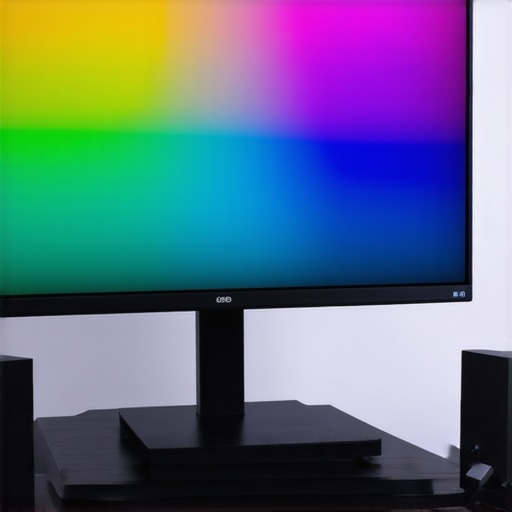
Ambient lighting, room reflections, and even the placement of your monitor can significantly impact HDR perception. Professionals often underestimate how external factors degrade the benefits of high-end displays. Implementing controlled lighting environments and proper monitor positioning enhances visual clarity and prevents glare or contrast reduction, thus maximizing your HDR experience. Consider evaluating your workspace setup with expert advice on room calibration to ensure your display’s potential is fully realized.
Sharing your setup tips or questions about optimizing HDR workflows can help build a community of informed creatives. And for a deep dive into making the most of your HDR technology, explore our comprehensive horizon on HDR innovations for 2025 and beyond.
Elevating Your Workflow with Advanced Calibration Techniques
While basic calibration methodologies suffice for casual use, professional environments demand an elevated approach that ensures relentless precision. Techniques such as 3D LUT (Lookup Table) calibration have become industry standards among colorists and photographers. These systems map the entire tonal range of your display, correcting even the most subtle deviations and guaranteeing consistency across multiple devices. Implementing hardware calibration tools like the X-Rite i1Profiler or Calibrite ColorChecker Display Plus enables real-time adjustments, which significantly reduce perceptual gaps during critical grading sessions.
How do 3D LUTs Improve Color Fidelity in HDR Workflows?
3D LUTs serve as sophisticated translation matrices that transform input signals into accurate on-screen colors. They are crucial when working with high dynamic range content, as they account for complex color spaces such as Dolby Vision or HDR10+ formats. By applying these sophisticated mappings, professionals ensure that every hue, shadow detail, and highlight maintains its intent—delivering true-to-life imagery. Expert calibration not only involves creating these 3D LUTs but also maintaining their integrity over time, which requires systematic periodic re-calibration using spectrophotometers validated against industry-standard targets.
The Impact of Internal Processing and Hardware Design on HDR Precision
Beyond external calibration, internal display processing algorithms and hardware architecture profoundly influence HDR fidelity. Features like local dimming, bit-depth, and color volume management determine how depth and contrast are perceived in various ambient conditions. High-end monitors incorporate dual- or multi-zone local dimming, which dynamically adjusts backlight zones to produce deep blacks while preserving luminance in brighter areas—this balancing act is pivotal for authentic HDR reproduction. Nonetheless, the sophistication of internal processing can sometimes introduce artifacts or unintended color shifts, underscoring the need for a comprehensive understanding of each model’s technical blueprint.
Understanding the Limitations of Built-In Calibration Tools Versus External Solutions
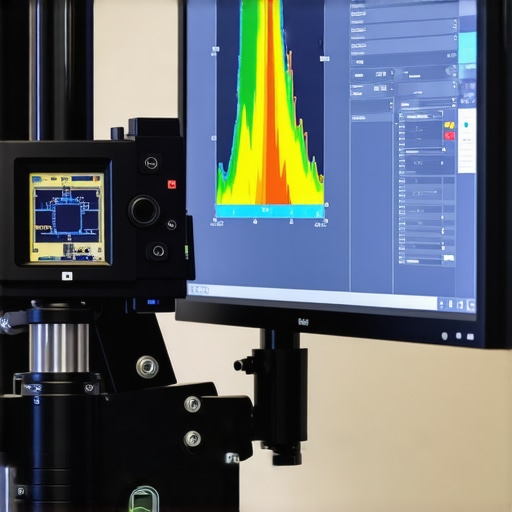
Many professional-grade displays feature integrated calibration sensors designed to streamline the correction process. While these in-built tools offer convenience, they often lack the precision required for critical tasks involving narrow color gamuts or high bit-depth calibrations. External solutions, paired with dedicated software, typically provide finer control and more accurate readings, especially when measuring complex HDR color spaces. For instance, utilizing external spectrophotometers allows calibration within the DCI-P3 or Rec. 2020 color spaces, ensuring the monitor’s output aligns with the entire intended color volume—an essential factor for cinematic post-production and high-end visual effects work.
Iterative Calibration and Workflow Integration for Consistent Results
An advanced calibration protocol involves multiple iterative steps—initial device profiling, environment assessment, target verification, and ongoing validation. Establishing a routine schedule—monthly or after significant workspace changes—ensures your monitor’s performance remains stable. Integrating calibration checkpoints into your post-production pipeline minimizes variations, enabling seamless collaboration between team members operating different devices. Additionally, recording calibration settings and creating standardized profiles facilitate workflow consistency, making it easier to switch between projects without subjective perceptual shifts.
Can Automated Calibration Systems Fully Replace Manual Expertise?
While automated calibration solutions have advanced remarkably, they still lack the nuance a seasoned colorist can provide, particularly when addressing complex color grading scenarios. Automated systems excel in rapid consistency checks and baseline corrections, but expert oversight remains invaluable for interpreting subtle discrepancies or tailoring calibration profiles to specific project demands. Therefore, an optimal strategy combines automated precision with periodic expert review—ensuring that the technical and artistic aspects of HDR calibration harmonize perfectly.
If you’re committed to elevating your HDR workflow, consider investing in a comprehensive calibration regime supported by authoritative resources such as the detailed guide on professional calibration tools. Remember, precision is not a one-time achievement but an ongoing pursuit—your dedication will ultimately define the fidelity of your creative outputs.
Revolutionize Your Color Management with Advanced Calibration Techniques
Achieving impeccable color integrity in HDR workflows hinges on more than just standard calibration processes. Incorporating sophisticated methods such as 3D LUT (Lookup Table) calibration enables professionals to attain a higher degree of precision, ensuring that every tonal nuance and hue aligns perfectly with industry standards. This level of calibration is vital for colorists and videographers striving for consistency across multiple devices, especially when working within complex color spaces like Dolby Vision or HDR10+.
Unlocking the Potential of External Spectrophotometers
While built-in calibration tools offer convenience, external spectrophotometers like the X-Rite i1Pro 2 or the Konica Minolta CA-410 provide unparalleled accuracy, particularly crucial for high-fidelity HDR content. These devices facilitate precise measurement of luminance, chromaticity, and color volume, empowering professionals to create meticulously tailored profiles. Integrating these tools into your workflow ensures your display maintains optimal performance, minimizing drift over time and guaranteeing reproducible results.
What are the advantages of integrating 3D LUTs in HDR grading environments?
Implementing 3D LUTs allows for intricate mapping of input signals to your display’s color and luminance output, accommodating the complex characteristics of HDR formats. This technique corrects nonlinearities, preserves tonal gradation, and sustains color accuracy across the entire spectrum. Experts emphasize that well-crafted 3D LUTs serve as the backbone of precise HDR grading, enabling the reproduction of cinematic details with remarkable fidelity. Regular updates and validations of these LUTs are essential for maintaining calibration consistency, especially after hardware updates or environmental shifts.
Enhancing Internal Display Architecture to Elevate HDR Performance
Internal processing elements such as local dimming algorithms, bit-depth management, and backlight control critically influence the monitor’s ability to render HDR content authentically. Monitors equipped with advanced local dimming zones—preferably dual- or multi-zone—dynamically modulate backlight levels to produce deep blacks and vibrant highlights simultaneously. Moreover, higher internal bit-depths (10-bit or more) reduce banding artifacts and support smoother tonal transitions, which are indispensable in professional grading scenarios.
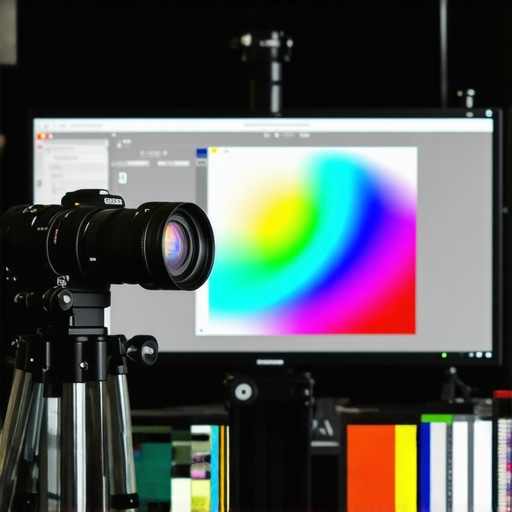
Is Hardware or Software Calibration the Smartest Choice for Professionals?
While hardware calibration solutions typically outperform software-based options in terms of precision, their complexity and cost can be prohibitive for some users. Hardware calibration devices seamlessly integrate with dedicated software, providing detailed control over display parameters and ensuring accurate color reproduction. For workflows demanding exceptional consistency, investing in hardware tools paired with expert calibration techniques yields the most reliable outcomes. Conversely, software calibration may suffice for less-critical applications but should be complemented with periodic validation using external measurement instruments.
Understanding the Impact of Ambient Environment on HDR Accuracy
External factors such as ambient lighting, room reflections, and workspace positioning significantly influence perceived HDR quality. An uncontrolled environment can diminish contrast ratios and obscure subtle tonal details, undermining even the most advanced displays. Implementing controlled lighting conditions—using neutral, dimmable lights and anti-reflective monitor coatings—can dramatically improve HDR perception and ensure that calibrated color fidelity is actively appreciated. Optimizing your workspace environment is as crucial as choosing the right monitor, enabling you to fully harness HDR capabilities without compromise.
Can Room Calibration Bridge the Gap Between Display Potential and Perceived Quality?
Absolutely. Room calibration involves adjusting ambient lighting and monitor placement to maximize visual clarity and contrast, effectively amplifying your HDR experience. Techniques such as measuring room luminance levels, balancing light temperatures, and minimizing glare directly impact the ability to perceive nuanced highlights and shadow details accurately. Implementing these strategies complements your monitor calibration efforts, providing a holistic approach to achieving meticulous color and luminance fidelity in demanding professional environments.
Engaging with community forums, attending industry seminars, and staying updated on emerging calibration technologies will further elevate your expertise. For a comprehensive exploration of the latest calibration innovations and their applications in HDR workflows, don’t miss our detailed guide—designed for professionals committed to excellence.
Sharpen Your Expertise Beyond the Basics of HDR Calibration
Elite professionals recognize that achieving true visual fidelity involves a nuanced balance of hardware capabilities, calibration techniques, and environmental controls. Merely selecting a high-end HDR monitor isn’t enough; mastering the calibration process using advanced tools like 3D LUTs and spectrophotometers ensures consistent results across workflows. The key lies in understanding how internal processing algorithms interact with external calibration strategies to create a harmonious display environment that faithfully renders cinematic color and contrast.
Leverage the Right Resources to Elevate Your Skillset
- Color Calibration Best Practices: Dive into our authoritative guide on calibration for creatives that explores industry-leading techniques and tool selections.
- HDR Technology Insights: Stay ahead with the latest innovations discussed in our HDR review for 2025.
- Room Optimization Strategies: Optimize your environment through expert tips on ambient lighting and workspace setup for maximum HDR performance.
Embrace the Complexities for Flawless Visual Delivery
In the realm of professional visual creation, the difference isn’t just a matter of resolution or brightness; it’s about the meticulous integration of calibration precision, hardware processing, and ambient management. Recognizing the fragility of color accuracy amidst environmental variables underscores the importance of continuous learning and adaptation. Invite your colleagues to exchange insights and push the boundaries of what your HDR workflows can achieve—progress often begins with stepping outside conventional practices and questioning assumptions about display performance.
About the Author