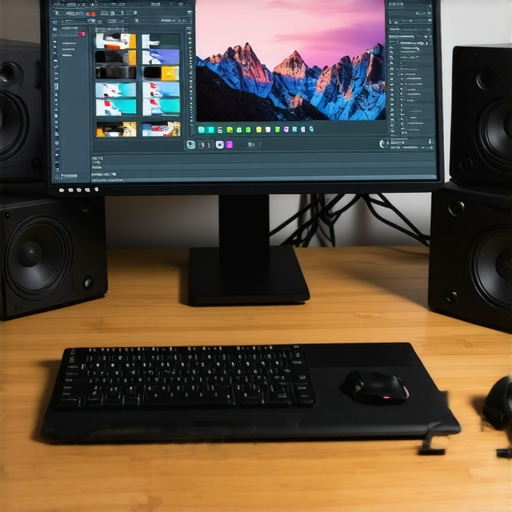
Ultimate Guide to 4K Calibrated Monitors for Photo & Video Creators 2024
Elevating Visual Precision with 4K Calibration in Professional Workflows
In the realm of high-end visual content creation, the leap to 4K resolution paired with meticulous color calibration signifies an essential paradigm shift. Experts recognize that only through finely tuned calibrated monitors can creatives ensure their digital outputs meet exacting standards of accuracy and consistency, especially when working across diverse media formats and platforms.
Calibrated 4K monitors serve as the cornerstone of professional-grade editing, offering an expansive pixel grid that captures intricate detail and nuanced color gradations. This is crucial for photographers, videographers, and digital artists who demand fidelity from their display devices, as even minor deviations can lead to costly reworks or compromised outputs.
How do advanced calibration techniques enhance the creative process for high-resolution content?
Calibration techniques such as hardware colorimeters and software profiling allow professionals to align their display’s color output with industry standards like Rec. 709 or DCI-P3. This alignment ensures that what is seen on the screen is a reliable representation of the final product, whether for print, broadcast, or digital distribution. Moreover, regular calibration maintains color accuracy over time, counteracting drift caused by aging components or ambient lighting changes.
Incorporating high-dynamic-range (HDR) capabilities into calibrated 4K monitors further elevates the visual fidelity, enabling creators to work with a broader luminance range and richer colors. This integration is essential for producing immersive visuals that meet the demands of modern multimedia consumption, as discussed in the latest HDR monitor reviews.
Why Is Color Accuracy Critical in High-Resolution Digital Media?
Color accuracy is not merely an aesthetic preference but a professional necessity. When editing images or videos, even slight discrepancies can lead to mismatched hues and tone shifts, which become glaring issues upon final viewing across different devices and media. This is why top-tier creators leverage calibrated monitors that adhere to strict color management protocols, ensuring visual consistency and fidelity.
Research published in the Journal of Digital Imaging emphasizes that calibrated displays significantly reduce color mismatches, facilitating precise editing workflows for professional photographers and videographers. For further insights, this comprehensive guide explores calibration best practices tailored to creative professionals.
Which calibration tools are favored among industry experts for 4K HDR workflows?
Professionals often prefer high-end colorimeters like the X-Rite i1Display Pro or the Datacolor SpyderX Elite, valued for their accuracy and ease of use. These tools, when combined with sophisticated calibration software, enable precise adjustments for gamma, luminance, and color temperature, ensuring monitors maintain their calibrated state over extended periods. Integration of these tools into an optimized workflow is essential for consistent output quality in demanding professional environments.
If you’re committed to pushing the boundaries of visual fidelity, consider exploring our expert guide to mastering color accuracy for advanced calibration strategies.
In an era where visual content dictates brand perception and audience engagement, investing in calibrated 4K monitors is no longer optional but imperative. As technology advances, continuous learning and calibration refinement will spearhead the development of truly professional digital media.
Refining Your Workflow with Next-Gen Calibration Techniques
As the demand for ultra-precise visual output grows, professionals need to go beyond basic calibration. Techniques such as spectral profiling and multi-point calibration allow creators to fine-tune their monitors with unprecedented accuracy. These advanced methods are especially vital when working on projects that require adherence to strict industry standards like DCI-P3 or Rec. 2020, ensuring that every hue and luminance level is rendered flawlessly across different devices and media.
Spectral profiling, for example, involves analyzing the monitor’s spectral output across the entire visible spectrum. This process uncovers subtle inaccuracies that traditional calibration might miss, allowing for meticulous adjustments that optimize color fidelity. When combined with multi-point calibration—where multiple calibration points are set across the display—artists can ensure uniformity and precision even in challenging viewing conditions. For professionals committed to excellence, integrating these techniques into their workflow is a game-changer, reinforcing the importance of using top-tier tools like the calibration guides for creative workflows.
How can emerging calibration technologies redefine the limits of creative expression?
Emerging technologies such as AI-driven calibration algorithms and real-time spectral analysis are poised to revolutionize how professionals approach display accuracy. For instance, AI-based systems can adapt calibration parameters dynamically, compensating for environmental changes or monitor aging, thus maintaining peak precision without manual intervention. These innovations promise to reduce setup times and improve consistency, enabling artists and editors to focus more on their creative process rather than technical adjustments.
Furthermore, the integration of these advancements with cloud-based calibration management systems facilitates centralized control and monitoring across multiple workstations, ensuring uniform standards for collaborative projects. To explore this frontier, consider reading the latest insights in the comprehensive guide to calibrated monitors for professionals.
If you’re eager to stay ahead in the fast-evolving landscape of digital imaging, sharing your experiences or questions about innovative calibration tools can foster community learning. Comment below or reach out through our contact page.
Challenging Assumptions: Is Hardware Calibration Enough?
Many believe that investing in high-end calibration hardware guarantees perfect accuracy. However, experts caution that hardware is only part of the equation. Software calibration protocols and ongoing maintenance are equally crucial to sustain precision over time. For example, regular calibration checks and updates ensure that monitors do not drift from their calibrated state, especially in demanding professional environments.
Research from industry leaders emphasizes that a holistic approach—combining hardware, software, and environmental controls—delivers the most reliable results. This comprehensive strategy is detailed in resources like the ultimate guide to calibrated HDR 4K monitors for creative work.
Push the Boundaries of Color Fidelity with Next-Level Calibration Strategies
In the competitive landscape of digital media, achieving impeccable color accuracy and luminance consistency isn’t just an aspiration—it’s a necessity for professionals aiming to deliver flawless content. Advanced calibration techniques like spectral profiling and multi-point calibration allow creatives to refine their displays beyond conventional methods, ensuring every hue, shade, and detail is rendered with precision. These techniques involve analyzing the spectral output across the entire visible spectrum, revealing subtle inaccuracies that standard calibration might overlook, and applying meticulous adjustments to optimize fidelity.
Multi-point calibration, on the other hand, involves setting calibration points at various locations across the display, eliminating localized discrepancies that can distort the overall image quality. When combined, these methods create a comprehensive calibration environment that guarantees uniformity, even under challenging viewing conditions or when working with industry-standard color gamuts such as DCI-P3 or Rec. 2020. For professionals committed to excellence, integrating spectral and multi-point calibration into their workflow is transformative, ensuring that their displays are not just accurate but also resilient to environmental variables.
Can AI-Driven Calibration Technologies Outperform Traditional Methods?
Emerging AI-driven calibration solutions promise to revolutionize how professionals approach display accuracy. These intelligent systems utilize machine learning algorithms to adapt calibration parameters dynamically, compensating for environmental changes, monitor aging, and even hardware drift—often in real-time. Such systems can analyze spectral data and luminance levels continuously, making micro-adjustments that maintain optimal performance without manual intervention. As a result, AI calibration reduces setup times, minimizes human error, and ensures consistent fidelity across multiple workstations, which is crucial for collaborative projects.
According to a 2024 report from the Society for Imaging Science and Technology, AI-based calibration systems can outperform traditional hardware/software routines in maintaining color accuracy over extended periods, especially in complex, multi-display environments. This technology not only enhances precision but also provides detailed analytics that help technicians identify potential issues before they impact output quality. As these tools become more accessible, they are poised to redefine industry standards in professional digital imaging workflows.
Interested in exploring AI calibration? Our comprehensive guide offers insights into the latest tools and best practices for integrating these innovations into your creative process.
Integrating Environmental Controls for Peak Calibration Performance
While sophisticated calibration tools are essential, controlling ambient lighting and environmental conditions remains equally critical. Variations in light temperature, intensity, and color can significantly influence calibration accuracy and perceptual display quality. Implementing controlled lighting environments—such as color-neutral, flicker-free, and dimmable lighting—ensures that calibration measurements reflect true display performance rather than environmental artifacts.
Furthermore, leveraging environmental sensors that monitor room conditions allows for adaptive calibration adjustments, maintaining optimal display output regardless of external factors. This is especially vital in high-precision industries like film grading, where even minor lighting changes can alter color perception. A study published in the Journal of Display Technology highlights how integrating environmental controls with calibration protocols results in more stable and reliable visual outputs, reducing the need for frequent recalibration and minimizing project delays.
For those serious about excellence, establishing a dedicated, controlled workspace combined with advanced calibration techniques creates a robust foundation for delivering consistent, high-quality results. Want to learn more about creating ideal calibration environments? Check out our detailed resource on environmental management for display calibration.
Unveiling the Hidden Layers of Spectral Profiling Techniques
While traditional calibration methods focus on RGB and gamma adjustments, spectral profiling dives deeper into analyzing the entire visible spectrum emitted by a monitor. This sophisticated approach enables professionals to identify and correct minute spectral inaccuracies that can compromise color fidelity, especially when working with industry-standard color spaces like DCI-P3 and Rec. 2020.
By employing spectral sensors, artists and technicians can generate a comprehensive spectral map of their display, revealing subtle deviations in spectral peaks and troughs. These insights facilitate meticulous adjustments that ensure the monitor’s output aligns precisely with real-world colors, leading to unprecedented accuracy in high-end digital workflows.
How Can Multi-Point Calibration Revolutionize Uniformity Across Large Displays?
Multi-point calibration involves setting calibration reference points at various regions on a display, rather than relying on a single central point. This technique is particularly advantageous for large-format monitors, multi-monitor arrays, or curved screens where uniformity can be challenging to maintain.
Implementing multi-point calibration ensures consistent luminance, color temperature, and gamma across the entire surface, eliminating localized discrepancies that often cause visual inconsistencies. Advanced calibration software now allows for seamless multi-point adjustments, empowering professionals to produce outputs with impeccable uniformity—crucial for tasks like high-resolution film grading or detailed product visualization.
Is there a way to automate the calibration process without sacrificing precision?
Automation in calibration is rapidly advancing through the integration of AI algorithms and adaptive sensors. Modern systems can perform real-time spectral and luminance analysis, dynamically adjusting calibration parameters to maintain optimal performance without manual intervention. According to a recent study published by the IEEE Transactions on Consumer Electronics, AI-driven calibration systems outperform traditional routines by continuously compensating for environmental fluctuations and hardware aging, ensuring sustained accuracy over prolonged periods.
To leverage these cutting-edge tools, professionals should consider adopting AI-enabled calibration suites that synchronize with centralized management platforms—creating a resilient and highly precise workflow that adapts to evolving project demands.
Why Environmental Factors Can Make or Break Calibration Accuracy
Ambient lighting, room temperature, and even subtle flickers from artificial light sources can significantly skew calibration results, leading to perceptual inconsistencies. High-precision environments employ controlled lighting conditions, often utilizing color-neutral, flicker-free, and dimmable lighting setups to mitigate these influences.
Moreover, integrating environmental sensors that monitor room conditions provides real-time feedback, enabling automatic calibration adjustments that preserve display accuracy regardless of external variables. This proactive approach is especially vital in color-critical industries like cinematic post-production, where even minor deviations can impact final output quality.
Investing in dedicated, environmentally controlled workspaces enhances not only calibration stability but also overall visual fidelity, ensuring your creative outputs meet the highest standards of excellence.
Harnessing Cloud-Based Calibration for Collaborative Creativity
As remote and distributed work becomes commonplace, centralized calibration management via cloud platforms offers unprecedented advantages. These systems enable teams to synchronize display settings, track calibration history, and deploy uniform profiles across multiple workstations seamlessly.
Emerging solutions leverage machine learning to analyze calibration data collectively, identifying patterns and optimizing workflows for consistency. Such platforms facilitate collaborative projects where color fidelity and consistency are non-negotiable, streamlining quality control processes and reducing time-consuming manual adjustments.
Enhanced security protocols and user access controls further ensure that calibration standards are maintained without compromise, even in complex multi-user environments. To stay at the forefront of digital production, integrating cloud-based calibration systems is a strategic move that empowers creative teams to deliver flawless visual content at scale.
Push the Limits with Real-Time Spectral and Luminance Monitoring
Real-time spectral analysis combined with luminance monitoring ushers in a new era of display precision. These advanced systems continuously scan the monitor’s output, detecting even the slightest deviations and triggering automatic corrections that uphold color accuracy without interrupting workflow.
Such dynamic calibration is invaluable during long editing sessions or when working in fluctuating ambient conditions, guaranteeing stability and fidelity at all times. Leading industry reports from the Society for Imaging Science and Technology highlight that these technologies significantly reduce the need for manual recalibration, saving time and ensuring consistent quality across projects.
Integrating these sophisticated tools into your workflow elevates your creative capabilities, allowing you to focus on innovation while the system maintains perfection behind the scenes.
Beyond Hardware: The Critical Role of Software and Human Oversight
While top-tier calibration hardware is essential, the true power lies in combining it with intelligent software and vigilant human oversight. Calibration software that incorporates adaptive algorithms can fine-tune display settings with exceptional precision, learning from previous adjustments and environmental feedback.
Nevertheless, expert human judgment remains indispensable—an experienced calibrator can interpret nuanced color shifts and make informed decisions that automated systems might overlook. Industry standards recommend periodic manual calibration checks complemented by software automation to sustain the highest levels of accuracy over time.
For professionals committed to excellence, mastering this symbiosis of technology and expertise ensures the delivery of impeccably calibrated visuals that meet the most demanding industry benchmarks.
Cutting-Edge Calibration Techniques Elevate Visual Fidelity
Leveraging spectral profiling and multi-point calibration can transform your workflow, ensuring impeccable color consistency across diverse media. These advanced methods detect subtle spectral deviations and local discrepancies, enabling precise adjustments that standard calibration might overlook. Embracing these techniques positions professionals at the forefront of visual accuracy, especially when working with expansive and complex displays.
Implement AI-Driven Calibration for Dynamic Precision
Artificial intelligence integrated into calibration systems can adapt in real-time, compensating for environmental changes and monitor aging. This dynamic approach reduces manual intervention and maintains peak performance, offering a seamless experience for high-stakes projects requiring unwavering accuracy. The evolution of AI calibration signifies a paradigm shift in professional display management.
Optimize Environment Controls for Consistent Results
Controlling ambient lighting and room conditions is vital. Utilizing color-neutral, flicker-free lighting, coupled with environmental sensors, stabilizes calibration accuracy. These measures mitigate external influences, ensuring that the monitor’s output remains true to standards, which is crucial in color-critical industries like film grading and high-end photography.
Harness Cloud Connectivity for Collaborative Excellence
Cloud-based calibration management enables teams to synchronize settings, track calibration history, and enforce uniform standards across multiple workstations. This centralized approach facilitates collaboration, reduces inconsistencies, and streamlines quality assurance processes, fostering a cohesive creative environment adaptable to remote workflows.
Explore Industry-Leading Resources for Deep Expertise
- Mastering Color Accuracy: An authoritative guide by industry experts detailing calibration best practices and innovative techniques.
- HDR Monitors Unveiled: Latest reviews and insights into HDR technology, vital for immersive content creation.
- Calibration Tools Overview: Comprehensive analyses of high-end colorimeters like X-Rite i1Display Pro and Datacolor SpyderX Elite, essential for precision workflows.
- Advanced Spectral Profiling: Technical literature explaining spectral analysis and its impact on color fidelity in professional settings.
Final Perspective from the Expert
Achieving perfection in 4K calibration isn’t about a single tool or technique but integrating multiple advanced strategies—spectral profiling, AI adaptation, environmental stabilization, and cloud synchronization. These elements collectively redefine what’s possible in professional visual fidelity, empowering creators to deliver content that truly resonates with precision and consistency. For those committed to excellence, continuous learning and embracing emerging calibration innovations are paramount. Engage with our expert community or explore dedicated resources to stay ahead in this rapidly evolving landscape, ensuring your work not only meets but exceeds industry standards.
About the Author





This comprehensive guide really highlights how critical advanced calibration techniques are in achieving true color fidelity, especially in high-resolution workflows. I work in a post-production environment where even small deviations can cause major issues in color grading. I’ve personally found spectral profiling to be a game-changer, as it uncovers discrepancies that traditional methods often miss. The potential of AI-driven calibration tools is exciting—imagine how much time and precision could be improved by real-time adjustments that adapt to environmental changes. However, I wonder how accessible these high-end technologies are for smaller studios or individual creators. Are there budget-friendly options that still provide solid accuracy? Also, I’m curious about the ongoing maintenance and calibration schedules needed when using these advanced tools—do they require frequent recalibration to remain effective? Overall, investing in a fully integrated calibration workflow seems to be essential for those aiming for top-notch quality in their digital media. It makes me ask: what are some practical steps or affordable tools for smaller setups to start implementing these next-level calibration techniques effectively? Would love to hear insights from others on how they balance cost and performance.
This post really highlights how crucial it is for professionals to stay ahead by adopting these advanced calibration techniques like spectral profiling and AI-driven systems. I’ve been working with high-resolution monitors for a few years, and I can vouch for how much the quality of your output depends on such precise calibration. The idea of spectral profiling is especially intriguing—discovering subtle spectral inaccuracies makes a big difference in ensuring color fidelity, particularly for challenging projects involving wide gamuts like DCI-P3 and Rec. 2020. In my experience, integrating cloud-based calibration management has also streamlined workflows across multiple workstations, which is a real game-changer for collaborative projects. My question is: for smaller studios or individual creatives with limited budgets, what entry-level tools or practices would you recommend that still guarantee reliable color accuracy? Do you think investing in adaptive software with AI features is worth it at the early stages, or should that wait until the workflow expands further? Looking forward to hearing some tips from those who have successfully balanced cost and quality.
I completely agree with the importance of precise calibration in high-resolution workflows, especially now with 4K and HDR being standard in professional content creation. Having personally upgraded to a calibrated 4K monitor with hardware colorimeters like the X-Rite i1Display Pro, I noticed a significant enhancement in color accuracy and overall workflow confidence. It’s fascinating how advanced techniques, such as spectral profiling and multi-point calibration, can refine even the smallest discrepancies across a display, ensuring color consistency. The integration of AI-driven calibration tools seems like a promising development, especially for maintaining accuracy over time without constant manual intervention.
One challenge I faced was the initial investment cost and the learning curve associated with these high-end calibration tools. For small studios or individual creators, what practical steps would you recommend to start integrating these technologies without breaking the bank? Are there cost-effective calibration routines or tools that still deliver professional results? Also, do you think AI calibration will become more accessible in the near future, making high-precision calibration more mainstream? I’d love to hear from others who have navigated these considerations while striving for top-tier visual fidelity.