Best Professional Monitors for Color Accuracy & 4K Video Editing 2024
Why Precision in Display Technology Defines Creative Excellence
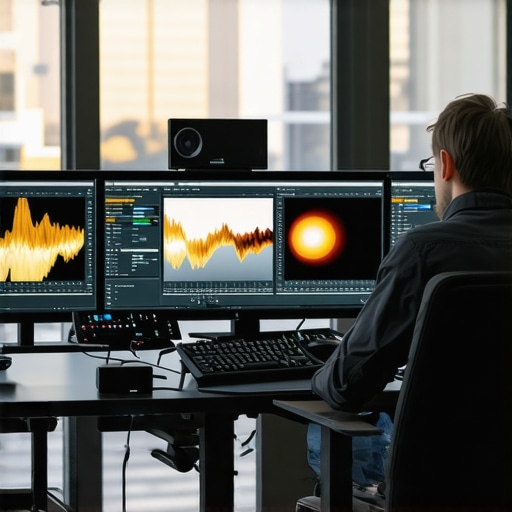
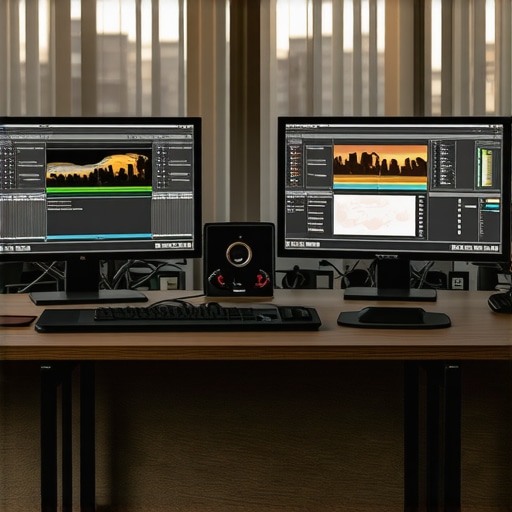
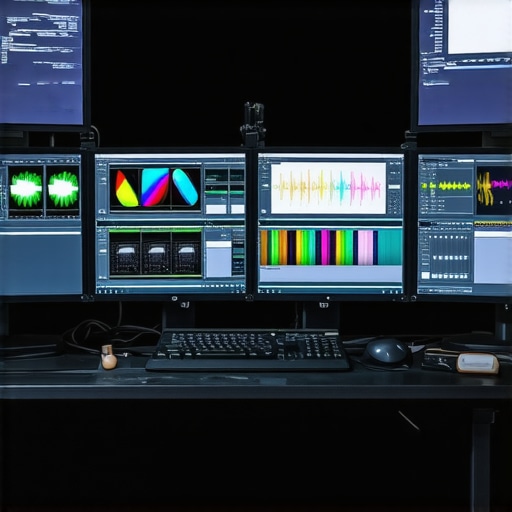
In the realm of professional content creation, the fidelity of visual output hinges critically on the quality of your display. A high-caliber monitor tailored for color accuracy and 4K video editing is not just a tool but a strategic asset that elevates the entire creative process. As industry standards evolve, understanding the nuanced features that distinguish top-tier monitors becomes essential for professionals seeking to maintain competitive edge.
Unveiling the Technical Foundations of Professional Monitors
What Advanced Calibration Capabilities Empower Creatives in 2024?
Modern professional monitors incorporate hardware calibration tools that ensure pixel-perfect color reproduction. Features such as 14-bit LUT (Look-Up Table) support and factory calibration certificates are fundamental, enabling creators to achieve consistent color profiles across projects. For example, high-end models like those discussed in this guide exemplify such precision.
HDR and 4K Resolution: Elevating Visual Fidelity
High Dynamic Range (HDR) support combined with 4K resolution unlocks a new dimension of detail and contrast, vital for color grading and detailed editing workflows. Monitors with Dolby Vision or HDR10 support, paired with accurate color spaces like DCI-P3 or Adobe RGB, ensure your visuals are true to life. The integration of these technologies significantly reduces post-processing time and enhances creative confidence.
Color Space Coverage and Calibration for Professionals
Creating content for different media outlets demands strict adherence to color standards. Monitors with near-complete Adobe RGB or DCI-P3 coverage, complemented by hardware calibration, guarantee consistent results. An insightful resource for understanding these standards is this detailed article.
Expert Insights: Navigating the Complexities of Display Technologies
How Do OLED and IPS Panels Compare for Professional Video Editing?
While OLED panels offer unrivaled contrast ratios and deep blacks, IPS panels excel in color accuracy and viewing angles, making them preferable for multi-user editing environments. The debate hinges on balancing contrast performance with color fidelity, a consideration that experts weigh heavily when selecting monitors for specific workflows. For a comprehensive comparison, see this comparison guide.
To truly harness the potential of your display setup, consider integrating hardware calibration devices, such as those reviewed in this resource, which ensure your monitor maintains optimal accuracy over time.
Engage with the Creative Community
For professionals eager to refine their editing environments, exploring the latest innovations in HDR and color calibration is crucial. Share your insights or ask questions in our contact section and contribute to the collective knowledge pool of visual professionals.
Refining Your Visual Precision with Expert Calibration Techniques
In the pursuit of perfection, professional creatives increasingly rely on advanced calibration methods to ensure their monitors deliver consistent, accurate colors. Hardware calibration tools like colorimeters and spectrophotometers—highlighted in this authoritative guide—allow artists to fine-tune their displays beyond factory settings. These devices measure and adjust every pixel to match industry standards such as DCI-P3, Adobe RGB, or Rec. 709, which are critical for maintaining fidelity across different media.
Why Color Management Strategy Can Make or Break Your Workflow
Implementing a robust color management workflow involves more than just calibration; it requires understanding color profiles, workspace settings, and proper asset management. For instance, editing in a calibrated monitor set to Adobe RGB ensures your color edits translate accurately when printed or displayed on other calibrated devices. Professionals often use color management software integrated with their calibration tools to automate and streamline this process, minimizing discrepancies. To deepen your understanding of these standards, explore this comprehensive resource.
What Are the Hidden Pitfalls in Calibration That Could Sabotage Your Results?
Many creatives overlook environmental factors such as ambient light, room color, and monitor aging, all of which influence calibration accuracy. For example, a monitor calibrated in a dark room might display colors differently when exposed to bright daylight. Regular calibration, especially when working on critical projects, should be paired with controlled lighting conditions and periodic re-evaluation. Properly addressing these issues can prevent costly reworks and ensure your visual output remains pristine over time. For detailed techniques, see this expert guide.
Can Calibration Keep Up with Evolving Display Technologies in 2024?
As display technologies like mini-LED, OLED, and quantum dots become more prevalent, the calibration process must adapt to new challenges such as increased contrast ratios and wider color gamuts. Calibrating these displays requires specialized hardware and software capable of handling their unique characteristics. Staying ahead means continuously updating your calibration routines and tools, as well as understanding the specific color profiles they support. For insights into the latest display tech and calibration methods, consider reviewing this authoritative review.
Engage with the creative community by sharing your calibration successes and challenges—your insights could help others avoid common pitfalls and elevate the collective standard of visual fidelity. If you’re eager to upgrade your setup, discover the best calibrated monitors for your workflow by exploring top-rated options here.
Overcoming Calibration Challenges in the Era of Quantum Dots and Mini-LEDs
As display technologies advance swiftly, with innovations like quantum dot enhancement and mini-LED backlighting, maintaining accurate calibration becomes increasingly complex yet crucial for professionals. These screens offer wider color gamuts and higher contrast ratios, demanding calibration routines that can adapt to their sophisticated capabilities. For instance, calibration hardware must now support extended color spaces such as Rec. 2020 or BT.2020, which are emerging standards for ultra-high-definition content. According to a recent technical report by IEEE Spectrum, the calibration process must evolve from traditional methods, integrating spectral measurement tools capable of capturing the nuanced light emissions of these new panels.
What Are the Practical Steps to Calibrate Next-Gen Displays Effectively?
First, ensure your calibration device is compatible with the display’s specifications—spectrophotometers that support wider color spaces are essential. Next, use software that can load custom profiles and handle the extended gamuts, such as CalMAN or LightSpace CMS. It’s equally important to perform calibration in a controlled environment where ambient light is minimized and consistent. Additionally, consider implementing a multi-point calibration approach that accounts for the entire brightness and contrast range, particularly for HDR workflows. Regular recalibration, preferably monthly, is recommended to counteract aging effects and environmental changes, securing sustained color fidelity over time.
Why Color Management Workflow Is the Secret Sauce for Creatives
Beyond initial calibration, a robust color management workflow ensures your visual output remains consistent across various devices and media. This involves selecting the correct color profiles—such as Adobe RGB, DCI-P3, or Rec. 2020—and embedding them properly within your editing software. For example, Adobe Photoshop and DaVinci Resolve offer advanced color management settings that can be fine-tuned to match your calibrated monitor. Implementing a standardized workspace and asset management protocol prevents color shifts during project handoffs, which is critical for collaborative environments or multi-platform content creation. To deepen your understanding, explore ICC’s official color management standards—the backbone of professional color workflows.
How Can Environmental Factors Undermine Calibration Precision?
Ambient lighting, room color, and even the angle at which you view your monitor can distort perceived colors and contrast. For instance, a monitor calibrated in a dark room can appear washed out under bright daylight, leading to misguided color adjustments. To mitigate these effects, use neutral-colored walls, consistent lighting conditions, and monitor hoods that limit glare. Furthermore, periodic re-evaluation of calibration settings, especially after changing lighting conditions or moving equipment, helps preserve accuracy. Remember, calibration is not a one-time task but an ongoing process, akin to tuning a musical instrument for optimal performance.
The Future of Calibration: Embracing AI and Machine Learning
Emerging trends suggest that artificial intelligence and machine learning will soon revolutionize display calibration. Intelligent calibration systems can analyze a display’s output in real-time, adjusting color and contrast dynamically to maintain precision despite environmental fluctuations or hardware aging. Companies like X-Rite are already developing AI-powered calibration tools that learn from previous adjustments, offering more intuitive and automated workflows. As detailed in X-Rite’s recent publication, integrating AI will significantly reduce manual effort while improving accuracy, empowering creatives to focus more on their craft than technical minutiae.
To stay at the forefront of this technological evolution, consider participating in professional forums, attending industry conferences, and experimenting with the latest calibration hardware and software. Your expertise in maintaining pixel-perfect displays not only elevates your work but also sets new standards in the creative industry. Explore more about cutting-edge calibration solutions at this curated resource.
Why Adaptive Calibration Techniques Will Revolutionize Your Workflow
As display technology continues to evolve rapidly, static calibration methods are becoming insufficient for maintaining peak color accuracy. Adaptive calibration employs real-time adjustments, leveraging AI algorithms to compensate for environmental changes, hardware aging, and content-specific demands. This approach ensures your monitor consistently delivers optimal results, reducing manual recalibration efforts and enhancing productivity. Industry leaders like X-Rite are pioneering tools that integrate machine learning to automate this process, as detailed in X-Rite’s expert insights.
Harnessing Spectral Measurement for Ultra-Precise Color Fidelity
Traditional calibration methods often rely on standard colorimeters that may not capture the full spectral nuances of next-generation displays, such as quantum dot or OLED panels. Spectrophotometers, which analyze the entire light spectrum emitted by the screen, enable a more comprehensive calibration. This precision is crucial for professionals working in color-critical fields like high-end photography, film grading, and digital art. Implementing spectral measurement ensures your color profiles are accurate across all devices and media, aligning with standards outlined by the ICC.
What Are the Long-Term Benefits of Integrating Hardware and Software Calibration Ecosystems?
Combining dedicated calibration hardware with advanced management software creates a cohesive ecosystem that simplifies ongoing maintenance. Such integration provides automated scheduling, detailed reporting, and easy profile updates, ensuring sustained color accuracy over time. For instance, a synchronized calibration routine can be embedded into your daily workflow, minimizing discrepancies before critical sessions. This synergy not only saves time but also guarantees consistent visual fidelity, which is paramount for collaborative projects and multi-platform publishing.
The Expert’s Guide to Future-Proofing Your Display Setup
To stay ahead in a landscape dominated by HDR, 4K, and beyond, professionals must adopt calibration strategies that accommodate emerging standards like Rec. 2020 and BT.2020 color spaces. This involves selecting hardware compatible with these wider gamuts and continuously updating calibration profiles through firmware and software upgrades. Staying informed through industry reports, such as those from IEEE Spectrum (IEEE Spectrum), ensures your tools and techniques evolve in tandem with display innovations.
How Can Advanced Calibration Prevent Costly Post-Production Corrections?
High-precision calibration minimizes the risk of color discrepancies that could lead to reworks, delays, and budget overruns. By establishing a reliable color baseline early in the project, creatives can confidently proceed with editing, grading, and printing, knowing their output will meet industry standards. Regular calibration sessions act as preventive maintenance, catching drift before it impacts final deliverables. For detailed strategies, consult this authoritative resource.
Engage with fellow professionals by sharing your calibration successes and challenges, fostering a community dedicated to visual excellence and innovation.
Mastering the Art of Visual Fidelity
In the competitive landscape of creative production, the ability to deliver pixel-perfect results hinges on understanding the evolving display technology and calibration techniques. Professionals who stay ahead of technological trends recognize the importance of integrating spectral measurement, adaptive calibration, and high-end hardware to maintain unmatched accuracy.
Cutting-Edge Calibration Strategies
Leveraging AI for Consistent Color Performance
Artificial intelligence-driven calibration tools are transforming workflows, enabling real-time adjustments that counteract environmental changes and hardware degradation. Such innovations empower creators to focus on artistic vision while maintaining technical precision.
Spectrophotometry: The Gold Standard
Spectrophotometers provide comprehensive spectral data, ensuring calibration encompasses the full light spectrum emitted, especially vital for OLED and quantum dot displays. This approach guarantees color fidelity across diverse media and viewing conditions.
Environmental Awareness and Routine Checks
Ambient lighting and room colors can subtly influence perceived accuracy. Regular calibration sessions, combined with controlled lighting environments, are essential for consistent results, particularly in high-stakes professional settings.
Expert Resources for Deepening Knowledge
- ICC Color Management Standards – The foundation for professional color workflows, ensuring compatibility and accuracy across devices.
- Top Monitors for Color Precision 2024 – Curated selection of monitors with industry-leading calibration features.
- Ultimate Guide to 4K HDR Monitors – In-depth insights into achieving the highest fidelity in professional workflows.
Reflections from the Front Lines of Visual Technology
As display innovations like BT.2020 and extended gamuts become mainstream, calibration methodologies must evolve. Embracing spectral measurement tools, AI-powered adjustments, and rigorous environmental controls will define the next era of professional editing. Staying informed and adaptable ensures your visual outputs not only meet but exceed industry standards, setting a new benchmark for excellence. Engage with the community of experts, share insights, and explore advanced calibration solutions to maintain your edge in this dynamic field.
About the Author